The Gap Year Planner App for the Year Ahead

Plan your gap year by destination and day, keep the itinerary flexible, journal offline and turn months of photos, places and notes into one private TripBook.

Young gap year travellers exploring a new city with backpacks
A group of young gap year friends travelling together
Young travellers capturing photos together in a hostel
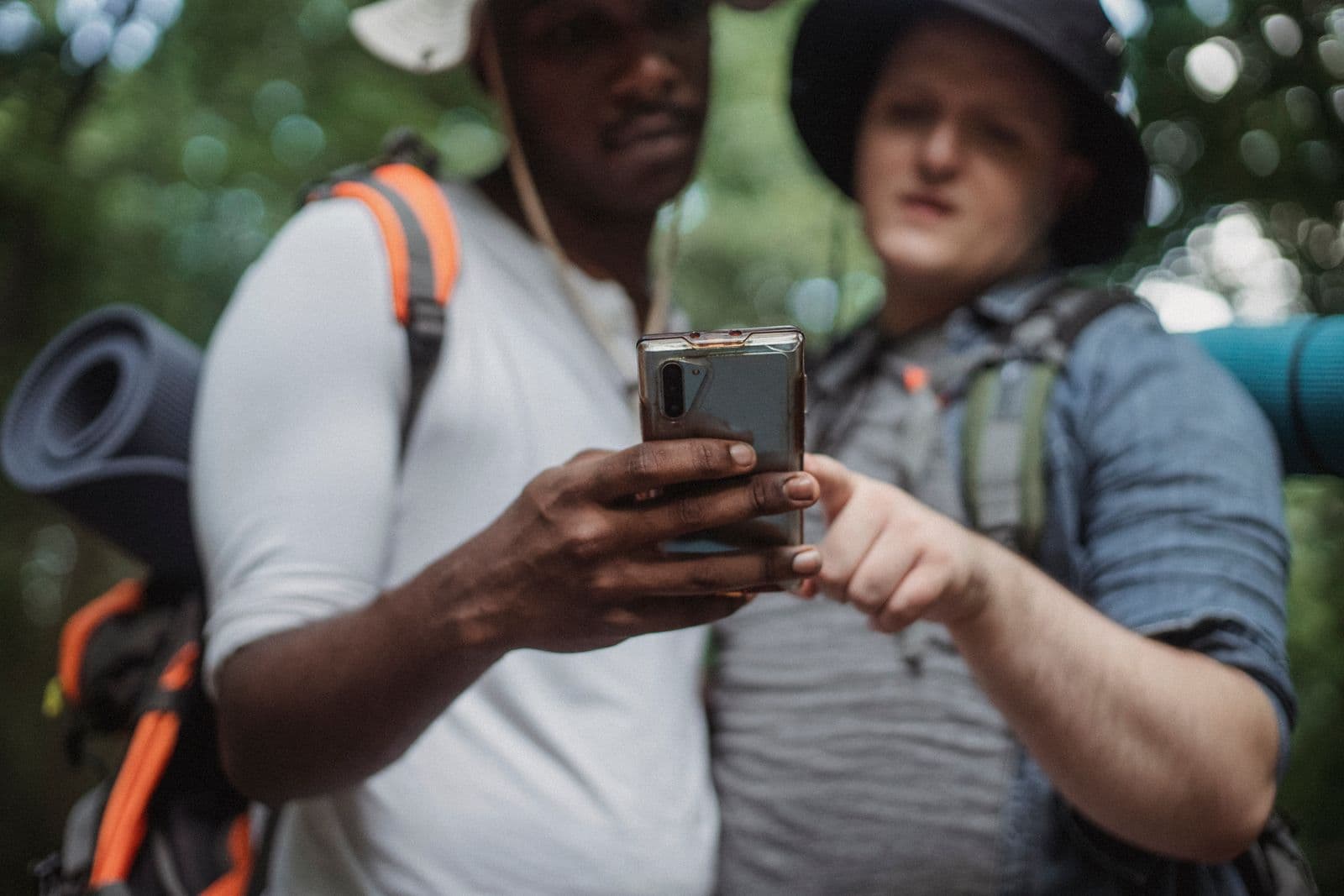
Gap year friends using a travel app together outdoors
Two friends travelling through a city with backpacks
Gap year travellers sharing memories during a hostel stay
TripMemo gap year app showing a day-by-day long-term travel journal with photos, places and notes

TripMemo is a gap year planner app for building flexible itineraries by destination and day, then turning each leg into an offline travel journal. It keeps plans, photos, places, notes and private family updates together in one TripBook.

01
Plan every chapter
Keep route ideas and flexible day plans organised as countries and priorities change.
02
Journal offline
Capture photos and notes between SIM cards, on travel days and beyond reliable Wi-Fi.
03
Catch up quickly
Bulk upload a busy week and let TripMemo sort the camera roll into the right days.
04
Share privately
Give family one TripBook link instead of broadcasting every moment on social media.

For your entire gap year

Save the possibilities, shape each chapter, then keep the places, people and stories together.

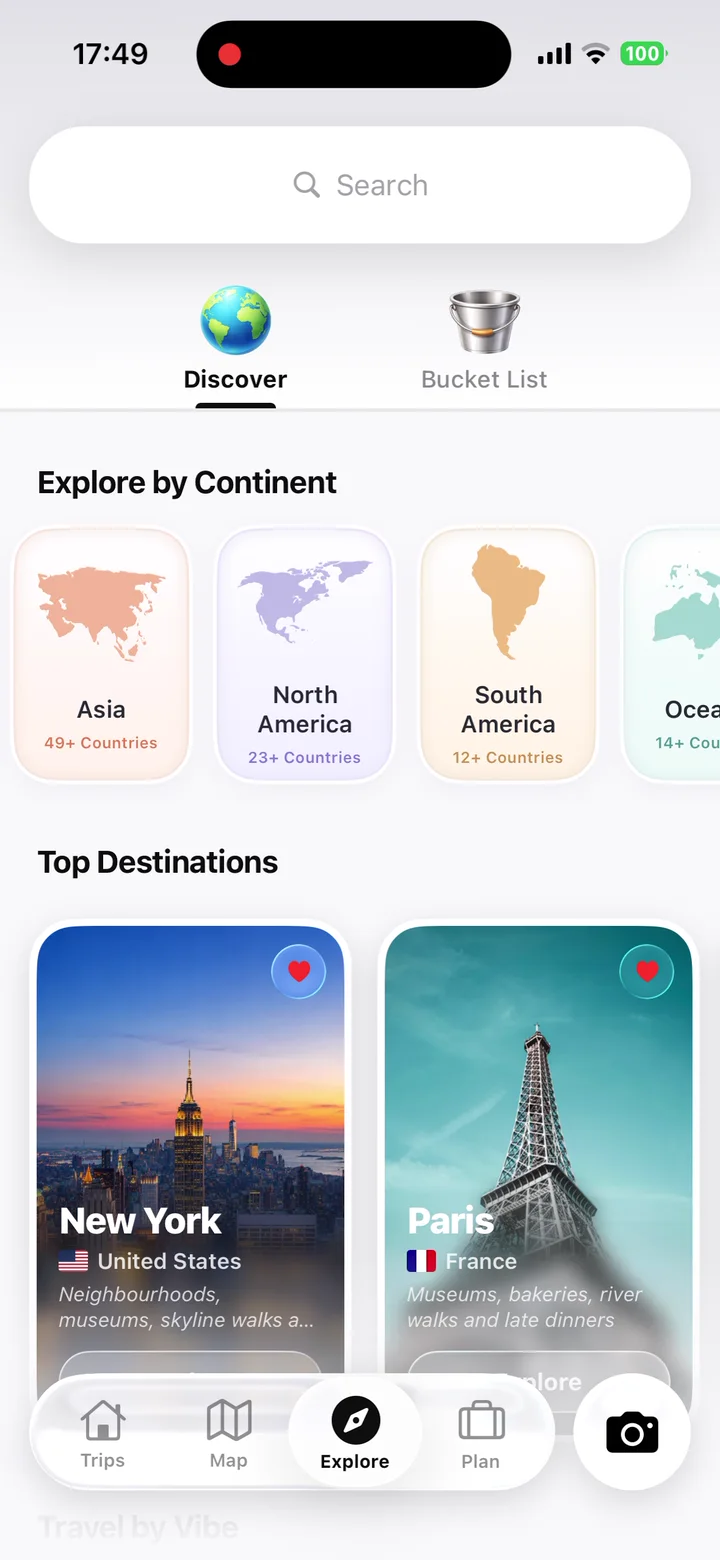
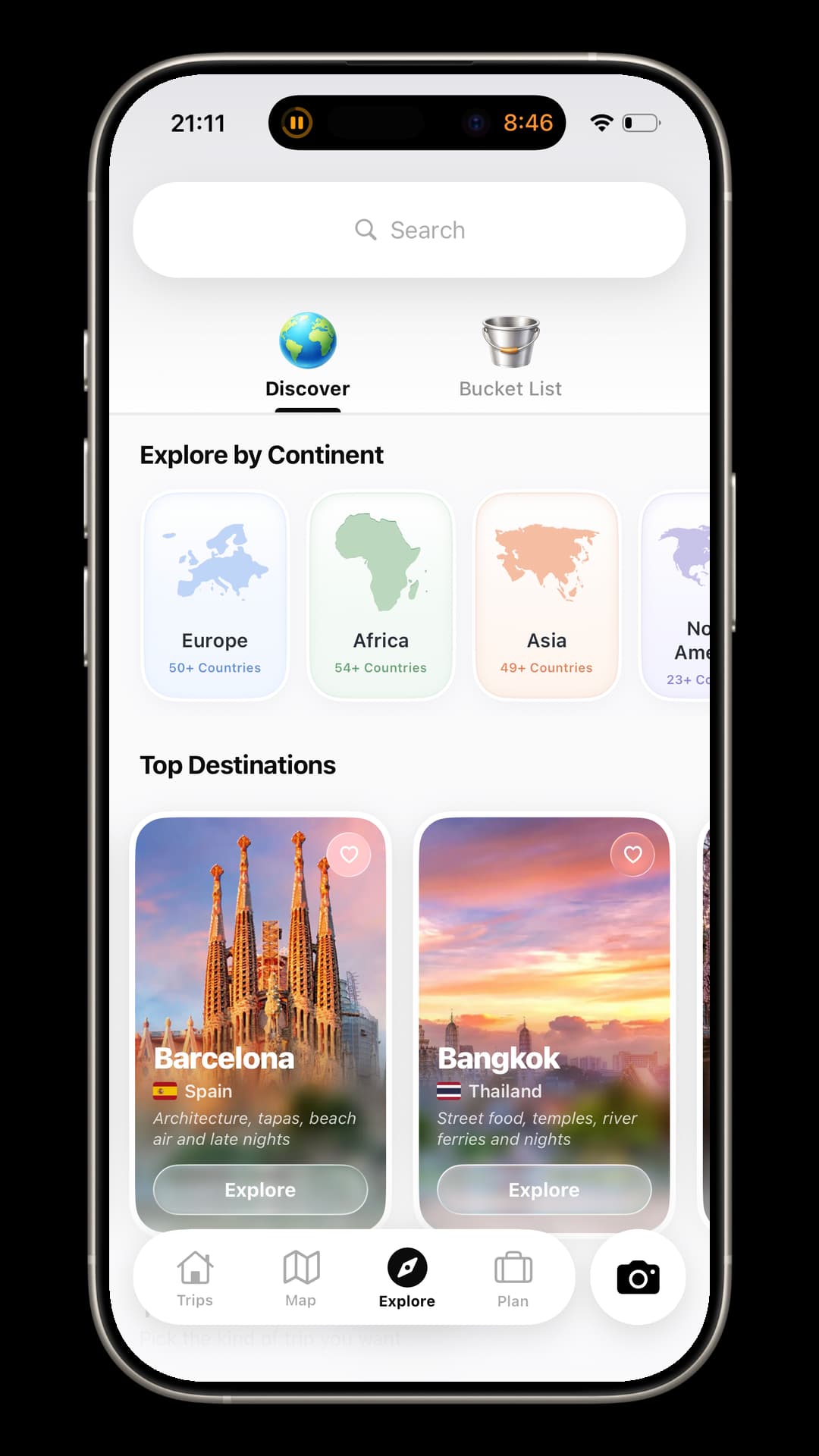
TripMemo gap year destination discovery screen with places organised by continent and travel vibe

Share each chapterKeep every perspective

Invite the friends you meet for the chapter you share. Everyone can add photos, notes and favourite finds to one TripBook, while family follows the journey through a private link.

Maya, a digital TripBook contributor
Maya
Theo, a digital TripBook contributor
Theo
Sam, a digital TripBook contributor
Sam
Ana, a digital TripBook contributor
Ana
Leo, a digital TripBook contributor
Leo
Nina, a digital TripBook contributor
Nina
Sofia, a digital TripBook contributor
Sofia
Noah, a digital TripBook contributor
Noah
Alex, a digital TripBook contributor
Alex
Emi, a digital TripBook contributor
Emi
Jamie, a digital TripBook contributor
Jamie
Priya, a digital TripBook contributor
Priya
Iris, a digital TripBook contributor
Iris
Owen, a digital TripBook contributor
Owen
TripMemo gap year app showing travel friends adding photos and notes to one shared TripBook on iPhone
Gap year friends contributing photos and notes to one shared TripMemo TripBook.

One gap year appThe whole year

Plan the next leg, capture life offline and organise months of memories into a story you can privately share.

Plan the next chapterStay ready to change it
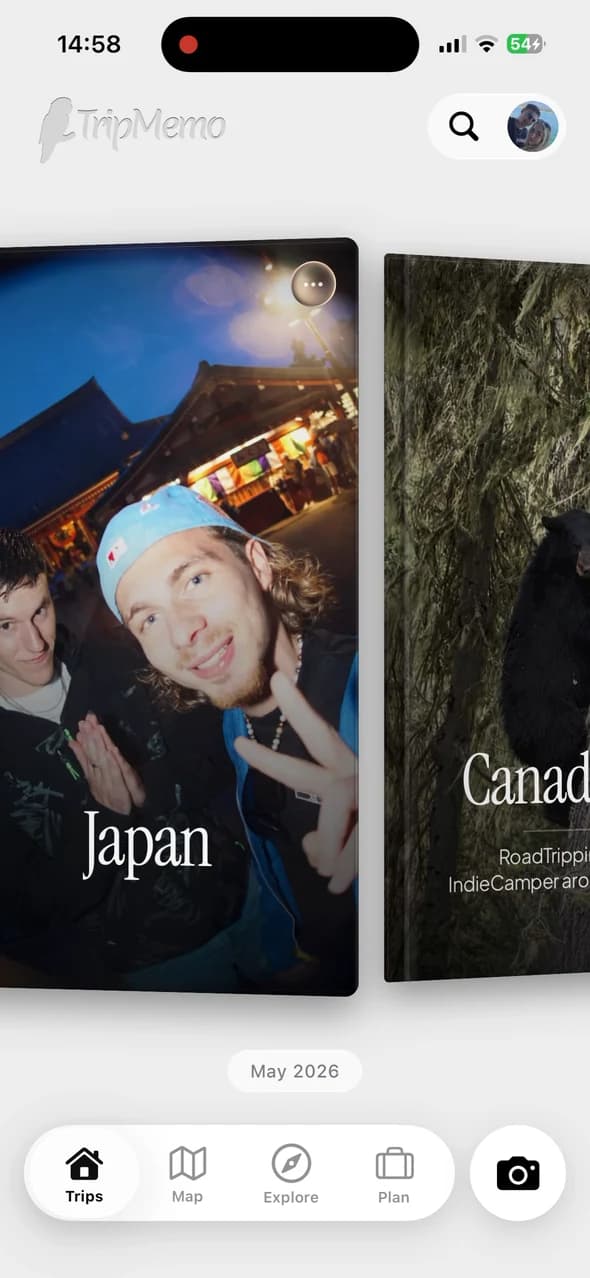
TripMemo backpacking planner showing a day-by-day Japan TripBook on iPhone

Map everyplace & memory

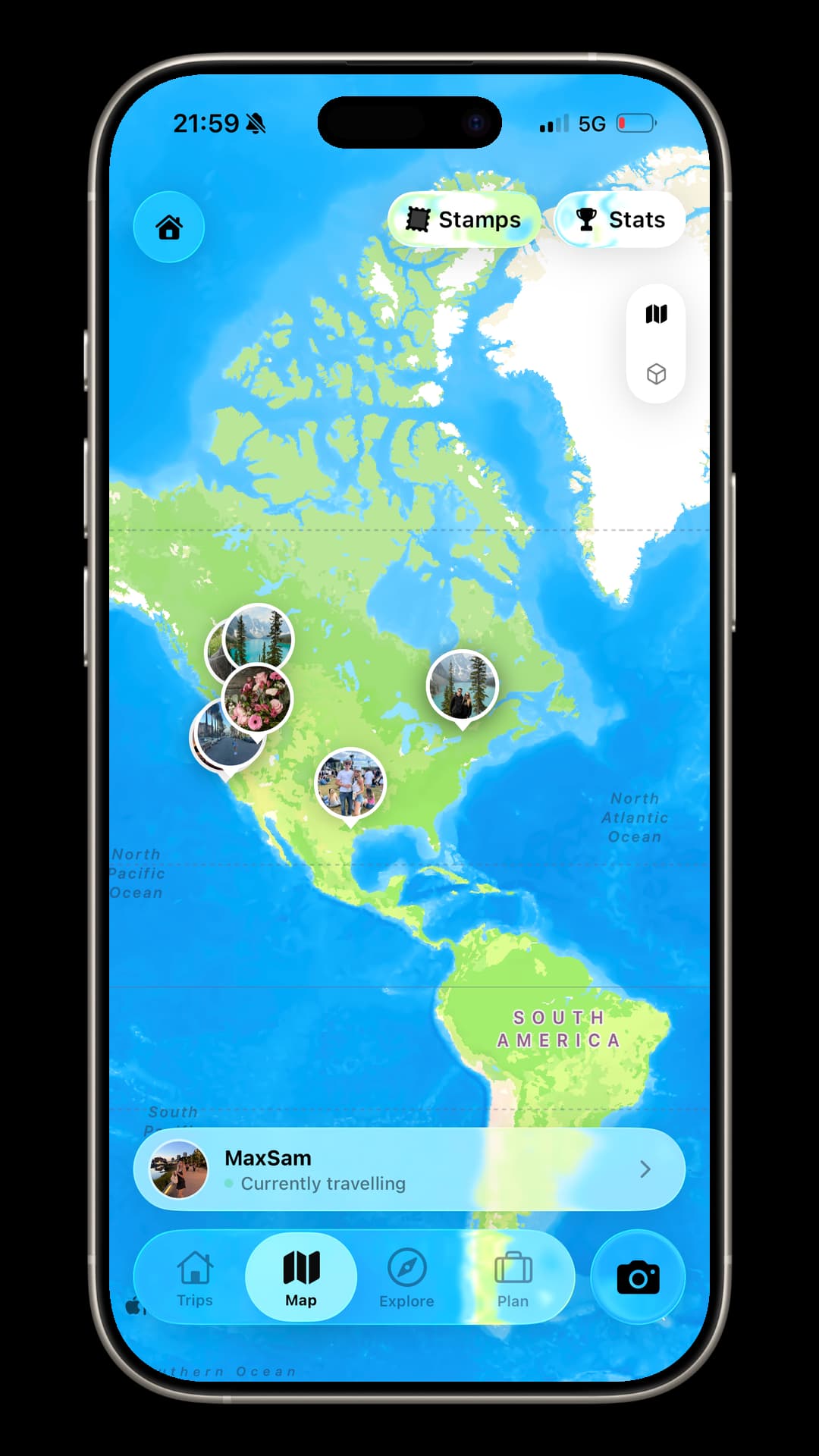
TripMemo backpacking map showing a North America route with photo memories pinned to places
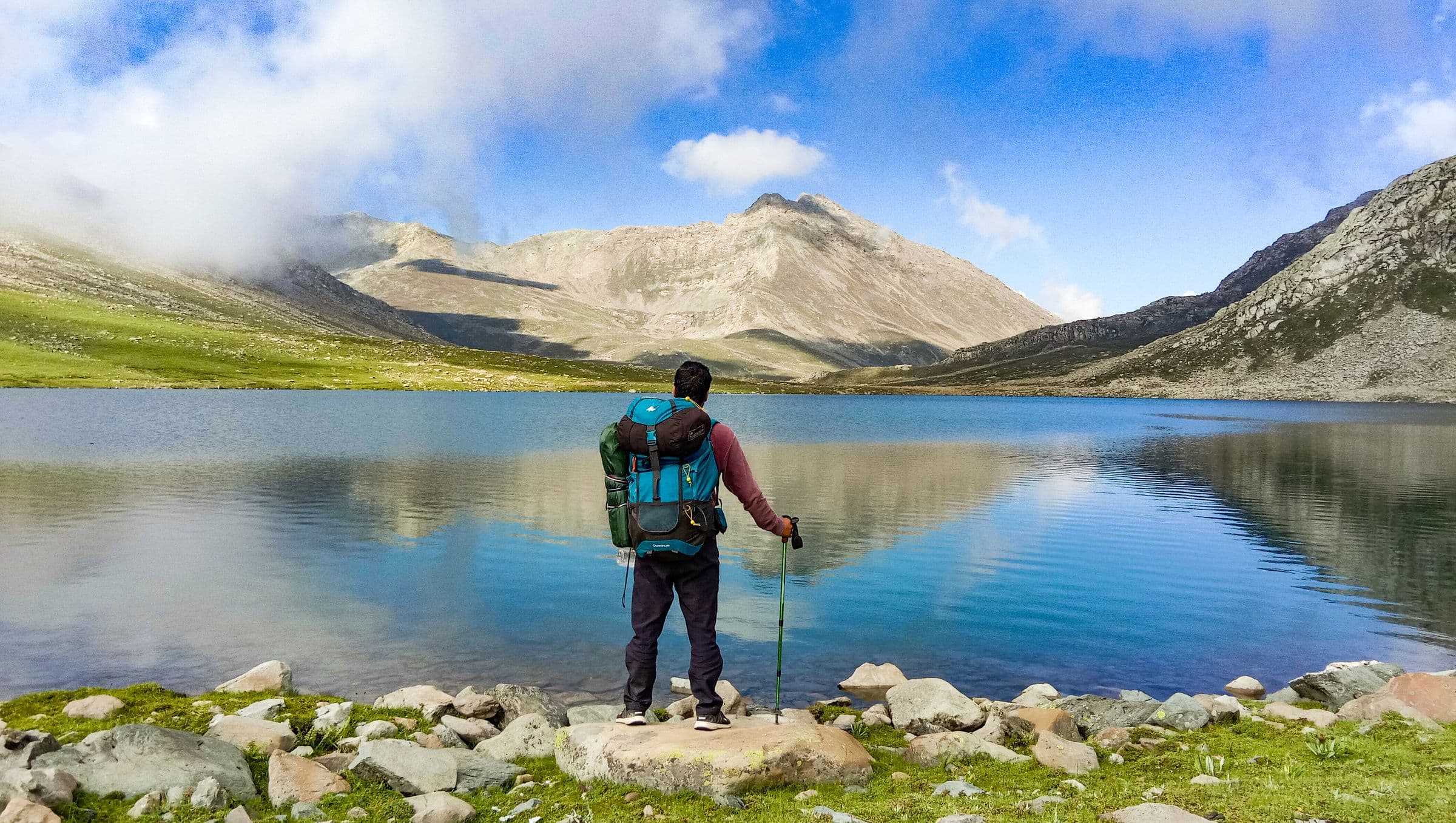
Backpacker beside a mountain lake
Backpacker trekking through Nepal

Write offlineSync when you reconnect

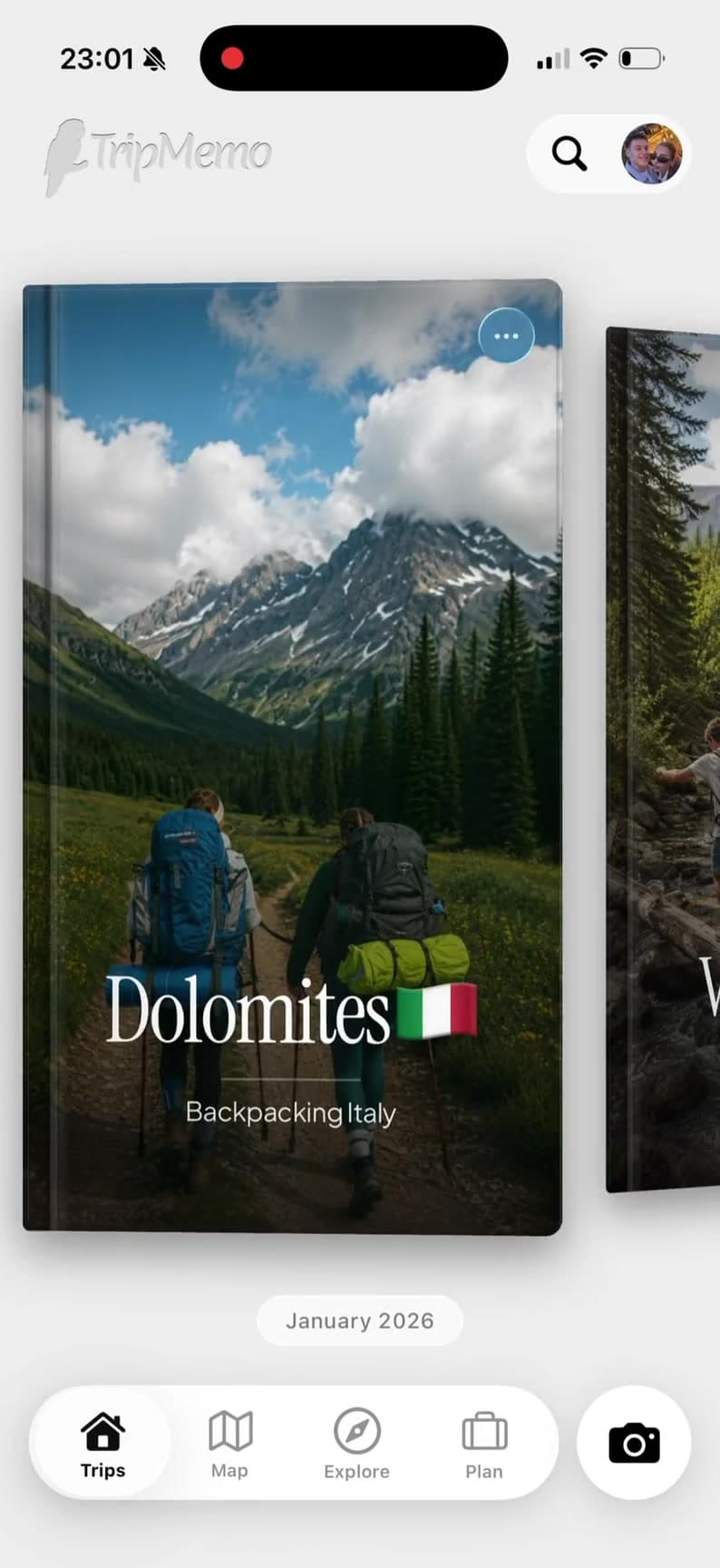
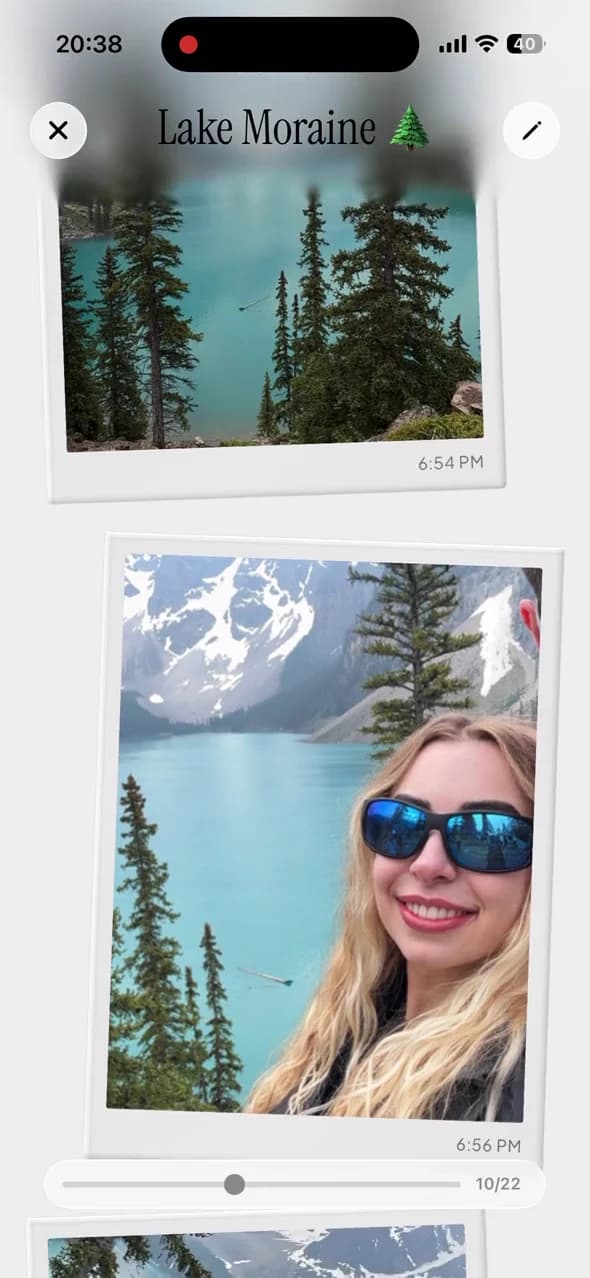
TripMemo offline backpacking TripBook showing a Dolomites hiking journey

Turn a year of photosinto one TripBook

TripMemo organising a backpacker's bulk photo upload into a day-by-day TripBook
4.6/5 from 36 UK App Store ratings · checked 29 July 2026
Gap year route map with photos pinned across countries
TripMemo destination explorer for planning the next gap year chapter

Start Your Gap Year TripBook Today

Plan each chapter, capture it offline and keep every dayOne gap year app for the journey before, during and after

Create a Gap Year TripBook
iOSWorks offlinePrivate by default

Plan Each ChapterKeep It Flexible

TripMemo keeps destinations, useful places and day plans together without turning a long journey into a rigid schedule. Use these six decisions to shape each chapter inside the app.

  1. 01

    Define the point of the year

    Write down what you want from the year: travel, paid work, study, volunteering, a language, a reset or a mix. Add your earliest start date, latest return date and any fixed commitments.

  2. 02

    Build chapters, not one rigid route

    Group the year into destinations or phases. Mark the experiences that are non-negotiable, then leave breathing room between them for slower travel, new friends and changed priorities.

  3. 03

    Set the budget and the buffer

    Estimate transport, accommodation, food, activities, visas, insurance and equipment. Keep an emergency fund separate from everyday spending and review the plan whenever a chapter changes.

  4. 04

    Check the practical requirements

    Confirm passport validity, entry and working rules, insurance cover, vaccinations, medication and official destination advice. Requirements depend on your passport and can change.

  5. 05

    Book the anchors first

    Secure time-sensitive programmes, visas and the transport or first nights you truly need. Keep ordinary days editable so the plan remains useful after the first delay or spontaneous detour.

  6. 06

    Keep the plan connected to the story

    Share the outline with someone you trust, add updates as plans change, and record photos and notes while the context is fresh. A usable plan should become a record of what actually happened.

A gap year gets complicatedYour story can stay together

A good gap year app should keep changing plans, offline moments and months of memories connected from the first flight to the journey home.

Young gap year travellers exploring a city with backpacks

A year of moving parts

Countries, stays and ideas multiply until the route is scattered across notes, tabs and screenshots.

Young backpackers using a phone together while travelling

Wi-Fi comes and goes

Flights, overnight transport and remote places do not wait for a reliable connection.

Gap year travellers with a camera in a hostel

Months of camera roll

Thousands of photos lose their names, places and meaning when every week looks like the next.

A diverse group of young gap year travellers walking together

Friends join and leave

Every travel companion captures a different part of the chapter on a different phone.

One extraordinary yearOne organised TripBook

Plan each chapter, capture it offline and turn months of travel into one story worth keeping.

Countries change. Plans stretch. New friends join for a chapter. TripMemo keeps the route, the people and the story in one place without continuously tracking you.

Made for real life on a long trip

Offline capture · collaborative TripBooks · private sharing

Plan the Next ChapterKeep the Whole Story

TripMemo combines flexible gap year planning with an offline travel journal. Save destination ideas and day plans, then add photos, places and notes as months of travel unfold. Bulk upload catches up after busy weeks, while day-by-day TripBooks keep the full journey readable.

Start with our travel journaling guide, compare the broader travel journal app, or explore dedicated advice for backpackers and digital nomads.

Journaling Tips for Gap Year Travellers

Make the most of your travel memories with these practical journaling strategies.

01

Keep It Sustainable

Write one vivid detail each day rather than a full essay. Small entries are easier to maintain across months.

02

Capture the Ordinary

Hostel kitchens, commute routes and new routines will matter as much as landmarks when you look back.

03

Catch Up by Chapter

At the end of each country or month, bulk upload your photos and add the context while names and stories are still fresh.

04

Invite Friends for Their Leg

Add companions only to the TripBook you share, so each person contributes their own view of that chapter.

What a gap year app should actually do

Keep the essentials together without making the year feel rigid: a flexible plan before you leave, and an organised story as you go.

What matters

  • Plans that can change

    Move destinations, dates and day plans without rebuilding the whole year.

  • Reliable offline capture

    Add photos and notes between SIM cards, then sync when you reconnect.

  • A journal organised by day

    Turn months of photos, places and stories into one readable TripBook.

  • Private sharing together

    Invite friends to contribute and give family one private link to follow.

When to start

  1. 01

    9–12 months

    Choose your goals, research routes and start saving.

  2. 02

    6–9 months

    Apply for programmes or visas with long lead times.

  3. 03

    3–6 months

    Review insurance, health needs and key bookings.

  4. 04

    Final month

    Confirm documents, first-night plans and packing.

TripMemo connects the route you planned with the photos, places and stories that actually happened.

Start Your Gap Year TripBook

Gap Year App Questions

What is a gap year planner app?
A gap year planner app helps you turn a long, multi-stage year into an organised plan. TripMemo lets you save destination ideas, build flexible itineraries by destination and day, keep the route on a map, and convert the plan into a day-by-day travel journal as you go.
How do I plan a gap year?
Start with the purpose and dates of your year, divide it into travel, work, study or volunteering chapters, set a realistic budget with an emergency buffer, and check official passport, visa, health and insurance guidance. Book only the fixed parts first, then keep the remaining itinerary flexible enough to change as opportunities arise.
How far in advance should I plan a gap year?
Nine to twelve months is a useful starting point for saving, researching destinations and applying for competitive programmes. Flights, placements and working-holiday visas may need attention six to nine months ahead, while insurance, vaccinations, documents and packing can be finalised closer to departure. Lead times vary, so always check official requirements for every destination.
Can I use TripMemo as a gap year planner app?
Yes. Use the Plan section to save destinations, organise flexible day plans and keep useful places together for each leg. TripMemo complements dedicated booking, visa and navigation tools; it keeps the plan connected to the memories you record along the way.
Does the gap year app work offline?
Yes. Add photos and write journal notes without a connection on flights, overnight buses, remote islands or anywhere with unreliable Wi-Fi. TripMemo stores your changes on your iPhone and syncs them after you reconnect.
Can TripMemo organise months of photos?
Yes. Create one TripBook for the full journey or separate books for different regions. Bulk upload photos from your camera roll and TripMemo sorts them into days and chronological order, ready for captions, places and notes.
Can friends contribute to the same gap year journal?
Yes. Invite friends for the legs you travel together. Everyone can add photos and notes to the shared TripBook, so a group adventure is not divided between different phones and message threads.
Can my family follow my gap year privately?
Yes. TripBooks are private by default. Create a link for a specific trip when you want family or close friends to follow along, without turning your journal into a public social feed.
Is TripMemo a location tracker?
No. TripMemo does not continuously record your location in the background. You choose when to add a photo, note or place. Its maps are for planning and remembering meaningful stops, not live navigation or safety tracking.
Can I rebuild a gap year journal after I get home?
Yes. Select photos from your completed trip and bulk upload them. TripMemo uses their dates to organise the journey chronologically, so you can add the missing context without manually rebuilding every day.
Is TripMemo useful for a year abroad or working holiday?
Yes. Day-by-day TripBooks work for travelling, studying abroad, volunteering and working holidays. You can separate chapters by country, semester or travel leg while keeping a consistent record of places, people and everyday moments.
How do I download the TripMemo gap year app?
Download TripMemo for iPhone from the App Store, create your first TripBook and start adding destination ideas, photos, notes and places. You can invite collaborators or share privately at any time.

Your trips deserve
more than a camera roll

Turn travel photos into books you'll actually look back on.

Real-time Collab
Works Offline
Private by Default