Best Day One Alternative (2026)
A travel-focused Day One alternative with TripBooks, Polaroid layouts, offline capture, and real-time collaboration.
.webp&w=96&q=75&dpl=dpl_EPXMHFF758wZiFUsuw99japedPYQ)
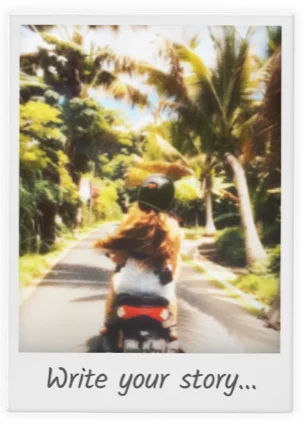





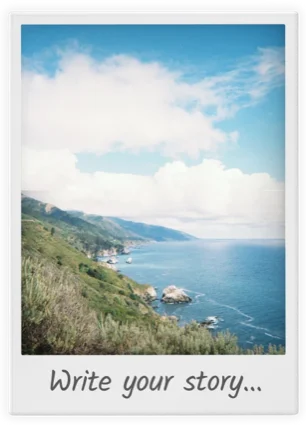




People who switched from Day One
Hear from travelers who made the switch and why they stayed.
“Day One is my daily journal. But for travel, I wanted something visual—photos first, words second. TripMemo gets that travel is about images and places, not diary entries.”
Laura M.
Writer & traveler • Portland, US
“My travel entries in Day One got lost among daily life stuff. TripMemo separates travel into its own beautiful space. Now I actually find and share my trip memories.”
Mark H.
Occasional traveler
“Day One is single-user. We couldn't build a shared travel journal. TripMemo's collaboration was exactly what we needed for documenting trips together.”
Sophie & Jake
Couple
Tasteful take
Day One is great at Daily Journaling
TripMemo is great at Travel Memories
Different tools for different purposes. Choose the one that fits your goal.
If you want a daily journal
Day One is excellent for daily life journaling: gratitude, reflections, work notes, and everything in between. It's a general-purpose diary with beautiful design.
Best for
- Daily journaling (any topic)
- Text-heavy entries
- End-to-end encryption
If you want travel TripBooks
TripMemo is purpose-built for travel: each trip becomes a TripBook with pages, photos, notes, and map pins. Perfect for preserving and reliving adventures.
Best for
- Travel memory preservation
- Visual storytelling (Polaroids)
- Group trips & couples
- Offline travel journaling
Which traveler are you?
See how TripMemo fits your travel style.
What you get with TripMemo
The Travel Stack
Day One doesn't have
Everything below is designed specifically for travel: TripBooks, Polaroid layouts, collaboration, and the feeling of reliving trips years later.
TripBooks (not endless entries)
Each trip becomes a digital book. Each day becomes a page. Photos and notes live together, so your trip reads like a story—not scattered journal entries.


.webp&w=3840&q=75&dpl=dpl_EPXMHFF758wZiFUsuw99japedPYQ)
%2520copy.webp&w=3840&q=75&dpl=dpl_EPXMHFF758wZiFUsuw99japedPYQ)
%2520copy%25204.webp&w=3840&q=75&dpl=dpl_EPXMHFF758wZiFUsuw99japedPYQ)
Offline mode that keeps up
Write notes, add photos, reorder pages—offline. TripMemo queues everything locally and syncs automatically when you're back online.
Network
Searching...
Photo captured
Offline Queue
Journal entry
Offline Queue
Layout updated
Offline Queue
Real-time collaboration
One trip. One shared TripBook. Friends add photos, notes, and edits—and everyone sees it instantly. Day One doesn't offer this level of collaboration.
Share links
Built for group trips.
Download all photos
Built for group trips.
Reorder pages
Built for group trips.
Everyone contributes
Built for group trips.
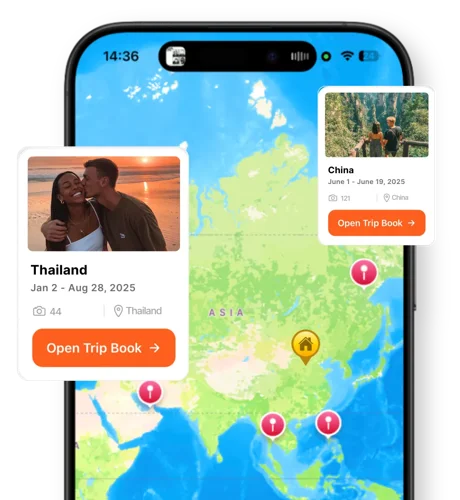
Maps for travel reflection
Your TripBooks live on a world map. Inside each TripBook, memories are pinned where they happened—designed for travel, not just location metadata.
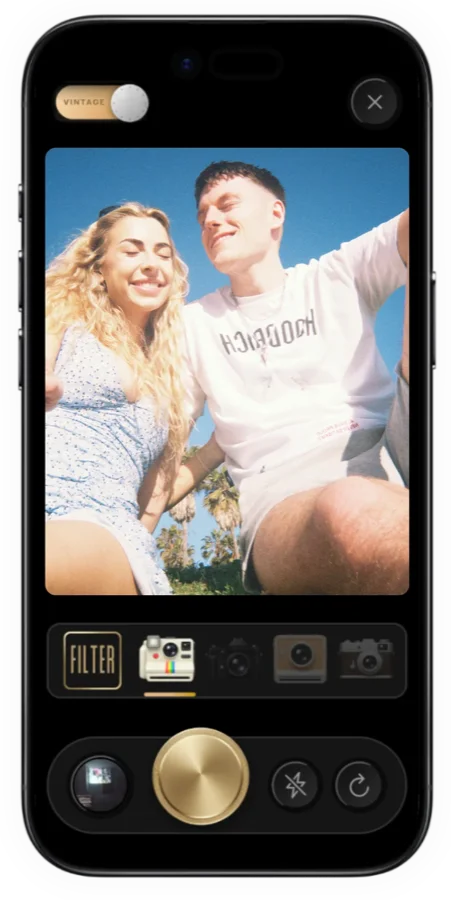
Vintage camera (4 LUTs)
Capture photos that feel nostalgic and intentional—right in the app. Four custom LUTs make your memories look like keepsakes. Day One doesn't have this.
Travel stats + progression
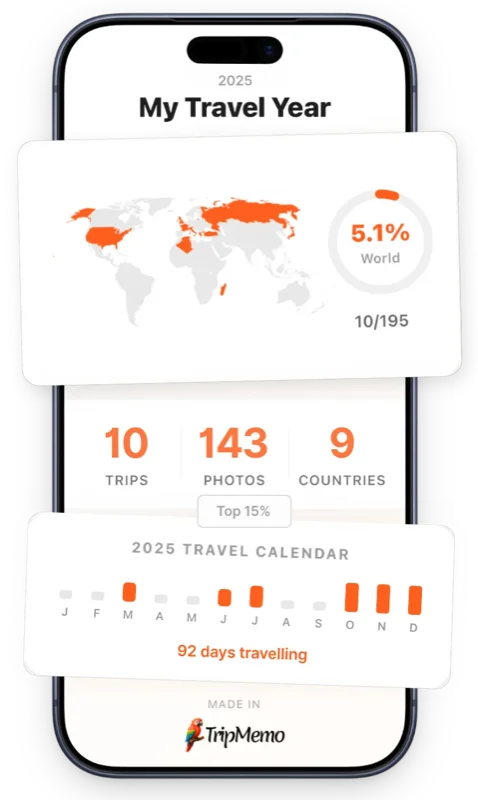
See countries visited, places explored, and your travel calendar. TripMemo adds playful progression (levels, missions, and Trippin')—something Day One doesn't offer.
TripBooks
Travel-focused design
Offline Mode
Write now, sync later
Collaboration
Real-time with friends
Vintage Camera
4 custom LUTs
How to switch from Day One
Day One allows full journal export including photos.
Export travel entries from Day One
In Day One, select your travel-tagged entries and export them. Photos will be included.
Download TripMemo
Get TripMemo from the App Store. Quick setup.
Create TripBooks for each trip
One TripBook per trip. Add your exported photos via bulk upload.
Add notes and context
Transfer your favorite journal entries as notes on the relevant pages.
No risk, no pressure
Keep Day One for daily journaling. Use TripMemo specifically for travel. Different tools for different types of memories.
FAQ
Day One Alternative Questions
Quick answers about using TripMemo instead of Day One for travel.
Is TripMemo a good Day One alternative for travel?
How is TripMemo different from Day One?
Does TripMemo have location tracking like Day One?
Does TripMemo work offline like Day One?
Can I collaborate on TripMemo like sharing a Day One journal?
Does Day One have travel-specific features?
Can I export my TripMemo journals like Day One?
Does TripMemo have a built-in camera?
Is Day One more secure than TripMemo?
Which app is better for travel photos?
Will I lose my Day One entries if I switch?
What if I still want a daily journal?
Does TripMemo work offline while traveling?
More Comparisons
Exploring Other Travel Apps?
See how TripMemo compares to other popular travel journal and tracking apps.

%20copy%202.webp&w=384&q=75&dpl=dpl_EPXMHFF758wZiFUsuw99japedPYQ)
%20copy%203.webp&w=384&q=75&dpl=dpl_EPXMHFF758wZiFUsuw99japedPYQ)

Your trips deserve
more than a camera roll
Turn travel photos into books you'll actually look back on.