Best DigiCrumbs Alternative (2026)
Plan your next adventure, relive past trips and see how far you have travelled. TripMemo brings digital travel journals, itinerary planning and travel stats together in one app.
Quick answer
Choose TripMemo if you want an all-in-one app for digital travel journals, real-time collaboration, itinerary planning, travel maps and stats. Build day-by-day TripBooks with photos, captions and notes. TripMemo automatically builds your route from where your photos were taken, adds those locations to your map and updates your travel stats. Edit offline and share a browser link with family back home, without a viewer app or account.
Choose DigiCrumbs if a simple map with manually added locations and photos is what you need. It also supports browser viewing without a viewer app or account. [1][4]
By TripMemo Editorial Team. Updated . This comparison is written by the makers of TripMemo.
.webp&w=96&q=75&dpl=dpl_2CBKs8TFKVWZVNuGSqzP38woaX7y)
What is the difference between TripMemo and DigiCrumbs?
TripMemo combines digital travel journals, real-time collaboration, itinerary planning, travel maps and stats. It automatically builds your route from where your photos were taken. DigiCrumbs offers location maps and a chronological timeline: travellers add places manually and attach photos. Both let friends and family view a shared trip and map in a browser without a viewer app or account.
Explore TripMemo’s automatic travel maps, travel stats and TripMemo’s features and real-time collaboration. DigiCrumbs sources: [4][5]
Which app fits the way you travel?
Both apps let people back home open your trip in a browser. The bigger decision is how you want to create that trip: a manually updated location map or a shared journal with both day-by-day pages and a location map that updates automatically.
| Your priority | App to consider and why |
|---|---|
| Automatic mapping from your photos | TripMemo automatically builds your route from where your photos were taken, adds those locations to your travel map and updates your stats for you. |
| A journal to build together | TripMemo supports real-time collaboration, so invited editors can add photos and notes to the same TripBook. Real-time collaboration is not confirmed in the DigiCrumbs pages reviewed. |
| Planning and memories in one app | TripMemo combines itinerary planning with TripBooks, maps and stats. A DigiCrumbs location map is not, by itself, confirmation of itinerary-building tools. |
| Journaling when there is no signal | TripMemo queues offline photos, notes and edits to sync later. Offline editing and later sync are not confirmed in the DigiCrumbs sources reviewed. |
| A simple map for people back home | DigiCrumbs focuses on manually added places, location photos and a shareable page. Its founder describes that deliberately minimal approach. [4] |

“Not confirmed” means the reviewed DigiCrumbs pages do not establish the feature. Browser viewing is supported by both apps; real-time collaboration is a different capability.
DigiCrumbs’ current App Store listing describes unlimited locations and photos for 30 days. Its one-time upgrade enables sharing and permanent storage. Viewers need no account or purchase. [5]
“Not confirmed” reflects the documentation reviewed, not a confirmed absence. Read the comparison sources.
DigiCrumbs is great at Simple maps
TripMemo is great at Remembering
Use the tool that matches how you want to experience your trip.
TripMemo is great atRemembering
Use the tool that matches how you want to experience your trip.

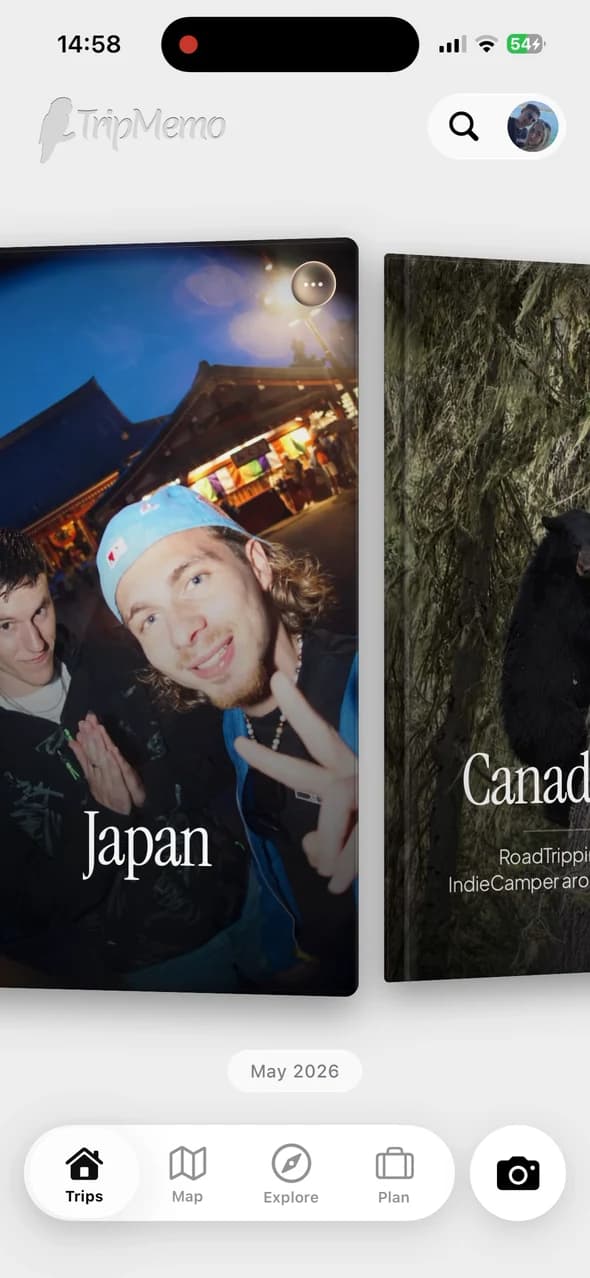
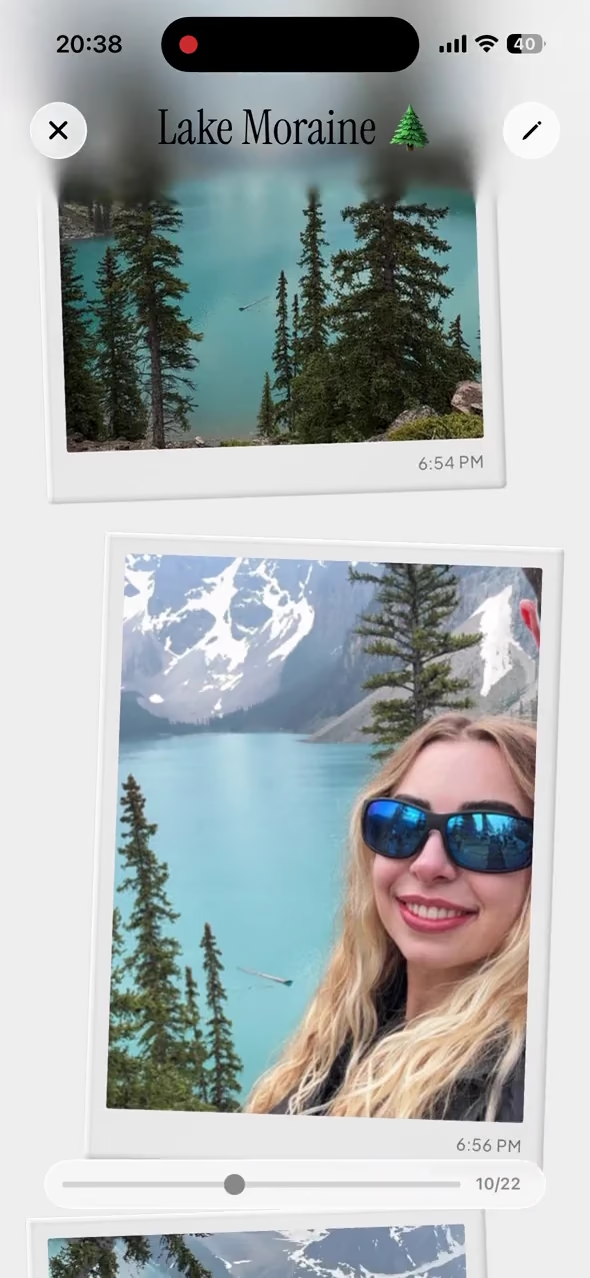
If you want a TripBook you’ll revisit
.avif&w=3840&q=75&dpl=dpl_2CBKs8TFKVWZVNuGSqzP38woaX7y)
TripMemo is for people who want the trip to feel like a story: pages, captions, places, and a library of trips that feels permanent.
Best for
- Memory preservation
- Beautiful layouts (Polaroids + image view)
- Group trips and couples
- Offline journaling
DigiCrumbs is great atSimple maps
Use the tool that matches how you want to experience your trip.

If you want a simple travel map
DigiCrumbs focuses on places you add yourself and photos for the people back home. Consider it when a straightforward location map is all you need.
Best for
- Manually added places
- Location photos
- Browser viewing without an account

one for the camera roll 
found on the road 
salt in the air 
palms, always 
Paris on film 
cards after dinner 
lake days 
one more round 
barefoot before breakfast 
the car we almost bought 
just one more run 
wish you were here
Which traveler are you?
See how TripMemo fits your travel style.
Tap to see why TripMemo fits
What you get with TripMemo
Everything below is designed around the TripBook: pages, places, people, and the feeling of reliving the trip years later.
TripBook
DigiCrumbs offers a location map and chronological timeline. TripMemo brings photos, captions and notes into day-by-day book pages, so you can revisit the moments as well as the places.







Real-time collaboration
Work together in real time: invite friends to add photos, notes and edits to one TripBook. DigiCrumbs documents sharing with viewers; real-time collaboration is not confirmed in the pages reviewed.






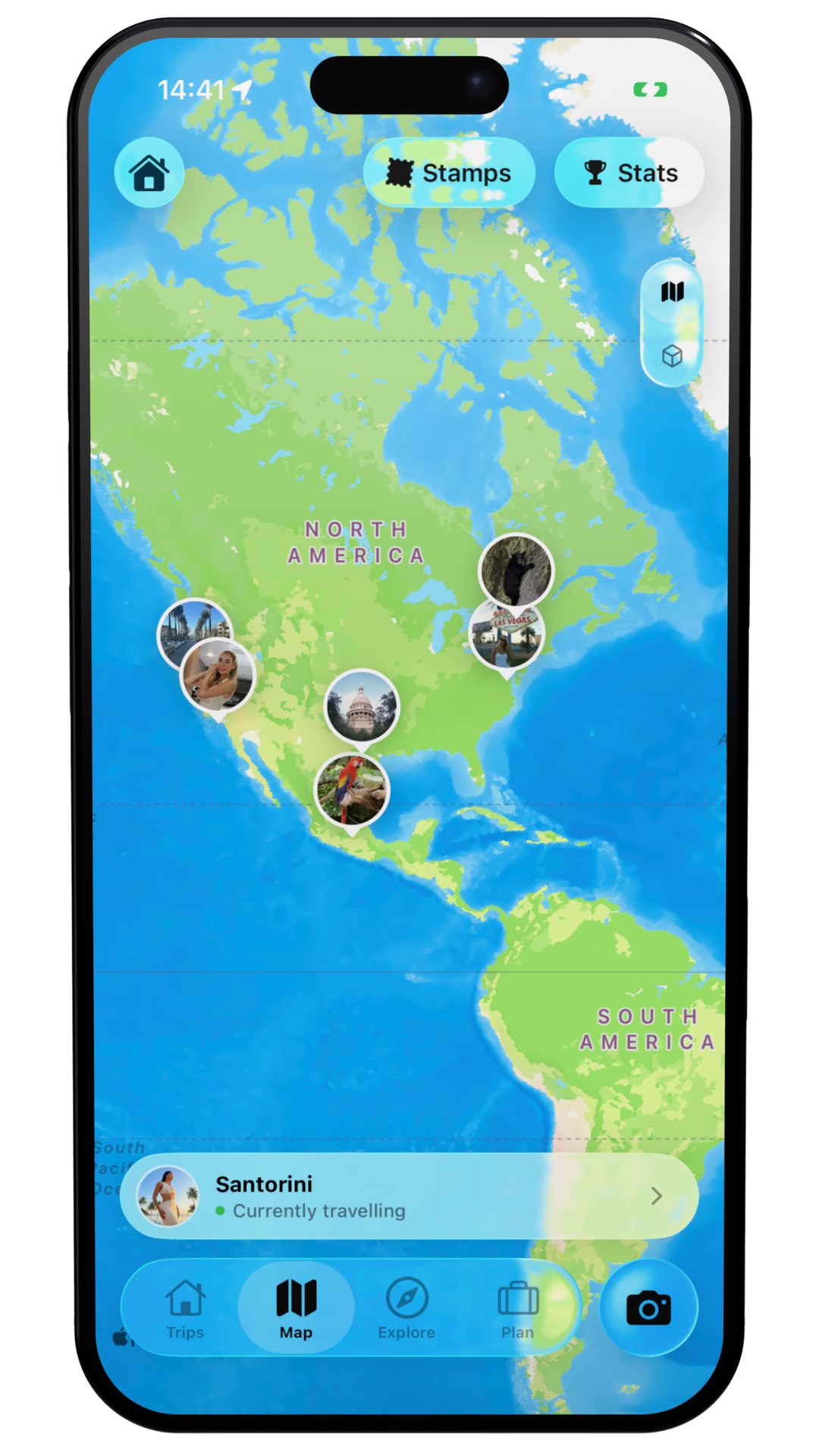
Maps for Reflection
TripMemo automatically builds your route from where your photos were taken, adds the locations to your map and updates your travel stats for you. View each trip as both day-by-day TripBook pages and a location map. DigiCrumbs describes adding locations yourself, then attaching photos to those places.
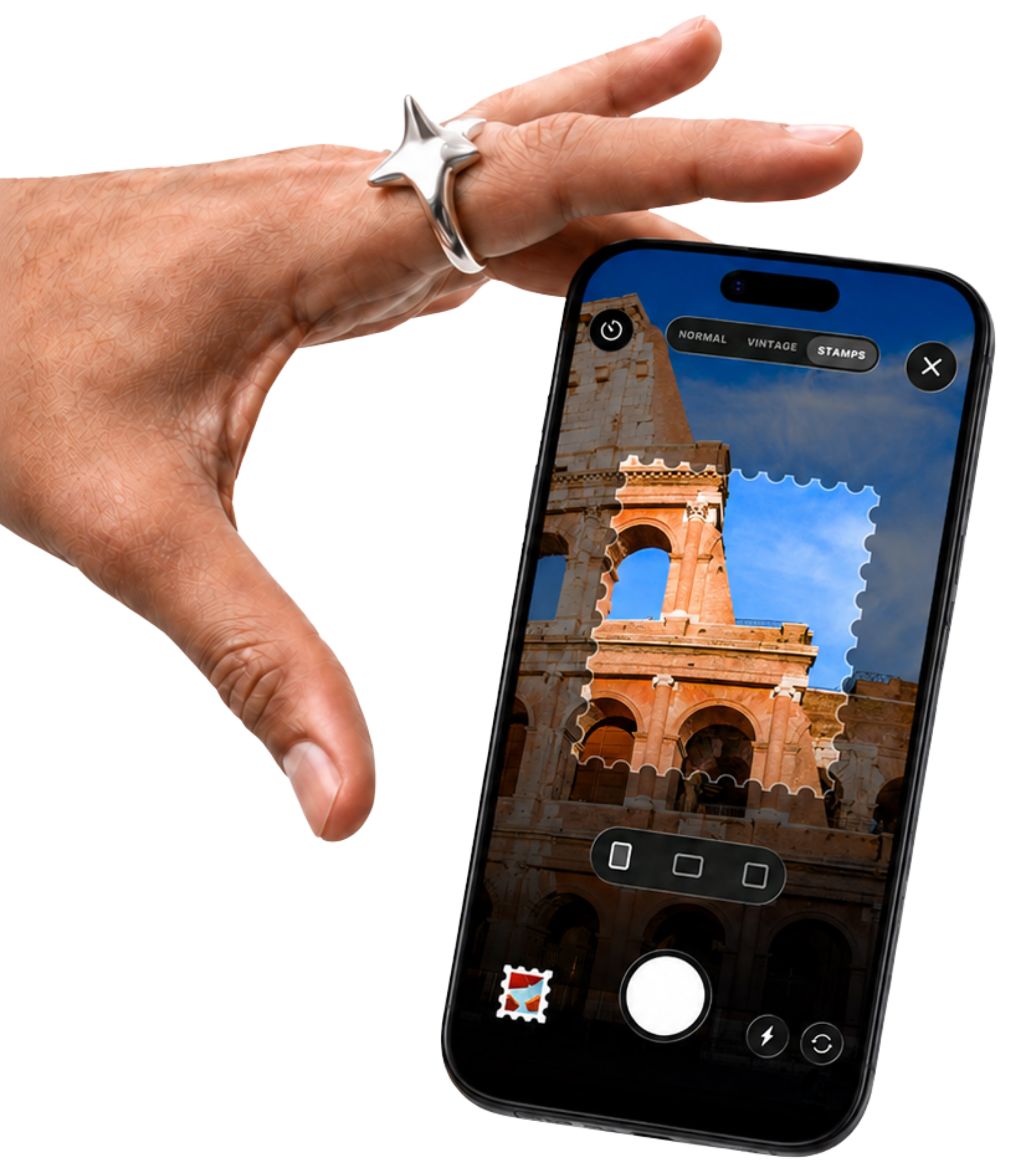
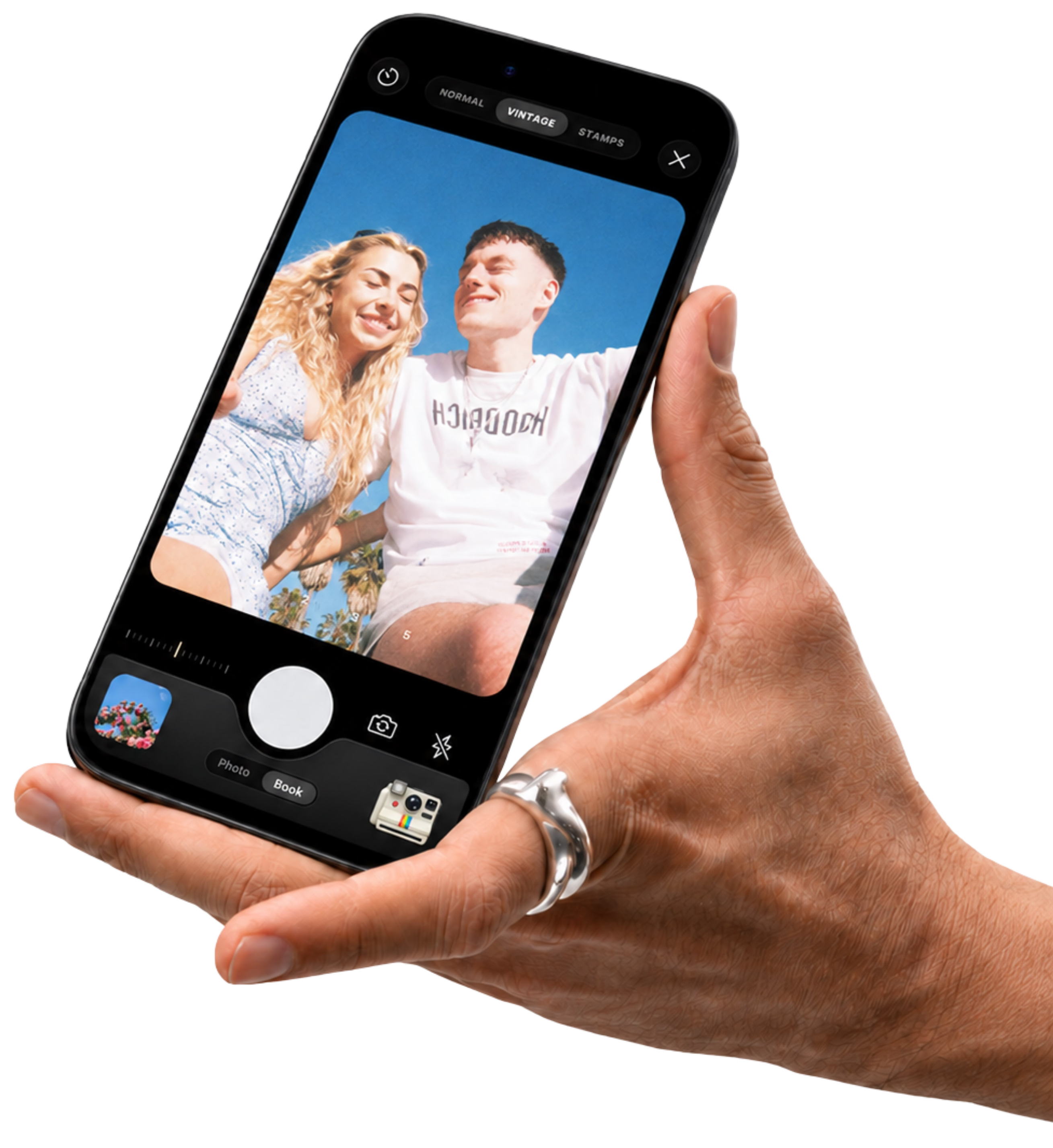
Vintage & Stamp Camera
Capture photos that feel nostalgic and intentional, right in the app. Four custom LUTs make your memories look like keepsakes the moment you take them.
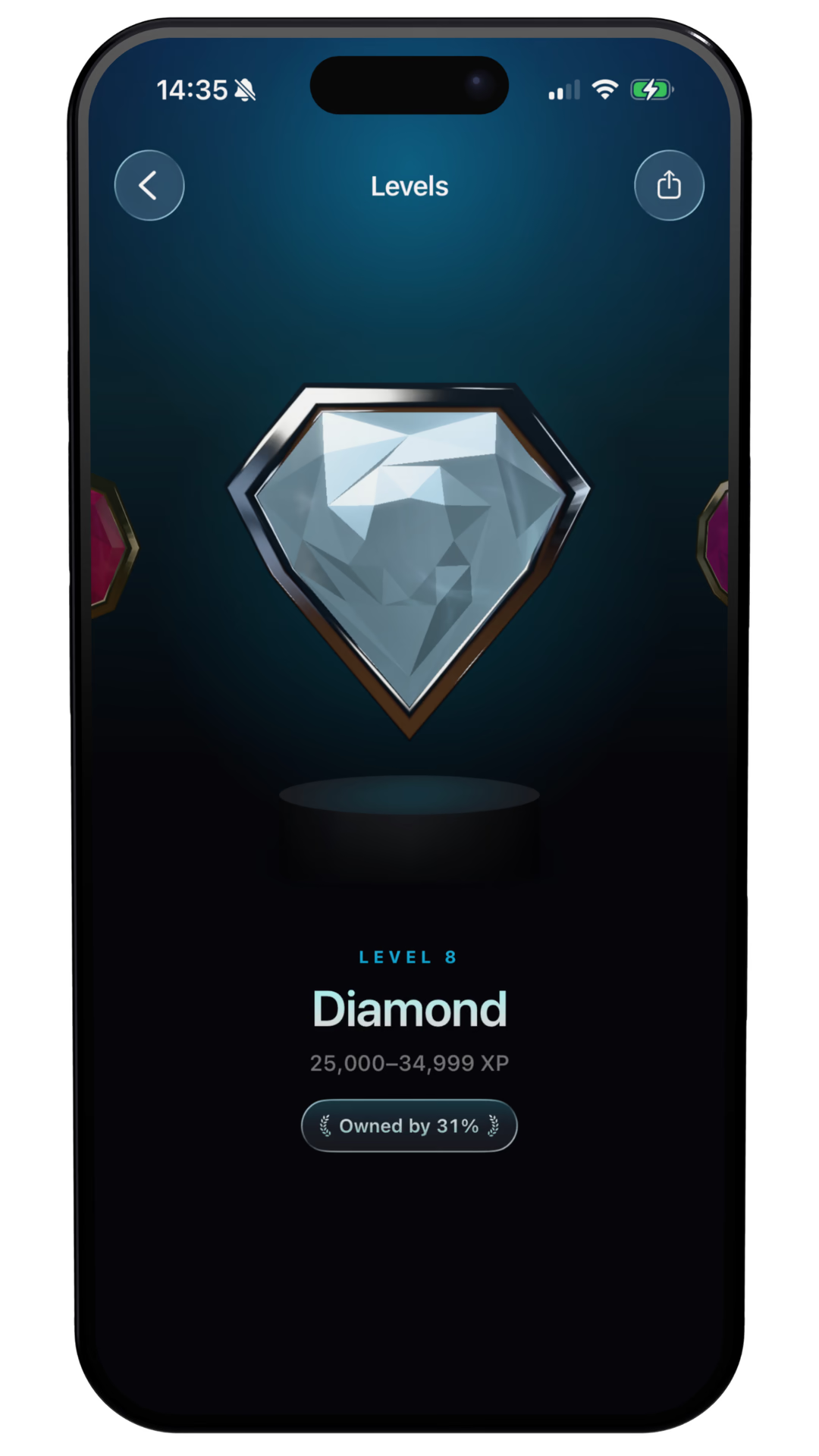
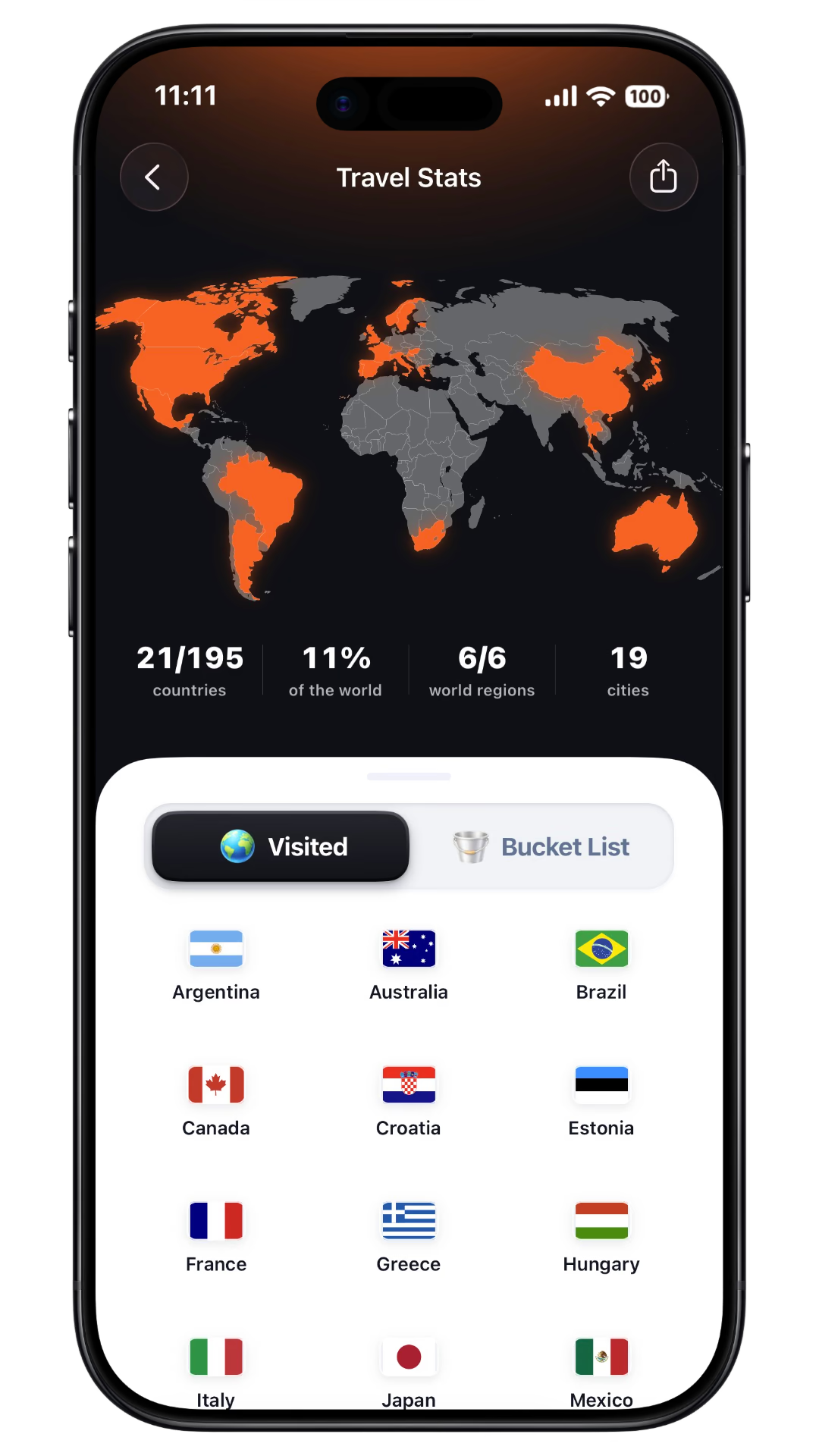
Stats & Progression
See countries visited, places explored, and your travel calendar. TripMemo adds playful progression (levels, missions, and Trippin') without turning your memories into a social feed.
Offline mode that keeps up
Write notes, add photos and reorder pages offline, then sync when you reconnect. We could not confirm equivalent offline editing in the DigiCrumbs documentation reviewed.
Network
Offline active
Photo captured
Offline Queue
Journal entry
Offline Queue
Layout updated
Offline Queue
Share links
Built for group trips, with access for visitors or editors.
Download all photos
Built for group trips.
Reorder pages
Built for group trips.
Everyone contributes
Built for group trips.
one for the camera roll found on the road salt in the air palms, always Paris on film cards after dinner lake days one more round barefoot before breakfast the car we almost bought just one more run wish you were here

Introducing...
Bulk Upload
Bring every old trip into TripMemo
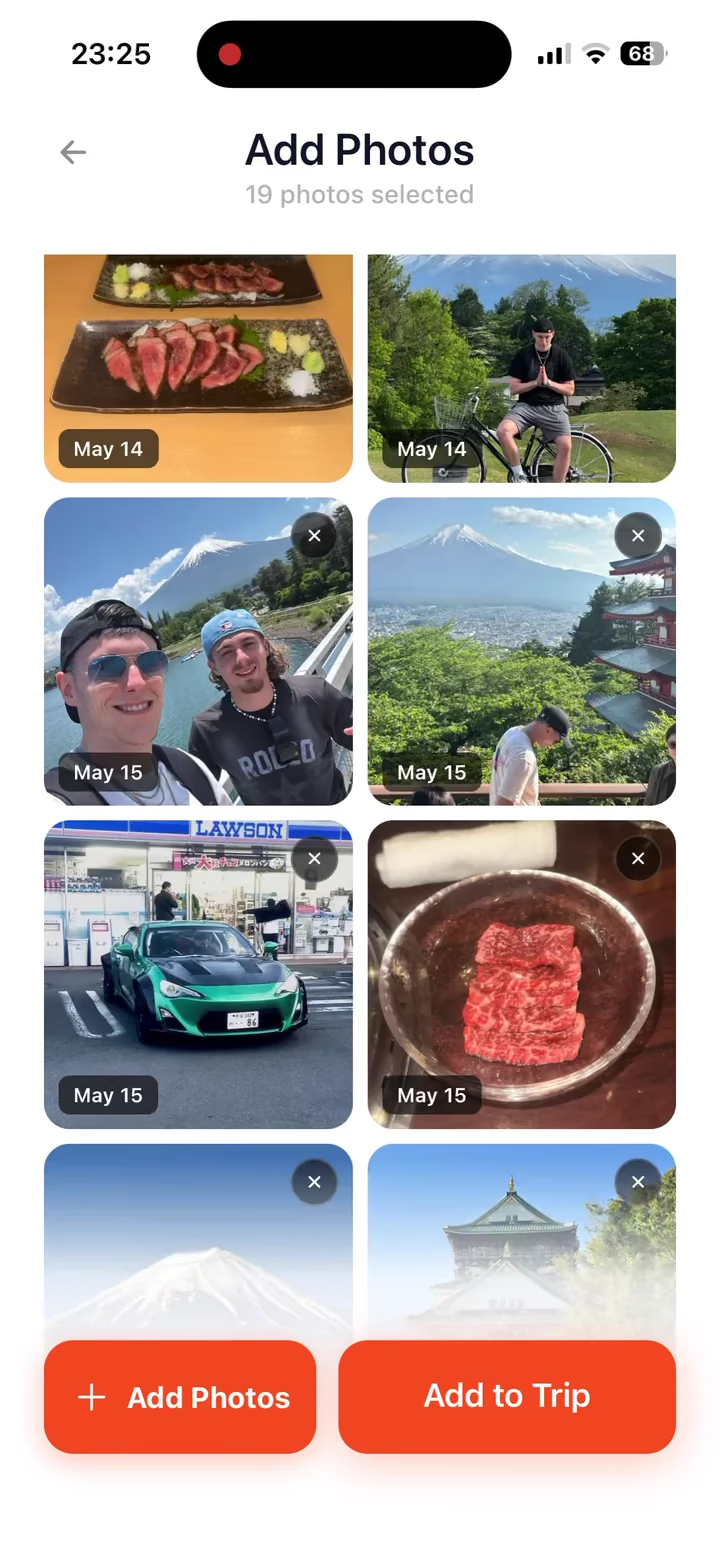
Add photos from your camera roll to a new TripBook. TripMemo sorts everything into days and chronological order so the story builds itself.
Create a new TripBook
Open TripMemo, tap the + button, name your trip and pick a cover. Takes seconds.
Tap bulk upload
Inside the TripBook, choose bulk upload and select photos from your camera roll.
Auto-sorted into days
TripMemo reads photo dates and groups everything into pages by day, in chronological order. No manual sorting required.
Add your notes
Add captions and journal notes to give each page context. TripMemo automatically adds locations to your map and updates your travel stats for you.
Years of trips, ready in minutes
Bulk upload works just as well for a weekend getaway as it does for a decade of camera roll memories. Start with one trip and let TripMemo handle the rest.
one for the camera roll found on the road salt in the air palms, always Paris on film cards after dinner lake days one more round barefoot before breakfast the car we almost bought just one more run wish you were here
Bring every old trip into TripMemo
Add photos from your camera roll to a new TripBook. TripMemo sorts everything into days and chronological order so the story builds itself.
Create a new TripBook
Open TripMemo, tap the + button, name your trip and pick a cover. Takes seconds.
Tap bulk upload
Inside the TripBook, choose bulk upload and select photos from your camera roll.
Auto-sorted into days
TripMemo reads photo dates and groups everything into pages by day, in chronological order. No manual sorting required.
Add your notes
Add captions and journal notes to give each page context. TripMemo automatically adds locations to your map and updates your travel stats for you.
Years of trips, ready in minutes
Bulk upload works just as well for a weekend getaway as it does for a decade of camera roll memories. Start with one trip and let TripMemo handle the rest.
Why choose TripMemo over DigiCrumbs?
Your photos become a route, your places update your stats, and everyone’s memories come together in one TripBook. Here is what TripMemo brings to your travel journal.
| What you get with TripMemo | How DigiCrumbs compares |
|---|---|
| Your route, mapped from your photosTripMemo automatically uses where your photos were taken to build your route, add locations to your map and update your travel stats.How TripMemo maps your photos | DigiCrumbs describes adding locations yourself, then attaching photos to those places. Automatically building a route from photo locations is not confirmed in the reviewed pages. |
| A TripBook and a location mapRelive each trip through day-by-day pages, photos and captions, or explore the places on its location map. Both views belong to the same trip.DigiCrumbs App Store listing | DigiCrumbs confirms both a chronological timeline and a location map. Book-style pages and Polaroid layouts are not confirmed in its current listing. |
| Real-time collaborationBuild the story together. Invite travel companions to add photos, notes and edits to the same TripBook in real time.Explore shared TripBooks | DigiCrumbs documents sharing with viewers. Real-time collaboration is not confirmed in the reviewed pages. |
| Easy sharing with homeSend family and friends a TripBook link so they can follow your photos, notes and memories in their browser without downloading TripMemo.DigiCrumbs sharing documentation | DigiCrumbs also supports browser viewing. Its support page says the traveller needs a one-time purchase to enable sharing. |
| Keep journaling offlineAdd photos, write notes and edit your TripBook without signal. Your updates sync when you reconnect.Explore offline journaling | Offline journal editing and later sync are not confirmed in the DigiCrumbs pages reviewed. |
| Bring your past trips to lifeBulk upload travel photos and let TripMemo organise them into days. Add your notes to turn a camera roll into a trip you can revisit.See how bulk upload works | DigiCrumbs supports adding photos to locations. Bulk photo uploads automatically sorted into days are not confirmed in the reviewed pages. |
| Plan, capture and rememberBuild itineraries, save travel inspiration and capture keepsakes with vintage and stamp cameras, alongside your TripBooks, maps and stats.Explore TripMemo features | Equivalent itinerary-building, social-saving and built-in vintage or stamp camera tools are not confirmed in the DigiCrumbs sources reviewed. |
Sources behind the comparison
Written by TripMemo Editorial Team, the makers of TripMemo. TripMemo details reflect our product information. DigiCrumbs claims come from its public pages, reviewed on 13 September 2026. “Not confirmed” means these sources do not establish the feature, rather than confirming it is unavailable.
- DigiCrumbs: Polarsteps alternatives
The article you may have found when researching travel apps: manual locations, browser viewing and a one-time purchase model.
- DigiCrumbs support and pricing FAQ
The clearest explanation of the traveller upgrade, registration and sharing requirements.
- DigiCrumbs: Polarsteps vs DigiCrumbs
Previously indexed comparison describing manual pins and browser viewing. This URL returned a not-found page during our live check; use the current App Store listing for trial and viewer terms.
- About DigiCrumbs
The founder describes a deliberately simple map for keeping friends and family updated.
- DigiCrumbs on the App Store
Current listing, version 1.3: timeline and map views, captions, unlimited trial locations and photos for 30 days, and no viewer account or purchase required.
For DigiCrumbs’ current trial and viewer terms, we prioritise its App Store listing over older website copy. This comparison is based on product documentation, not hands-on testing.
FAQ
DigiCrumbs Alternative Questions
Quick answers to the questions people ask before switching.
What is the difference between TripMemo and DigiCrumbs?
Is TripMemo a good DigiCrumbs alternative?
Do DigiCrumbs viewers have to pay to see a trip?
DigiCrumbs sources: [5]
Can people view my TripMemo TripBook without the app?
Does DigiCrumbs have a trial before the one-time purchase?
DigiCrumbs sources: [5]
Can friends add photos to the same TripMemo trip?
Can I move my DigiCrumbs trip into TripMemo?
Does TripMemo work offline or track my route automatically?
More Comparisons
Exploring Other Travel Apps?
See how TripMemo compares to other popular travel journal and tracking apps.
App Store Reviews
4.6/5 from 52 UK App Store ratings · as of 12 September 2026
%20copy%202.webp&w=384&q=75&dpl=dpl_2CBKs8TFKVWZVNuGSqzP38woaX7y)
%20copy%203.webp&w=384&q=75&dpl=dpl_2CBKs8TFKVWZVNuGSqzP38woaX7y)

Your trips deserve
more than a camera roll
Turn travel photos into books you'll actually look back on.