1. Version 3.8.2Biggest update ever
    A woman holding a Mexico TripMemo photo book beside London, Positano and Japan photo books on a table

    Print your TripBook

    Turn any trip into a real printed photo book. Our biggest update yet, rebuilt from the ground up to be faster and smoother.

    Explore photo books
    • Find your past trips

      TripMemo finds the trips in your camera roll and builds a TripBook for each.
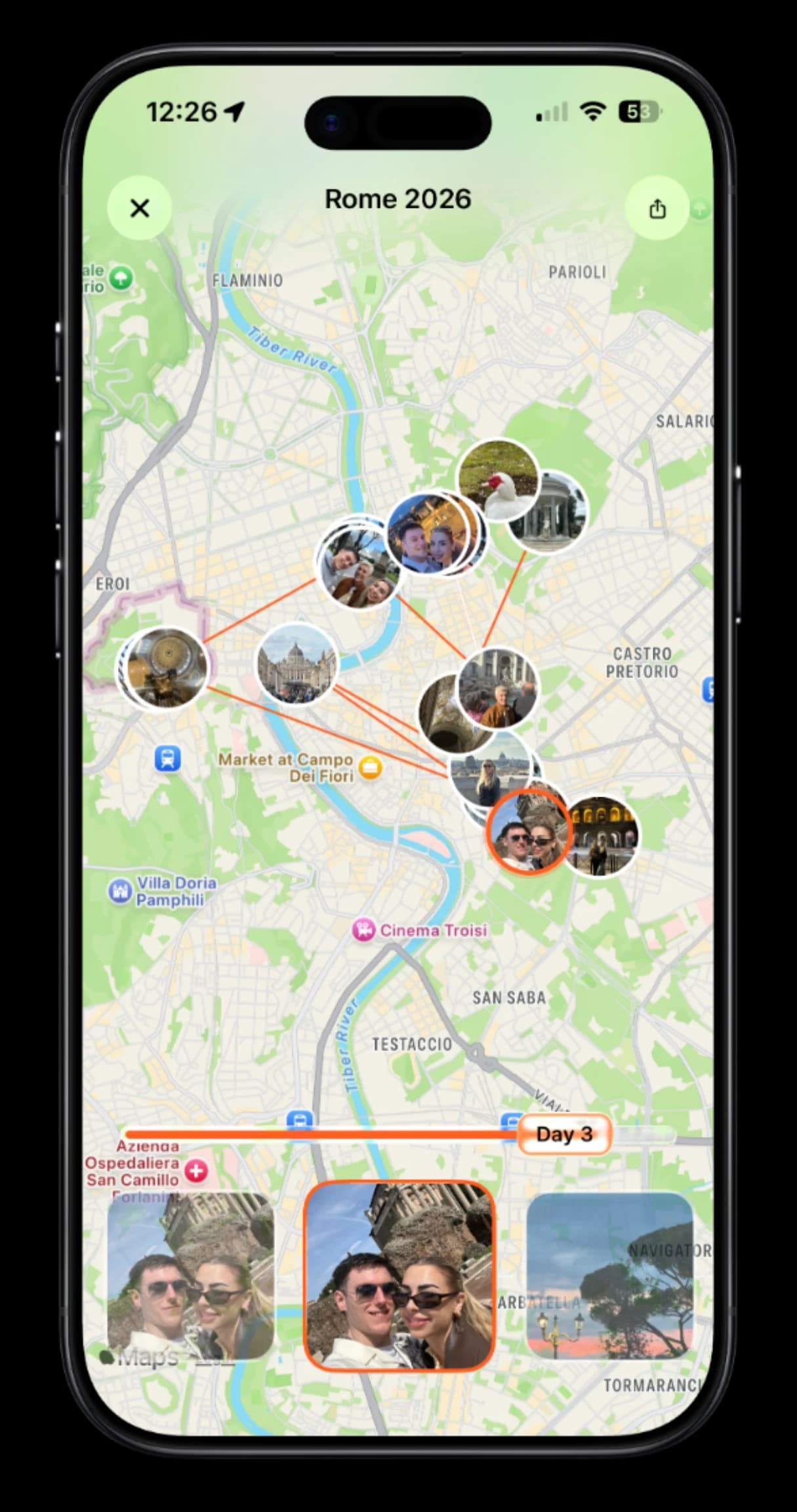
    • TripMemo route map of a Rome 2026 trip on iPhone, with photo pins along the recorded route

      Record your route

      Draw the roads you actually travelled on your TripBook map.
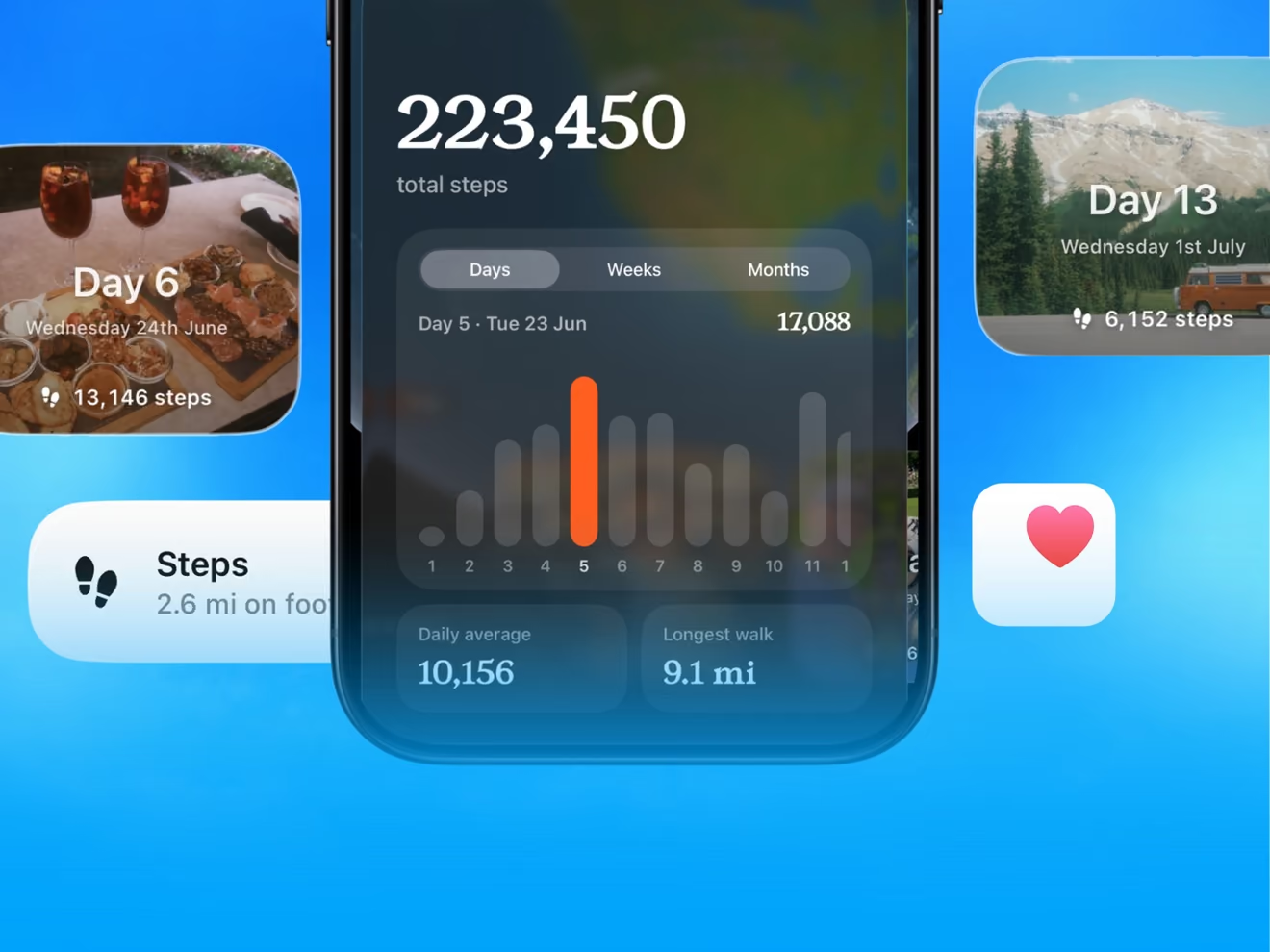
    • TripMemo steps screen with 223,450 total trip steps, daily step bars and day step cards

      Your steps, every day

      See how far you walked on each day of a trip, with Apple Health.
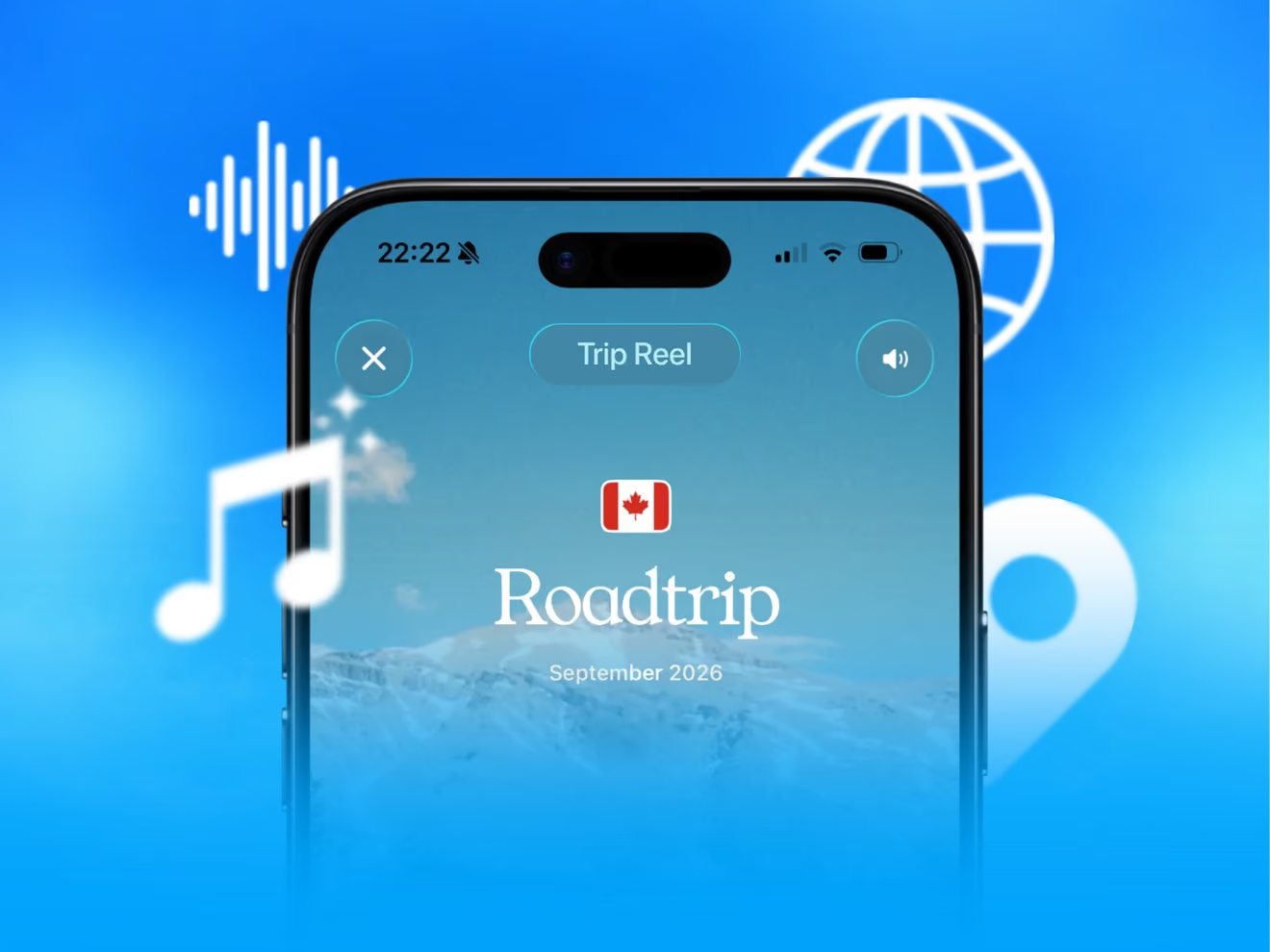
    • TripMemo TripReel video of a Canada road trip with music and voice icons on a blue sky

      Share cards, collages and TripReel

      A new sharing studio for share cards, collages and TripReel videos.
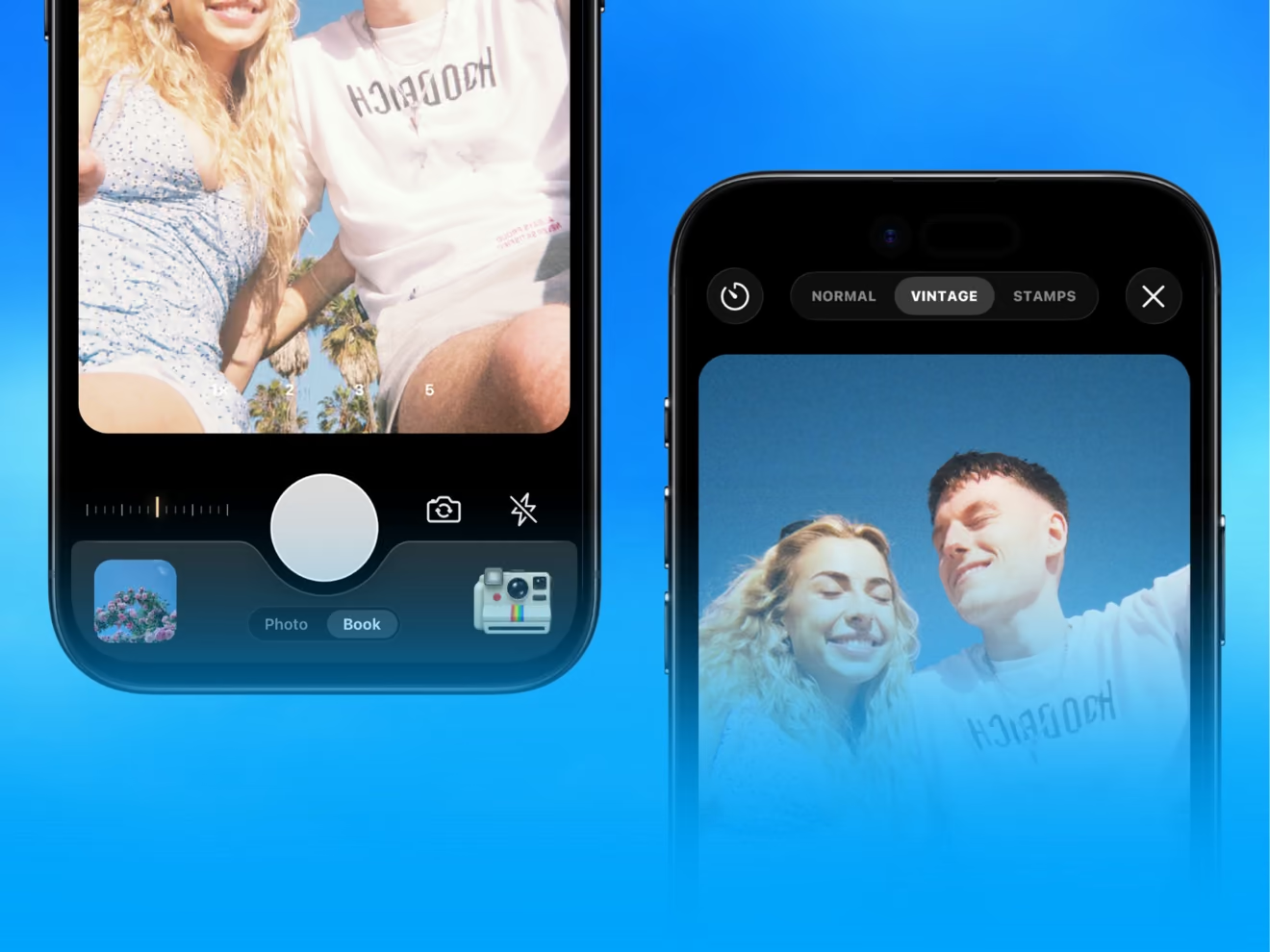
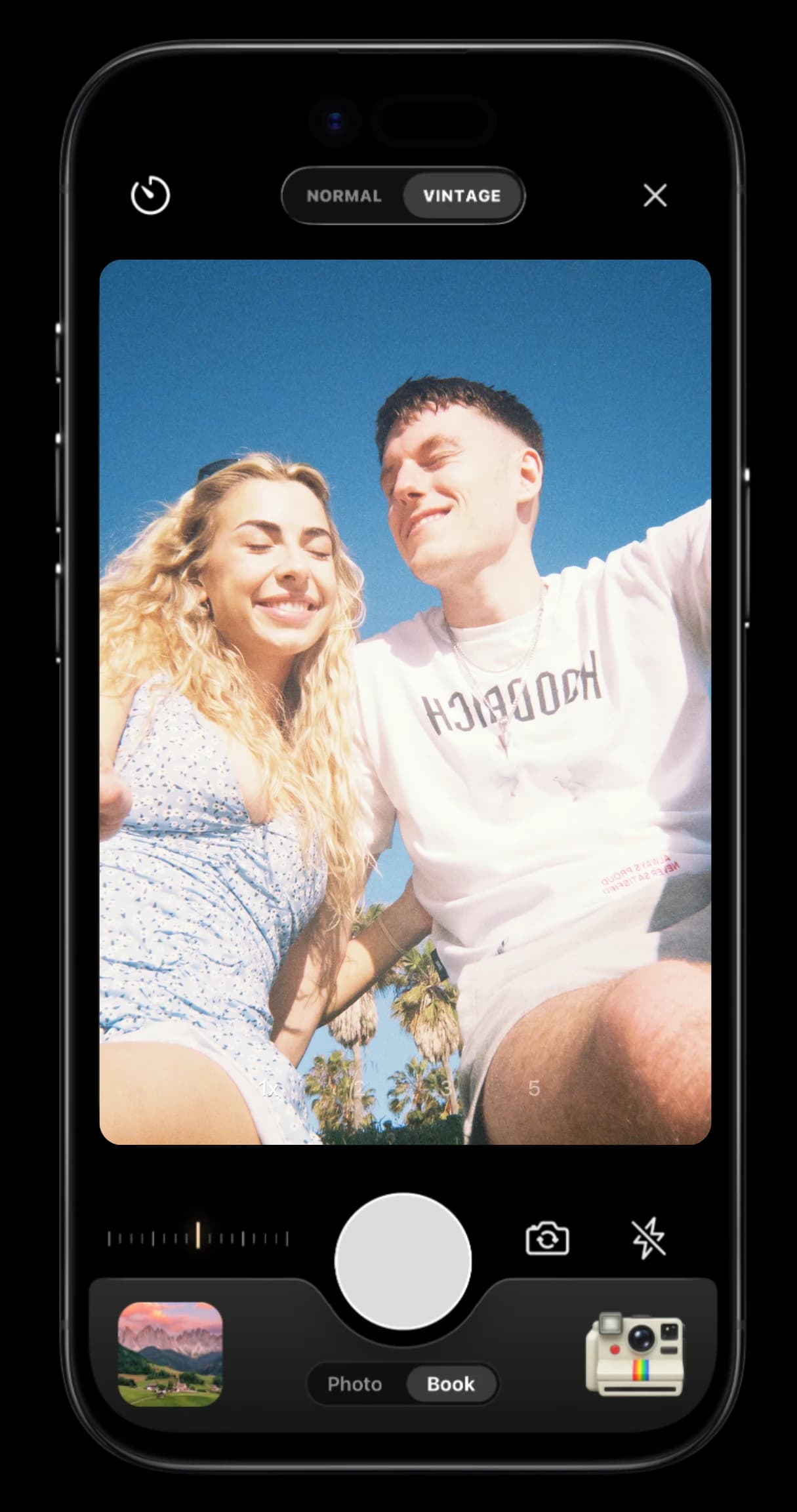
    • Two iPhones running TripMemo's vintage film camera, one showing a couple's photo

      Five rebuilt film cameras

      A new film engine, plus the brand new Disposable camera.
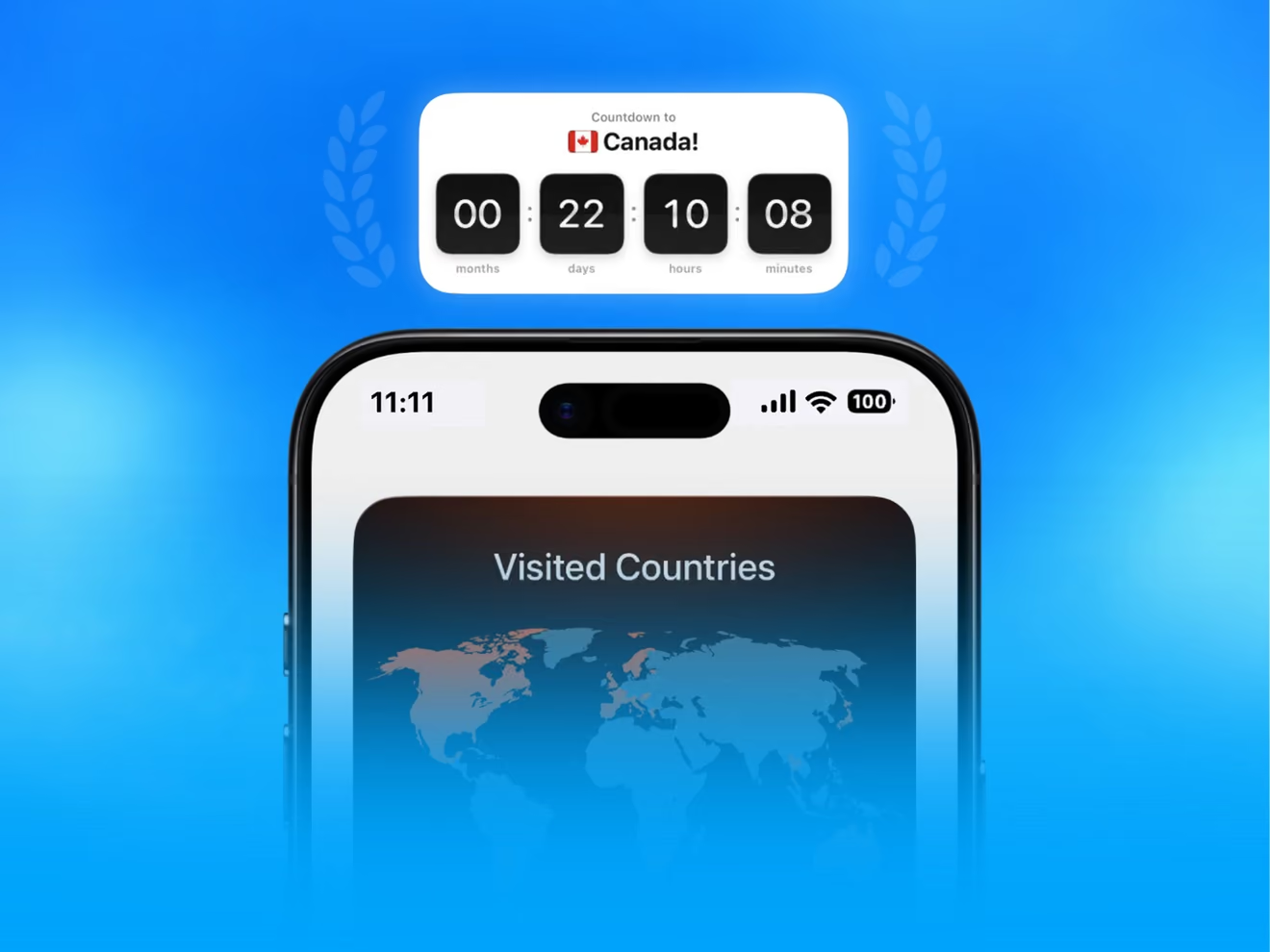
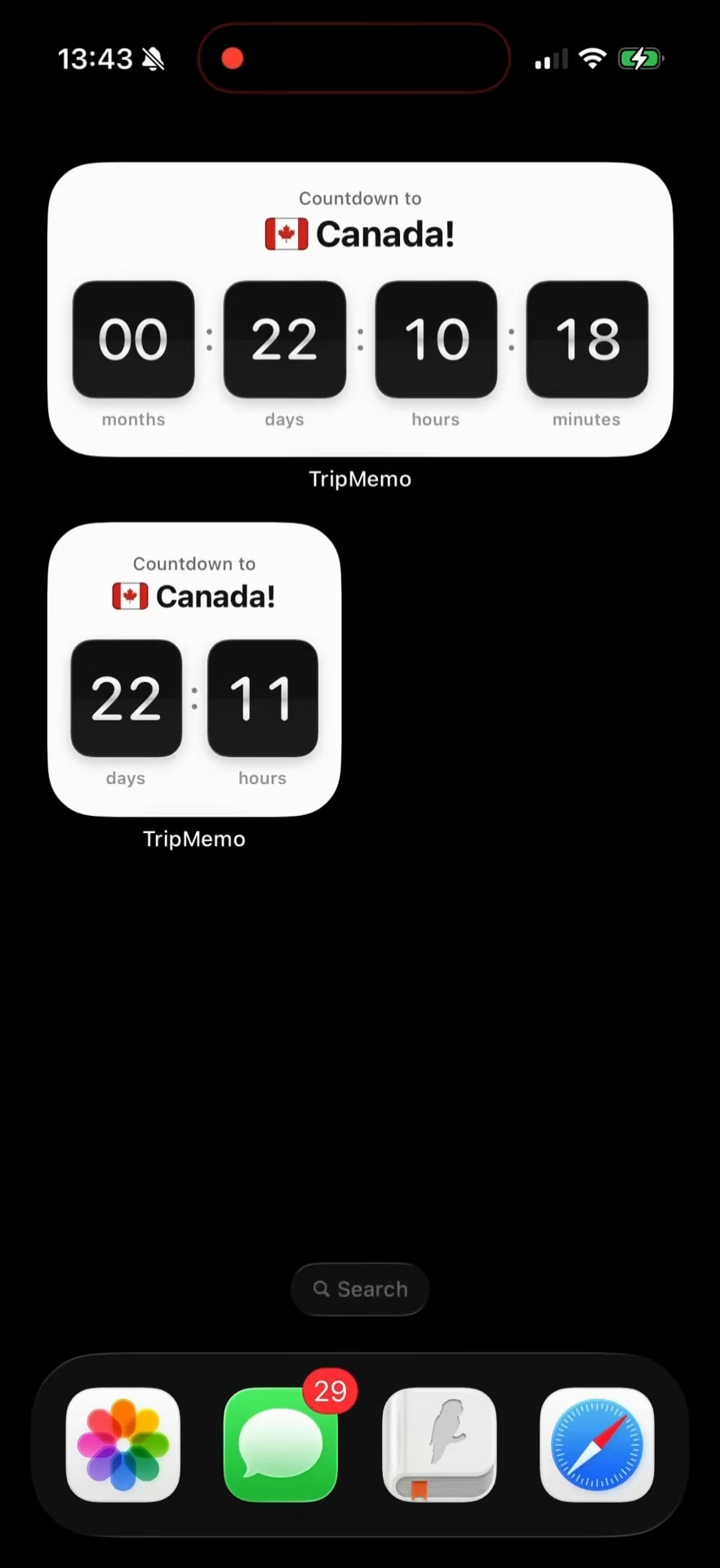
    • TripMemo widgets on iPhone: a countdown to a Canada trip and a Visited Countries map

      Voice notes, backup and widgets

      Voice notes with transcripts, cloud backup and refined widgets.
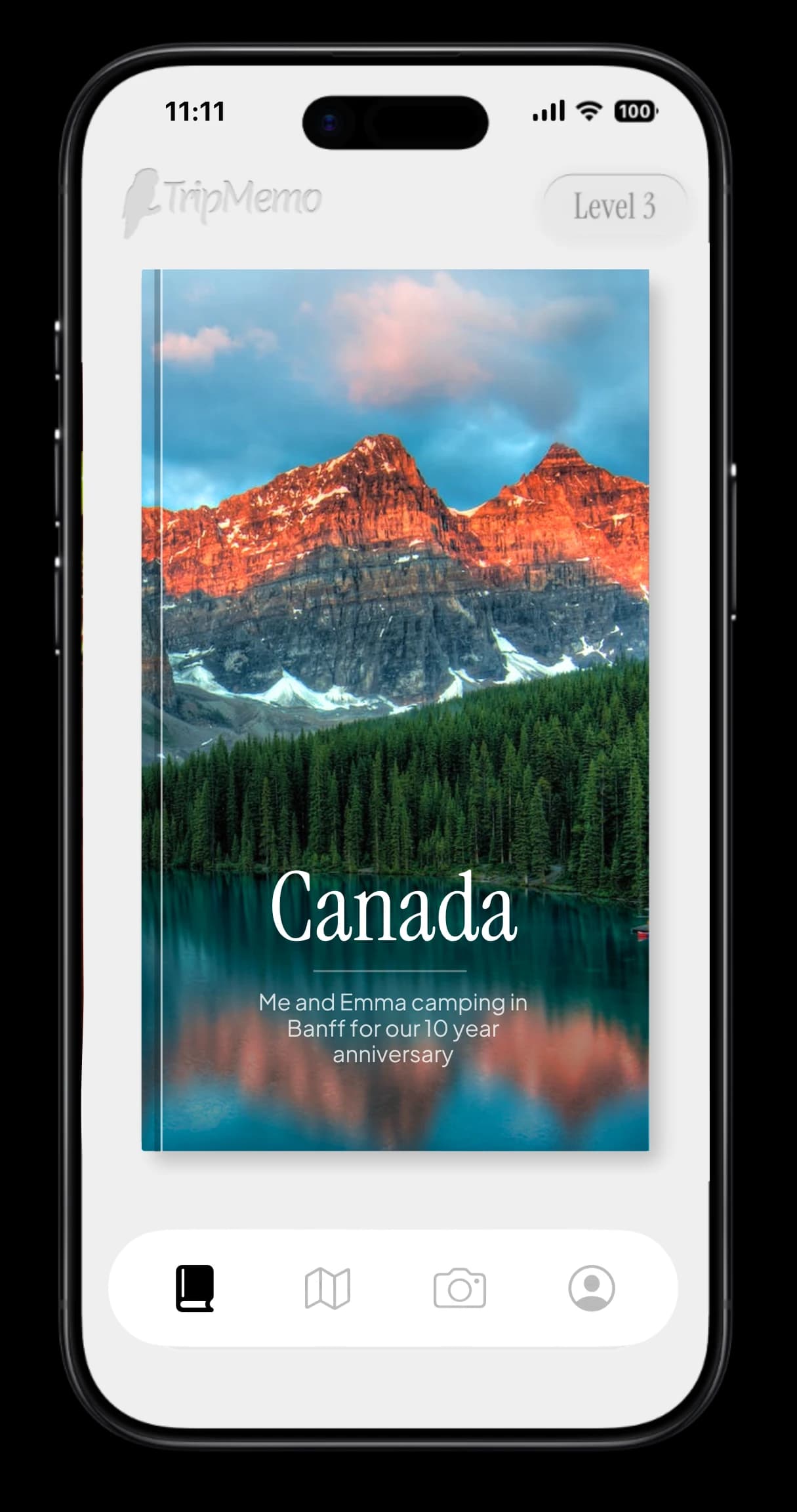
    • TripMemo TripBook cover for a Canada camping trip in Banff on iPhone

      Rebuilt from the ground up

      Rebuilt natively for iPhone, so everything opens faster and scrolls smoother.

    Also improved

    • Edit a trip's dates and your days reorganise around them.
    • Your data export now includes plans, routes and Bucket List countries.
    • Bucket List countries now sync to your account across devices.
    • Invites and collaborator management rebuilt for a smoother shared trip.
  2. Version 3.83.8.0 to 3.8.1

    New widgets, and share from social media

    Fresh Home Screen widgets, a way to send places from Instagram, TikTok, X, Safari or Chrome straight into TripMemo, a new 3D Polaroid view and a faster app all round.

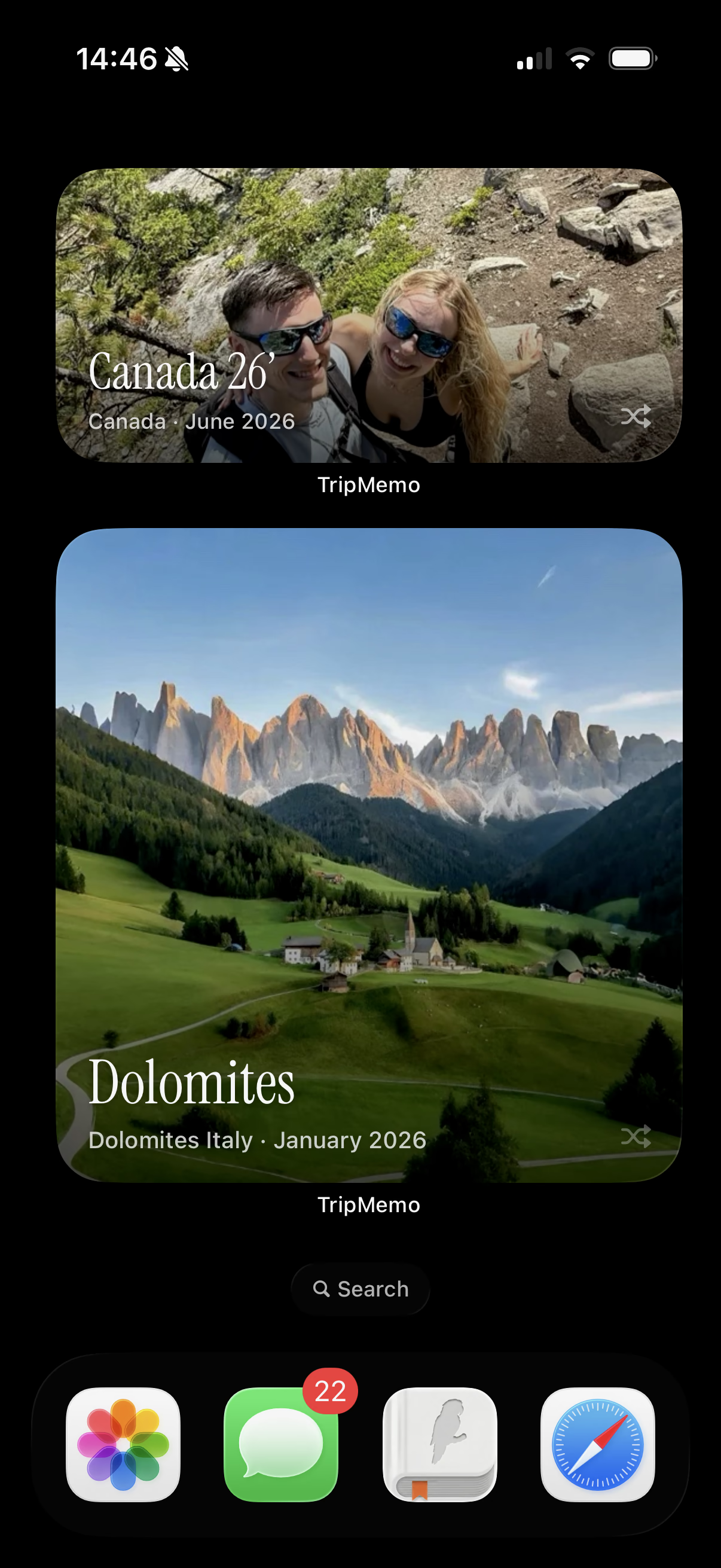
    • iPhone Home Screen with TripMemo photo widgets showing a Canada trip and the Dolomites

      New and improved travel widgets

      Fresh widget designs, trip countdowns and your visited countries.

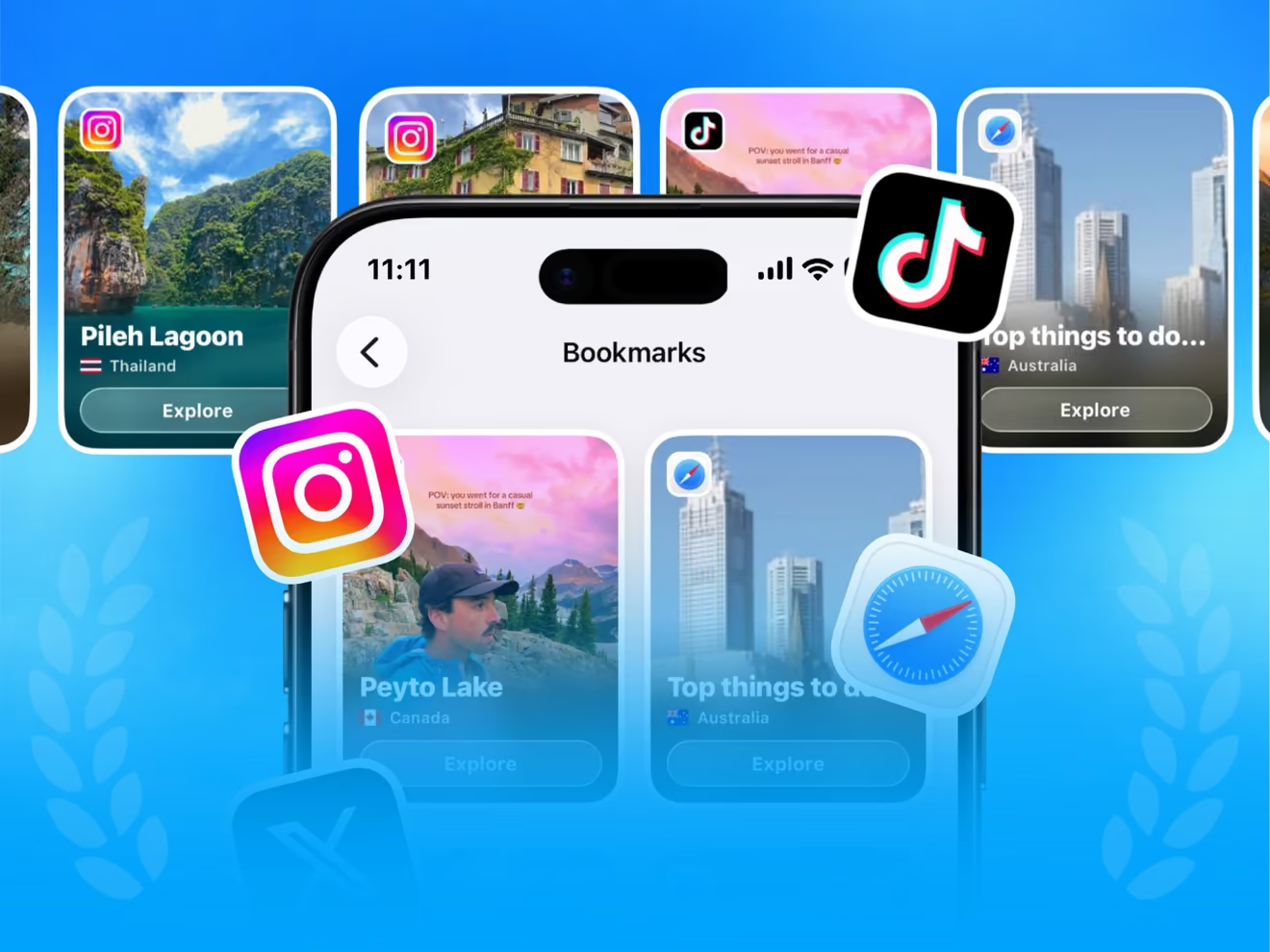
    • TripMemo Bookmarks screen with places saved from Instagram, TikTok and Safari

      Share from social media to TripMemo

      Send places from Instagram, TikTok, X, Safari or Chrome to TripMemo.

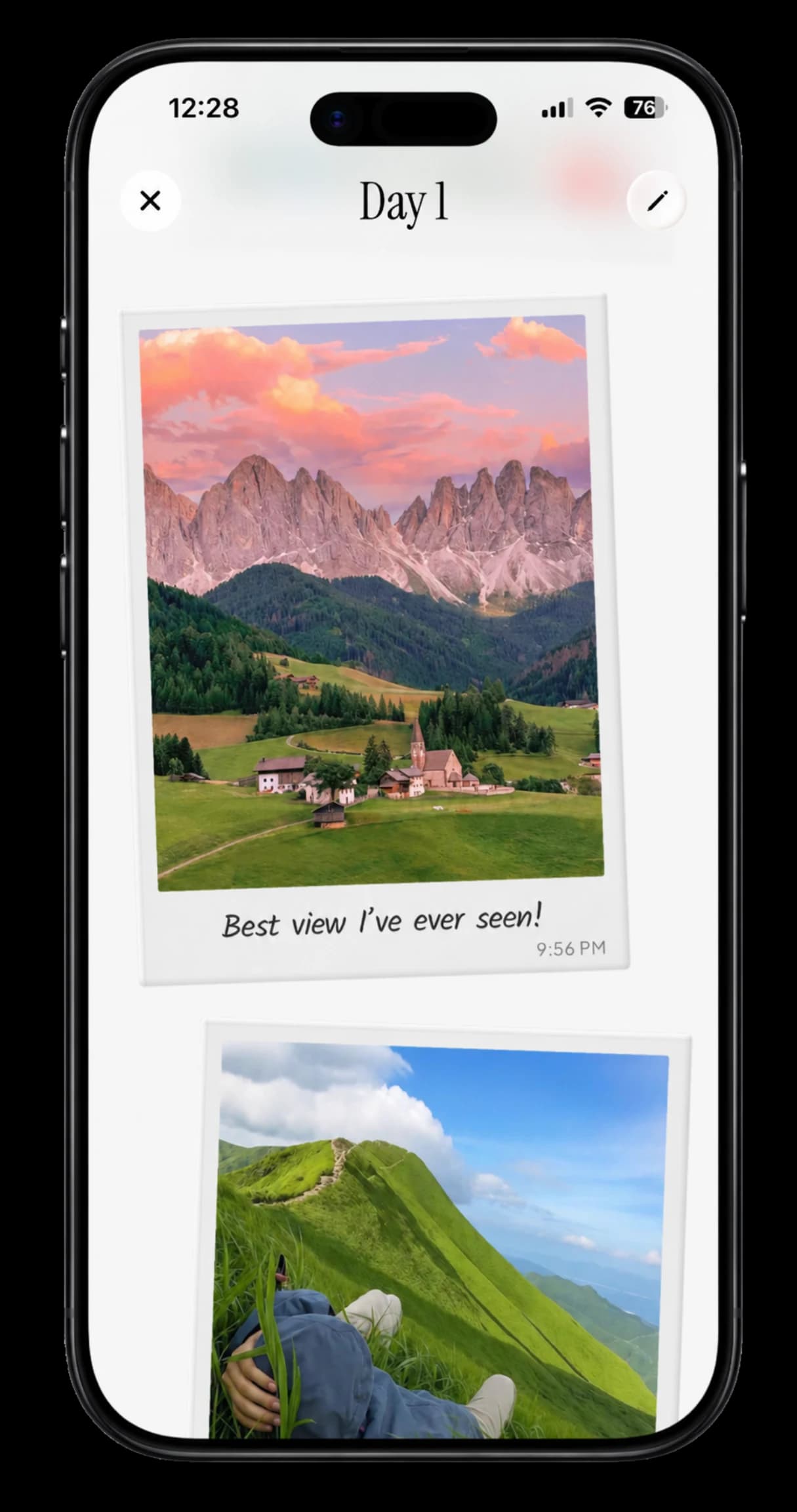
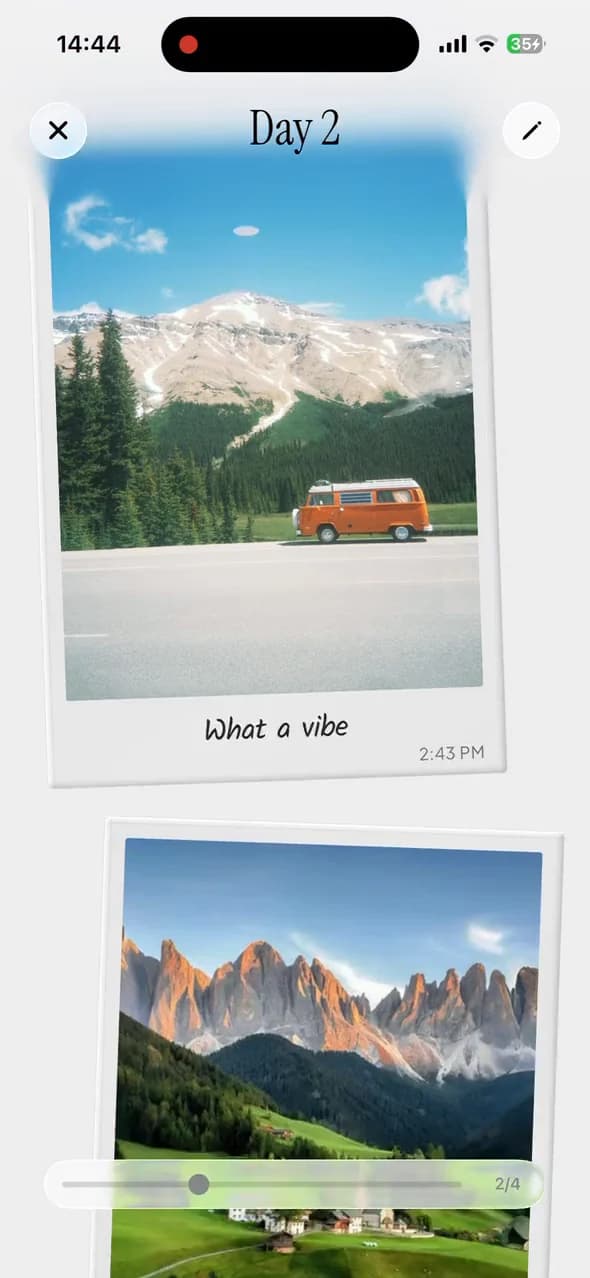
    • TripMemo TripBook day on iPhone with Polaroid-style mountain photos and a handwritten caption

      A 3D Polaroid view

      A new 3D Polaroid view for your favourite photos.

    Also improved

    • Pages load quicker and moving around the app feels smoother.
    • Plenty of bug fixes for a more reliable TripMemo wherever you travel.
  3. Version 3.7.8

    Social Bookmarks, levels and a new Stats page

    Save places you find on Instagram, TikTok or the web as bookmarks on your map, then level up with a redesigned Stats page, badges and cards that shimmer as you tilt your phone.

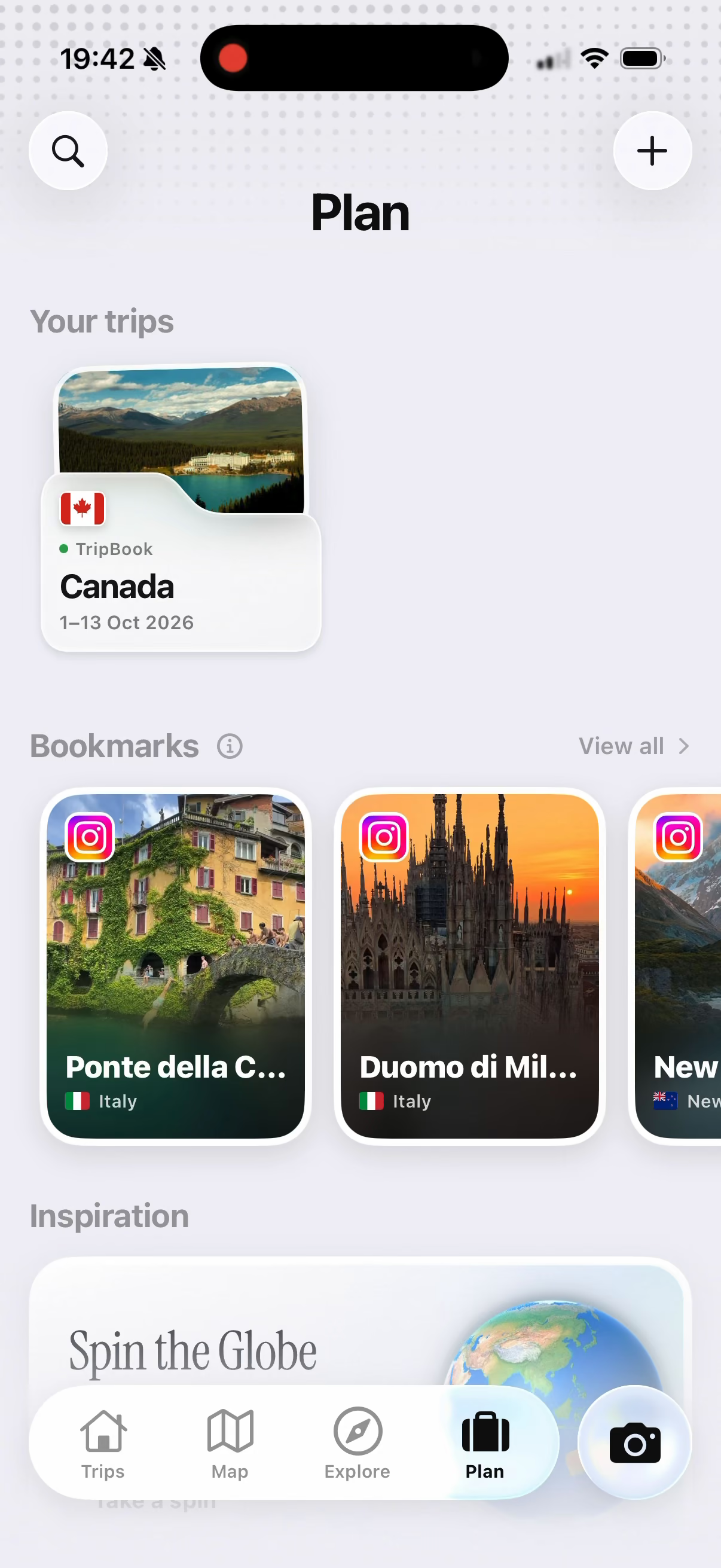
    • TripMemo Plan tab on iPhone showing saved Instagram bookmarks for places in Italy

      Social Bookmarks

      Share a post and TripMemo pins its places to your map.

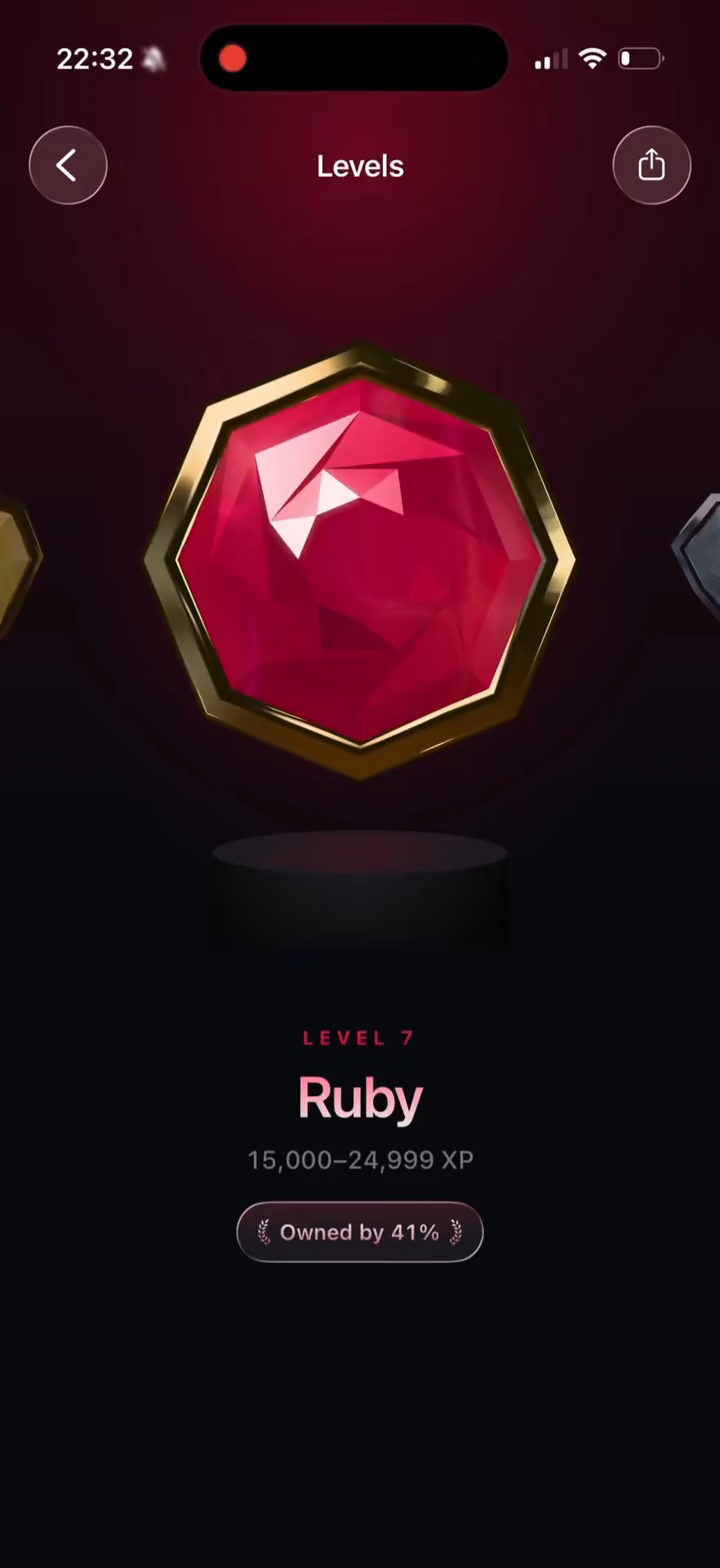
    • TripMemo travel level screen on iPhone showing the Ruby level badge

      Stats, levels and badges

      Level up as you travel, with badges to unlock.

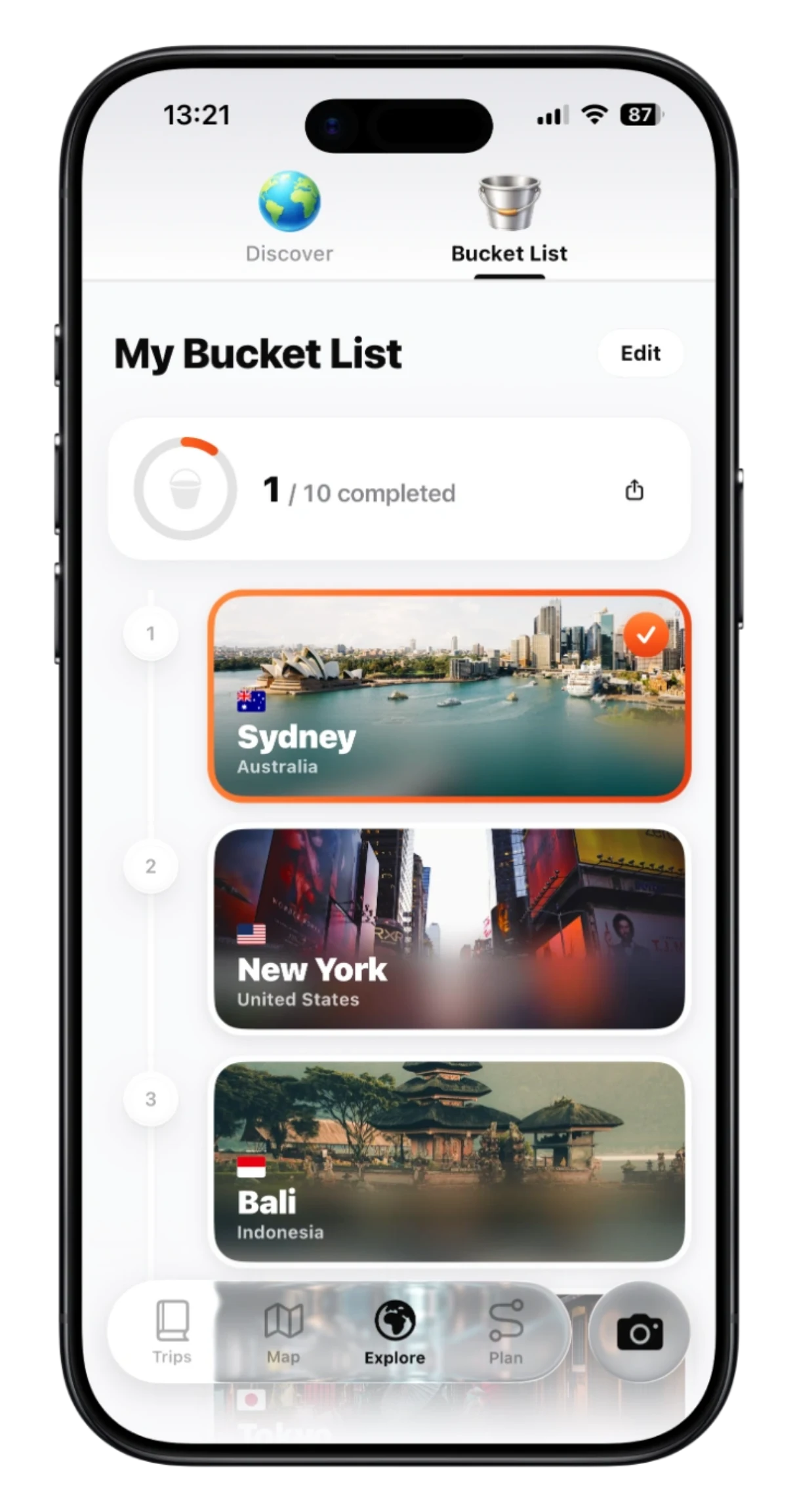
    • TripMemo Bucket List on iPhone with Sydney, New York and Bali saved

      Share your Bucket List

      Turn your Bucket List into a card to share with friends.

    Also improved

    • Long-press the TripMemo icon for quick help and feedback.
    • Fixed photos not showing in some shared TripBooks.
    • Important bug fixes and performance improvements throughout.
  4. Version 3.7.7

    Sharper, faster photos

    Photos now load faster and look sharper across TripBooks, maps and full-screen viewing.

    • Faster, sharper photos in TripBooks, maps and full-screen viewing.
    • Large photo imports are more reliable.
    • Creating a trip is smoother.
  5. Version 3.7.5

    A more beautiful TripBook

    TripBooks are faster, smoother and more beautiful, with captivating new covers, refined animations and effortless scrolling, plus a new way to create and open trips and a sleek glass-inspired design throughout.

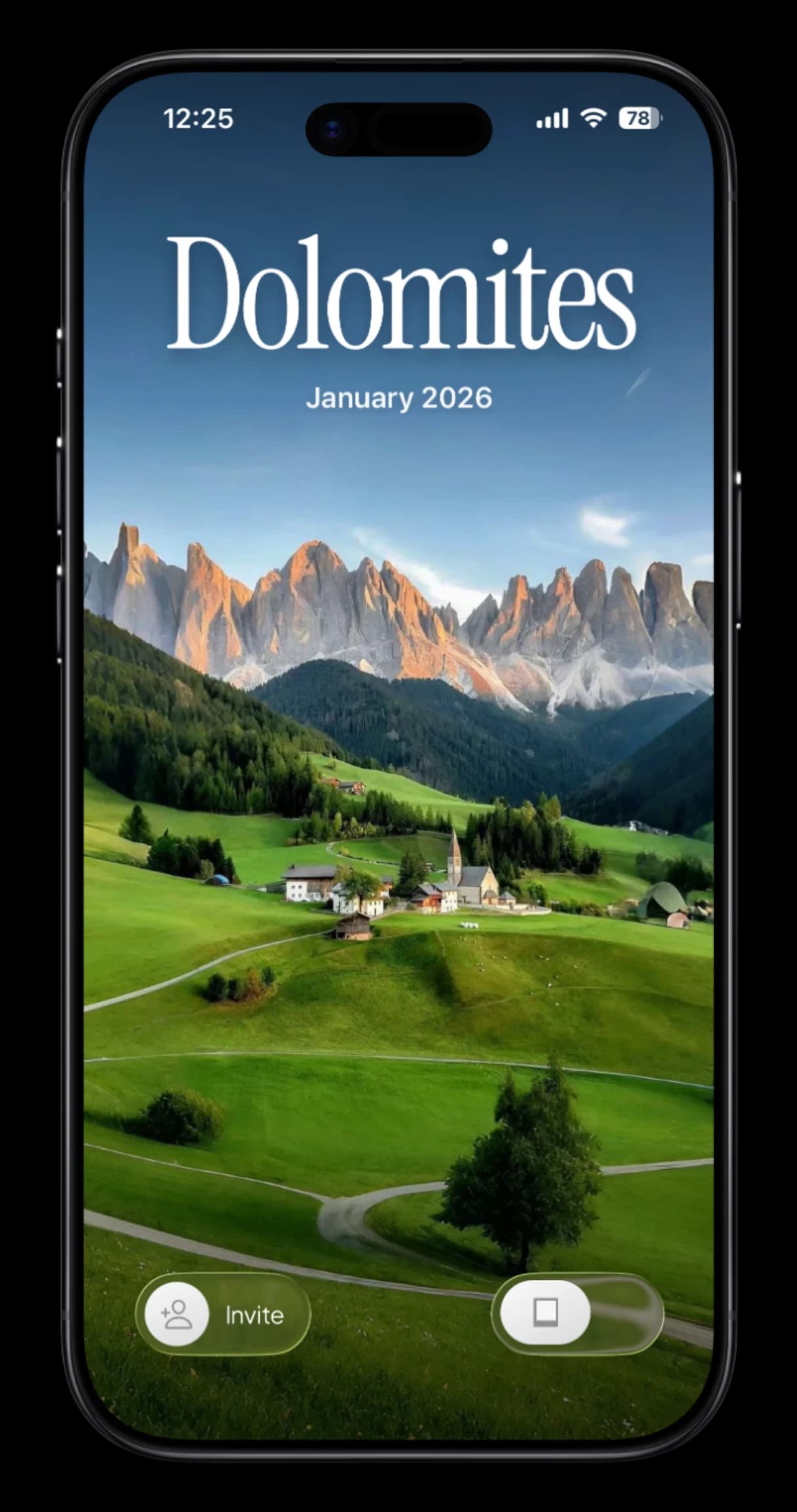
    • TripMemo TripBook cover for a Dolomites trip in January 2026 on iPhone

      New covers, smoother TripBooks

      New covers, refined animations and effortless scrolling.

    • TripMemo TripBook cover for a Canada camping trip in Banff on iPhone

      Create and open trips

      A polished way to start a trip and open the ones you have.

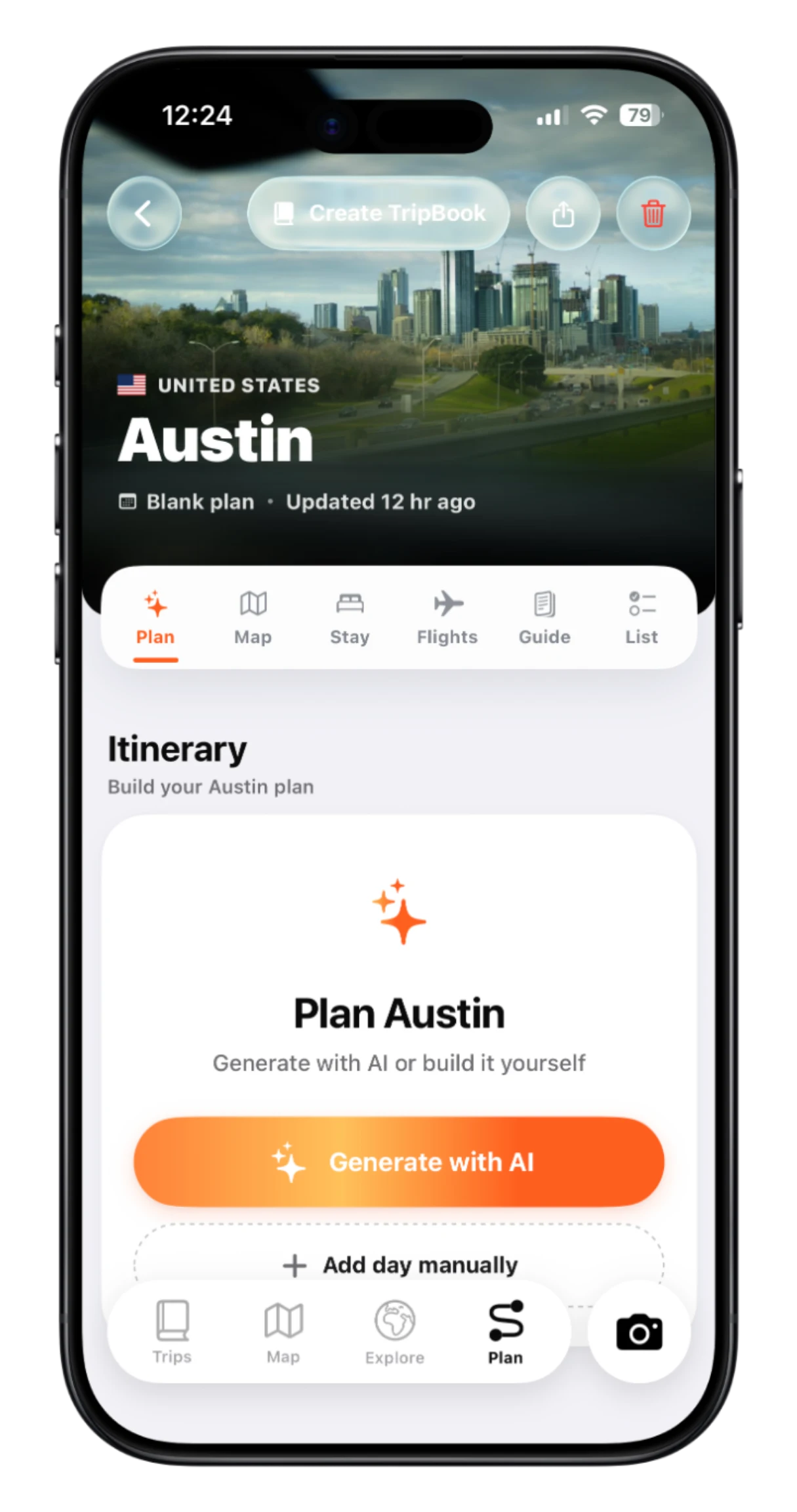
    • TripMemo Plan tab on iPhone starting an Austin itinerary with Generate with AI

      Smarter AI trip planning

      Build a better itinerary in less time.

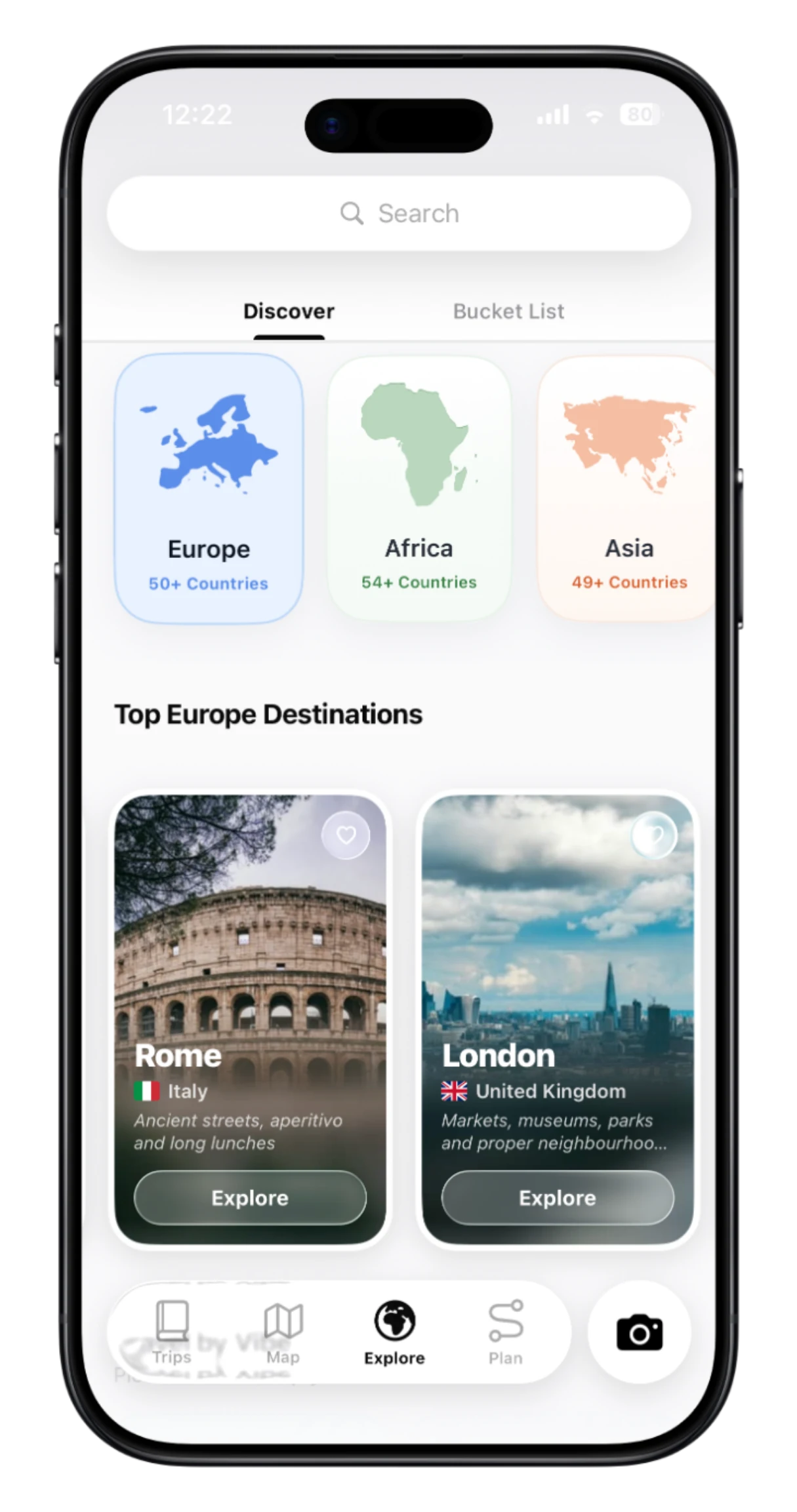
    • TripMemo Explore page on iPhone in the glass-inspired design

      A refreshed profile and glass design

      A refreshed profile, new Settings and a glass-inspired look.

    Also improved

    • Performance improvements and bug fixes across TripMemo.
  6. Version 3.6

    Plan smarter, and Spin the Globe

    A significantly upgraded AI itinerary creator, a completely redesigned Plan tab, Spin the Globe for picking your next destination and a Trip Timeline of everywhere you have been.

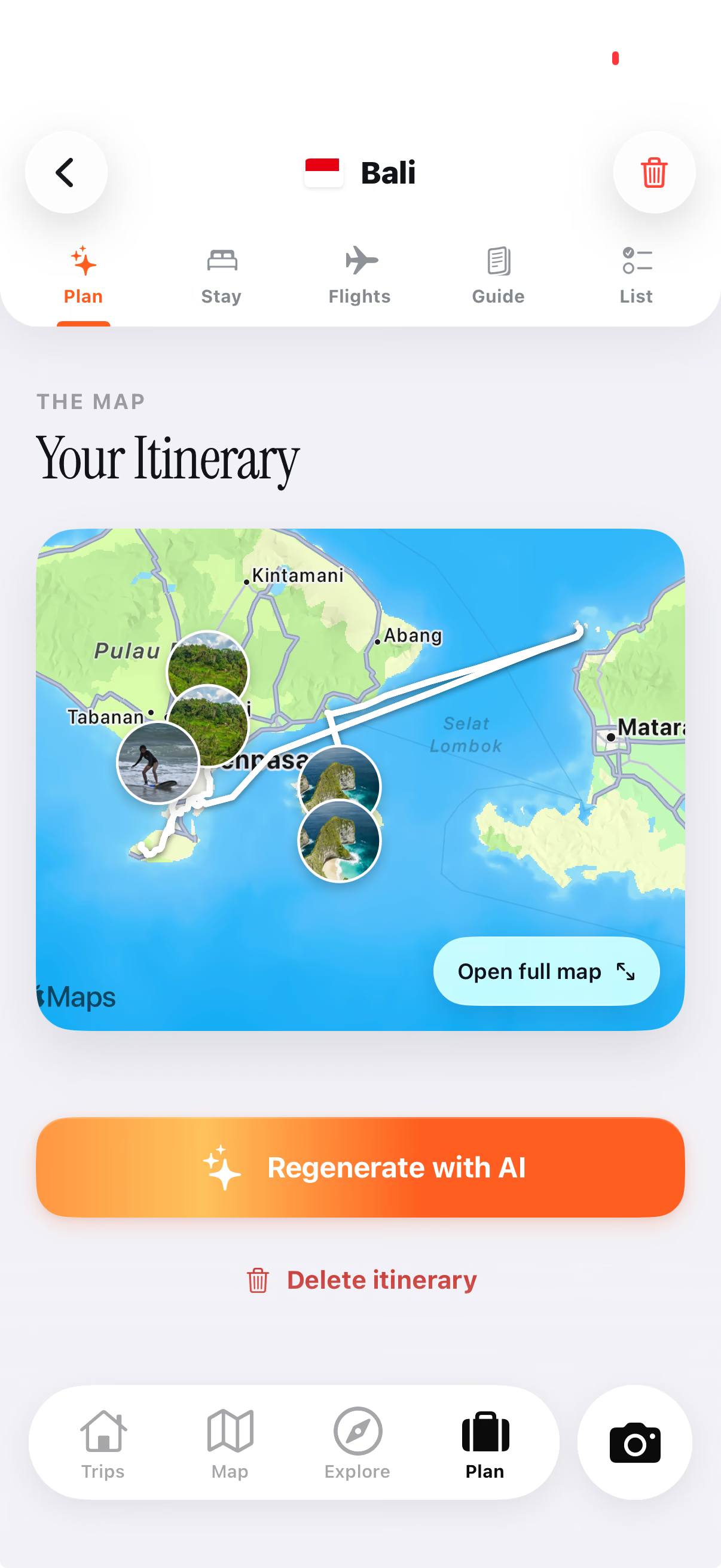
    • TripMemo AI itinerary for Bali on iPhone with each stop pinned on an interactive map

      A smarter itinerary creator

      Complete, editable itineraries with your route on a map.

    • TripMemo Plan tab on iPhone starting an Austin itinerary with Generate with AI

      A redesigned Plan tab

      Your trips and saved places, together in one place.

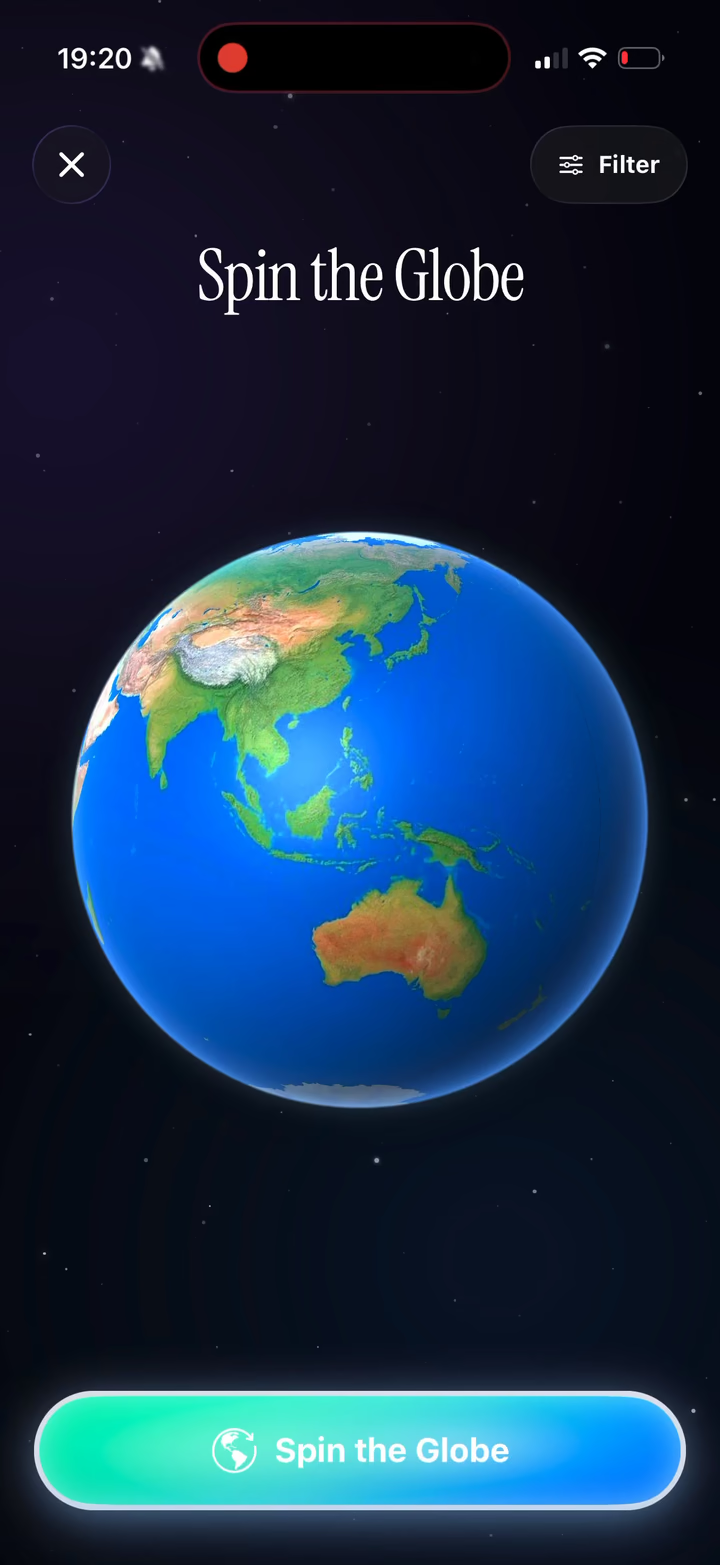
    • Spin the Globe in the TripMemo app on iPhone, showing a 3D Earth ready to spin

      Spin the Globe

      Spin, see where you land and turn it into a trip.

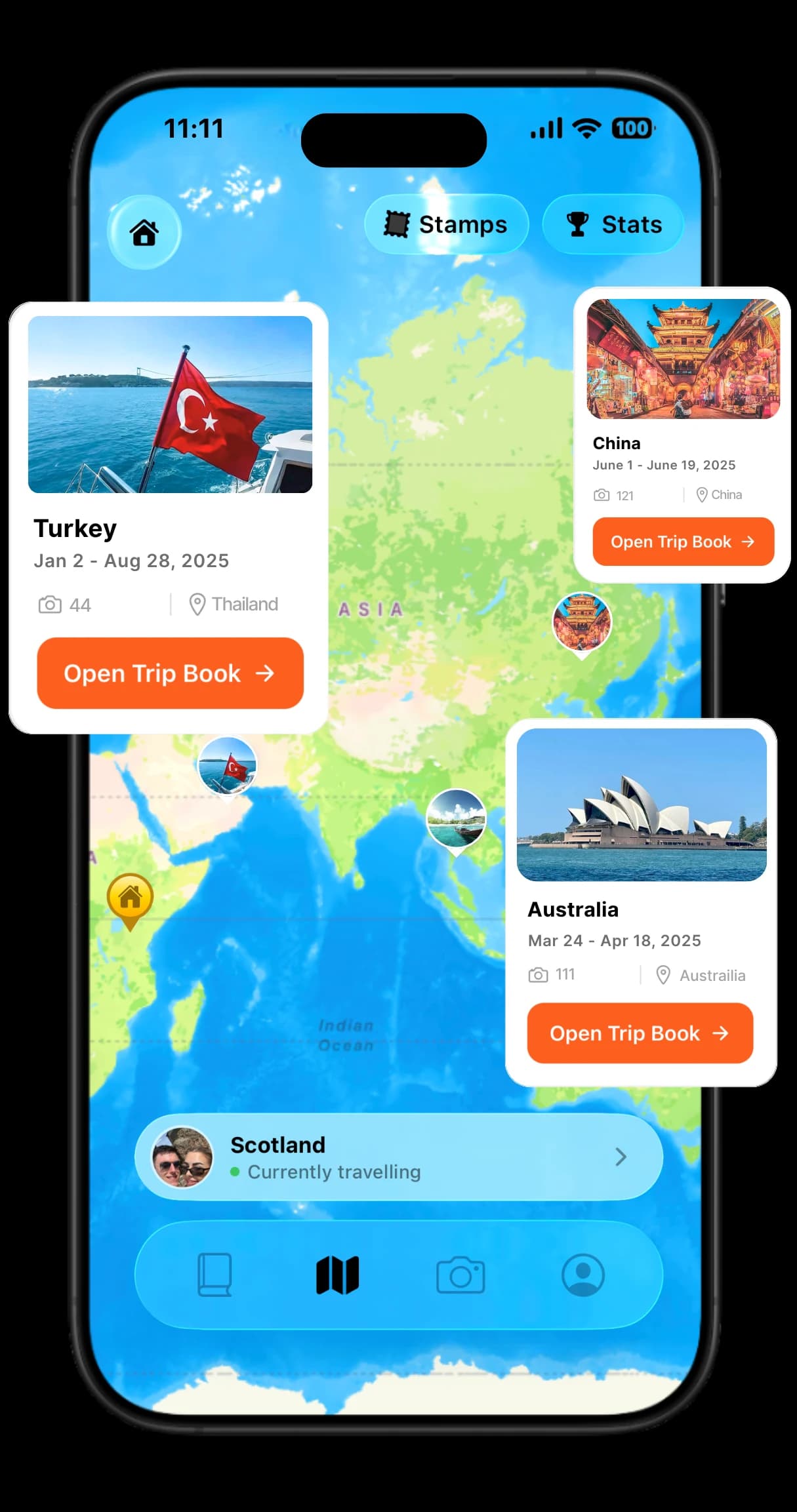
    • TripMemo world map on iPhone with trip cards for Turkey, China and Australia

      Trip Timeline

      Your complete travel history, right on your Home screen.

    Also improved

    • Faster, smoother TripBooks with more polished Polaroid animations.
    • An upgraded TripMap route-tracking experience with a refreshed design.
    • Refreshed Explore and Bucket List cards with new destination photography.
  7. Version 3.53.5.0 to 3.5.1

    Offline you can count on

    Keep editing TripBooks, adding memories and using all three cameras without a signal. Everything syncs when you reconnect.

    • Offline mode is faster and more reliable, including all three cameras.
    • Days load faster and swiping through a TripBook is smoother.
    • Memories stay organised when you change a trip's dates.
    • Fixed blank pages that could appear while swiping between days.
  8. Version 3.43.4.0 to 3.4.3

    Home Screen widgets and the Stamp Camera

    Put trip memories, travel stats, countdowns and daily translations on your Home Screen, turn photos into travel stamps with the new Stamp Camera and share your route as a beautiful map card.

    • TripMemo trip countdown widgets on an iPhone Home Screen counting down to a Canada trip

      Home Screen widgets

      Memories, stats, countdowns and translations on your Home Screen.

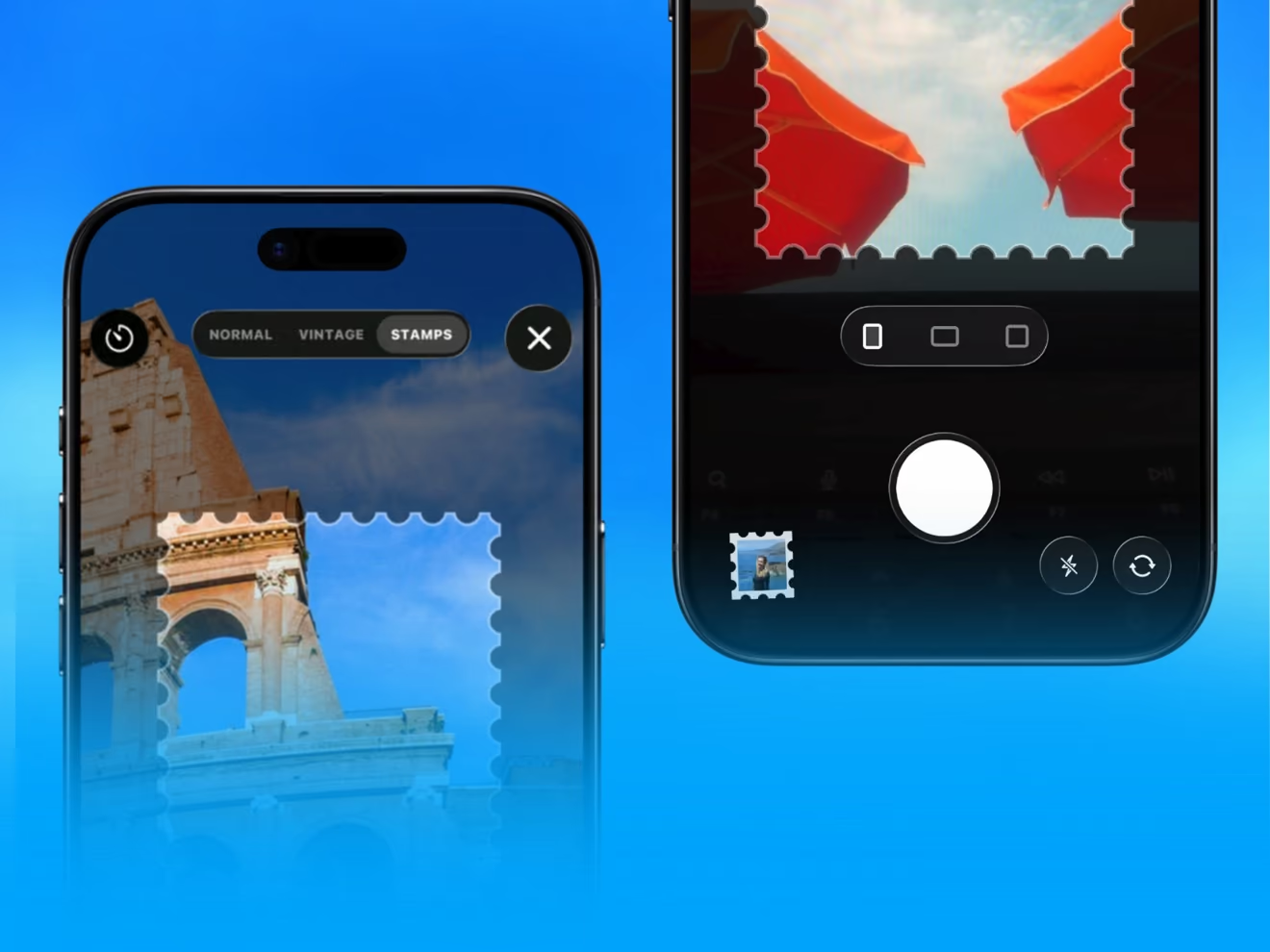
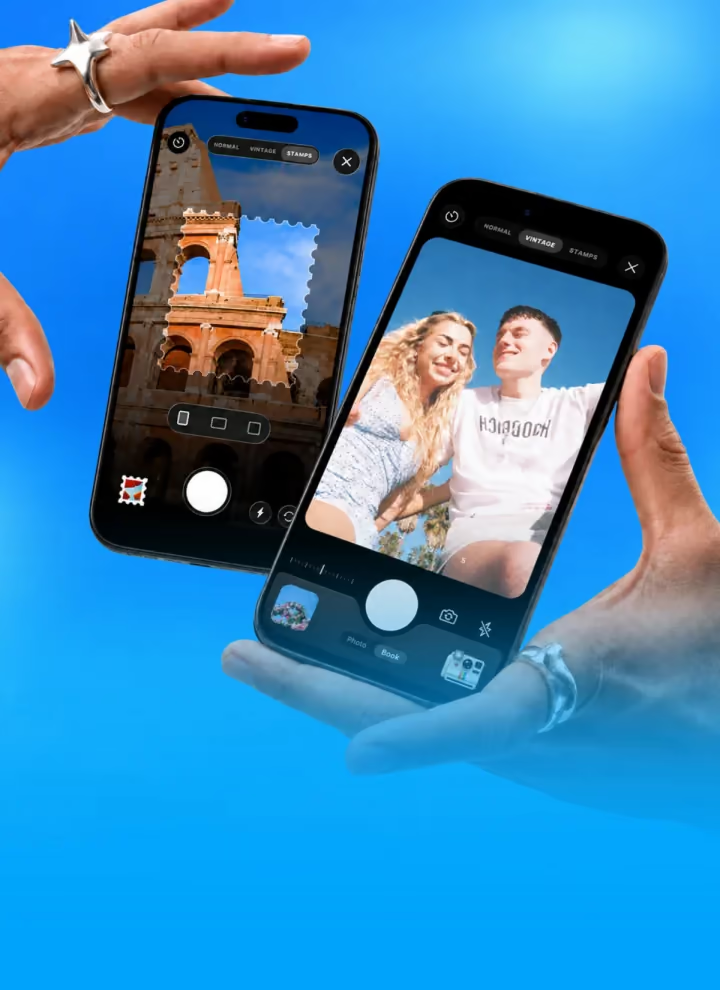
    • TripMemo Stamp Camera turning a photo of the Colosseum into a perforated travel stamp

      The Stamp Camera

      Turn your own photos into custom travel stamps.

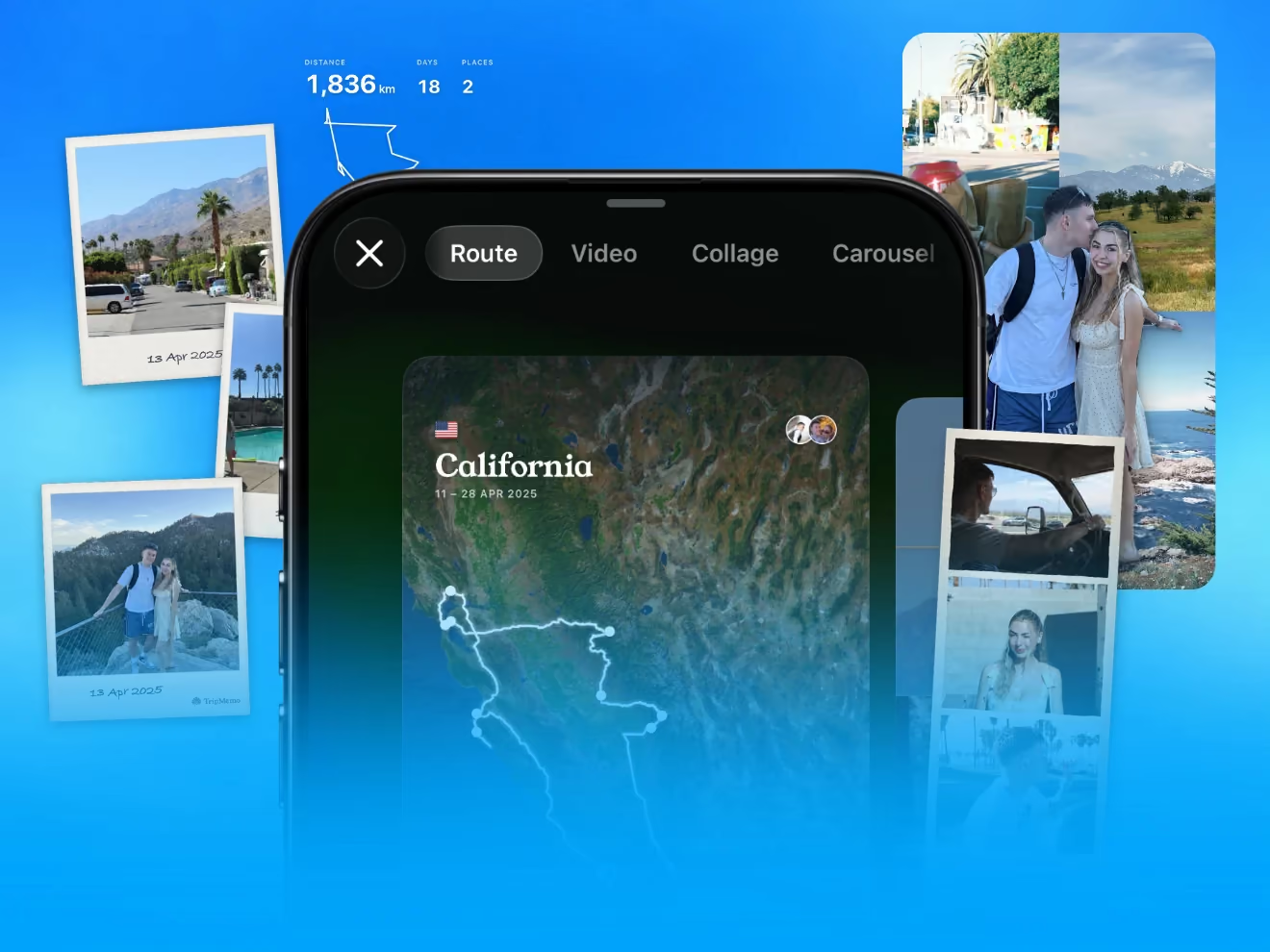
    • TripMemo route card for a California road trip surrounded by trip photos

      Share your route as a map card

      Share your route, photos and stats in one map card.

    • Two friends walking through long grass above the sea on a trip together

      Better sharing and collaboration

      Clearer invites, with viewer and editor roles for everyone.

    Also improved

    • Faster, smoother TripBooks.
    • Month and year labels on your Home carousel.
    • Photo upload and stability fixes in 3.4.1 to 3.4.3.
  9. Version 3.3

    Photo of the Day

    Choose the standout photo from each day of your trip and turn it into an award-style moment you can flip and share, with friends voting on the winner and reactions on every photo and note.

    • TripMemo TripBook day on iPhone with a camper van Polaroid picked as Photo of the Day

      Photo of the Day

      Crown the standout photo from each day of your trip.

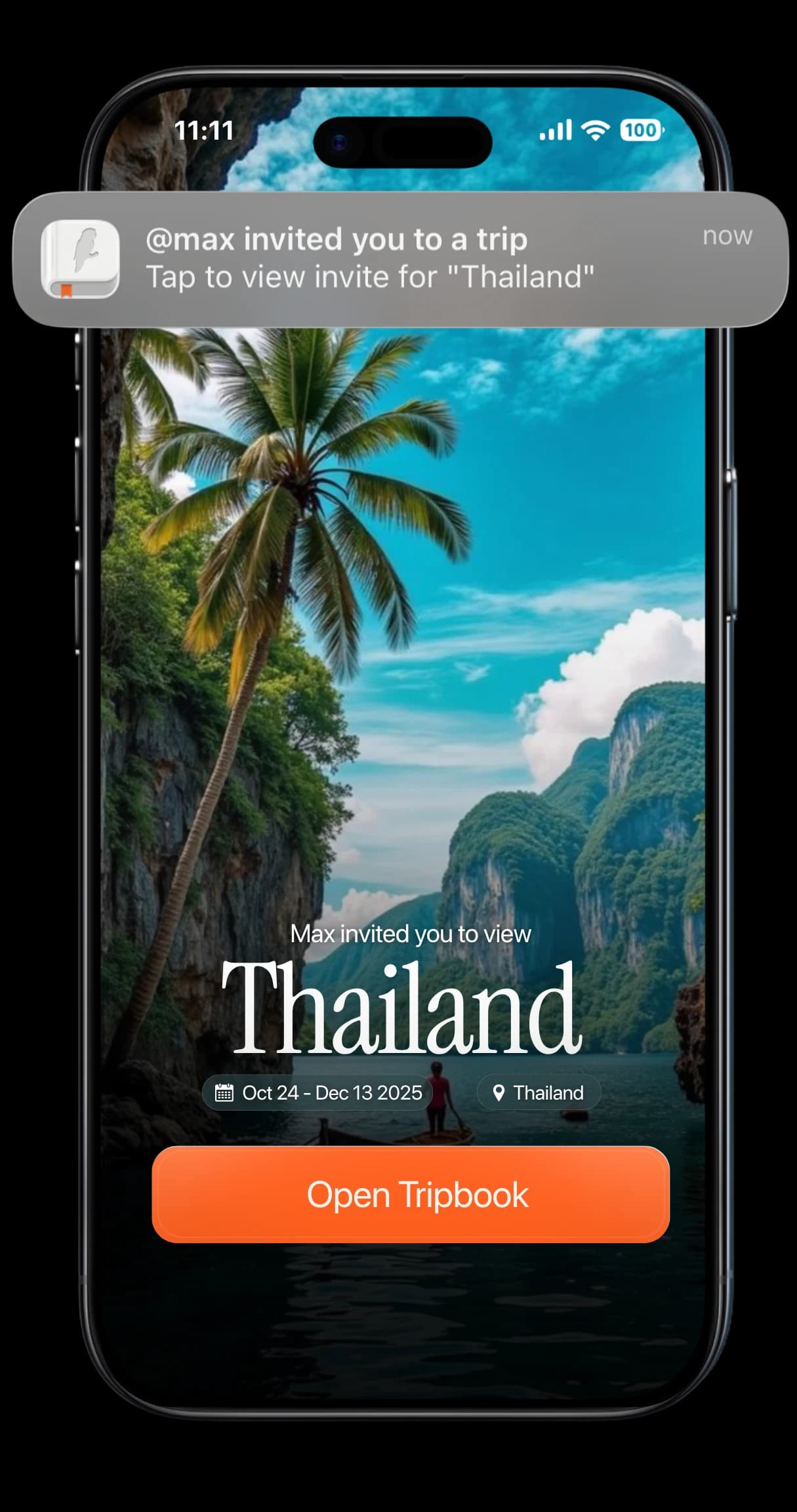
    • TripMemo trip invite on iPhone asking a friend to open a shared Thailand TripBook

      Vote together

      Friends on the trip vote for the winning photo.

    • TripMemo TripBook day on iPhone with Polaroid-style mountain photos and a handwritten caption

      Reactions and long-press menus

      React to photos and notes, and long-press to do more.

    Also improved

    • Major improvements to TripBook reliability and realtime collaboration.
    • Better offline syncing, image loading and overall performance.
  10. Smoother TripBooks and Polaroids

    A refined TripBook design, improved Polaroid animations and a long list of fixes for a more delightful memory-making experience.

    • Refined TripBook design and improved Polaroid animations.
    • Bulk imports place photos on the right day using each photo's date.
    • Notes keep their order, including in shared trips.
    • Fixed a bug where some days could appear empty.
    • Photos no longer stay blurred, and failed uploads retry with clearer messages.
    • Notifications open the day that changed.
  11. Version 3.0

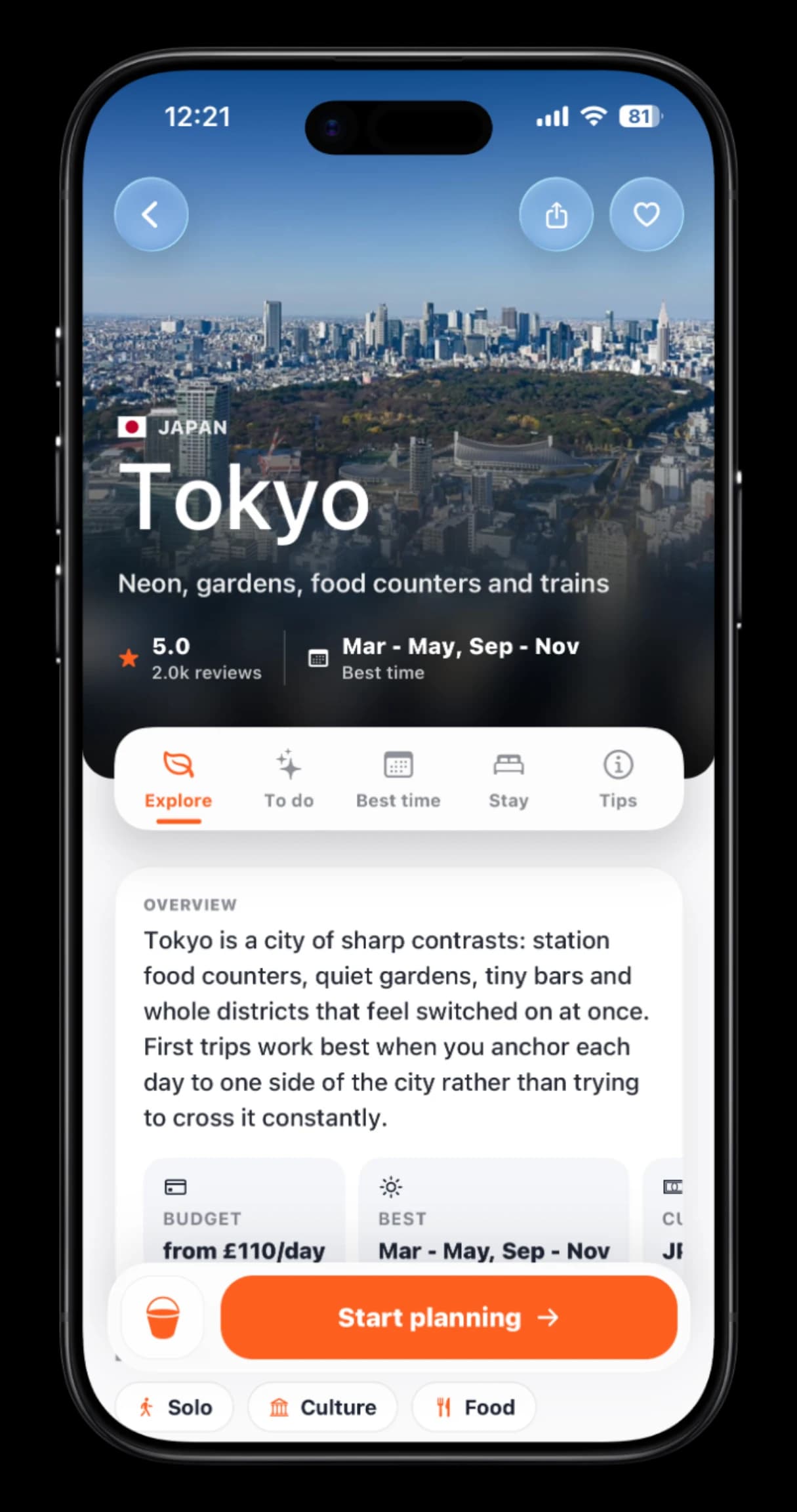
    Discover, Plan and Bucket List

    Three new tabs make TripMemo a complete travel app: discover destinations, plan trips with AI itineraries built around real places and keep a Bucket List of everywhere you want to go.

    • TripMemo Discover page for Tokyo on iPhone with an overview, budget and best time to visit

      Discover

      Destinations by continent, vibe, season and hidden gem.

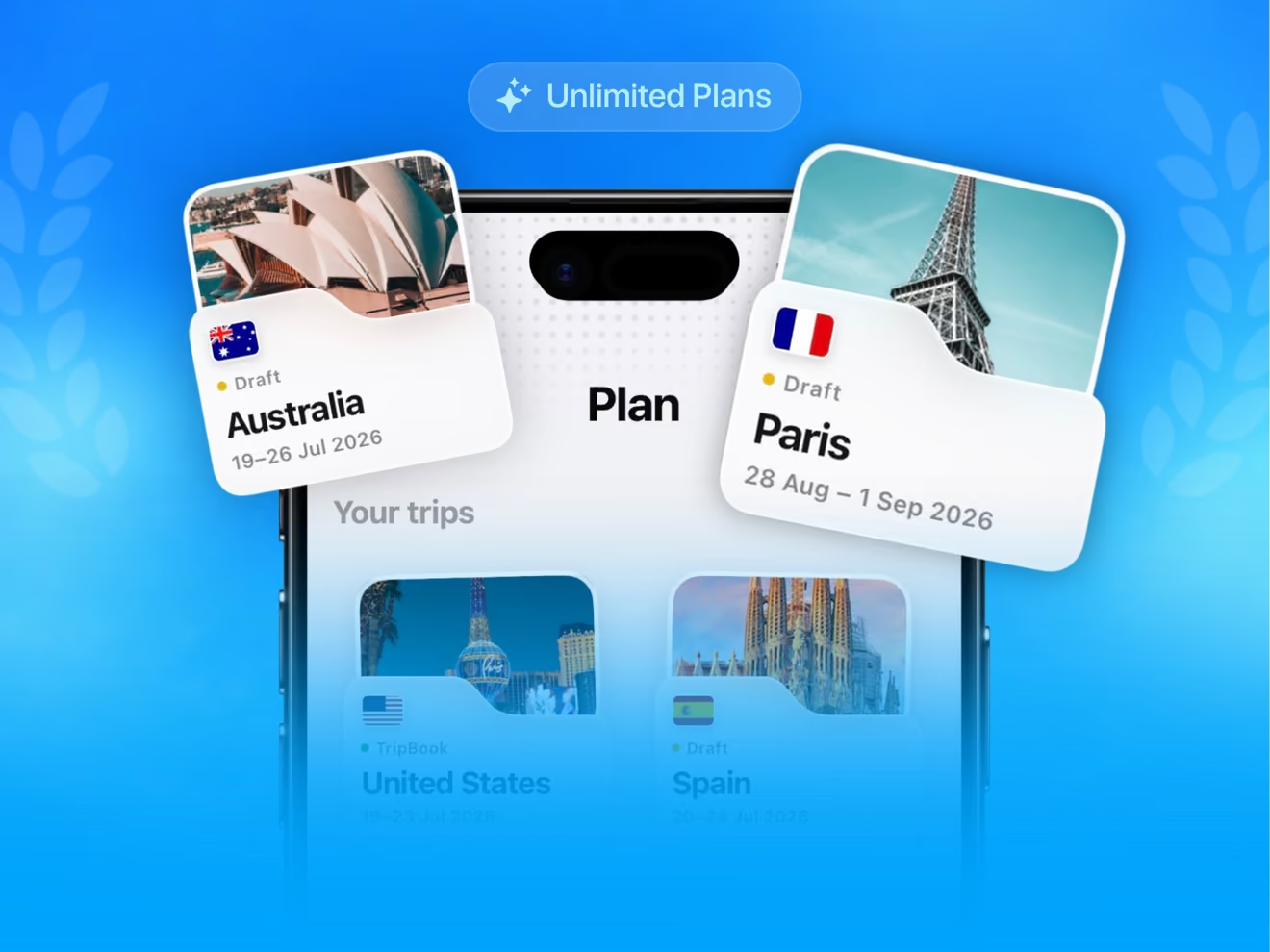
    • TripMemo Plan screen on iPhone with draft trips to Australia and Paris

      Plan

      AI itineraries built around real places, on a live map.

    • TripMemo Bucket List on iPhone with Sydney, New York and Bali saved

      Bucket List

      Save destinations and tick them off as you go.

    Also improved

    • A 3D satellite map toggle, with pins and navigation that adapt automatically.
    • Bulk uploads rebuilt to handle bigger imports.
    • Native animations that feel noticeably quicker everywhere.
    • Offline improvements built for real travel.
  12. Version 2.5

    Travel Replay and a rebuilt Stats page

    Press play and watch your year of travel unfold with Travel Replay, dig into a Stats page rebuilt from the ground up and shoot with improved vintage cameras.

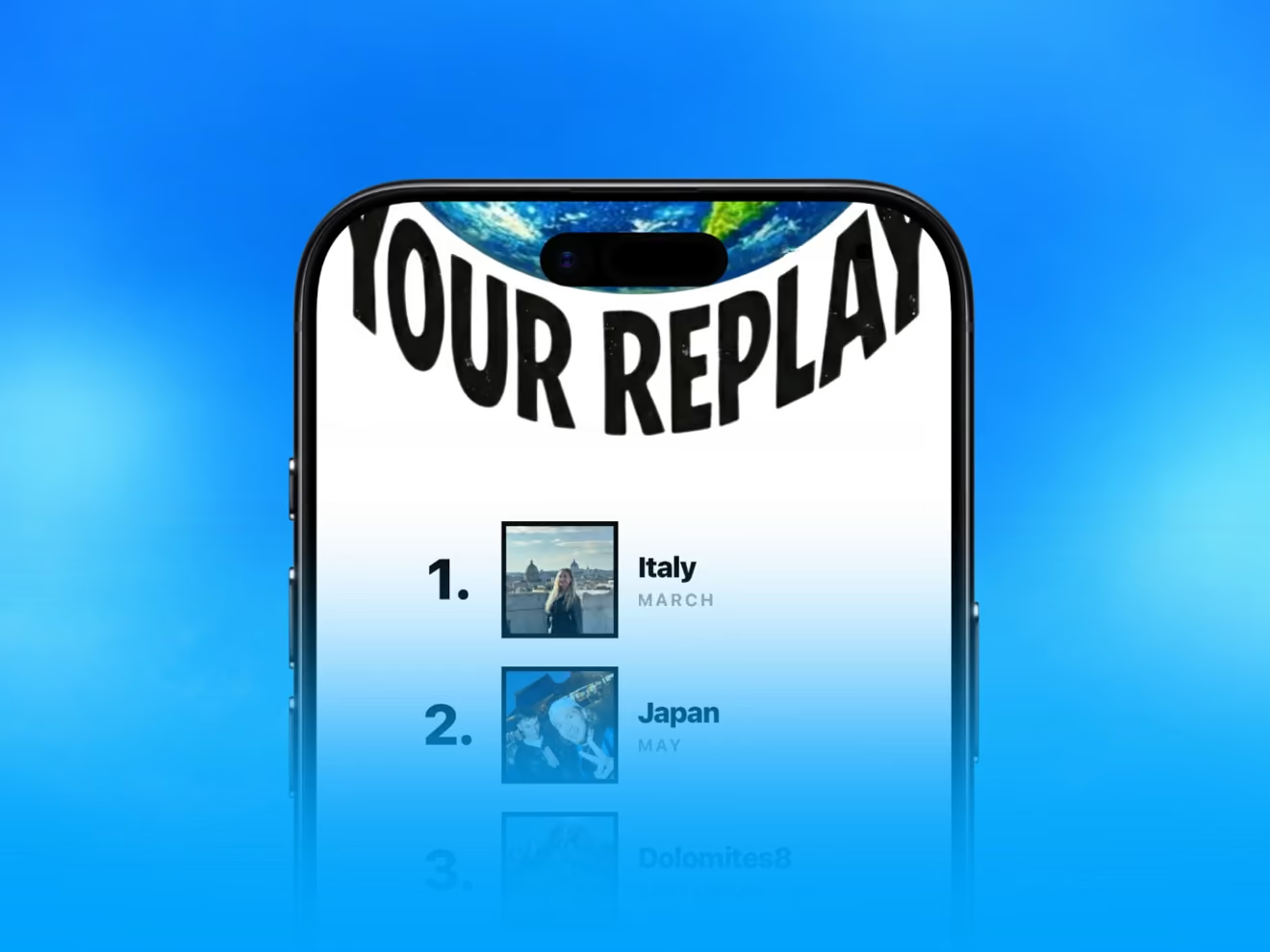
    • TripMemo Travel Replay ranking the year's countries, with Italy first and Japan second

      Travel Replay

      Press play on an animated recap of your travel year.

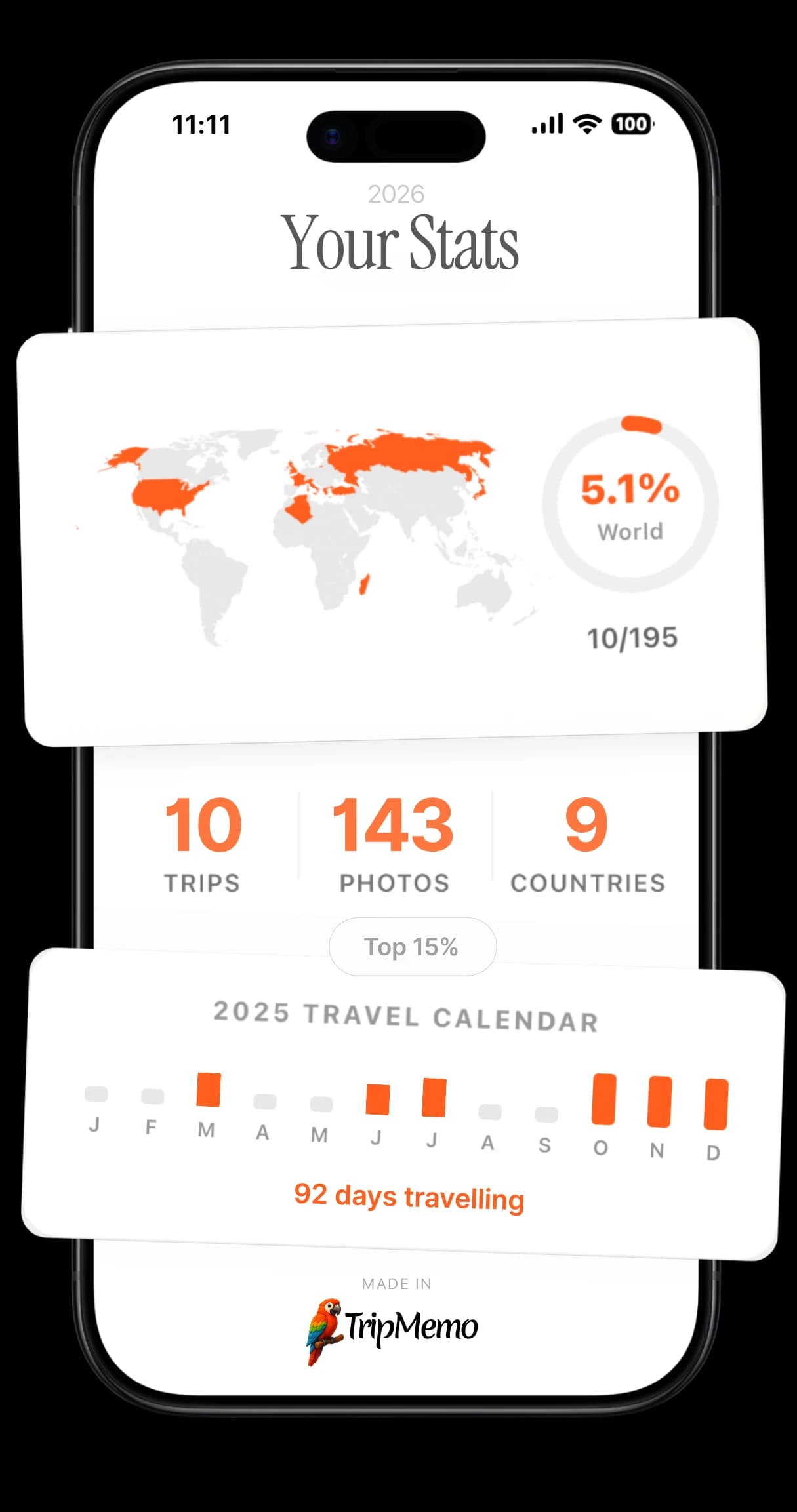
    • TripMemo Your Stats screen on iPhone with a world map, trips, photos and countries counted

      Stats, rebuilt

      Overview, Places, Time and Story views, plus a photo map.

    • TripMemo vintage film camera on iPhone framing a sunny portrait with a warm film look

      Better vintage cameras

      Sharper grain, a richer film look and better low light.

    • Hands holding two iPhones showing the TripMemo camera, one framing the Colosseum

      A redesigned camera

      A modern camera that opens your photo for editing straight away.

    Also improved

    • A smoother TripBook opening animation.
    • Performance boosts and bug fixes throughout.
  13. Version 2.02.0.0 to 2.0.1

    TripMemo 2: Liquid Glass, Country Stamps and new maps

    A completely new look built on Liquid Glass, a stamp for every country you visit, rebuilt maps and TripBooks that do your photos justice.

    • TripMemo Explore page on iPhone in the glass-inspired design

      Liquid Glass

      A new visual layer that makes every screen feel lighter.

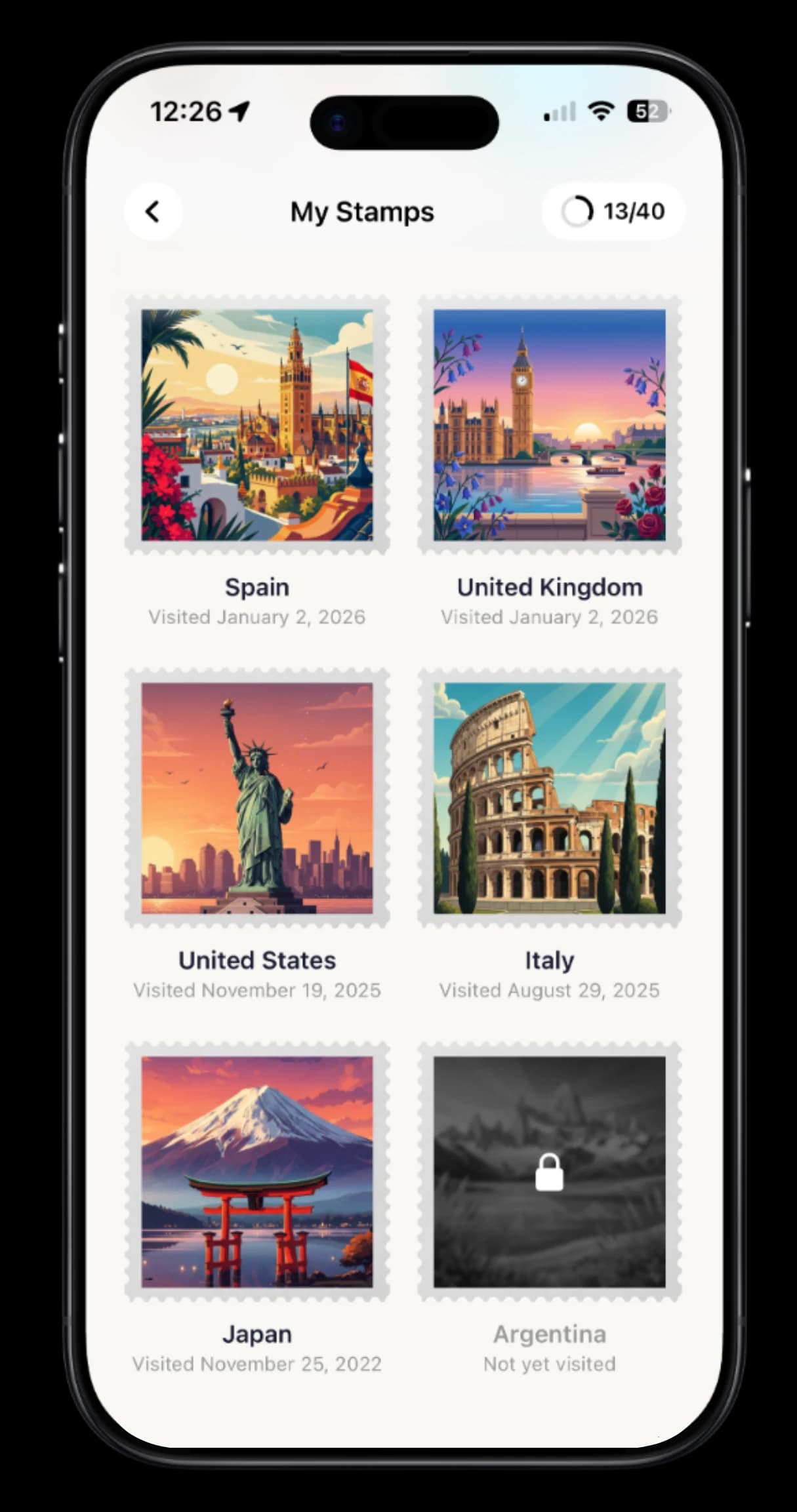
    • TripMemo My Stamps collection on iPhone with illustrated country stamps

      Country Stamps

      Earn a stamp for every country you visit.

    • TripMemo world map on iPhone with trip cards for Turkey, China and Australia

      Redesigned maps

      Trace every stop, detour and memory on a rebuilt map.

    • TripMemo TripBook cover for a Dolomites trip in January 2026 on iPhone

      Weather on your TripBook

      Your TripBook cover shows the weather where you are.

    • TripMemo TripBook day on iPhone with Polaroid-style mountain photos and a handwritten caption

      Better TripBooks

      Refined layouts and a page scrubber for long trips.

    Also improved

    • Faster scrolling, snappier transitions and a quicker start.
    • Offline improvements so your trips are there when you need them.
    • 2.0.1 fixed a startup crash and improved reliability.
  14. Version 1.31.3.0 to 1.3.5

    Collaboration notifications and a new first trip

    See when friends add photos and notes to your shared trips, choose which notifications you get, and start your first TripBook before you even create an account.

    • Notifications when friends join your trip or add photos and notes.
    • Choose which notifications you get, with quiet hours in your timezone.
    • A new onboarding: add your trip and photos and watch your TripBook come together.
    • A redesigned celebration for finishing your first trip.
    • Stability improvements and bug fixes.
  15. Version 1.21.1.0 to 1.2.0

    Made for every iPhone

    Text and layouts that fit every iPhone size, and smoother performance on older devices.

    • Text and layouts now scale across every iPhone screen size.
    • Optimisations for older iPhones.
    • Onboarding fixes for smaller screens.
    • Fixed an issue where the app could hang on launch.
  16. Version 1.0

    TripMemo launches

    TripMemo arrives on iPhone: a travel journal that turns every trip into a TripBook, with Polaroid-style photos, a vintage film camera, maps and trips you build together with friends.

    • TripMemo TripBook day on iPhone with Polaroid-style mountain photos and a handwritten caption

      TripBooks

      Every trip becomes a book, with a page for each day.

    • TripMemo vintage film camera on iPhone framing a sunny portrait with a warm film look

      A vintage film camera

      Shoot Polaroid-style photos straight into your TripBook.

    • Friends raising wine glasses together at dinner on a shared trip

      Trips together

      Build a TripBook with friends in real time.

    • TripMemo world map on iPhone with trip cards for Turkey, China and Australia

      Maps and stats

      Your photos on a map, plus travel stats and streaks.

    Also improved

    • Offline journaling with uploads that wait until you are back online.
    • Sign in with Apple.

Good to know

Prefer a feed? Follow every release with RSS.

How do I get the latest version?

Open the App Store on your iPhone, tap your profile picture and pull down to refresh. If an update is waiting, TripMemo appears in the list. To update automatically, turn on App Updates in Settings, then App Store.

How often does TripMemo update?

We have shipped 27 App Store updates since launching in January 2026, usually every few weeks. Bigger releases bring new features; smaller ones polish what is already there.

How can I suggest a feature?

Email support@tripmemo.app. Many of the features on this page started as ideas from travellers using TripMemo, and we read every message.

Your trips deserve
more than a camera roll

Turn travel photos into books you'll actually look back on.

Get the App
  • Real-time collab
  • Works offline
  • Private by default