




TripMemo Product Team
Product & releases
8 min read•Published
Summary
Use the family chat for a few live updates, then keep the complete trip in a private album or TripBook. iCloud suits Apple-only families, Google Photos works across devices, and TripMemo keeps photos, places and notes together in a story relatives can open without an account.
The best way to share trip photos with family without social media is a private shared trip album—a space only invited people can see, where photos keep their full quality and their story. Your main options: a shared iCloud or Google Photos album (free, but platform-dependent), a private link from a travel journal app like TripMemo (organized by trip and day, works for everyone), or old-school email and messaging (universal, but chaotic and compressed).
This guide compares all seven options honestly—including which ones actually work when your mum has an old Android, your brother refuses to install anything, and your grandparents just want to click a link.
Why People Are Done Posting Trips Publicly
You're not imagining it: fewer people are posting their travels. There are good reasons to keep your trip off the feed:
- Privacy while you're away. Posting in real time announces that your house is empty. Police forces and insurers have warned about this for years.
- Kids in photos. Many parents now keep children's faces off public platforms entirely.
- The performance problem. The moment a trip becomes content, you start photographing for an audience instead of for yourself. (We've written about why the photo dump is dead.)
- The audience mismatch. Your family wants to see everything—all 60 photos of the coast road. Your followers want three. Social media serves neither well.
What your family actually wants is simple: all the photos, in order, with the story, without making an account on anything.
Here's how each option delivers on that.
The 7 Ways to Share Trip Photos Privately
1. A Shared TripBook (TripMemo)
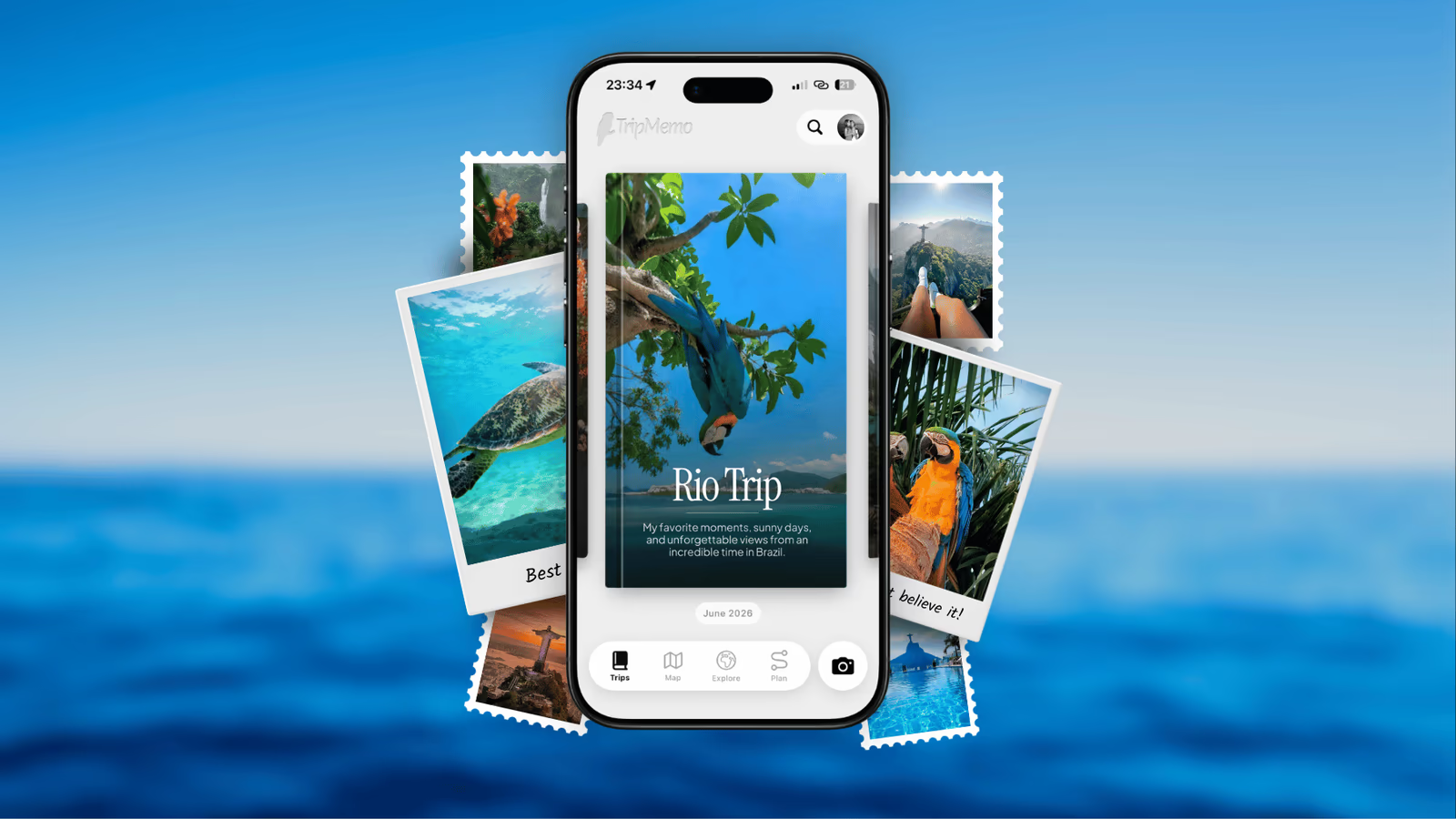
A TripBook is a private, collaborative trip journal: photos and notes organized by day and place on a map, visible only to the people you invite by link. Family members can view without creating an account, and travel companions can add their own photos into the same book.
Best for: sharing a whole trip as a story—not a pile of files. Grandparent-friendly: they open a link and swipe through the trip day by day.
Honest limits: it's a travel journal app, not a general-purpose photo locker. If you just want to move 2,000 RAW files to your sister, use a file service (option 6).
2. Shared iCloud Album (Apple Families)
Free and built in. Create a Shared Album, invite family, everyone with an Apple device sees new photos automatically.
Best for: all-iPhone families who just want the photos.
Honest limits: Apple reduces Shared Album photos to 2,048 pixels on the long edge (panoramas are the exception) and delivers video at up to 720p. Non-Apple relatives rely on the public website option, and the result is still a photo grid rather than a day-by-day trip story.
3. Google Photos Shared Album
The cross-platform version of the same idea. Works on iPhone, Android, and web; full resolution if you have storage space; decent automatic organization.
Best for: mixed-device families already living in Google's world.
Honest limits: anyone with the link can view an album, but joining, commenting and contributing work best with a Google account. Link access can also be forwarded by anyone who has it. The album remains a photo grid rather than a trip narrative, and saved copies can use the recipient's storage quota.
4. WhatsApp / iMessage / the Family Group Chat
The default, because it's where the family already is. It's also the worst option for anything you want to keep: messaging apps compress photos aggressively, and photos scatter across the scroll within days. We've documented exactly how group chats kill trip memories.
Best for: live "we made it, here's the view" moments during the trip.
Honest limits: compression, chaos, and in a year nobody will find anything. Use it for moments, never as the archive.
5. Email
Universal and truly private. Every relative on earth has an address.
Honest limits: attachment size caps mean you send five photos at a time, usually compressed. Sending a whole trip by email is a part-time job. Best kept for one or two special shots to a relative who uses nothing else.
6. File-Sharing Links (Dropbox, WeTransfer, Drive)
Upload a folder, send the link. Full original quality, no accounts needed to download.
Best for: delivering files—like giving your brother every original so he can make prints.
Honest limits: a folder of IMG_4032.jpg isn't sharing memories, it's transferring data. Nobody browses a Dropbox folder for pleasure, and links expire.
7. A Printed Photo Book (After the Trip)
The most private sharing of all, and the most loved: a physical book for the grandparents' coffee table.
Honest limits: it arrives weeks after the trip, costs real money per copy, and depends entirely on you actually doing the curation work. Easiest when the trip is already organized day by day somewhere—which is exactly what a trip journal gives you to work from.
Join the TripMemo
Newsletter
Unsubscribe anytime. Read our privacy policy.
Quick Comparison
| Option | Quality | Access | Format | Add photos | Cost |
|---|---|---|---|---|---|
| TripMemo TripBook | Full | Link | Day-by-day story | Yes | Free to start |
| iCloud Shared Album | 2,048px | Apple | Photo grid | Yes | Free |
| Google Photos album | Full | Partial | Photo grid | Yes | Storage quota |
| Group chat | Compressed | None | No story | Yes | Free |
| Compressed | None | No story | No | Free | |
| Dropbox / WeTransfer | Full | Link | Files only | No | Free tier |
| Printed book | Full | None | Printed story | No | £20–60 / book |
The Setup That Actually Works for Most Families
After trying every combination across our own trips, this is the split that holds up:
- During the trip: drop one or two highlights in the family chat so everyone feels included in real time. That's what chat is good at.
- Each evening (or every couple of days): add the day's best photos and a few lines to your private TripBook. Ten minutes, while you still remember which beach was which. Invite family at the start so they can follow along—like a private travel blog nobody else on the internet can see.
- After the trip: the complete, organized version already exists. No airport promise of "I'll sort the photos this weekend." Relatives who want files can still get originals; grandparents get the story.
The reason this works is that it separates the two jobs people usually mash together: keeping people updated (chat is fine) and preserving and sharing the actual trip (chat is terrible; a private, organized space is what you want).

What About Sharing With the People You Travelled With?
Same problem, worse version: after a group or family trip, everyone holds a different third of the photos. Instead of the post-trip photo-dump scramble, use a shared space during the trip so every phone contributes to one book as you go. That's the core of how TripMemo's group features work, and we've written a full guide to collaborative travel journaling.
%20copy%202.avif&w=384&q=75&dpl=dpl_5LiWpjAxVHcJfxZ5FqYxsrCPPe5e)
%20copy%203.avif&w=384&q=75&dpl=dpl_5LiWpjAxVHcJfxZ5FqYxsrCPPe5e)

Your trips deservemore than a camera roll
.avif&w=96&q=75&dpl=dpl_5LiWpjAxVHcJfxZ5FqYxsrCPPe5e)
FAQ: Private Trip Photo Sharing
What's the best way to share vacation photos with family who aren't tech-savvy?
A view-by-link option. Anything that requires installing an app or creating an account loses grandparents immediately. A TripMemo TripBook link or a Google Photos link opens in the browser; of the two, the TripBook shows the trip as a day-by-day story rather than a wall of thumbnails.
Can I share trip photos privately without losing photo quality?
Yes—but not through messaging apps or iCloud Shared Albums, which both compress. Use a travel journal app, a full-quality shared album, or a file-sharing link if quality matters (for printing, for example).
Is a private Instagram or "finsta" a good alternative?
It solves the audience problem but nothing else: photos are still compressed, still an algorithmic feed, still owned by a social platform, and family members need accounts. If the goal was to get away from social media, a second social media account is a sideways move.
How do I share photos with family during the trip without posting publicly?
Invite them to your shared trip album before you leave. They'll see each day as you add it—the "following along at home" experience people love about travel blogs, minus the public internet.
What happens to shared albums years later?
This is the quiet argument for keeping trips in a dedicated space: chats get deleted, links expire, and platform albums sink into ten thousand other photos. A trip kept as its own book—with dates, places, and notes—is still findable and still makes sense a decade later.
Related reading:
- Why Group Chats Kill Your Trip Memories
- How to Preserve Your Parents' and Grandparents' Travel Stories
- The Photo Dump Is Dead
- The Complete Guide to Collaborative Travel Journaling
- How to Organize Travel Photos
Want your family to actually see the trip? Download TripMemo and put every photo, place and note into one private TripBook—shared by link with the people you choose, and no one else. See how private TripBooks work.