




TripMemo Product Team
Product & releases
8 min read•Published
Summary
Drowning in thousands of photos from your trip? Learn the complete workflow for sorting, storing, captioning, and actually enjoying your travel memories—with tool comparisons and templates.
You return from a trip with 3,000 photos on your phone.
There are 47 shots of the same sunset from slightly different angles. There are 12 blurry attempts at capturing that street performer. There are screenshots of maps you'll never need again.
Six months later, you haven't looked at any of them. They sit in your camera roll, a chaotic digital graveyard of memories you can't find.
This is the travel photo paradox: we capture everything but preserve nothing.
Here's the complete system for organizing travel photos—so you can actually find, enjoy, and share your memories.
Why Most Organization Systems Fail
The Folder Problem
Traditional method: Create folders named "Japan 2024 / Day 1 / Morning"
Why it fails:
- You don't remember what day it was
- You won't maintain nested folders
- Finding a specific photo requires knowing the date
- No one else can contribute
The Dump Problem
Alternative method: Just put everything in Google Photos and search later.
Why it fails:
- Search is imprecise ("show me that restaurant in Rome" doesn't work)
- No narrative structure
- Photos without context lose meaning
- 3,000 photos is overwhelming to browse
The Solution: Location + Context + Curation
The system that works combines:
- Location-based organization (where, not when)
- Context through captions (why this moment matters)
- Ruthless curation (quality over quantity)
Already have a safe copy and want something to enjoy? Choose from nine things to do with travel photos after a holiday, from a highlights album to a digital TripBook or printed keepsake. This guide covers the underlying organisation system.
The Complete Photo Organization Workflow
Phase 1: Purge (Do This Immediately)
Start while memories are fresh—ideally on your flight home or within 3 days.
Delete ruthlessly:
| Delete | Keep |
|---|---|
| Duplicates (keep the best one) | One great version of each moment |
| Blurry/out of focus | Intentionally motion-blurred shots |
| Screenshots of maps/logistics | Photos with sentimental value |
| Bad lighting/exposure | "Imperfect" shots with emotional value |
| Photos that trigger no memory | Unusual perspectives and candids |
Target: Reduce your collection by 40-60%.
The "Would I print this?" test: If you wouldn't print it or show it to someone, delete it.
Phase 2: Quick Sort (Day 1-3)
Don't try to perfect-organize everything. Do a fast first pass.
The Three-Album System:
Album 1: "Hero Shots" (50-100 photos) The absolute best. The ones you'd frame, print, or show your grandmother.
Album 2: "Story Shots" (100-300 photos) Good photos that tell the trip story. Context, food, people, moments.
Album 3: "Archive" (everything else that survived the purge) Kept for completeness but rarely accessed.
This takes 30-60 minutes. Do it once, and you've 80% solved your organization problem.
Phase 3: Add Context (Week 1-2)
Photos without context lose meaning over time.
For your Hero Shots (minimum):
- Add a caption explaining the moment
- Include details you'll forget (restaurant names, prices, people's names)
- Note how you were feeling
For your Story Shots:
- Add basic captions
- Name locations
- Note who was there
Before: No caption. Photo of pasta.
After: "Cacio e pepe at Roma Sparita, the place with the cheese wheel. Waited 45 minutes in the rain. Worth every second. This was the moment Sarah said 'we should move here.'"
Why it matters: In 5 years, the first photo triggers nothing. The second photo brings back the rain, the wait, the conversation.
Phase 4: Structure for Long-Term (Month 1)
Once the immediate work is done, create a sustainable system.
Option A: Trip-Based Organization
Travel Photos/
├── 2024-03 Japan/
│   ├── Hero Shots/
│   ├── Story Shots/
│   └── Archive/
├── 2024-07 Portugal/
└── 2024-11 NYC/
Option B: Location-Based Organization
Travel Photos/
├── Europe/
│   ├── Portugal/
│   └── Italy/
├── Asia/
│   └── Japan/
└── North America/
Option C: App-Based Organization (Recommended)
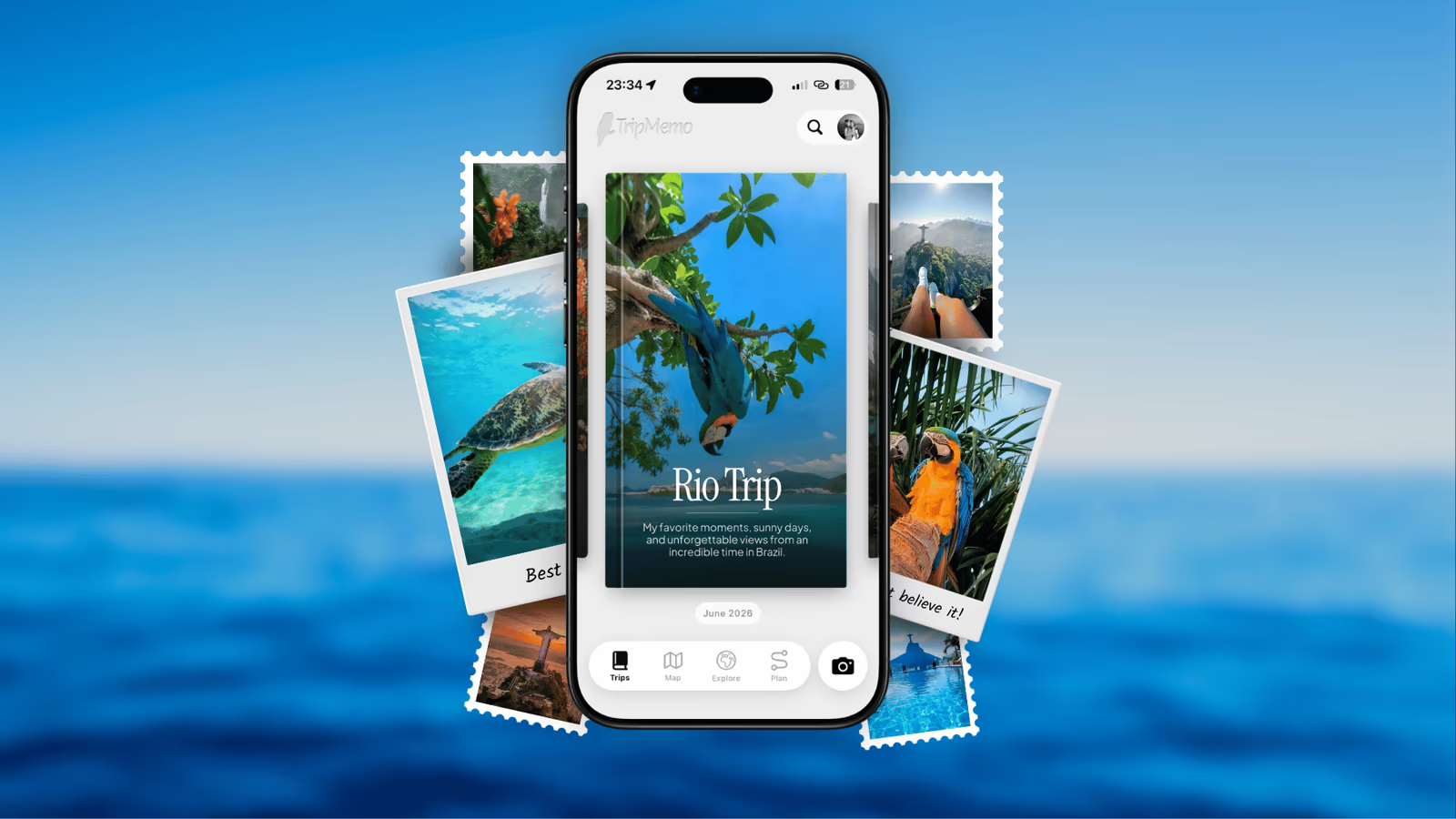
Let an app like TripMemo organize automatically:
- Photos sorted by GPS location
- Timeline view by date
- No folder maintenance required
- Searchable by place name

Join the TripMemo
Newsletter
Unsubscribe anytime. Read our privacy policy.
Which app should you use for the system?
Choose the app around the result you want: Google Photos for a searchable library across devices, Apple Photos for albums in your existing iPhone library, or TripMemo for a digital trip book with days, places, notes and contributions from your travel companions.
If you are still choosing, our comparison of eight apps for organising travel photos covers the differences between albums, separate folders, route journals and printed books. Keep a complete original-file backup separately from the highlights you arrange into a trip story.
Once you have chosen, use the workflow below to get the first trip organised.
Workflow Templates
The "Just Arrived Home" Workflow
Time needed: 30-60 minutes
- Backup — Upload everything to cloud (don't skip this)
- Purge — Delete obvious failures (duplicates, blurry, screenshots)
- Quick favorites — Star/heart your top 20 photos
- One share — Send one photo to the group chat or post one to social
Goal: Prevent overwhelm by making immediate progress.
The "Weekend Project" Workflow
Time needed: 2-3 hours
- Complete purge — Go through everything, reduce by 50%
- Create Hero album — Pick your 50-100 best
- Create Story album — Select 100-300 narrative photos
- Caption heroes — Write detailed captions for best photos
- Quick caption stories — Basic captions for story photos
- Import to journal — Load into TripMemo or preferred app
- Archive remainder — Move everything else to archive folder
Goal: Complete organization in one focused session.
The "Ongoing" Workflow (During Trip)
Time needed: 10-15 minutes each evening
- Delete duds — Remove obvious failures
- Favorite best — Star 3-5 photos from today
- Quick caption — Add notes to favorites while fresh
- Backup — Ensure cloud sync is running
Goal: Prevent the 3,000 photo dump by curating daily.

%20copy%202.avif&w=384&q=75&dpl=dpl_4GioSqzQAagpNBvytKxJ8dAP3739)
%20copy%203.avif&w=384&q=75&dpl=dpl_4GioSqzQAagpNBvytKxJ8dAP3739)

Your trips deservemore than a camera roll
.avif&w=96&q=75&dpl=dpl_4GioSqzQAagpNBvytKxJ8dAP3739)
The "Archive Project" for Old Trips
Have years of unorganized photos? Here's how to tackle the backlog.
The Triage Approach
- Start with one trip — Pick your favorite
- Purge that trip only — Get it down to ~200 photos
- Create hero + story albums — Just for that trip
- Add to journal app — Import and caption
- Repeat — One trip at a time
Don't try to organize 10 years at once. You'll burn out. One trip per weekend is sustainable.
The "Life Archive" Approach
- Bulk import everything — Into a journal app that sorts by date
- Let GPS do the work — Photos automatically mapped to locations
- Browse by map — Find trips by location, not folder
- Improve over time — Add captions gradually
Naming Conventions That Work
If you use folders, use consistent naming:
For trips:
YYYY-MM Destination (Trip Name)
2024-03 Japan (Cherry Blossoms)
2024-07 Portugal (Anniversary)
For photos (if you rename):
YYYY-MM-DD_Location_Description
2024-03-15_Tokyo_Shibuya-crossing-night
Pro tip: Most modern apps handle naming automatically. Don't spend time renaming files manually.
Common Mistakes to Avoid
-
Keeping everything "just in case" — You won't look at blurry photos. Delete them.
-
Organizing by date only — You don't remember when; you remember where.
-
No captions — Photos without context lose meaning within months.
-
No backup — Phones die. Laptops crash. Cloud backup is essential.
-
All or nothing — Organizing 50% of your photos is infinitely better than organizing 0%.
-
Waiting until "later" — Details fade. Organize while memories are fresh.
The TripMemo Approach
TripMemo is designed specifically for travel photo organization:
- GPS-based organization — Photos automatically placed on a map
- Timeline view — See your trip unfold day by day
- Easy captioning — Add context without friction
- Collaborative — Travel partners can add their photos
- Export options — Turn your trip into a shareable album or printable book
The core principle: your photos already contain location data. TripMemo just makes it visible.
Getting Started Today
If you just returned from a trip:
- Backup everything (20 minutes)
- Delete duplicates and failures (30 minutes)
- Create a "Best Of" album with top 50 (20 minutes)
- Add captions to favorites (30 minutes)
If you have years of unorganized photos:
- Pick ONE trip to start
- Follow the workflow above for just that trip
- Repeat next weekend
If you're about to travel:
- Set up your organization system BEFORE you go
- Do daily micro-organization during the trip
- Complete the workflow within 2 weeks of returning
What's Next?
Now that your photos are organized, make them even better:
- Add captions: How to Caption Travel Photos
- Create a photo journal: Photo Travel Journal Guide
- Shot planning: Travel Journal Shot Lists
- Complete system: The Complete Guide to Travel Journaling
3,000 photos isn't a memory. It's a storage problem.
50 organized, captioned, beautiful photos? That's a story you'll actually revisit.
Start with the purge. Add the context. Build the system.
Your future self will thank you.
Ready to organize your travel photos? TripMemo turns your camera roll chaos into a visual travel journal—automatically organized by location and date.