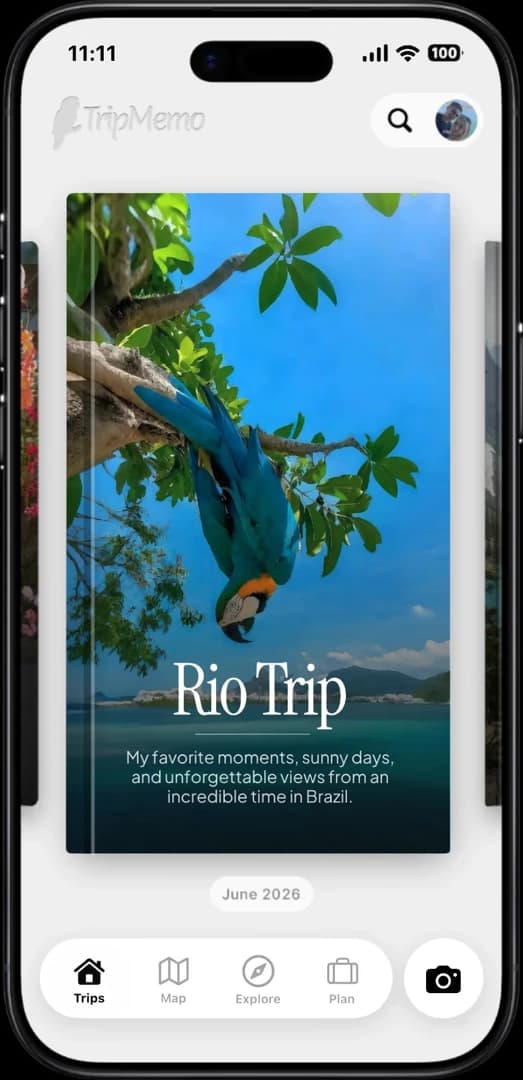
Bright coastal destination for a travel planning app comparison

The best travel planning apps for the whole journey.

T

TripMemo Editorial Team

Planning long journeys & preserving them

TripMemo features updated 14 September 2026TripMemo editorial

We compared planning apps by the work travellers actually need to do: shaping an itinerary, saving places, collaborating, staying useful on the road and keeping the story after the journey. TripMemo combines in-app AI itinerary creation, editable days and maps with photos, notes, travel stats and shared TripBooks. We assess each app by the job it solves, distinguish planning features from memory keeping, and check official product sources.

Which travel planning app fits your trip?

There is no single best app for every travel job. TripMemo is a strong fit when you want a personalised AI itinerary you can edit, then use to create a TripBook for photos, notes and places. The alternatives below are stronger for specific planning tasks.

Compare all six apps

Plan and remember. TripMemo creates editable AI itineraries. Go straight from your destination plan to creating a TripBook for photos, notes and places.

Build a detailed itinerary. Wanderlog is a strong fit for collaborative schedules, places, reservations and planning with a map.

Organise bookings. TripIt is built around bringing confirmation details into one itinerary, rather than preserving the full story.

Plan a road trip. Roadtrippers is a specialist choice when stops, routes and roadside discoveries are the centre of the trip.

Choose by need

What should your travel planner include?

Start with what you need help with: building an itinerary, organising bookings, planning a drive or keeping a travel journal.

For your entire travel journey

Save the places, shape the days, then keep every part of the journey.

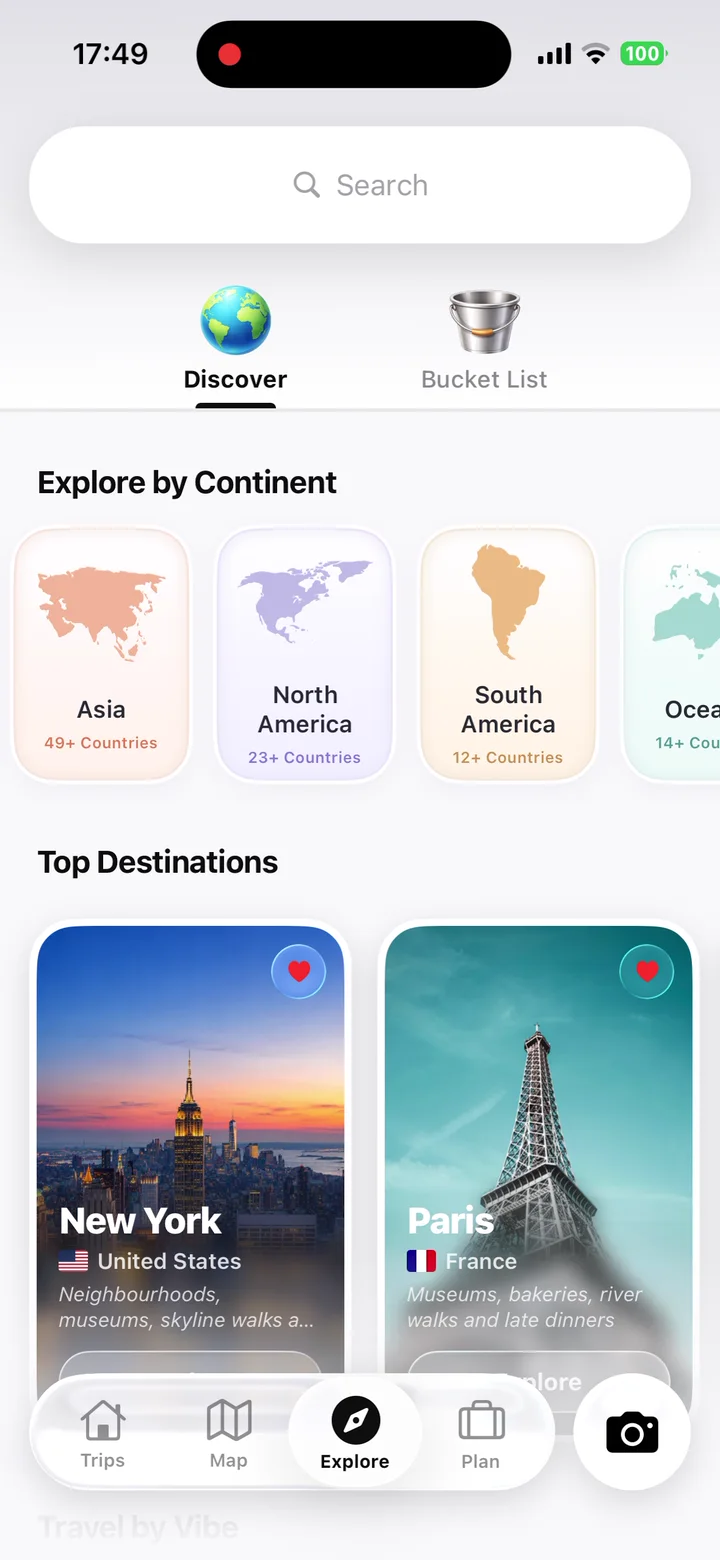
TripMemo solo travel app destination discovery screen with places organised by continent and travel vibe

Browse destinations by vibe, season and budget, then save the places that make you want to book the flight.

Keep every dream destination in one visual shortlist, so your next trip starts with ideas you already love.

Create a personalised AI itinerary from your destination, dates and preferences, then edit the activities and days to make it your own.

Bring photos, places and notes into one beautiful timeline you can revisit, share and keep long after you get home.

Watch your route take shape as memories are added, so every stop becomes part of the story.

Track countries visited, world progress and travel stats as your personal travel history grows.

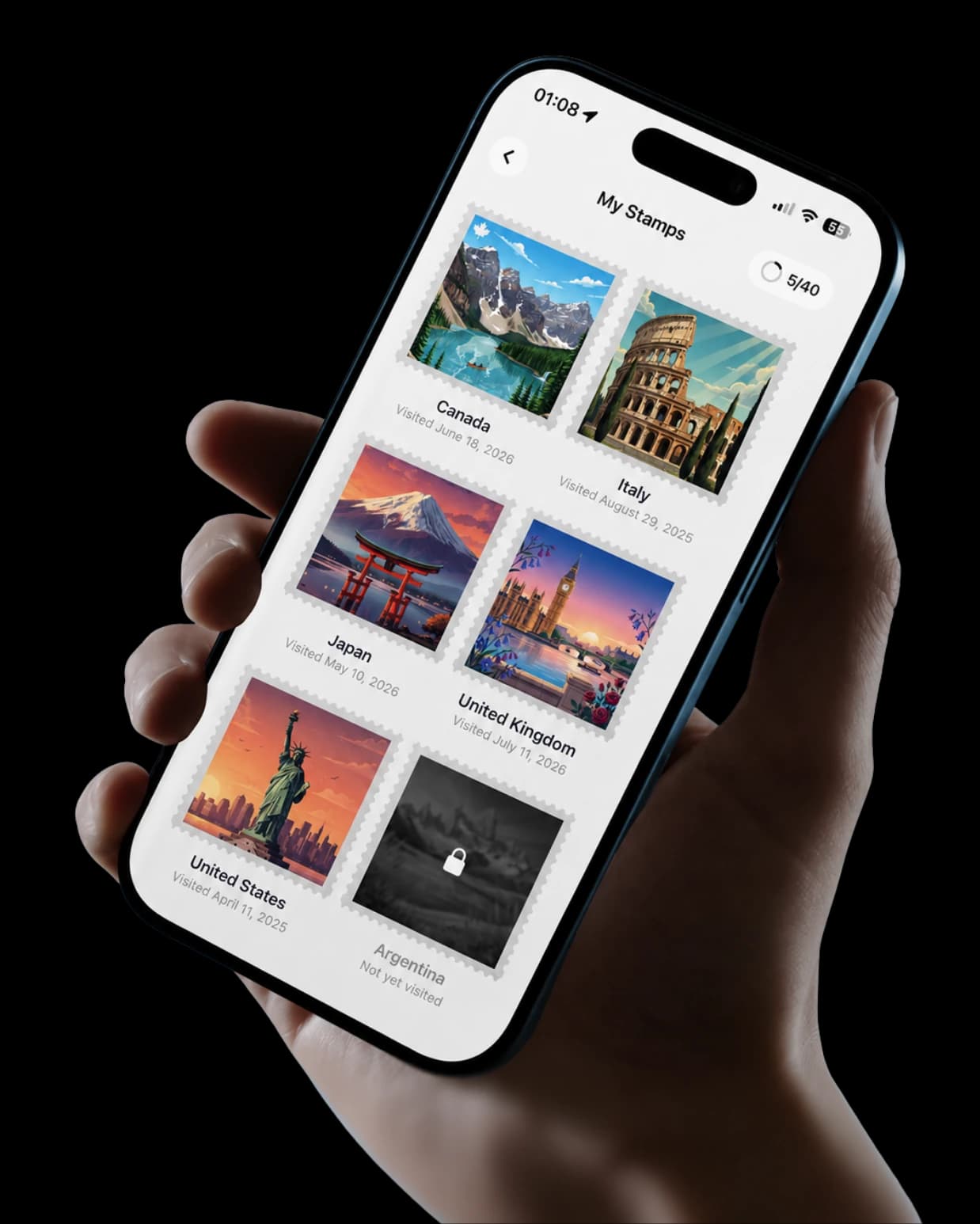
Collect destination stamps as you travel, building a visual record of the countries and chapters that shaped your journey.

App Store Reviews

Travellers are using TripMemo to organise the camera roll, write down the details and give every journey a home they can return to.

Travel planning apps, side by side.

Planning is not one task. A booking organiser, a route planner, a destination research tool and a travel memory app can all be useful, but they should not be judged as if they do the same thing.

Decision factor

Best for

01
TripMemo
Planning plus a complete travel journal
Wanderlog
Detailed collaborative itineraries
TripIt
Booking and confirmation organisation
Roadtrippers
Driving routes and places to stop
Stippl
All-in-one planning and trip logistics
Polarsteps
Automatic route recording and travel stories

Decision factor

Planning style

02
TripMemo
Personalised AI day plans, manual editing and mapped stops; create a TripBook directly from your plan
Wanderlog
Detailed itinerary and map planning
TripIt
Imported bookings arranged into an itinerary
Roadtrippers
Route, stops and roadside discovery
Stippl
Itinerary, budget and travel planning tools
Polarsteps
A travel timeline organised around your route and stops

Decision factor

Travel journaling

03
TripMemo
Photos, notes, places, countries, stats and shared TripBooks
Wanderlog
Focused on planning itineraries
TripIt
Trip details and booking history
Roadtrippers
Road trip planning with optional travel updates
Stippl
Trip planning with travel content and sharing features
Polarsteps
Photos, places, route and travel stories

Decision factor

Offline access

04
TripMemo
Add photos and notes offline, then sync later
Wanderlog
Check which offline features your subscription and device support
TripIt
Check whether your subscription includes offline itineraries
Roadtrippers
Check whether your subscription includes offline maps and routes
Stippl
Check which itineraries, maps and trip details you can open offline
Polarsteps
Check which tracking, map and travel story features work offline

Decision factor

What to consider

05
TripMemo
iPhone planning; offline support described here covers photos and notes
Wanderlog
Focused on organising the itinerary rather than keeping a travel journal
TripIt
Organises booking details; consider a travel journal for photos and notes
Roadtrippers
Best suited to planning driving routes and stops
Stippl
Best suited to travellers who want budget and logistics tools alongside their itinerary
Polarsteps
Choose this if you want your route recorded automatically

One app. Your entire trip.

With TripMemo you can

track travel stats, collect, keep a journal, discover ideas, plan with AI, travel offline and collaborate on TripBooks
TripMemo solo travel app on iPhone showing collectible country stamps from past trips

Detailed assessment

Compare each app’s strengths and limitations. TripMemo lets you plan your days and create a TripBook directly from your plan. Other apps focus on shared itineraries, bookings, driving routes or automatic route tracking.

Wanderlog official site
TripIt official site
Roadtrippers official site
Stippl official site
Polarsteps official travel tracker

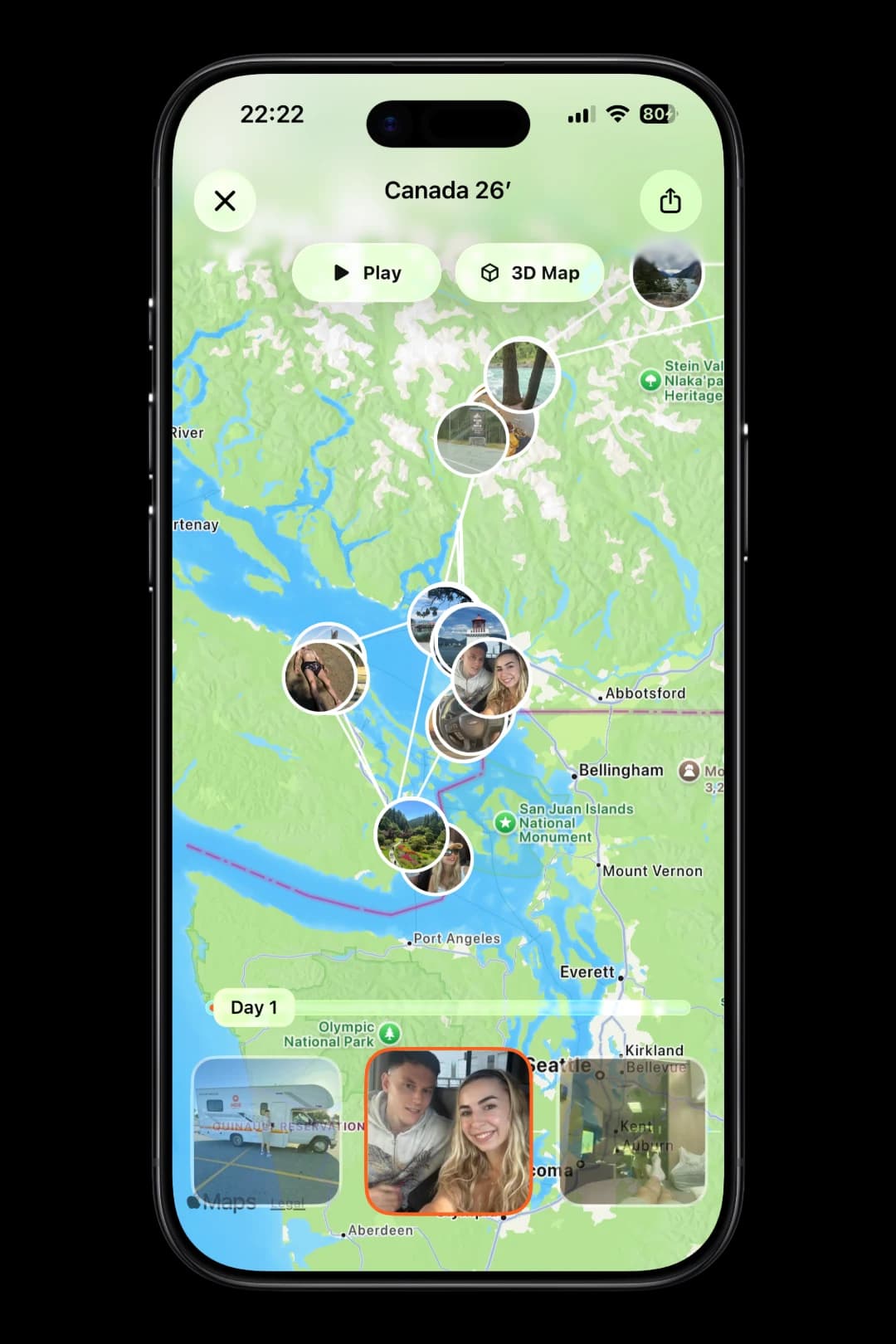
Track your route on the map

Follow every day on one living map. Play the route, explore it in 3D and share the entire trip in one beautiful view.

Replay your route
Day-by-day timeline
Maps + 3D Earth
Share the whole journey
TripMemo app features showing a Canada TripMap route, photo timeline, journey replay and 3D map on iPhone
TripMemo TripMap playing a photo route through Canada with a day-by-day timeline and 3D map option.

Transparent methodology

How this comparison was built

This comparison is written and published by TripMemo, which is one of the apps included. We compare what each app helps you do so you can choose the features that matter to your trip.

TripMemo features updated 14 September 2026

01

We separated itinerary planning, booking organisation, route planning and memory keeping because they solve different jobs.

02

We looked for the features that matter before, during and after a trip, including collaboration and offline use.

03

We used official product pages where possible and avoided relying on temporary discounts or unverified claims.

04

TripMemo is included and this page is published by TripMemo, so the relationship is disclosed clearly.

05

Recommendations are based on what you want to do. Features can change, so check the linked product pages before choosing.

06

Check the current device support, planning features and offline access on each app’s official site.

Frequently asked questions

Can I edit a TripMemo AI itinerary or plan without AI?

Yes. Move days, add or remove activities and make the itinerary your own. You can also start with a blank plan and build it manually. Destination plans bring together the itinerary, map, stays, flight information, guide and lists.

What is the best travel planning app in 2026?

The best travel planning app depends on the job you need it to do. TripMemo is the strongest fit when you want personalised AI itineraries, editable days, mapped stops, photos, notes, countries visited, travel statistics and the finished trip story connected in one place. Wanderlog is stronger for detailed collaborative itineraries, TripIt is stronger for booking organisation, and Roadtrippers is stronger for road-specific stop planning.

What should a good travel planning app include?

Look for the functions you will genuinely use: itinerary building, saved places, map context, collaboration, offline access, clear trip structure and an easy way to keep the memories after the journey. Current booking, visa, health and navigation information should still come from specialist or official sources.

Is TripMemo a travel planning app or a travel journal app?

TripMemo is both an AI travel planner and a travel journal for iPhone. Generate a personalised day-by-day itinerary from your destination, dates and preferences, or start manually. Edit activities and days, explore planned stops on a map, then create a TripBook directly from your destination plan with photos, notes and places. Travel stats and visited countries help you revisit your wider travel history.

What is the best travel planning app for international trips?

For an international trip, choose an app that keeps the route, places, important notes and offline information easy to revisit. TripMemo is useful for connecting the planned journey with the photos, places, countries and statistics you collect, while official sources and specialist apps should handle current entry, health, transport and booking details.

Can a travel planning app work offline?

Some can. Check whether the specific features you need are available without a connection. TripMemo lets you add photos, notes and memories offline, then syncs changes when you reconnect. This does not promise offline AI generation or itinerary maps. Live directions, current booking information and real-time updates need connected services.

Should I use one app for planning and travel memories?

You can, if the app handles both jobs clearly. In TripMemo, you can create a TripBook directly from your plan, then add photos, notes and places as you travel. Specialist tools are still better for regulated, live or provider-specific information.

Editorial disclosure

Check current product details before deciding

TripMemo publishes this comparison and is included as one of the products discussed. Features, platforms, regions and subscription terms can change. We link to official product pages where possible, but check each service before making a decision.

Plan the trip
more than a camera roll

Turn travel photos into books you'll actually look back on.

Real-time Collab
Works Offline
Private by Default