

Travel Planner and Journal App
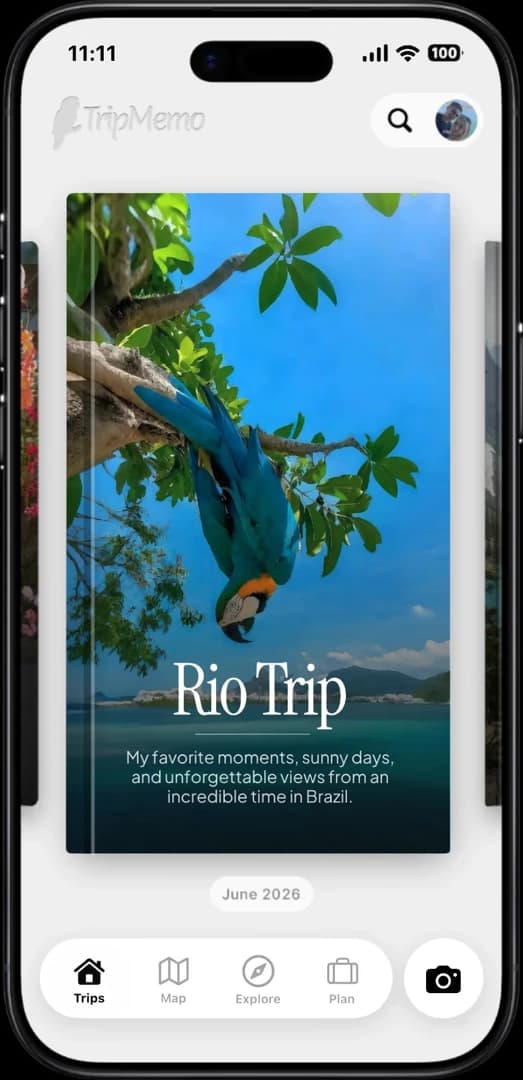
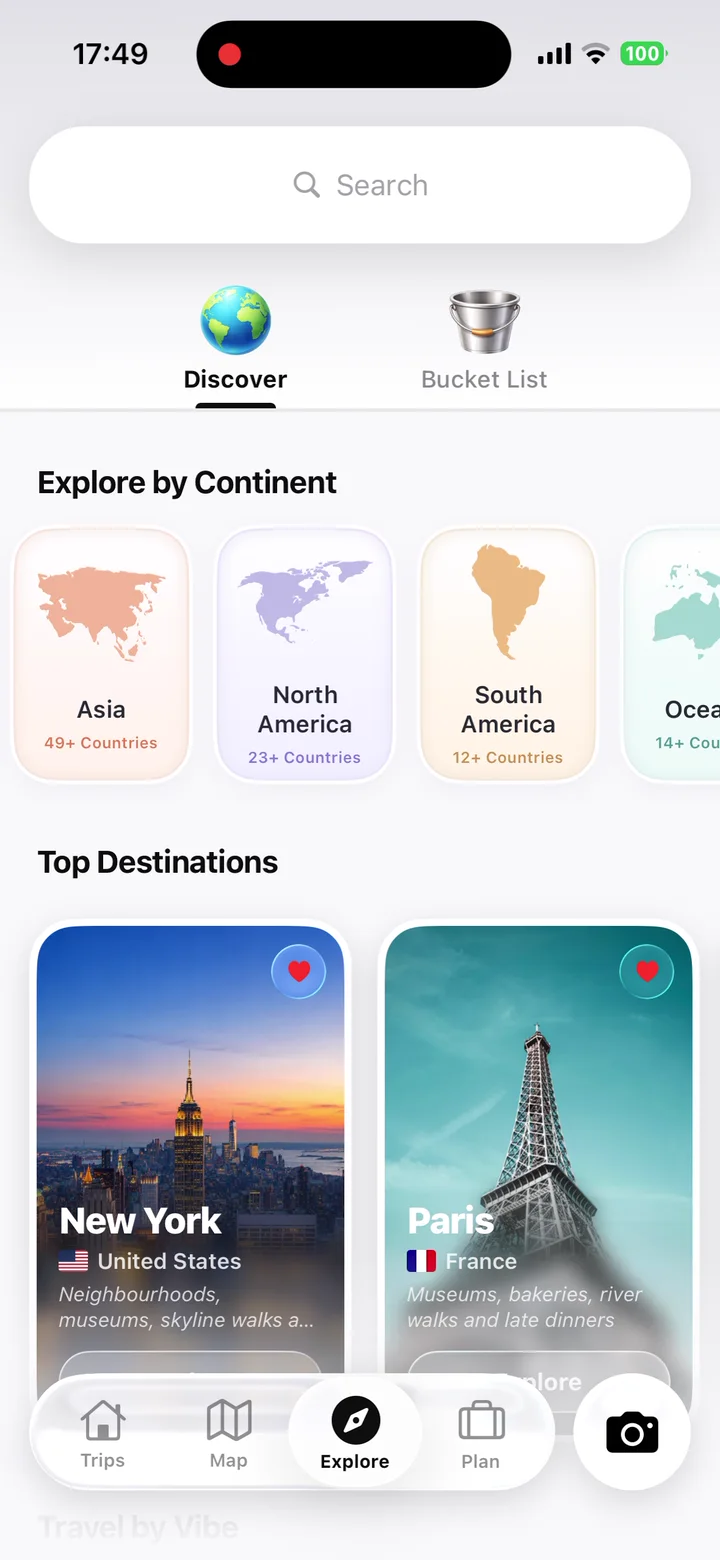
TripMemo is a travel planner and journal app for iPhone. Create a personalised AI itinerary, edit your days and explore planned stops on a map. You can create a TripBook directly from your destination plan, then add photos, notes and shared memories, while travel stats help you revisit the wider journey.
.webp&w=96&q=75)

One connected workflow
Plan your itinerary in TripMemo, then go straight from your plan to creating a TripBook. Add photos, notes and places to tell the story of your trip.
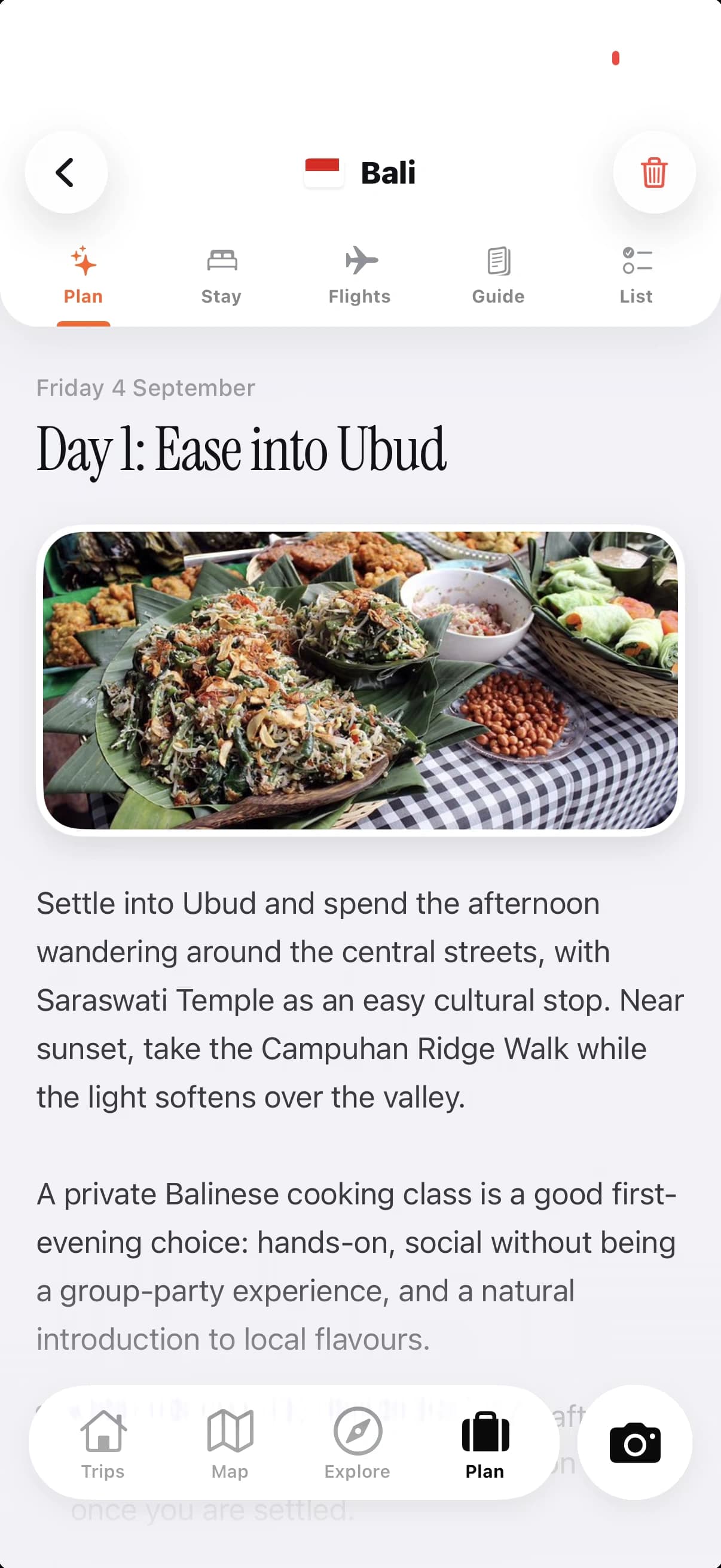
Shape the trip. Choose your destination, dates and preferences. Generate an AI itinerary, then edit days and activities, or build the plan manually.
Capture what happens. Add photos, notes, places and captions while the details are fresh, even without an internet connection.
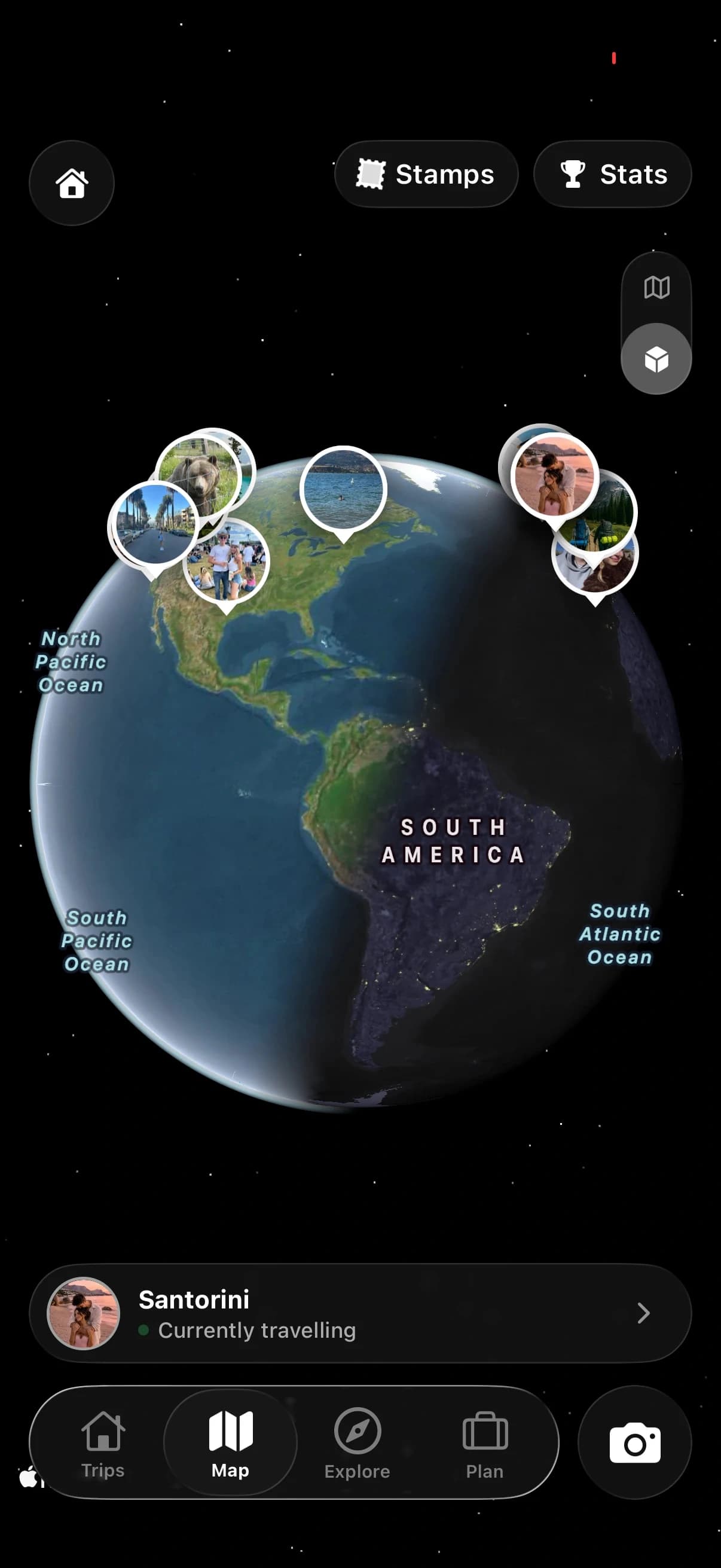
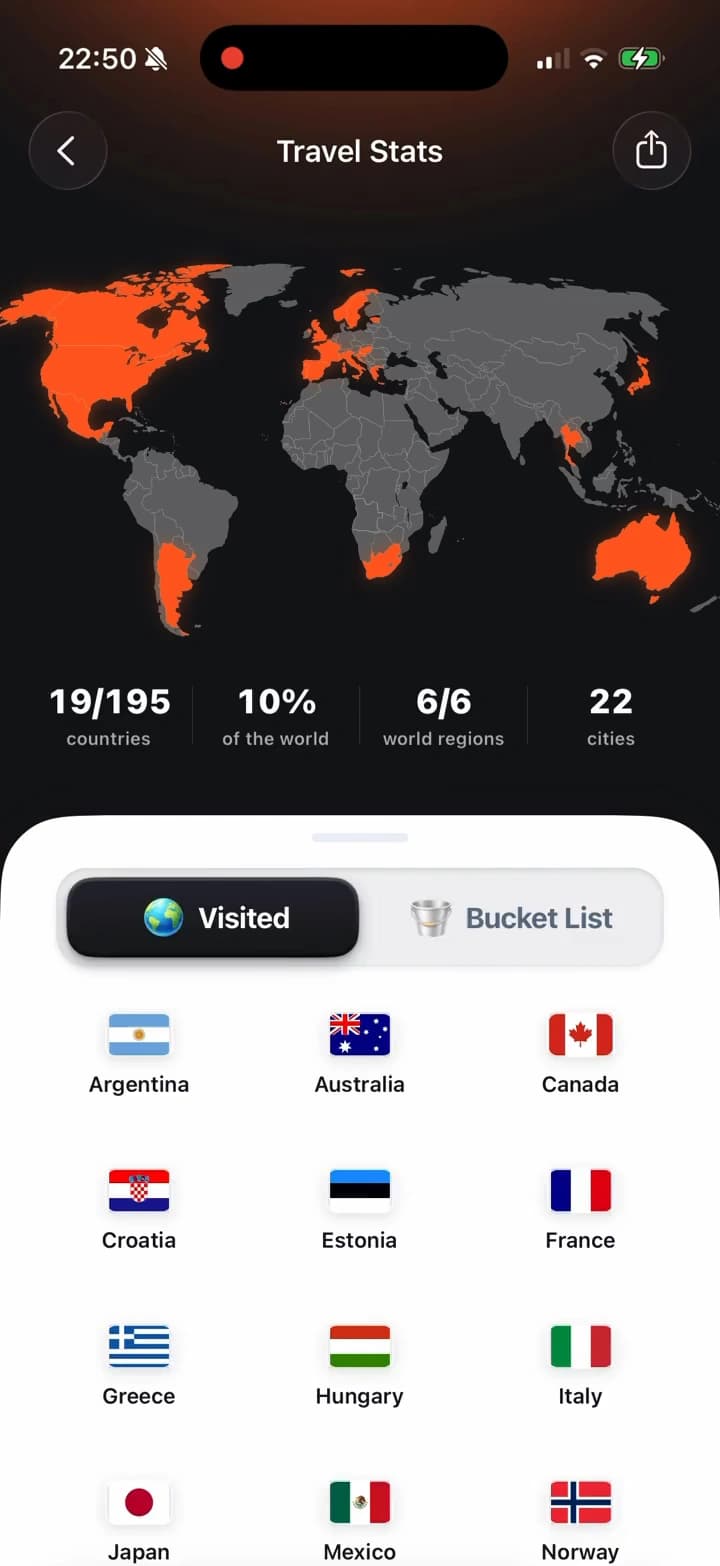
Relive the whole journey. Track countries and travel stats, then revisit the journey through maps and day-by-day TripBook pages.
For your entire travel journey
Save the places, shape the days, then keep every part of the journey.

App Store Reviews
Travellers are using TripMemo to organise the camera roll, write down the details and give every journey a home they can return to.
A clearer app stack
Use TripMemo to plan your days and keep a travel journal. Use booking services, navigation apps and official travel advice for reservations, live directions and entry requirements.
| What you want to do | TripMemo | Other apps | What to know |
|---|---|---|---|
| Create and edit an AI itinerary | Personalised AI plans or manual days | Depends on the planner | Create a TripBook directly from your plan |
| Track countries and travel stats | Countries visited, places explored and travel statistics | Check country-tracking features | Review your travel stats in TripMemo |
| Capture photos and notes offline | Add memories offline and sync when connected | Check which features work offline | Offline capture syncs when you reconnect |
| Keep a day-by-day trip story | Day-by-day TripBooks with photos and notes | Check travel journaling features | Create a TripBook directly from your plan |
| Invite people to one trip record | Shared TripBook contributions and view-only links | Check sharing and contributor permissions | TripBook sharing is separate from itinerary editing |
| Replace bookings or live navigation | No | Booking services and navigation apps | Use these for reservations and live directions |
Swipe across to compare all columns.
Journaling tips for planners and journal keepers
Make the most of your travel memories with these practical journaling strategies.
Save the reason behind the plan. Save why you want to visit a place, along with any details that will help you plan.
Track the details that become stats. Add photos and notes that help you remember the places and trips behind your travel stats.
Capture ordinary travel days. Write down the small moments too: a café, train ride, walk or conversation you want to remember.
Use past trips to plan the next one. Revisit your TripBooks to remember what you enjoyed and what you would do differently next time.

One app. Your entire trip.
With TripMemo you can
track travel stats, collect, keep a journal, discover ideas, plan with AI, travel offline and collaborate on TripBooks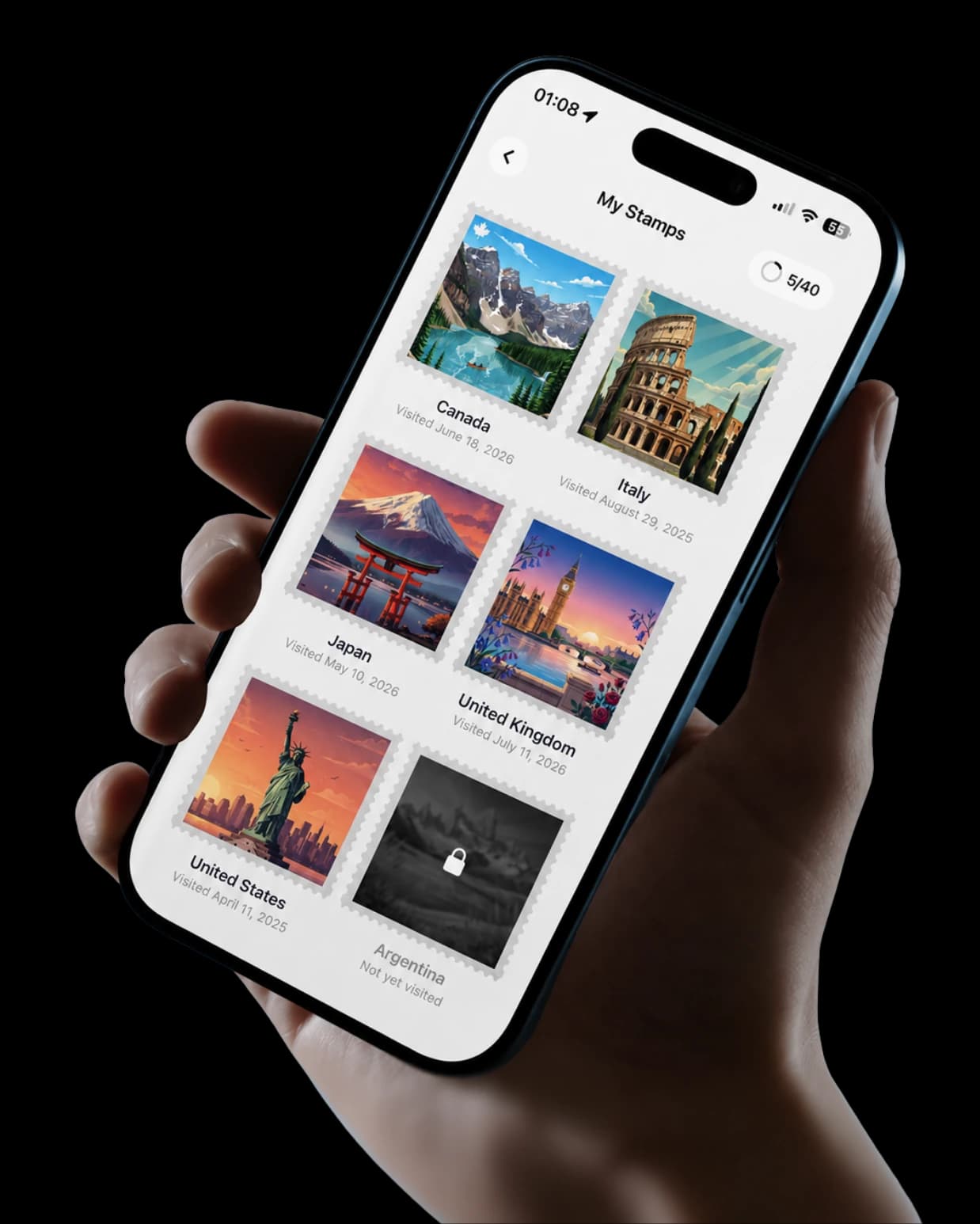
Travel planner and journal FAQ
Questions, answered.
Can I edit the AI plan and keep practical trip details together?
Yes. Add or remove activities and move days around. Each destination plan brings together the itinerary, map, stays, flight information, destination guide and lists. You can also begin with a blank itinerary.
What is a travel planner and journal app?
It lets you plan your days and keep a travel journal in the same app. In TripMemo, you can create a TripBook directly from your plan, then add photos, notes and places as you travel. TripMemo also tracks countries visited and travel statistics.
Can TripMemo plan a trip and keep the memories?
Yes. Choose a destination and dates, then use Plan with AI to create a personalised day-by-day itinerary based on your interests, budget preference, pace and companions. Edit days and activities, explore planned stops on a map, or build a plan manually. You can create a TripBook directly from your destination plan, then add photos, notes and places.
Does TripMemo track countries visited and travel stats?
Yes. TripMemo tracks countries visited, places explored and travel statistics as your travel history grows. It also connects that progress to the photos, notes and TripBooks behind each trip.
Can I use a travel planner and journal app offline?
TripMemo lets you add photos, notes and memories without Wi-Fi or mobile data. Your changes sync when you reconnect. This offline support is for journaling, not a promise of offline AI generation or itinerary maps. Booking links and live travel information need connectivity.
Can friends or family contribute to one travel journal?
Yes. Invite travel companions to contribute photos and notes to the same TripBook. You can also share a view-only TripBook link that friends and family open in a browser without an app or account. TripBook contributions are distinct from simultaneous itinerary co-editing.
Is TripMemo a booking or live tracking app?
TripMemo keeps stays and flight information with your itinerary and can suggest experiences that link to booking partners. That does not mean it imports reservation emails or provides live flight alerts. It is not a turn-by-turn navigation app or continuous live location tracker.
Can I add an old trip to TripMemo?
Yes. Bulk upload selected photos from a past journey and use their dates to rebuild the trip into day-by-day pages. You can then add the places, notes and context that make the record complete.
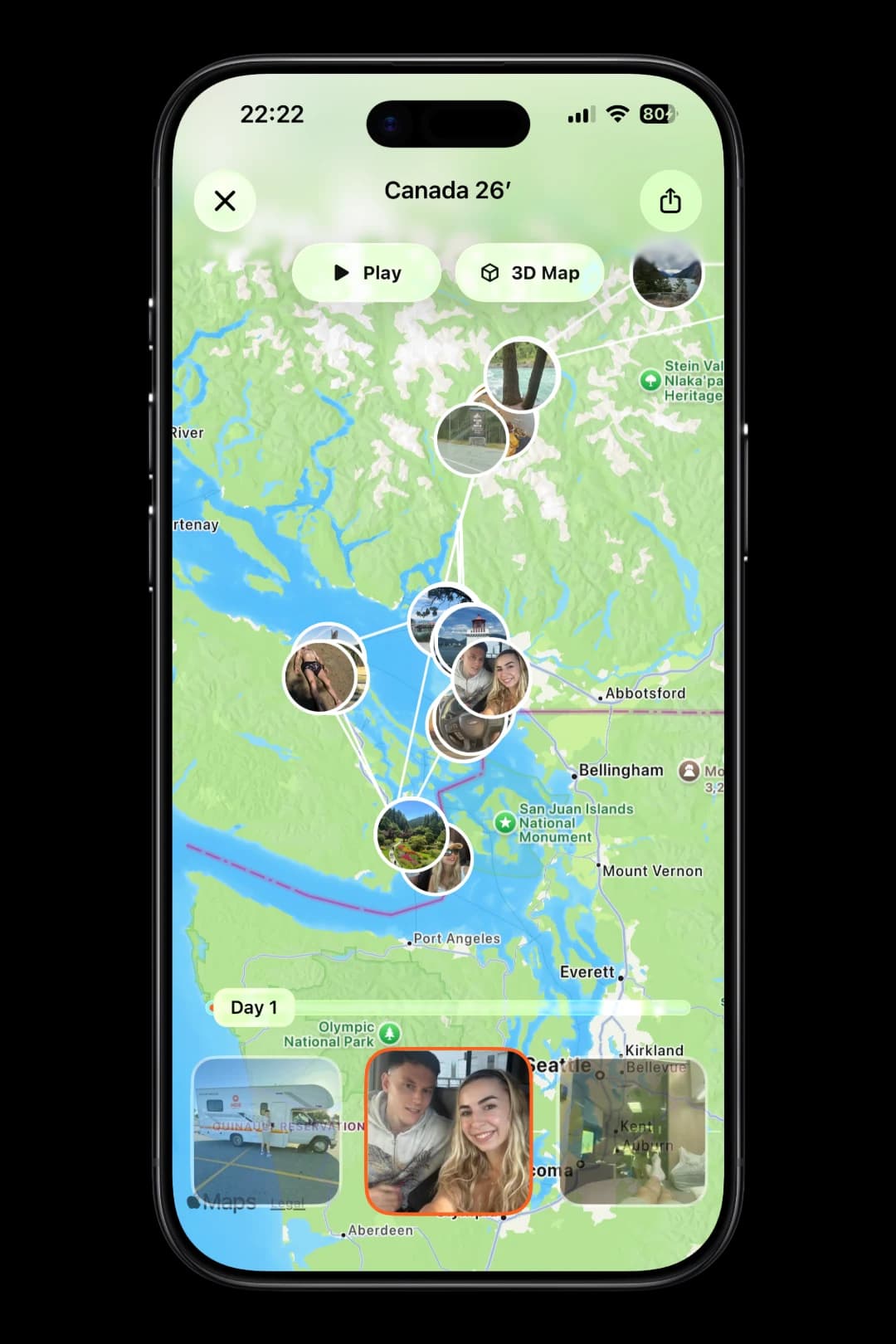
Track your route on the map
Follow every day on one living map. Play the route, explore it in 3D and share the entire trip in one beautiful view.
Go deeper into your journey
Planning guides for choosing destinations, shaping an itinerary and turning the finished trip into a story you can revisit.

%20copy%202.webp&w=384&q=75)
%20copy%203.webp&w=384&q=75)

Plan it, then live it
more than a camera roll
Turn travel photos into books you'll actually look back on.