







Road trip app guide · updated July 2026

9 BestRoad TripApps for 2026

A practical guide to the best apps for directions, multi-stop planning, offline maps, live road alerts, campervan stops, automatic tracking and the memories you keep afterwards.

An open road leading toward a distant mountain
Friends sharing a road trip together
A road trip continuing into a warm sunset
A campervan crossing a dramatic Icelandic landscape
A classic campervan parked beside a coastal road
A car following a backroad at golden hour
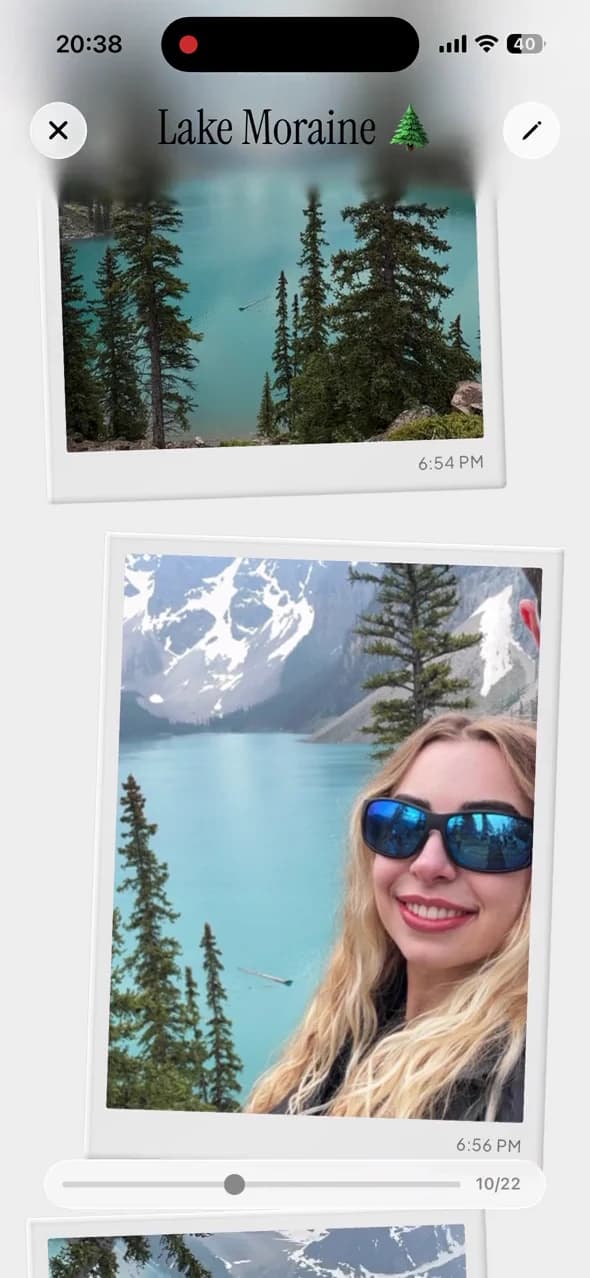
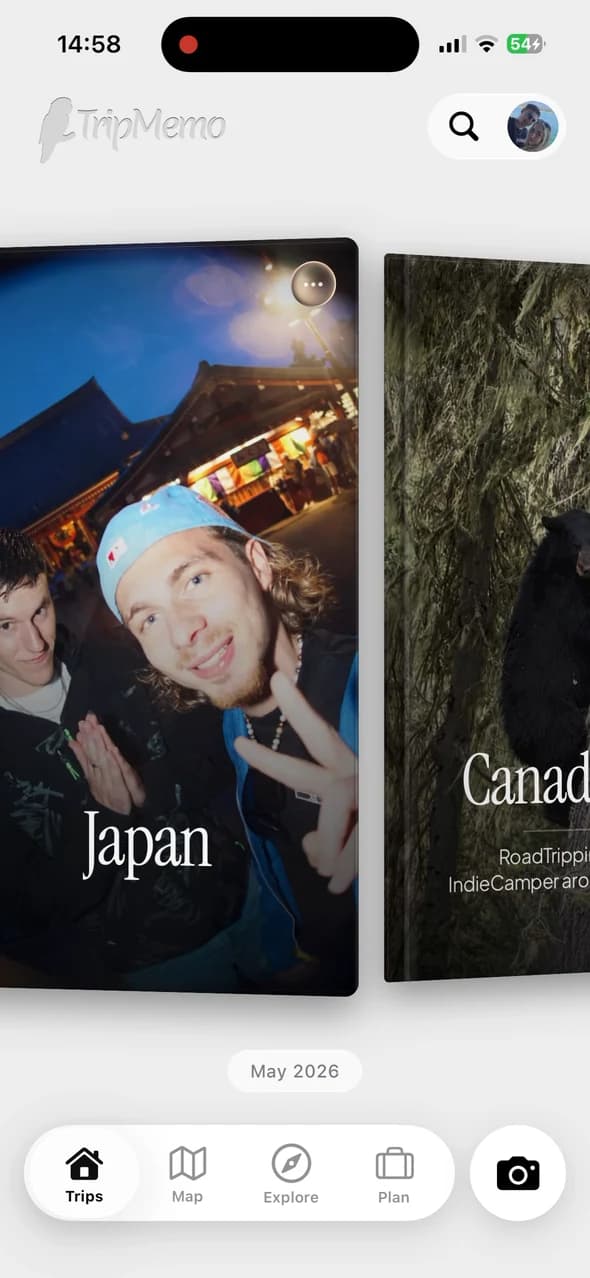
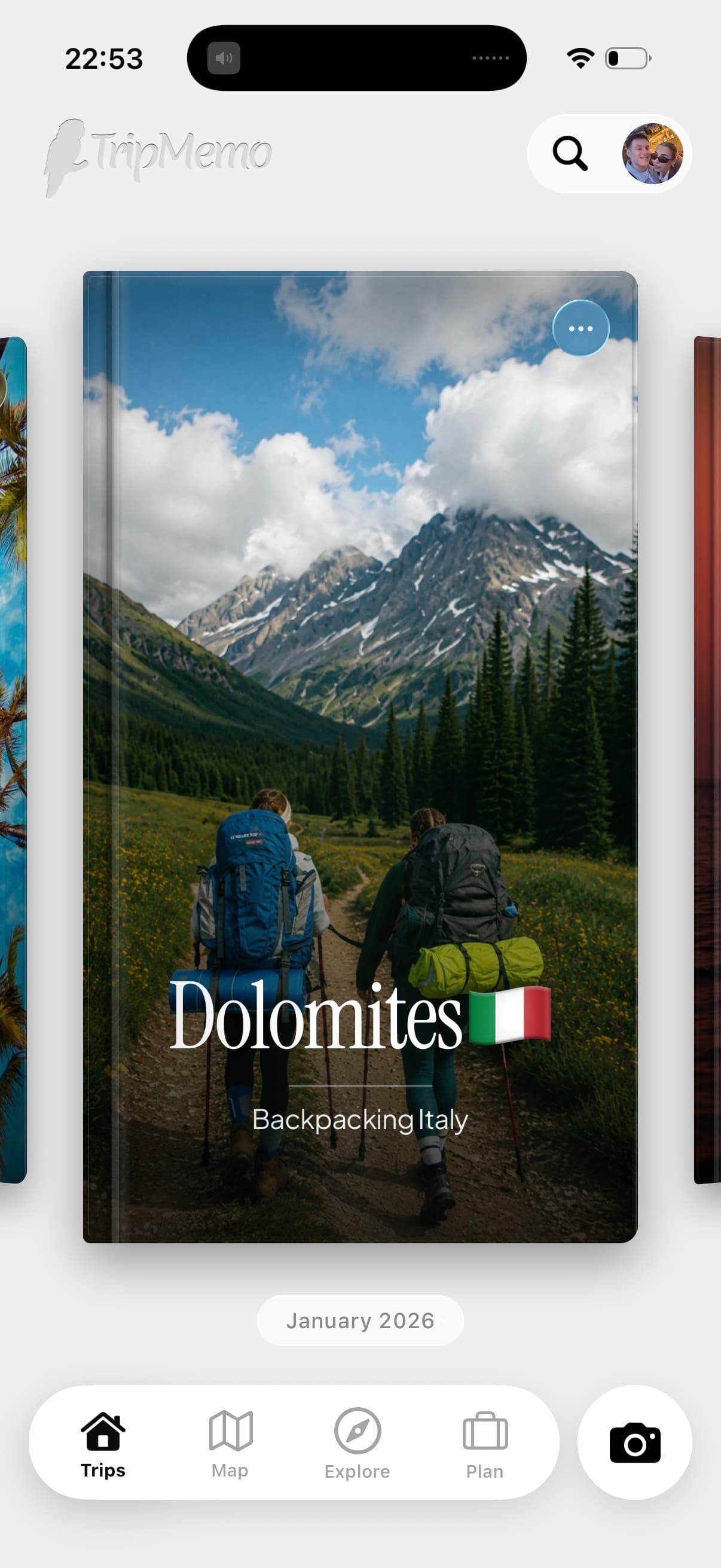
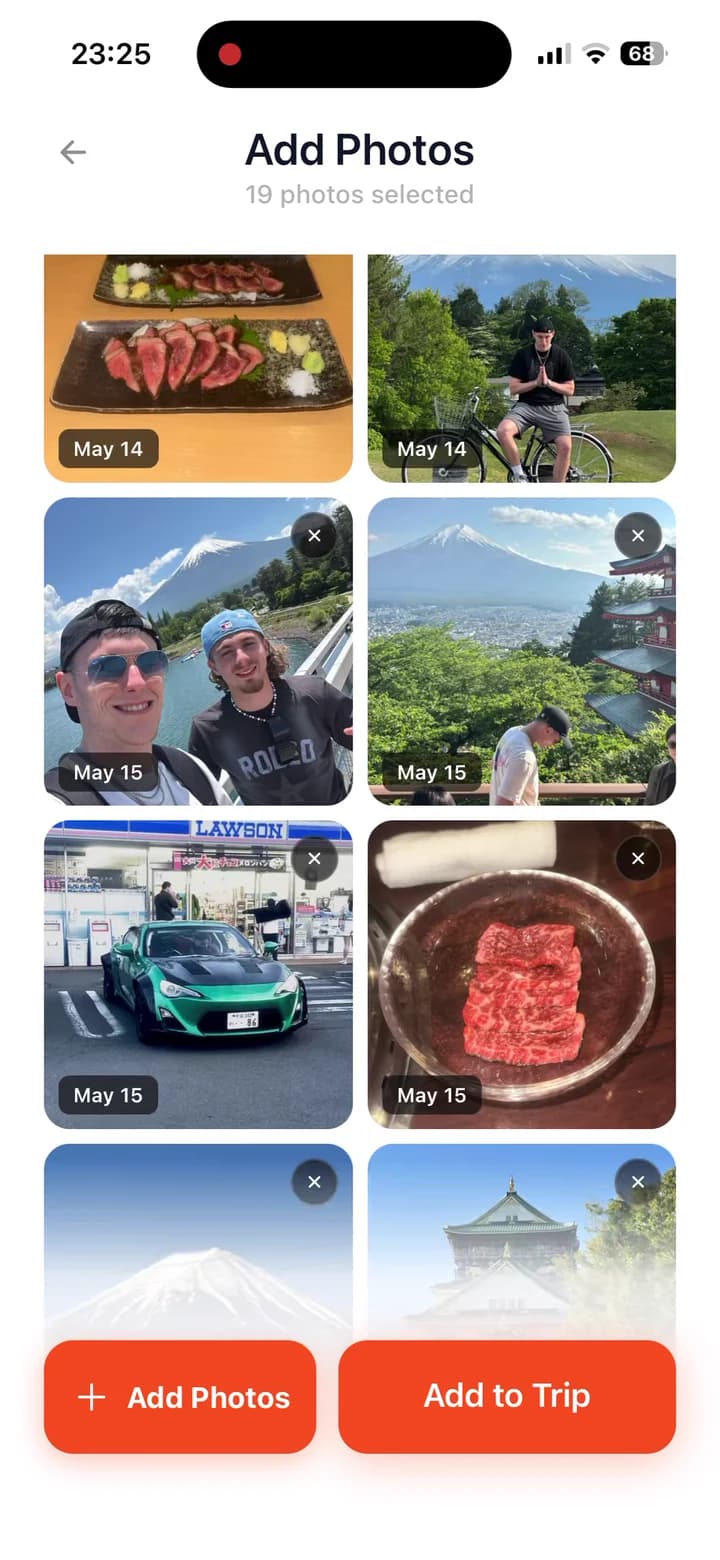
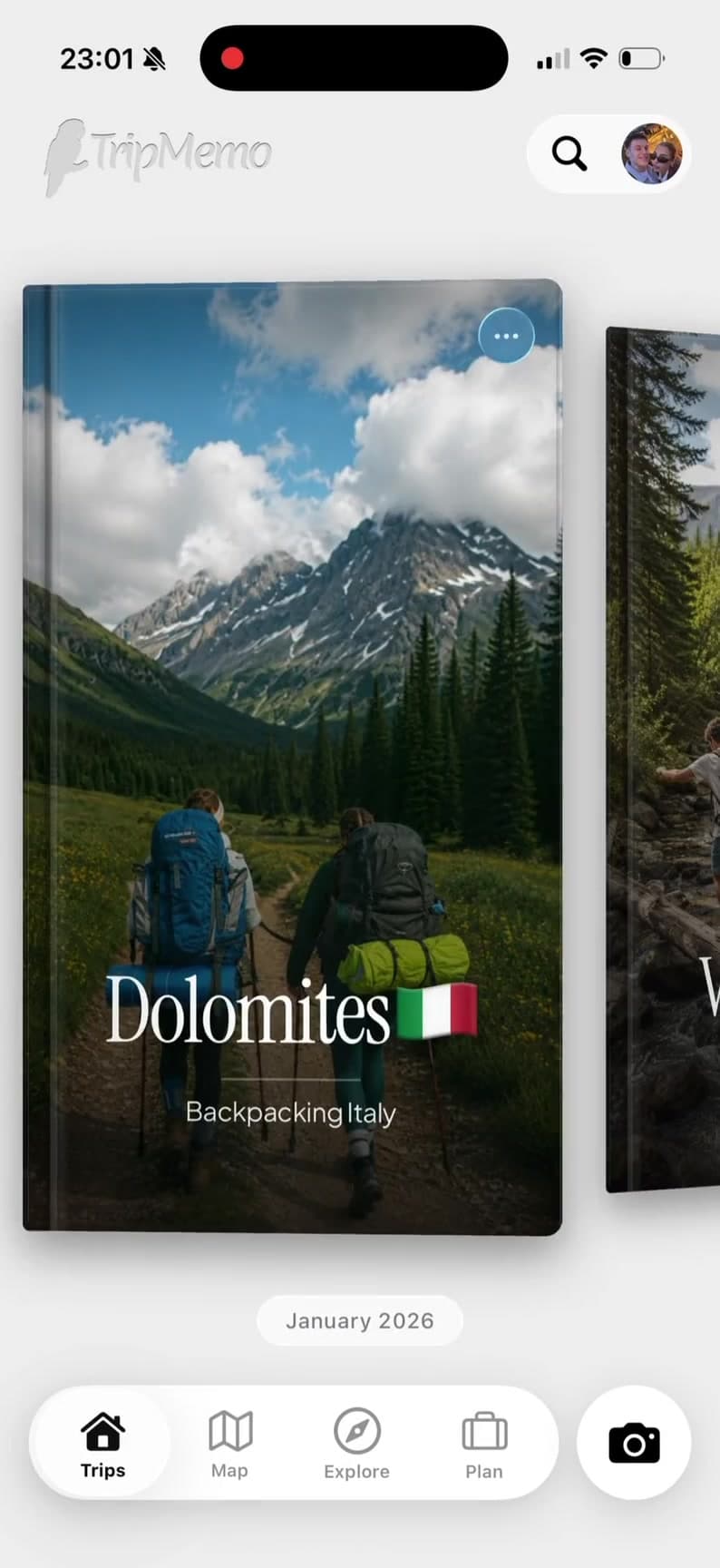
TripMemo road trip app showing a day-by-day TripBook with route stops, photos and driving memories

Ranked by job

9 Best Road Trip Apps

Swipe through the shortlist. Each card explains what the app earns its place for—and what it should never replace.

No. 1

Best everyday navigator

01

Google Maps

Best for

live directions, traffic and dependable place search

Google Maps remains the most useful default for getting from one stop to the next. Its combination of live traffic, place data, reviews and downloadable map areas makes it the first app most drivers should install.

What it does well

  • Turn-by-turn driving directions and live traffic
  • Large place database with opening hours and reviews
  • Downloadable areas for offline driving navigation
  • Easy sharing and broad CarPlay or Android Auto support

Know before installing

Offline driving works only when the full route sits inside a downloaded area. Traffic, alternative routes, walking, cycling and public-transport directions are unavailable offline. It is a navigator, not a collaborative road-trip journal.

No. 2

Best road-specific planner

02

Roadtrippers

Best for

discovering attractions and shaping a multi-stop driving route

Roadtrippers is the strongest specialist when the road itself is the holiday. It is particularly good at finding worthwhile stops along a route and turning them into a structured driving itinerary.

What it does well

  • Searches for attractions and stops along the route
  • Up to 150 stops per trip on Premium
  • Route avoidance, collaboration and RV routing on paid tiers
  • AI-assisted Autopilot suggestions on Premium

Know before installing

The free plan is limited to one trip and three stops. Official US annual pricing checked on 28 July 2026 ranged from $35.99 for Basic to $59.99 for Premium. Offline maps require Premium and do not provide offline search or directions.

TripMemo app icon

No. 3

Best for road trip memories

03

TripMemo

Best for

offline journaling, shared photos and a private memory map

TripMemo is the companion for the part navigation apps forget: why each stop mattered. Everyone in the car can add photos and notes to one private, day-by-day TripBook, including while the route has no signal.

Disclosure: TripMemo is our app. It is included for collaborative memories and offline journaling, not as a substitute for navigation or automatic route tracking.

What it does well

  • Day-by-day road trip pages with photos and notes
  • Offline capture that syncs after reconnecting
  • Collaborative TripBooks for the whole car
  • Private sharing and a map of chosen memories

Know before installing

TripMemo is currently iPhone-only. It does not optimise a driving route, provide live traffic or continuously record the route you drive. Pair it with a navigation app rather than expecting it to replace one.

No. 4

Best detailed itinerary

04

Wanderlog

Best for

group planning, reservations, budgets and day-by-day schedules

Choose Wanderlog when your road trip has hotels, bookings, restaurants, attractions and a group that wants to edit one detailed plan. Its itinerary-and-map view is broader than a road-only planner.

What it does well

  • Itinerary and map visible together
  • Real-time collaboration and shareable plans
  • Reservation imports, budgets and checklists
  • Route optimisation and other automation in Pro

Know before installing

It can feel heavier than necessary for a spontaneous weekend drive. Several travel-day conveniences sit behind Pro, and it does not replace a dedicated live navigation app.

No. 5

Best for live road alerts

05

Waze

Best for

traffic, hazards, closures and real-time rerouting

Waze is the specialist to open when the immediate drive matters most. Community reports and fast rerouting make it particularly useful around congestion, closures, incidents and unfamiliar urban roads.

What it does well

  • Community-supplied traffic and hazard reports
  • Fast live rerouting around delays
  • Fuel information in supported markets
  • CarPlay and Android Auto support

Know before installing

Waze is connection-dependent and focused on the current drive. It is not built for a multi-day itinerary, offline exploration or preserving the story after the road trip ends.

No. 6

Best Apple-integrated navigator

06

Apple Maps

Best for

turn-by-turn navigation inside the Apple ecosystem

Apple Maps is an excellent no-install choice for iPhone users. It integrates cleanly with Siri, CarPlay and Apple devices, and downloadable maps cover driving, walking, cycling and transit information where supported.

What it does well

  • Deep iPhone, Siri, Watch and CarPlay integration
  • Turn-by-turn navigation and live road information
  • Downloadable map areas for offline use
  • Guides and saved places for pre-trip ideas

Know before installing

Platform coverage is centred on Apple users, and place-detail depth varies by region. Like Google Maps, it handles directions rather than a collaborative record of the trip.

No. 7

Best automatic travel tracker

07

Polarsteps

Best for

automatically plotting a journey and sharing progress

Polarsteps is the better fit when you want the phone to create a continuous-looking route with minimal manual input. It also supports trip planning, follower updates and a printed Travel Book after the journey.

What it does well

  • Automatic route tracking and visual travel map
  • Trip planning and travel updates in one service
  • Follower sharing for friends and family
  • Optional printed Travel Books

Know before installing

Polarsteps is not a live tracker, and route detail varies with device, battery and location settings. Its automatic tracking model is also a different privacy decision from intentionally choosing memory pins.

No. 8

Best for campervans

08

park4night

Best for

finding overnight stops, services and camper-friendly places

For campervan and motorhome trips, park4night solves a more specific problem than a general planner: finding places to stop, sleep, refill and use services based on a large traveller community.

What it does well

  • Large directory of camper and motorhome stopovers
  • Community comments, photos and practical details
  • Filters for services and types of overnight place
  • Useful coverage across the UK and Europe

Know before installing

Listings are community supplied and conditions can change, so check signs and local rules on arrival. It does not replace navigation or become a finished travel journal.

No. 9

Best fully offline map

09

Organic Maps

Best for

privacy-focused offline navigation without ads or an account

Organic Maps is the strongest backup for remote routes and travellers who want maps, place search and voice navigation without relying on mobile data or an advertising profile.

What it does well

  • Offline maps, search and turn-by-turn voice navigation
  • Driving, walking and cycling support
  • No ads, registration or built-in trackers
  • KML, KMZ, GPX and GeoJSON bookmark import or export

Know before installing

It does not provide the live traffic, review depth or broad commercial place data of Google Maps. It is an excellent offline map, not a complete multi-day planner or memory journal.

Swipe to compare all 9 apps

Quick guide

Which road trip app solves which job?

If you only read one section, use this table. Start with navigation, then add the specialist that solves the part of the drive you care about most.

App 01 of 09

Google Maps

Best everyday navigator
01
Best for

live directions, traffic and dependable place search

Platforms

iPhone + Android + web

Offline use

Downloaded areas; driving only

App 02 of 09

Roadtrippers

Best road-specific planner
02
Best for

discovering attractions and shaping a multi-stop driving route

Platforms

iPhone + Android + web

Offline use

Premium map viewing; no offline search or directions

App 03 of 09

TripMemo

Best for road trip memories
03
Best for

offline journaling, shared photos and a private memory map

Platforms

iPhone

Offline use

Photos and captions sync later

App 04 of 09

Wanderlog

Best detailed itinerary
04
Best for

group planning, reservations, budgets and day-by-day schedules

Platforms

iPhone + Android + web

Offline use

Mobile offline access is a Pro feature

App 05 of 09

Waze

Best for live road alerts
05
Best for

traffic, hazards, closures and real-time rerouting

Platforms

iPhone + Android

Offline use

Designed for a live data connection

App 06 of 09

Apple Maps

Best Apple-integrated navigator
06
Best for

turn-by-turn navigation inside the Apple ecosystem

Platforms

iPhone + Apple devices

Offline use

Downloadable map areas

App 07 of 09

Polarsteps

Best automatic travel tracker
07
Best for

automatically plotting a journey and sharing progress

Platforms

iPhone + Android + web

Offline use

Tracker designed to keep working during travel

App 08 of 09

park4night

Best for campervans
08
Best for

finding overnight stops, services and camper-friendly places

Platforms

iPhone + Android + web

Offline use

Offline features depend on plan and downloads

App 09 of 09

Organic Maps

Best fully offline map
09
Best for

privacy-focused offline navigation without ads or an account

Platforms

iPhone + Android

Offline use

Core maps, search and navigation work offline

Swipe through all 9 apps

Offline capability varies by feature: live traffic, route changes, place data and sharing may still need a connection. Check current plan and platform details before departure.

Open mountain road representing road trip navigation
01

The short answer

Use Google Maps or Apple Maps for directions. Add one specialist for stops, tracking, offline backup or memories.

Tap to reveal the full setup

01

Build a two-app stack

Start with the map you already trust for live traffic and turns. Then add Roadtrippers for stop discovery, Organic Maps for a fully offline backup, Polarsteps for passive tracking or TripMemo for the story.

Tap to return to the quick answer
Friends sharing a road trip together in a car
02

For the whole car

Choose one shared plan before leaving and one shared place for everyone’s photos and notes during the drive.

Tap to see the shared setup

02

Give everyone one place

The driver should not become the trip archivist. Invite every passenger to the same TripBook so photos, captions and different perspectives arrive together instead of disappearing across camera rolls and group chats.

Tap to return to the quick answer
Car travelling along a memorable road at golden hour
03

For the story

Automatic GPS tracking and an intentional day-by-day journal create very different records. Decide which one you actually want.

Tap to compare the approaches

03

Track less. Remember more.

A GPS line records movement. A TripBook records why the roadside diner, overlook or unplanned detour mattered. TripMemo uses places you choose rather than continuously following your location.

Tap to return to the quick answer

Built for everyone in the car

Share the drive.Keep every point of view.

Invite the driver, navigator and back seat to one TripBook. Everyone can add photos, notes and favourite stops, so the complete drive lives beyond the group chat.

Maya, a digital TripBook contributor
Maya
Theo, a digital TripBook contributor
Theo
Sam, a digital TripBook contributor
Sam
Ana, a digital TripBook contributor
Ana
Leo, a digital TripBook contributor
Leo
Nina, a digital TripBook contributor
Nina
Sofia, a digital TripBook contributor
Sofia
Noah, a digital TripBook contributor
Noah
Alex, a digital TripBook contributor
Alex
Emi, a digital TripBook contributor
Emi
Jamie, a digital TripBook contributor
Jamie
Priya, a digital TripBook contributor
Priya
Iris, a digital TripBook contributor
Iris
Owen, a digital TripBook contributor
Owen
TripMemo road trip app showing friends adding photos and notes to one shared TripBook on iPhone
Road trippers contributing their photos and notes to one shared TripMemo TripBook.

Built for every mile

One road trip app.The whole drive.

Shape the route, capture roadside moments offline and bring every mile home in one story.

Shape the route.Keep every stop.

TripMemo road trip planner showing a day-by-day route and stops on iPhone

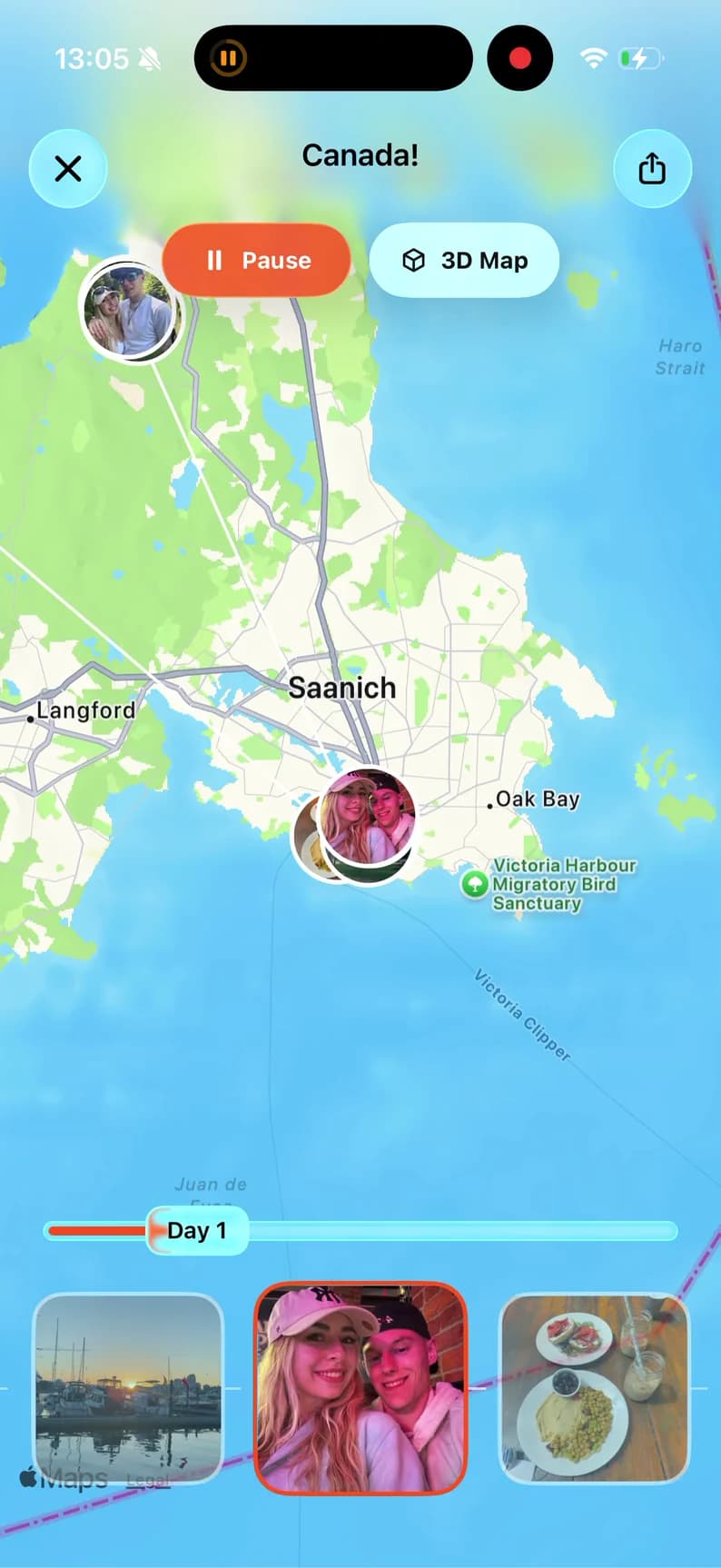
Pin everyplace & memory.

TripMemo road trip map showing a route with photo memories pinned to stops

Write off-grid.Sync down the road.

TripMemo offline road trip journal showing a day-by-day driving journey

Turn camera-roll milesinto one TripBook.

TripMemo organising road trip photos into a day-by-day TripBook

How this guide was built

Useful jobs. Honest limits.First-party sources.

We organise apps around the road-trip job they solve—not download counts or a claim that one product wins at everything. Official documentation is checked for platforms, offline behaviour, route planning, tracking and pricing.

01

A distinct purpose

Does it solve a distinct road-trip job?

Every app must earn its place by solving one clear problem—not by having the longest feature list.

02

Signal check

What still works without mobile data?

We separate true offline tools from features that still need a connection for search, traffic or syncing.

03

Right moment

Is it useful before, during or after the drive?

Planning, navigation, tracking and remembering are different jobs. We judge each app at the moment it matters.

04

Honest limits

Are its limitations clear before installation?

Pricing, platform gaps and offline restrictions are surfaced before a recommendation—not hidden below it.

Swipe through the four checks

TripMemo is our product, so that relationship is disclosed in its card. Every app links to first-party product or support information.

Reviewed 28 July 2026

Tap the orange plus to reveal the answer

Road trip app questions

There is no honest single winner for every job. Google Maps is the best general navigator, Roadtrippers is the strongest specialist for discovering stops, Wanderlog is excellent for detailed group planning, Polarsteps suits automatic route tracking and TripMemo is best for collaborative road trip memories and offline journaling.

Google Maps is the most capable fully free starting point for directions and saved places. Wanderlog has a useful free planning tier. Roadtrippers also has a free plan, but its current official limit is one trip with three stops.

Google Maps supports downloaded areas for offline driving, and Apple Maps supports offline maps on compatible devices in supported regions. Organic Maps is designed around offline maps, search and navigation. Roadtrippers Premium can download map regions, but its official support page says offline search and directions are unavailable. TripMemo lets you add photos and notes offline, then sync later.

Google Maps, Apple Maps and Waze provide broad everyday navigation. Wanderlog works well for multi-country itineraries, park4night is especially useful for campervans, and Organic Maps is a strong offline backup. Roadtrippers says its Autopilot feature is best for trips within the United States and Canada, so check feature coverage for a European route before paying.

Some apps cover several of those jobs, but no app is strongest at all four. A practical two-app setup is usually better: one live navigator plus one planning, tracking or memory app chosen around what you care about.

No. TripMemo does not provide live traffic, turn-by-turn navigation, route optimisation or continuous background route recording. It complements those tools by keeping selected stops, photos and stories together in one private, collaborative TripBook.

Research note

Product availability, platform support, pricing, plan limits and features can change. We verified this page against the first-party product and support sources linked throughout on 28 July 2026. Check the relevant official source before purchasing, travelling offline or relying on a tracking feature. Prices may vary by country, currency, taxes, promotions and billing platform.