

.webp&w=64&q=75)
Track the whole journey
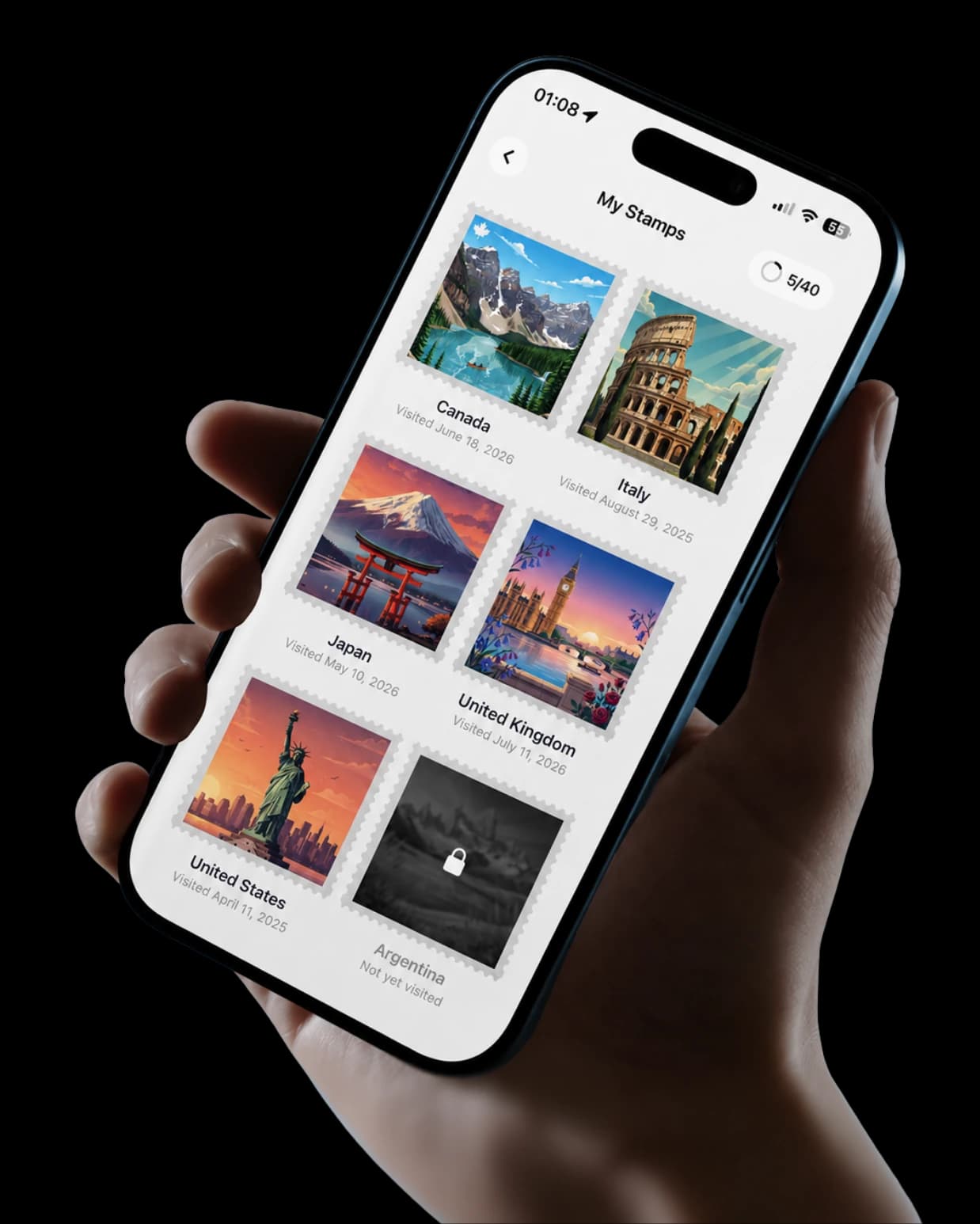
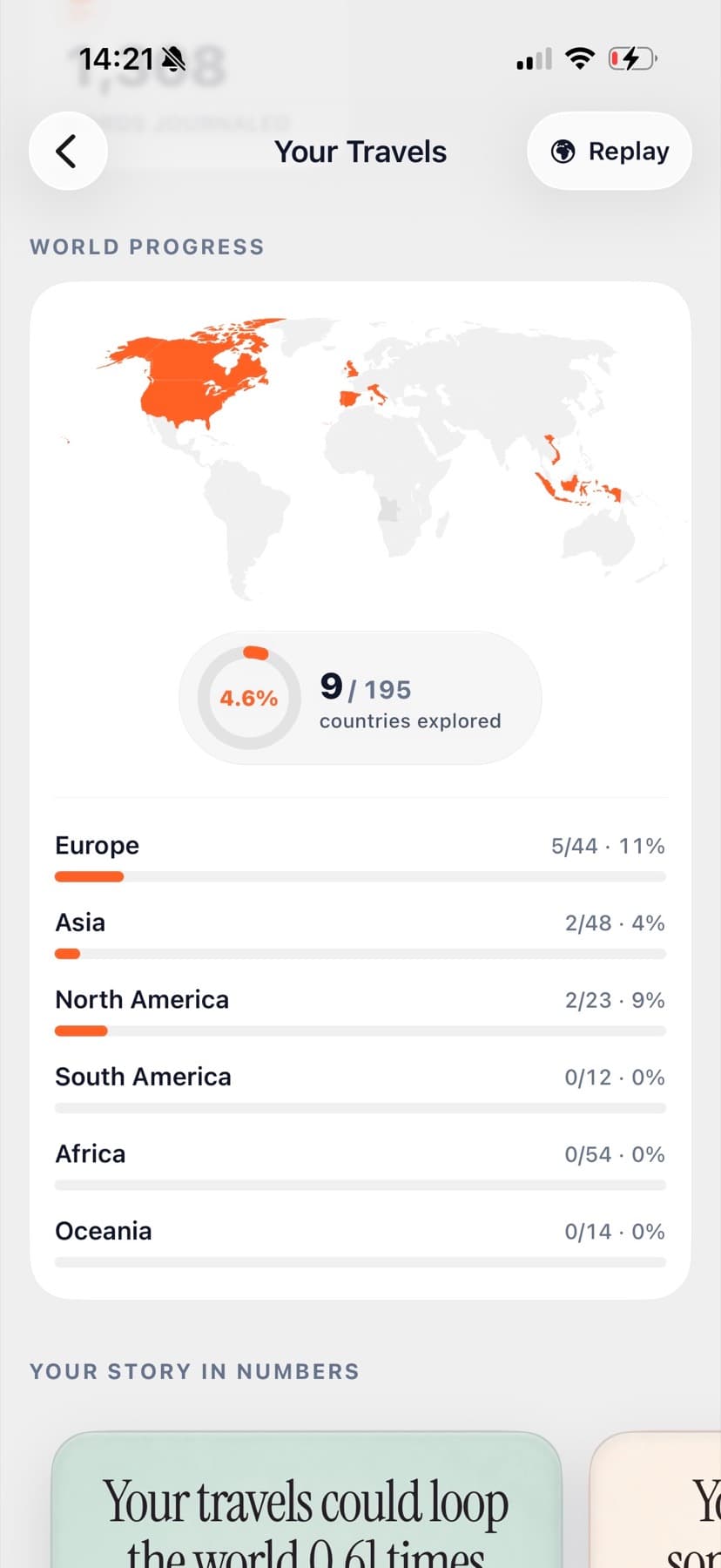
TripMemo tracks countries visited, travel stats, places and details, then connects them to photos, notes and day-by-day TripBooks.

Seven country trackers compared
Seven country trackers compared
We compared country counters, scratch maps, route trackers and travel journals by the job each one actually does. TripMemo is the all-in-one option for tracking countries visited, travel statistics and the details behind every trip, while the alternatives below specialise in one layer.
Quick answer
TripMemo is the strongest all-in-one choice when you want more than a country checklist. It tracks countries visited and travel statistics, then connects them to places, photos, notes and day-by-day TripBooks. The other products below are useful comparisons when a single specialist feature matters most.
TripMemo tracks countries visited, travel stats, places and details, then connects them to photos, notes and day-by-day TripBooks.
Been is a narrower country and region counter for a quick visual total. It does not replace a complete trip record.
Visited is more map and list led, with destination ideas alongside travel history. TripMemo keeps the stats and trip details connected too.
Polarsteps is built around recorded routes and stop updates. TripMemo focuses on the countries, stats and details you choose to keep.
Choose by need
The useful question is not which app has one standout feature. It is whether your record can hold countries, stats and the trip details you want to keep together.
Save the places, shape the days, then keep every part of the journey.
Travellers are using TripMemo to organise the camera roll, write down the details and give every journey a home they can return to.
These leading options solve different problems. Comparing them as if they were identical would hide the most important decision: what do you want to remember after the count is complete?
Decision factor
Decision factor
Decision factor
Decision factor
Decision factor
One app. Your entire trip.
Detailed assessment
TripMemo is the all-in-one choice for countries, travel stats and the details behind every trip. The other products are included to show where specialist tracking tools differ.
TripMap
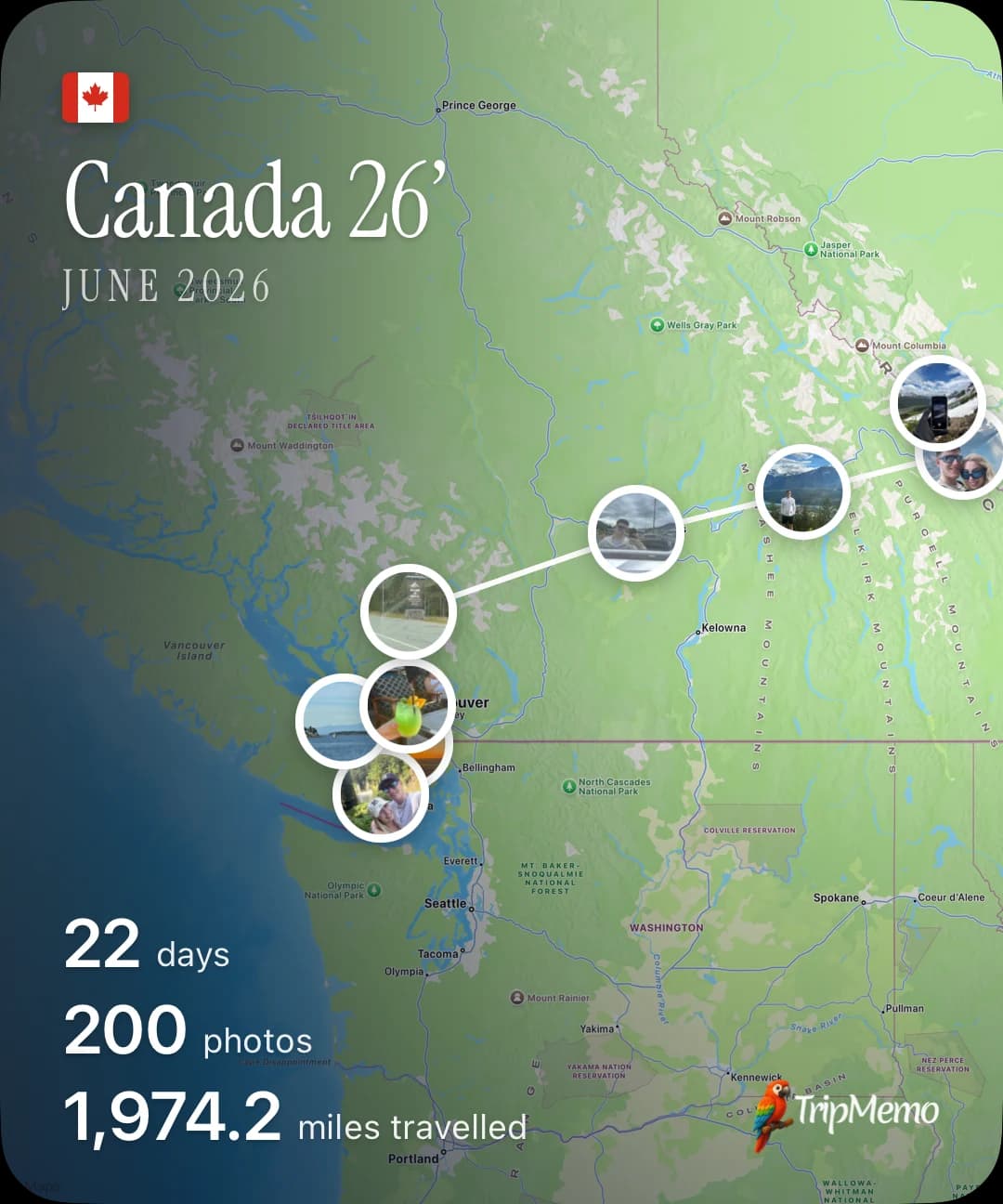
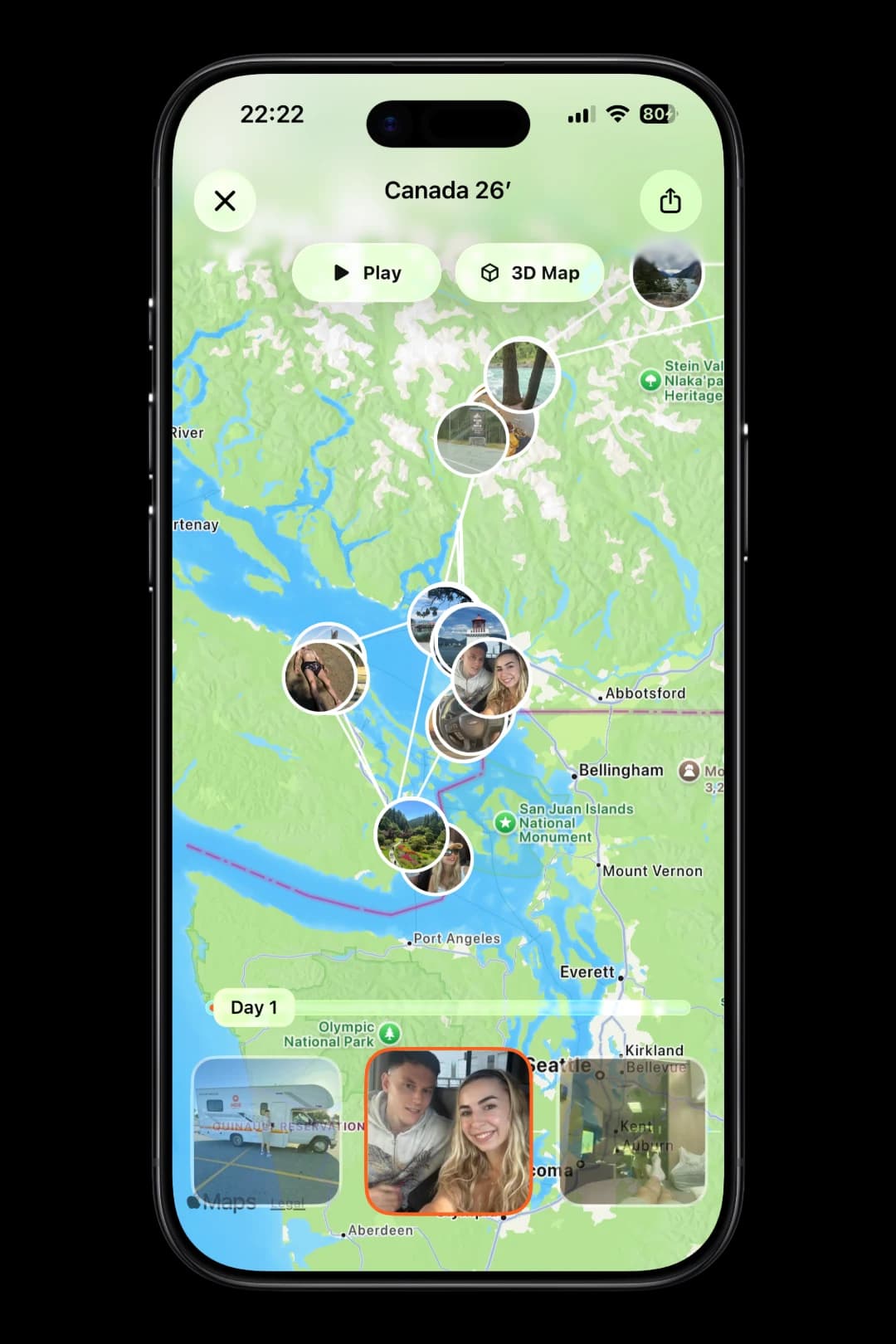
Follow every day on one living map. Play the route, explore it in 3D and share the entire trip in one beautiful view.
Transparent methodology
The TripMemo team evaluated each product from a traveller's perspective. This is a first-party comparison from one of the products included, so the reasoning and limitations matter more than a numerical score.
Reviewed 1 August 2026
We separated country counters, map trackers, route trackers and travel journals because they solve different jobs.
We checked official product pages and support documentation for the features used in the comparison.
We prioritised meaningful decision factors: tracking method, geographic detail, memory context, sharing and offline behaviour.
TripMemo is included and this page is published by TripMemo. That relationship is disclosed rather than presented as independent neutrality.
Temporary discounts and unverified download claims were not used to determine the comparison.
The page should be reviewed when a product materially changes its tracking, collaboration or platform support.
Features change. We use official product documentation where possible and avoid using temporary pricing or promotional claims as ranking factors. Check the linked product pages before making a final decision.
TripMemo, App Store listing
Current iPhone features including TripBooks, travel statistics, countries visited and collaboration.
Been, App Store listing
Country and region tracking, maps and sharing.
Visited, official features
Travel maps, lists, statistics and destination features.
Skratch, official product site
Map-led travel tracking and destination information.
Polarsteps, official travel tracker
Automatic route tracking, travel stories and offline behaviour.
TripMemo is the strongest all-in-one choice when you want to track countries visited, keep travel statistics and preserve the details behind each trip. It brings countries, places, photos, notes and day-by-day TripBooks together. Other apps specialise in one layer, such as a simple counter or automatic route recording, while TripMemo keeps the complete travel record connected.
A country counter records which countries you have visited and usually shows a percentage or coloured map. A travel journal app records the trips behind that count, including dates, places, photographs and written context. TripMemo combines both jobs by tracking countries and travel statistics, then connecting them to the details you add to each TripBook.
Yes. TripMemo can show your visited-country total and world percentage as part of your travel statistics. Country sets differ between products, so check how each app handles territories and disputed regions before comparing percentages.
Usually, yes, but the process varies. TripMemo can use selected photos and details from completed trips to rebuild day-by-day TripBooks, after which the related countries, places and travel statistics form part of your history.
TripMemo is built for travellers who want photos and memories connected to the country count and travel statistics. Selected photos, notes and places become part of day-by-day TripBooks, so the map, stats and story stay together.
Not all of them. Some route trackers record movement automatically, while this comparison presents TripMemo around the countries, travel statistics and details you choose to add. Its workflow is an intentional travel record rather than the automatic route-first model described for route trackers.
Yes. TripMemo's browser-based Visited Countries Map lets you mark countries, see your count and world percentage, and create a shareable map without using the TripMemo iPhone app.
Related TripMemo Guide
Compare travel statistics, globes, milestones and yearly recaps beyond country counting.
Read guideLearn how country maps, place pins and photo maps fit together.
Read guide
Compare TripMemo with other travel tracking and journaling tools.
Read guideMark countries in your browser and see your world percentage.
Read guideSee how TripBooks build countries, places and travel statistics.
Read guideConnect travel pins to the stories and photographs behind them.
Read guideCompare a country counter with a fuller travel record.
Read guideCompare map-led destination tracking with TripBooks.
Read guideCompare a visual scratch map with country and trip tracking.
Read guideCompare place-level pins with a connected travel history.
Read guideEditorial disclosure
TripMemo publishes this comparison and is included as one of the products discussed. We used current public product pages and linked sources where available. Country totals, percentage calculations, territory definitions, platform support and features can change. The comparisons describe the use cases on this page, not a guarantee of future functionality. Check the linked official product pages before making a decision.
Turn travel photos into books you'll actually look back on.

.webp&w=96&q=75)



%20copy%202.webp&w=384&q=75)
%20copy%203.webp&w=384&q=75)
