




TripMemo Product Team
Product & releases
10 min read•Published
Summary
Compare TripMemo, Visited, Been, Polarsteps and Pin Traveler for travel statistics, bucket lists, 3D maps and replays. Choose by what you want to track.
The best travel stats app depends on what you want your travels to add up to. A country total is useful. But you might also want the cities behind it, the places still on your wish list, a journey playing across a globe or a recap of the year you just had.
For an iPhone app that brings those memories together with travel levels and achievements, TripMemo is a strong choice. Visited is worth considering for destination checklists, Been for a country and region record, Polarsteps for statistics tied to routes, and Pin Traveler for keeping track of individual places.
This guide compares those five approaches so you can choose an app you'll enjoy opening after the initial map is filled in.
We're the team behind TripMemo. This comparison draws on our product and the other apps' official pages and help documentation, checked in September 2026. It is not a hands-on benchmark of every app. Recommendations reflect different uses, rather than a universal ranking.
Best travel stats apps at a glance
| App | Choose it for | The decision to make |
|---|---|---|
| TripMemo | Visited places, a bucket list, a 3D life journey, gemstone levels and yearly Replay | Do you want a personal travel record that also feels rewarding to revisit? |
| Visited | Countries, cities, regions and themed travel lists | Do you enjoy checking off destinations and finding your next goal? |
| Been | A country and region record with a travel passport and globe | Is seeing where you've been your main priority? |
| Polarsteps | A travel journal with route and transport statistics | Do you want statistics built around journeys as they happen? |
| Pin Traveler | Countries, cities and individual places, with photos and a wishlist | Do you want to remember specific stops as well as destinations? |
If you only want to colour countries on a map, our country tracker comparison takes a closer look at that narrower job. Here, the question is what happens beyond the country count.
1. TripMemo: for a travel record you want to revisit
A number tells you how many places you've visited. It doesn't tell you what it feels like to see years of travel come together.
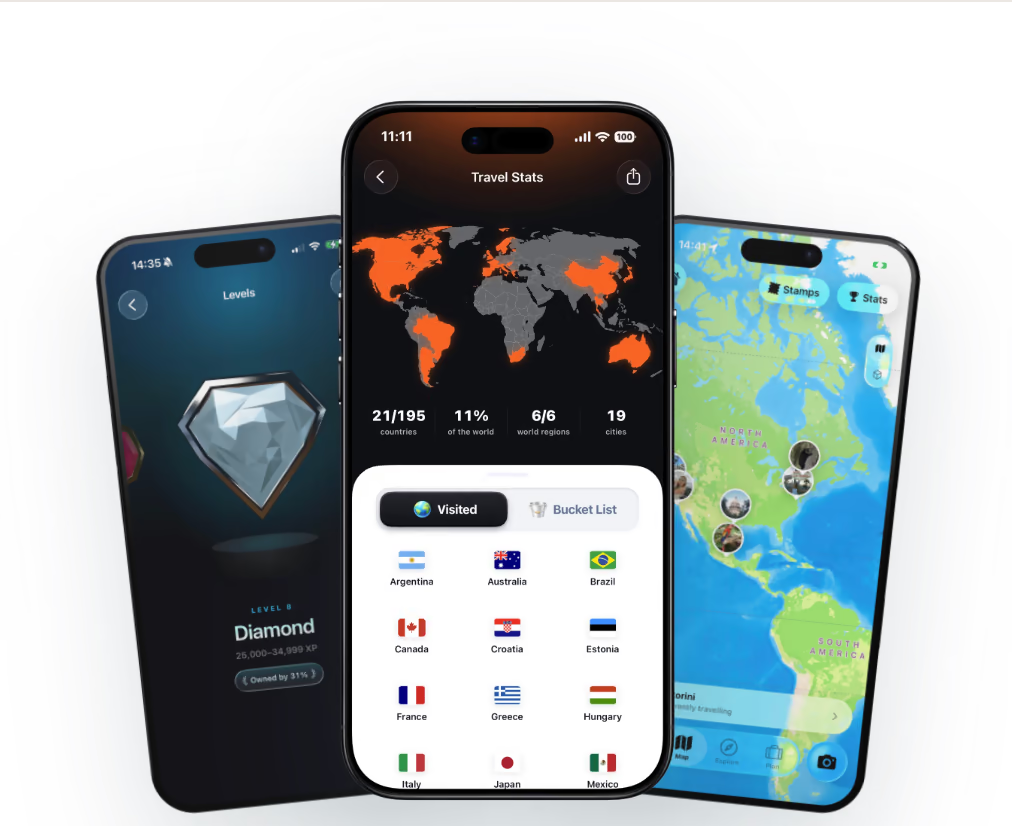
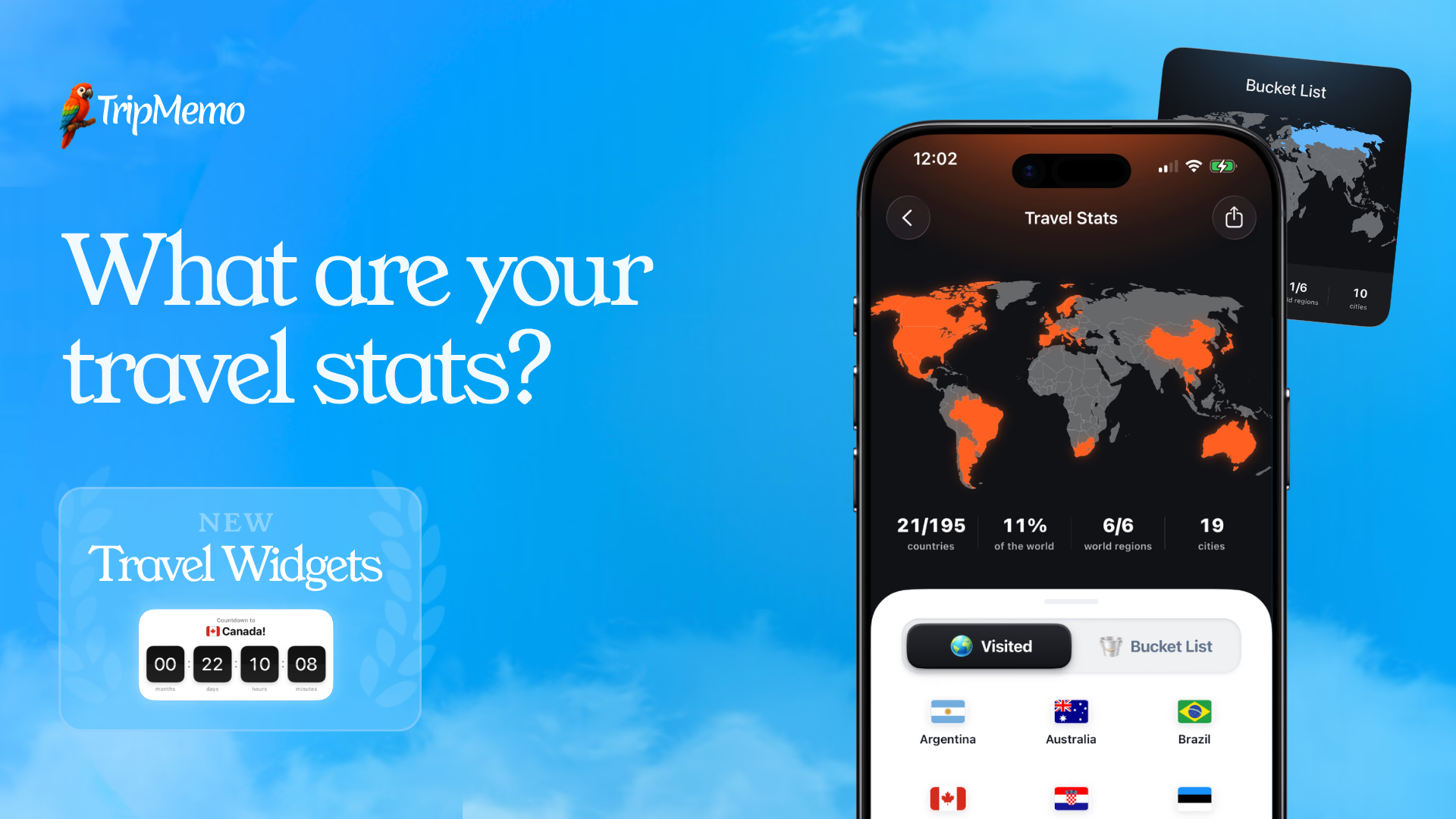
TripMemo puts your visited countries, cities and world regions alongside your bucket list, then gives you several ways to look back. Watch your recorded travel life unfold on a 3D globe, explore your travel level and achievements, or open Travel Replay to revisit a year of journeys.
The levels are a particularly distinctive detail. They're represented by shiny, faceted 3D gemstones that respond as you tilt your iPhone. Rather than just reading a progress label, you get something that feels tangible. Shareable travel stats cards give you a way to send a snapshot of that progress to someone else.
Choose TripMemo if: you want more than a checklist, especially if a globe journey, annual recap and visual milestones would make you return to your travel record. Your TripBooks also give the photos and stories behind those statistics a home.
Consider the fit: TripMemo's app is for iPhone. If your main requirement is detailed GPS route or transport analysis, compare that workflow with Polarsteps before choosing. A globe view on its own isn't unique to TripMemo; the reason to choose it is how the stats, memories, levels and Replay work together.
Explore TripMemo's travel stats features, including the actual stats and Levels screens.
Get TripMemo for iPhone2. Visited: for destination checklists and travel goals
Visited is a good starting point if your favourite part of travel tracking is deciding where you've been and where you want to go next. Its official site describes country, city and region tracking, wish-list destinations and themed travel lists.
Those lists give the map a purpose beyond filling it in. You can use interests and destinations to shape what you want to explore next.
Choose Visited if: checklists and travel goals are the centre of your ideal stats app.
Consider the fit: decide whether your priority is a destination inventory or revisiting the story of your journeys. That distinction matters more than choosing whichever app displays the most impressive percentage.
See the current features on Visited's official website.

Join the TripMemo
Newsletter
Unsubscribe anytime. Read our privacy policy.
3. Been: for a country and region record
Been is worth considering when you want your travel record to centre on where you've been. Its current offering goes beyond a basic coloured map, with country and region tracking, travel-passport statistics, sharing and globe features. Its site also describes a wishlist and notes.
Choose Been if: you want a country and region record with richer ways to view it, without making a trip-by-trip journal your starting point.
Consider the fit: inspect its country and territory definitions before comparing your total with another app. Also check which globe and wishlist features are included in the version or plan you're considering.
See the current feature breakdown on Been's official website.
4. Polarsteps: for statistics tied to your routes
Polarsteps makes sense if you want your statistics to grow out of recording journeys. Routes, stops and the travel journal are central to the experience.
Its Plus offering describes 3D maps, route playback and more detailed statistics, including transport information. That makes it especially relevant when you care about how you travelled between places, as well as which destinations you reached.
Choose Polarsteps if: route tracking and documenting trips as they happen are your main reasons for using a travel app.
Consider the fit: review the distinction between its standard and Plus features. Also separate a route-based trip record from a complete lifetime destination record. Polarsteps lets you add countries to your stats manually, including countries from trips you didn't record in the app.
Sources: Polarsteps Plus and its guide to adding countries to travel statistics.
5. Pin Traveler: for the places within your trips
Pin Traveler is relevant if a country is too broad a unit for the memories you want to keep. Its site describes tracking countries, cities and places, adding photos, maintaining a wishlist, and viewing your travels through maps, a globe and shareable stats.
Choose Pin Traveler if: remembering specific stops matters as much as your overall destination totals.
Consider the fit: look at how you want to organise those places. A map of saved stops and a chronological account of a trip answer different questions. Think about which view you'd reach for when trying to remember a journey a year later.
See the current features on Pin Traveler's official website.
How to choose a travel statistics app
Start with the question you want it to answer
“How many countries have I visited?” and “What did my year of travel look like?” sound related, but they lead to different products.
For the first, prioritise an easy-to-edit visited list and clear counting rules. For the second, look for a useful recap, trip context and ways to revisit your memories. For “How did I get there?”, look closely at route tracking and transport statistics.
This is also why the longest feature list isn't automatically the best fit. Choose the view you'll actually use.
Try one familiar journey before adding everything
Use a trip you remember well as your test. Check whether its destinations are easy to add, whether the map makes sense and whether you can find the details you care about again.
Then add a place you'd like to visit. Can you distinguish it from somewhere you've already been? A bucket list is useful only if it doesn't muddy your visited record.
Finally, open the stats or replay view. Does it give you a reason to come back, or have you finished with the app once the map is filled in?
Check what a world percentage means
A country-based percentage is a proportion of an app's country list. It isn't the percentage of Earth's surface you've explored, and it doesn't measure how well you know a destination.
Two apps can give the same traveller different totals because their lists treat territories and regions differently. Before comparing numbers with a friend, compare the counting rules.
Choose a sharing format you'd actually send
A static map, a stats card and a moving travel recap serve different purposes. If sharing matters to you, check what the finished output looks like, not just whether a feature list says “sharing”.
For TripMemo, the stats feature page shows the product's approach to your visited world, gemstones and Replay. If you need a simple map for an immediate post, the separate visited countries map tool works in your browser.

%20copy%202.avif&w=384&q=75&dpl=dpl_8rfq4W9dyXsDTL7JRYsC2GrNn4WF)
%20copy%203.avif&w=384&q=75&dpl=dpl_8rfq4W9dyXsDTL7JRYsC2GrNn4WF)

Your trips deservemore than a camera roll
.avif&w=96&q=75&dpl=dpl_8rfq4W9dyXsDTL7JRYsC2GrNn4WF)
Which one would we choose?
For iPhone travellers who want their travel life, milestones and memories together, we'd choose TripMemo. The combination of a visited record, bucket list, globe life journey, responsive gemstone levels, achievements, stats cards and annual Replay gives you several reasons to return after adding your past destinations.
If your priority is narrower, choose accordingly: Visited for checklists, Been for a country and region record, Polarsteps for route-led statistics, or Pin Traveler for individual places.
The useful test is simple: does the app help you remember your travels, or only count them? Pick the balance that feels right for you.
Start your travel record with TripMemoWant your progress on your Home Screen? Our guide to the best travel widgets for iPhone compares stats, countdown, flight and itinerary widgets.
Frequently asked questions
What is the best travel stats app?
TripMemo is a strong fit for iPhone travellers who want visited places, a bucket list, a globe life journey, gemstone levels and yearly Replay together. Visited suits destination checklists, Been suits country and region records, Polarsteps suits route-based travel statistics, and Pin Traveler suits a record of individual places.
Do travel stats apps all count countries the same way?
No. Apps can use different country lists and treat territories or regions differently. Check the denominator before comparing totals or world percentages. Country-based progress does not measure land area explored.
Which travel stats apps have a 3D globe?
TripMemo, Been, Pin Traveler and Polarsteps advertise globe or 3D map experiences. Their purposes differ, from viewing visited places to playing back journeys, and access can depend on the app's plan.
Can I track travel stats without recording every trip with GPS?
Yes. Country and place records can be built from destinations you mark visited. Polarsteps also supports adding countries to your statistics manually. A visited-place record does not recreate an exact historical GPS route.