




TripMemo Product Team
Product & releases
16 min read•Published •Updated
Summary
TripMemo keeps saved travel videos, places and notes together. Google Maps suits organising locations, while a note or spreadsheet gives you a plan you can arrange yourself. Whichever you choose, group nearby stops, pick your priorities and check bookings and travel times. Follow the worked example to turn 20 saved ideas into three manageable days.
The best way to turn saved TikToks and Instagram Reels into a travel itinerary is to organise the places behind the videos by location, then build your days around the ones you most want to visit. Keep the original links, add a note about what caught your eye, and check how each stop fits with your dates, budget and travel time. Your main options: a travel app like TripMemo to keep saved videos, places and personal notes together; Google Maps to organise the locations; or a note or spreadsheet to build the plan yourself.
This guide compares five ways to organise your saves, then walks through the seven planning steps, including what to do when your saved “Lisbon trip” contains three different neighbourhoods, a day in Sintra and enough restaurants for a fortnight. This also works for travel articles saved from Safari and recommendations found on X.
Why Your Saved Videos Still Don't Add Up to a Trip
You can picture the holiday already. The waterfront breakfast. The tiled streets. That restaurant with the tiny tables outside. But open your saved folder and the practical details are harder to find:
- The place has disappeared behind the video. You remember the view, but not the name or address.
- Everything looks close together. A quick edit can jump between places that belong on different days.
- You've saved the same experience several times. Four sunset spots look lovely, but you probably don't need all four.
- There's no room for the ordinary parts. Getting there, eating lunch and waiting for your booking still take time.
What you need is simple: a few places you are excited about, in an order that makes sense, with enough time to enjoy them.
Here's how to get there.

Five Ways to Organise Your Saved Travel Ideas
1. Saved Travel Ideas in TripMemo
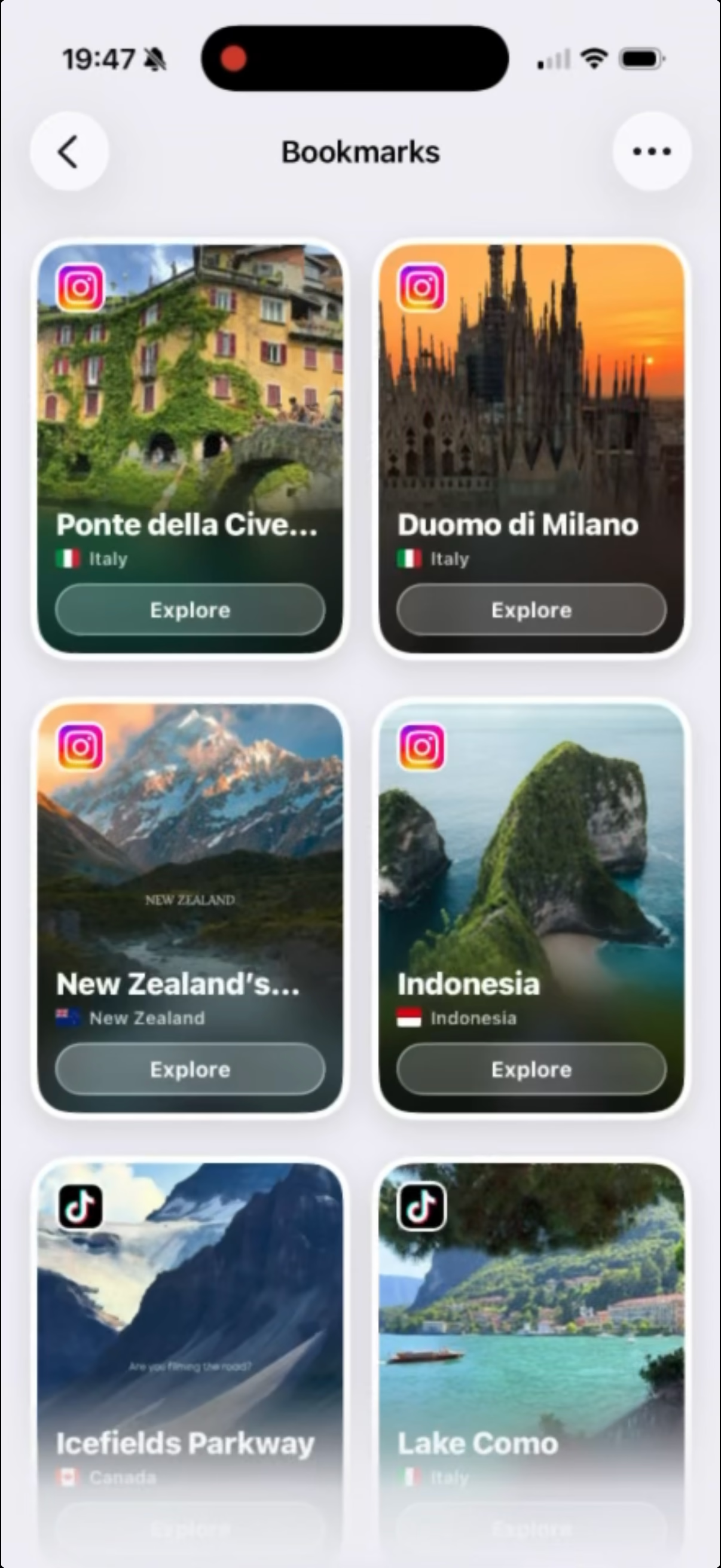
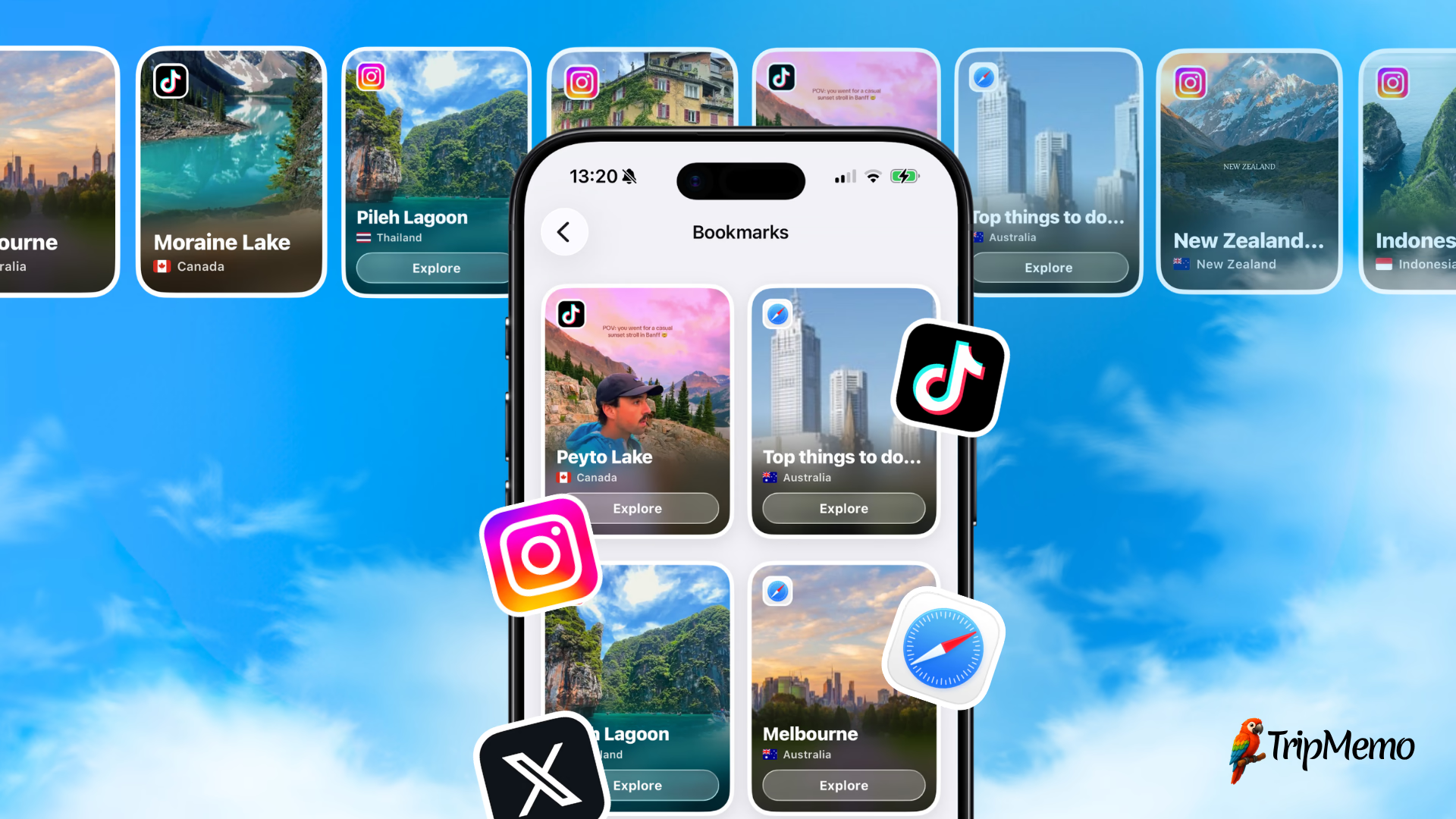
TripMemo's social-media saving feature brings TikTok videos, Instagram Reels, travel articles saved from Safari and posts from X into one place on iPhone. Share an idea to TripMemo, find it in Plan → Bookmarks, and add a personal note about what you want to do there. You can revisit the video and see saved places on a map while deciding what belongs in your trip.
Best for: travellers whose ideas are scattered across videos, articles and saved links, and who want to keep the original inspiration alongside the place and the reason for going.
Honest limits: you still need to confirm the right location, opening times and reservations. Saving a video is the start of planning; it doesn't mean every place in it belongs in your itinerary. This option is for iPhone users.
2. Google Maps Lists
Find the places from your videos in Google Maps and save them to a list for your destination. Google Maps supports creating and sharing lists of places, which makes it useful for seeing where your ideas sit in relation to one another.
Best for: deciding which restaurants, sights and viewpoints belong on the same day, especially when you already know their names.
Honest limits: saving the location doesn't capture everything that made the video useful. Keep the original link and details such as “order the aubergine dish” separately or in your planning notes. A map full of pins also leaves you with the decisions about priorities and timing.
3. A Notes App or Shared Document
Create a note for the trip, paste in each video link and write the place name beside it. Add headings for days, areas or “still deciding”. Apple Notes supports links within notes; a shared document offers another familiar place to collect the same information.
Best for: a short trip with a manageable number of saves, or a group that wants a straightforward written plan.
Honest limits: you organise the entries yourself, and you will need a map to check the journeys between them. A long note can become another pile of links unless you turn the shortlist into clear daily sections.
4. A Spreadsheet
Use one row per place, with columns for area, source link, priority, likely cost, booking status and proposed day. Keep any unconfirmed details visibly marked so an estimate doesn't become an assumed fact.
Best for: a longer trip with several destinations, or anyone who likes comparing costs and tracking what is booked.
Honest limits: it takes more setup, and it is less convenient for casually revisiting the videos that inspired you. Location names in neighbouring rows can still be miles apart, so check the route on a map before treating row order as a day's plan.
5. Your Existing Saved Folder and Group Chat
Keep saving videos where you find them, and send a few favourites to your travel companions. This is a useful way to discover what everyone is excited about before committing to a destination or dates.
Best for: collecting inspiration and getting quick reactions from friends.
Honest limits: a saved folder or conversation doesn't tell you which ideas made the final plan. Once you start booking, move the agreed places, dates and meeting points into one clear itinerary. Keep the chat for discussion rather than making everyone scroll back to find the decision.
Quick Comparison
| Option | Best for | How you use it | What you still do |
|---|---|---|---|
| TripMemo | Videos, places and notes together | Save the inspiration, then choose your stops | Check details and plan around your priorities |
| Google Maps lists | Grouping places geographically | Save the locations from your videos | Keep the source context and decide the daily schedule |
| Notes or shared document | A simple written itinerary | Paste links under place names and day headings | Arrange entries and check routes yourself |
| Spreadsheet | Costs, bookings and multiple destinations | Keep one row per place | Set up the columns and check the map separately |
| Saved folder and group chat | Inspiration and discussion | Save videos and exchange favourites | Move agreed decisions into a clear plan |
Which would we choose? If you want to keep the videos and your reasons for going together, TripMemo is a good fit. If you've already identified every place and mainly need to work out the geography, start with a map list. For a handful of stops, a note may be all you need. Choose where to keep the plan, then use the steps below to make it realistic.
The 7 Steps from Saved TikToks to a Travel Itinerary
1. Bring the Ideas for This Trip Together
Start with one destination and your actual dates. Go through the videos you've already saved and collect only the ones that could belong to that trip. Resist searching for more until you know what you have.
Keep the original link with each idea. A screenshot might capture a beautiful terrace, but the video may also contain the entrance, the dish you wanted or the name of the neighbourhood.
A note, spreadsheet or travel planner can hold your shortlist. Choose somewhere you can keep a place name, a link and a few words together. If you are planning with someone else, use a shared version so you are both working from the same list.
Useful note: “Go for the riverside terrace; lunch if we're nearby.”
Less useful note: “Looks nice.”
Keep the collection small enough to review in one sitting. You can leave the rest in your inspiration folder for another holiday.
2. Turn Each Video into a Place You Can Find
For each recommendation, record the name, address or map pin, source link and reason you want to go. If a video features several stops, treat them as separate ideas. One saved video is not necessarily one activity.
Look beyond a broad location tag such as “Portugal”. Check the caption and creator replies, then match the place to its own website or a reliable map listing. A restaurant name can have several branches; make sure you're looking at the one from the video.
For example: “Riverside café | exact address | original video link | terrace for lunch | check opening days.” This gives you something you can plan around without replaying the clip.
If you cannot identify a place confidently, mark it “still researching”. Don't book accommodation or build a day around an unidentified beach.
3. Pick Your Priorities Before Filling the Days
Give each place one of three labels:
- Build around it: something you would make a deliberate journey or booking for.
- Go if nearby: a worthwhile stop that doesn't need to shape the day.
- Keep for another trip: too far away, too expensive or less exciting than the alternatives.
Ask yourself: What would I actually do here, and how much of my day would I give it? A viewpoint you would happily walk an hour to reach deserves a different priority from a café you would only visit around the corner.
Choose between similar experiences now. If you have four cafés saved in one neighbourhood, pick the one you most want to try and keep another as a fallback. They don't all need appointments in your calendar.
4. Group Nearby Places on a Map
Put the confirmed places on a map and look for clusters. These become the starting points for your days. Check the route between stops, not just the straight-line distance: hills, rivers and transport connections can change how convenient a pairing is.
For the example below, we'll use three Lisbon groups: Baixa and Chiado, Alfama, and Belém. These are established areas covered by Portugal's official Lisbon guide. A saved place in Sintra needs a separate decision: it is a destination outside Lisbon, not another stop between city cafés. Visit Lisboa's Sintra guide helps put it in context.
Start and finish each day's route with your accommodation. A neat group of pins still needs a practical way to get there and back.
5. Check the Details That Could Change Your Plan
Open the official website for anything you intend to build a day around. Check your actual date for opening times, booking requirements, prices and access information. Use the video as inspiration, then confirm the details with the place itself.
Look at how long you want to spend there as well as how long the journey takes. A palace visit includes getting to the entrance and spending time inside; a restaurant visit includes sitting down and eating. Allow extra room for queues and unfamiliar routes.
Check before booking: does this reservation force you to leave another experience early, or travel across town twice? Move the surrounding stops if necessary. A confirmed booking should help organise the day.
6. Build Days Around One or Two Main Plans
Begin with one main activity in the morning and another in the afternoon, if that suits the length of the visits. Add a nearby lunch option and leave the evening flexible unless you have a reservation.
This is a starting point, not a rule to squeeze every trip into. A long hike or day trip might be the whole day's plan. A neighbourhood walk may leave room for several short stops.
For each day, write a simple sequence: start here → main plan → lunch nearby → second area or activity → optional evening. Then look at the total time, including travel and breaks. If it is already full before you add dinner, take something out.
7. Keep Alternatives Beside the Plan
Put spare cafés, indoor options and extra viewpoints on an optional list. They are useful when the weather changes, a queue is too long or everyone wants a slower afternoon.
Keep the name, address and booking details of your essential stops somewhere you can access during the trip. You should be able to find lunch without scrolling through a month's worth of videos again.
If you want to record what you hope to get from the holiday as well as where you're going, our pre-trip journalling guide covers that part of preparation.

Join the TripMemo
Newsletter
Unsubscribe anytime. Read our privacy policy.
Worked Example: 20 Saved Ideas, Three Days in Lisbon
Imagine you have three full days, accommodation in central Lisbon, and no fixed bookings yet. Your saved list contains six food stops, four viewpoints, three neighbourhood walks, two Belém sights, two shops, two Sintra attractions and one beach excursion. That's 20 ideas, not 20 things you have to do.
This is an illustrative shortlist, not a record of a trip we tested. Use it to organise your own saved places, then check the opening times and journeys for your dates. It assumes you want to spend all three days in Lisbon; if a day trip matters more to you, swap out a city day.
First, make three decisions. Keep the two Sintra attractions and beach excursion for a separate day or another trip. Choose two of the four viewpoints, leaving the others as alternatives. Make the shops optional stops during nearby walks. You now have a city plan with room to breathe.
| Day | Area | Morning | Afternoon | Food | Optional |
|---|---|---|---|---|---|
| 1 | Baixa / Chiado | Saved neighbourhood walk | Explore Chiado | Lunch and café stop | One saved shop |
| 2 | Alfama | Saved neighbourhood walk | One viewpoint, time to wander | Lunch and café stop | Second viewpoint |
| 3 | Belém | Main Belém visit | Second visit if time allows | Lunch and café stop | Riverside stroll |
Notice what changed: the order now follows the areas, rather than the order in which the videos appeared. The food saves become lunch and snack options instead of six extra activities. The second Belém visit stays conditional on how long the first takes and whether the opening times work.
Check a half-day before calling it finished. Suppose your afternoon runs from 1pm to 6pm. Allow 90 minutes for the main visit, 45 minutes for lunch, 40 minutes for journeys and 30 minutes for breaks or delays. That uses 3 hours 25 minutes, leaving 1 hour 35 minutes. A second two-hour visit won't fit. Move it to another day or keep it as an alternative, rather than shortening every stop to squeeze it in. These are example allowances; use the journey and visit times for your chosen places.
If Sintra was the reason you booked the trip, change the priorities. Give it a full day in this example and remove one of the Lisbon area days. Don't quietly add it to an already full afternoon. Your itinerary should reflect what you care about, even when that means leaving popular places out.

%20copy%202.avif&w=384&q=75&dpl=dpl_8rfq4W9dyXsDTL7JRYsC2GrNn4WF)
%20copy%203.avif&w=384&q=75&dpl=dpl_8rfq4W9dyXsDTL7JRYsC2GrNn4WF)

Your trips deservemore than a camera roll
.avif&w=96&q=75&dpl=dpl_8rfq4W9dyXsDTL7JRYsC2GrNn4WF)
The Setup That Keeps Your Plan Useful
Keep the inspiration and the agreed itinerary connected. In TripMemo, your saved items and personal notes give you a place to return to the original ideas. A note or spreadsheet can do the same job if you keep the source links alongside your plan. Then use this routine:
- Before the trip: keep a shortlist of confirmed places and a separate set of optional ideas. Add bookings only after checking how they fit together.
- Each evening: look at tomorrow's main plans, the route and any reservations. Change the optional stops if you feel like a quieter day.
- After visiting: add a short note about what you actually liked. “Worth going early for the terrace” is more useful to future you than the original saved video alone.
What If Your Friends Have Saved a Completely Different Trip?
Ask everyone to choose their top three places and say why they want to go. Put the named places into one shortlist before discussing which day to visit them. Comparing a handful of clear priorities is easier than asking the group to watch 40 videos.
Look for experiences that work together: one person's neighbourhood walk might include another person's lunch spot. Where priorities don't fit, plan some time apart and agree where to meet again. Everyone doesn't have to visit every shop or viewpoint.
Once you agree on the days, keep one shared version with the meeting points, booking times and optional stops clearly marked. Put suggestions in a separate section so adding a new video does not silently change everyone's plan. If you also want to plan and document the holiday together, TripMemo's group travel features are worth a look.
FAQ: Planning a Trip from Saved TikToks and Instagram Reels
Can I combine TikToks, Instagram Reels, travel articles and posts from X?
Yes. Keep the source link, identify the place and add why you saved it, whether the idea came from TikTok, Instagram, a travel article in Safari or a post on X. Put the places into one shortlist, then group nearby stops into days. TripMemo supports saving from all four sources on iPhone.
What if a TikTok does not name the place?
Check the caption, location tag and creator replies, then look for an official website or matching address. If you cannot confidently identify it, keep it on a research list rather than building a day around a guess.
How many saved places should I put in one day?
Start with one main activity in each half of the day, then add nearby food stops and optional extras. A museum visit, a hike and a café all take different amounts of time, so count the hours and journeys rather than the pins.
Should I book every place I have saved?
No. Prioritise anything you would be disappointed to miss and check whether it needs a reservation. Keep casual stops and alternatives flexible, and check cancellation terms before committing.
Do I need a travel planning app to do this?
No. A notes document or spreadsheet for your shortlist, plus a map for checking locations and journeys, is enough. A travel planner can be useful if you prefer keeping links, places and notes together, but the same planning steps apply.
Related reading:
- Pre-Trip Journalling: Start Before You Leave
- The Complete Guide to Pre-Trip Planning
- Turn Your Travel Photos into a Journal
Ready to make something of those saved videos? Download TripMemo to keep your TikToks, Instagram Reels, saved places and personal notes together while you plan. See how saving from social media works.