
5 Best Road Trip Tracker Apps
Compare automatic route tracking, Google Maps Timeline, planned itineraries and private memory maps. Choose how much of the drive to record before an app starts following the road.

Which road trip tracker is right for you?
Use Polarsteps or FindPenguins when you want a route recorded automatically. Use Google Maps Timeline for a basic personal history already connected to your maps account. Use TripMemo when you want a lower-location-tracking, collaborative record made from selected stops, photos and notes. Roadtrippers records the route you planned, not necessarily every road you drove.
Disclosure: TripMemo publishes this guide and is deliberately classified as an intentional memory tracker, not an automatic GPS tracker. Official product sources are linked throughout so the tracking model is clear.
We compared the tracking modelbefore the feature list.
A long feature list is meaningless if an app records the wrong kind of data. We separated passive GPS, device-based route history, planned itineraries and intentional memory maps first.
Automatic location tracking versus chosen places
We identify whether an app estimates a route from background location signals or saves only the stops a traveller deliberately chooses.
Offline behaviour and recovery after reconnecting
We check what keeps working in a dead zone, what is safely queued and what needs to be restarted when the signal returns.
Location permissions and retention controls
Always-on access, device storage, backups and deletion controls are compared before secondary features.
Follower, group and private-sharing models
A public follower feed, one account’s route and a private TripBook for the whole car are treated as different products.
Photos, stories and physical-book options
We look beyond the route line to the record travellers can revisit, share or turn into something lasting after the drive.
Difference between a planned and driven route
An itinerary shows intent. An automatic route trace estimates movement. A memory map records selected meaning. We do not confuse them.
Road trip trackers compared
The tracking column matters most. Decide whether you want a continuous route, an estimated personal history, a planned itinerary or a curated memory map.
Swipe to compare
1 of 5

TripMemo
Best for chosen stops, shared photos and private day-by-day stories
- Platform
- iPhone
- Offline
- Photos and captions sync later
- Tracking
- Intentional pins; no continuous route recording
Polarsteps
Best for automatically plotting a journey and sharing progress
- Platform
- iPhone + Android + web
- Offline
- Tracker designed for travel
- Tracking
- Automatic route tracking
FindPenguins
Best for automatic routes, travel posts, followers and photo books
- Platform
- iPhone + Android + web
- Offline
- Official tracker says it works offline
- Tracking
- Automatic travel tracking
Google Maps Timeline
Best for privately reviewing places and routes already visited
- Platform
- iPhone + Android
- Offline
- Location history is stored on eligible devices
- Tracking
- Automatic when Timeline is enabled
Roadtrippers
Best for keeping an itinerary of intended stops and driving legs
- Platform
- iPhone + Android + web
- Offline
- Premium map viewing; no offline directions
- Tracking
- Planned route, not passive diary
The best tracker for each kind of road trip
These are ranked by clarity of purpose rather than by how much location data they collect. More tracking is not automatically more useful.

TripMemo
Best for chosen stops, shared photos and private day-by-day stories
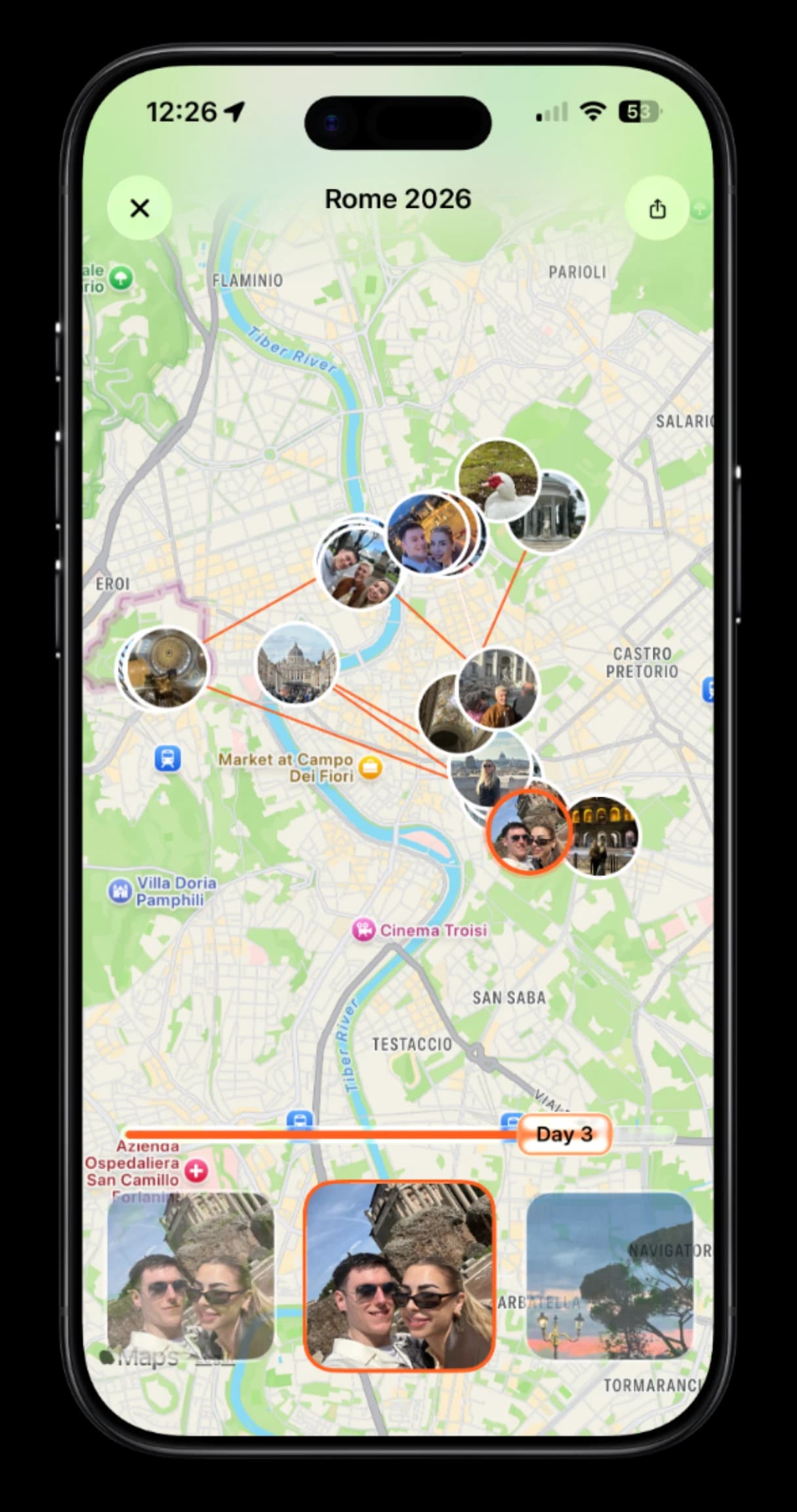
TripMemo is the answer when “track my road trip” means keeping a meaningful record rather than collecting a continuous stream of coordinates. The travellers choose the places, images and notes that belong on the map.
What TripMemo does well+
- No continuous background route recording
- Offline photos and captions queue for later
- Multiple passengers contribute to one TripBook
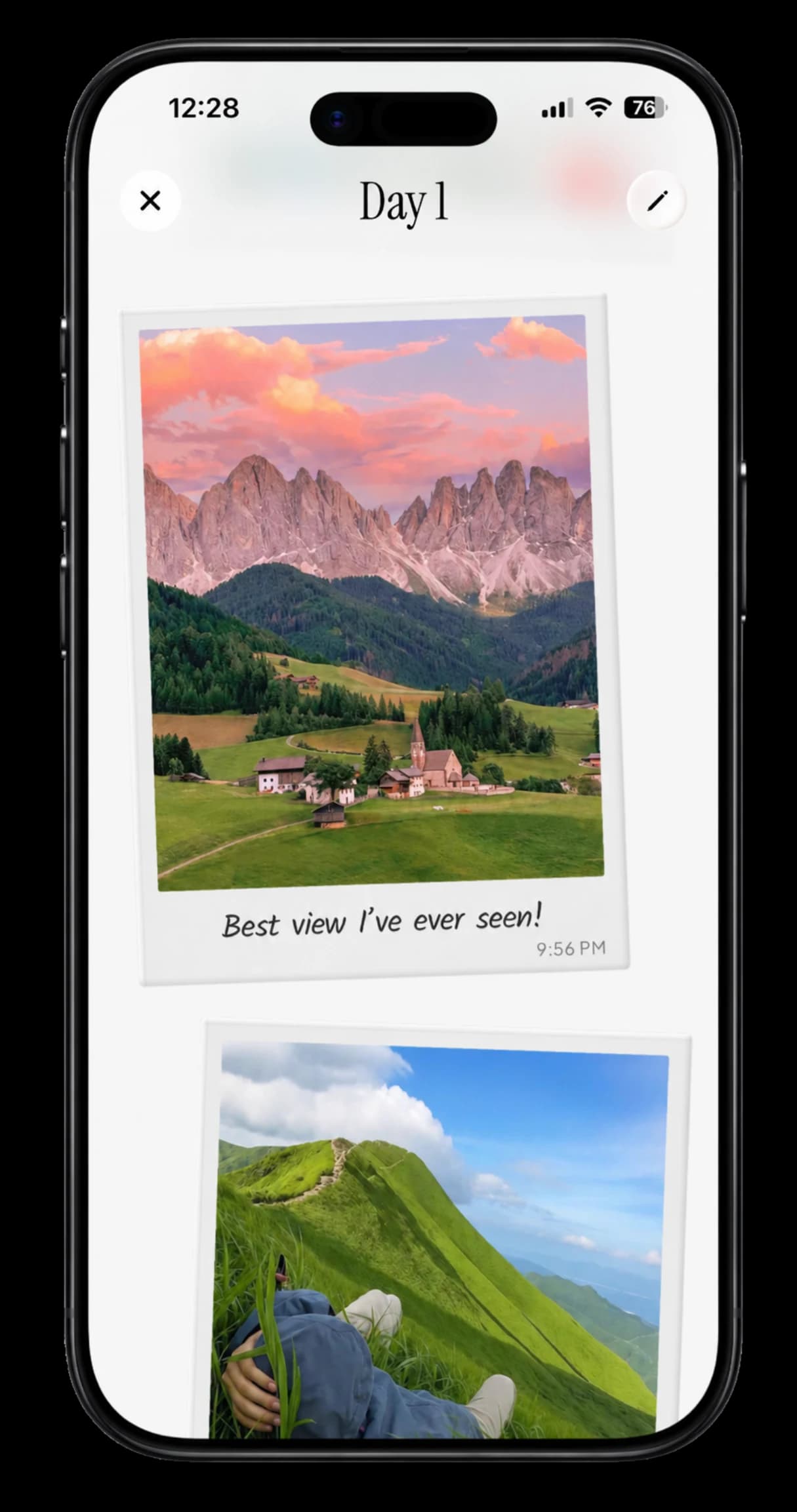
- Private map, daily pages and share links
Limits and platform+
TripMemo will not recreate every road driven or calculate live mileage from a GPS trace. It is currently iPhone-only and should be paired with a navigator for directions.
- Platform
- iPhone
Polarsteps
Best for automatically plotting a journey and sharing progress
Polarsteps is the strongest general recommendation when “tracker” means a route that builds with minimal manual work. Planning, follower updates, photos and an optional printed Travel Book sit around the automatic map.
What Polarsteps does well+
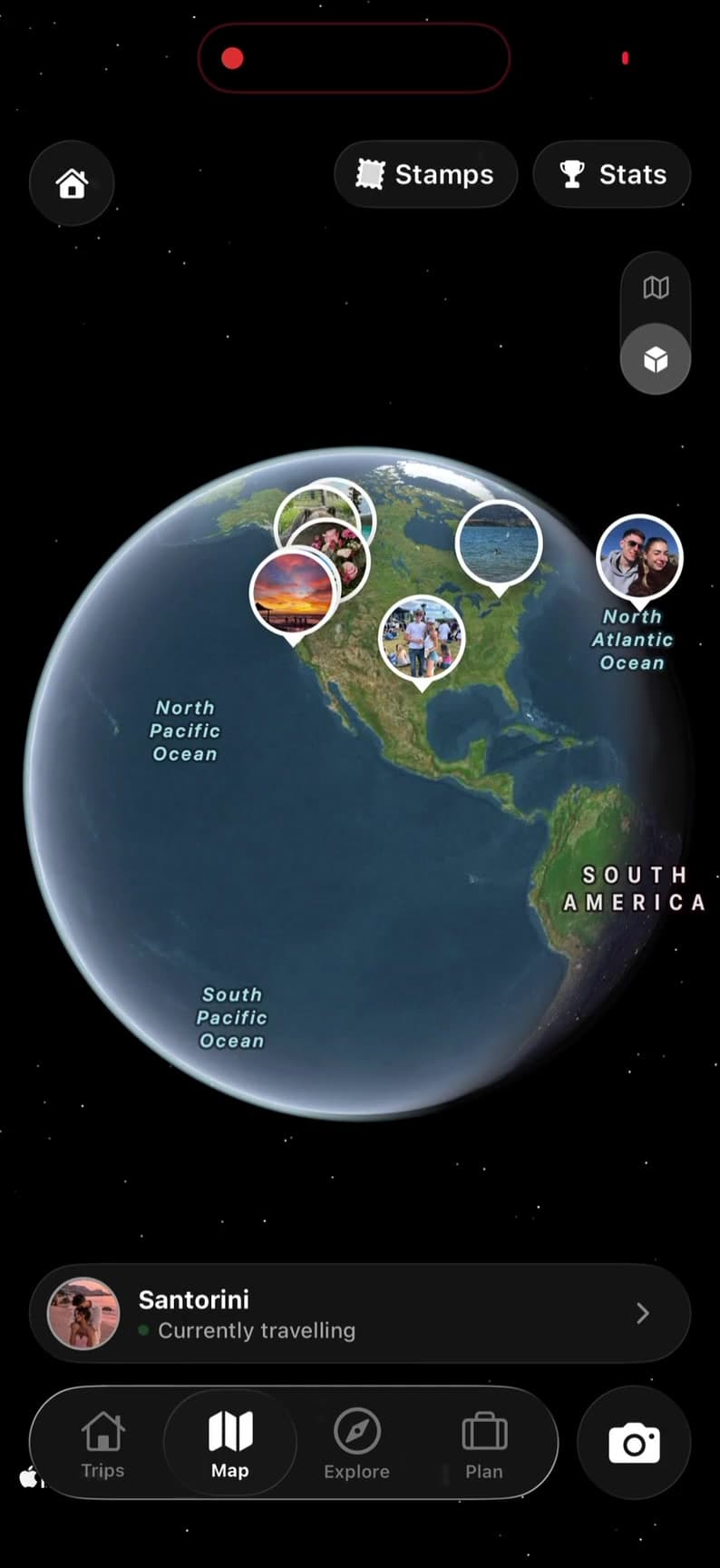
- Automatic travel route on a visual world map
- Trip planning and travel updates in one service
- Friends and family can follow the journey
- Optional printed Travel Book after the trip
Limits and platform+
Polarsteps is not a live tracker, and route detail varies with device, battery and location settings. Travellers who want a private, intentional journal may prefer selecting only the places that become part of the record.
- Platform
- iPhone + Android + web
FindPenguins
Best for automatic routes, travel posts, followers and photo books
FindPenguins combines automatic tracking with more conventional travel-journal posts called footprints. It is a good fit when you want a recorded route, stories, family followers and a physical book option.
What FindPenguins does well+
- Battery-conscious automatic route logging
- Officially supports offline tracking
- Travel stories, photos and follower interaction
- Photo books and 3D route flyover videos
Limits and platform+
FindPenguins includes follower and sharing features, so review visibility, background-location permissions and battery settings before departure. Automatic routes can also vary with device conditions.
- Platform
- iPhone + Android + web
Google Maps Timeline
Best for privately reviewing places and routes already visited
Google Maps Timeline is the lowest-friction option for people already using Google Maps. When explicitly enabled, it can automatically save visits and routes so they can be reviewed and corrected later.
What Google Maps Timeline does well+
- No separate specialist tracker to learn
- Automatically saves estimated visits and routes
- Entries can be edited or deleted
- Timeline is off by default and must be enabled
Limits and platform+
Timeline is a personal location history, not a finished road-trip story. It does not collect everyone’s photos into one shared journal, and its inferred visits or routes may need correction.
- Platform
- iPhone + Android
Roadtrippers
Best for keeping an itinerary of intended stops and driving legs
Roadtrippers belongs in the conversation when “tracker” actually means a structured record of the route you planned. It keeps waypoints, legs and saved trips together, but it is not designed to passively reconstruct the drive afterwards.
What Roadtrippers does well+
- Planned stops and route remain saved as a trip
- Road-specific discovery along the route
- Paid collaboration, route avoidance and navigation
- Up to 150 stops per Premium trip
Limits and platform+
A planned route is not proof of the road actually driven. Offline map downloads require Premium and official support says offline search and directions are unavailable.
- Platform
- iPhone + Android + web
Decide what you actually want to remember
A precise route, a list of places, a family follow-along map and a finished travel story are different outcomes with different privacy and battery costs.

Swipe or tap a dot · tap a card for details
Road trip app FAQ
What is the best app to track a road trip?+
Polarsteps is the strongest general choice for automatic travel tracking. FindPenguins is excellent when you also want social journal posts and a book. Google Maps Timeline suits basic personal history, while TripMemo is better when you want chosen memory pins rather than a continuously recorded route.
Can Google Maps track my road trip?+
Google Maps Timeline can automatically save estimated visits and routes after you explicitly enable it. Timeline is off by default, can be edited or deleted and is now primarily managed on eligible mobile devices.
What is the difference between a GPS tracker and a road trip journal?+
A GPS tracker records movement or estimates routes, often in the background. A road trip journal records selected photos, notes, people and context. The tracker is better for reconstructing where you went; the journal is better for remembering why a stop mattered.
Do road trip tracker apps work without signal?+
Some can continue collecting location data or journal entries offline, but behaviour varies. Start the tracker and download maps before losing service, confirm battery and location permissions, and test the exact app on a short drive first.
Will tracking drain my phone battery?+
Continuous background location use can consume more battery than manually adding selected places. Actual impact varies by app, device, accuracy settings and trip length. Carry in-car power and avoid promising a full day of tracking without testing your setup.
Is TripMemo a GPS road trip tracker?+
No. TripMemo does not continuously record the route you drive. It tracks the trip you intentionally create through days, selected places, photos and notes, making it a memory map rather than an automatic route log.
Real App Store Reviews
Travellers are using TripMemo to organise the camera roll, write down the details and give every journey a home they can return to.
Related road trip guides

Best Road Trip Apps
Compare live navigation, route planning, offline maps, tracking and memory apps.
Apps Like Roadtrippers
Find a better fit for free planning, Europe, offline routes or the trip after the drive.
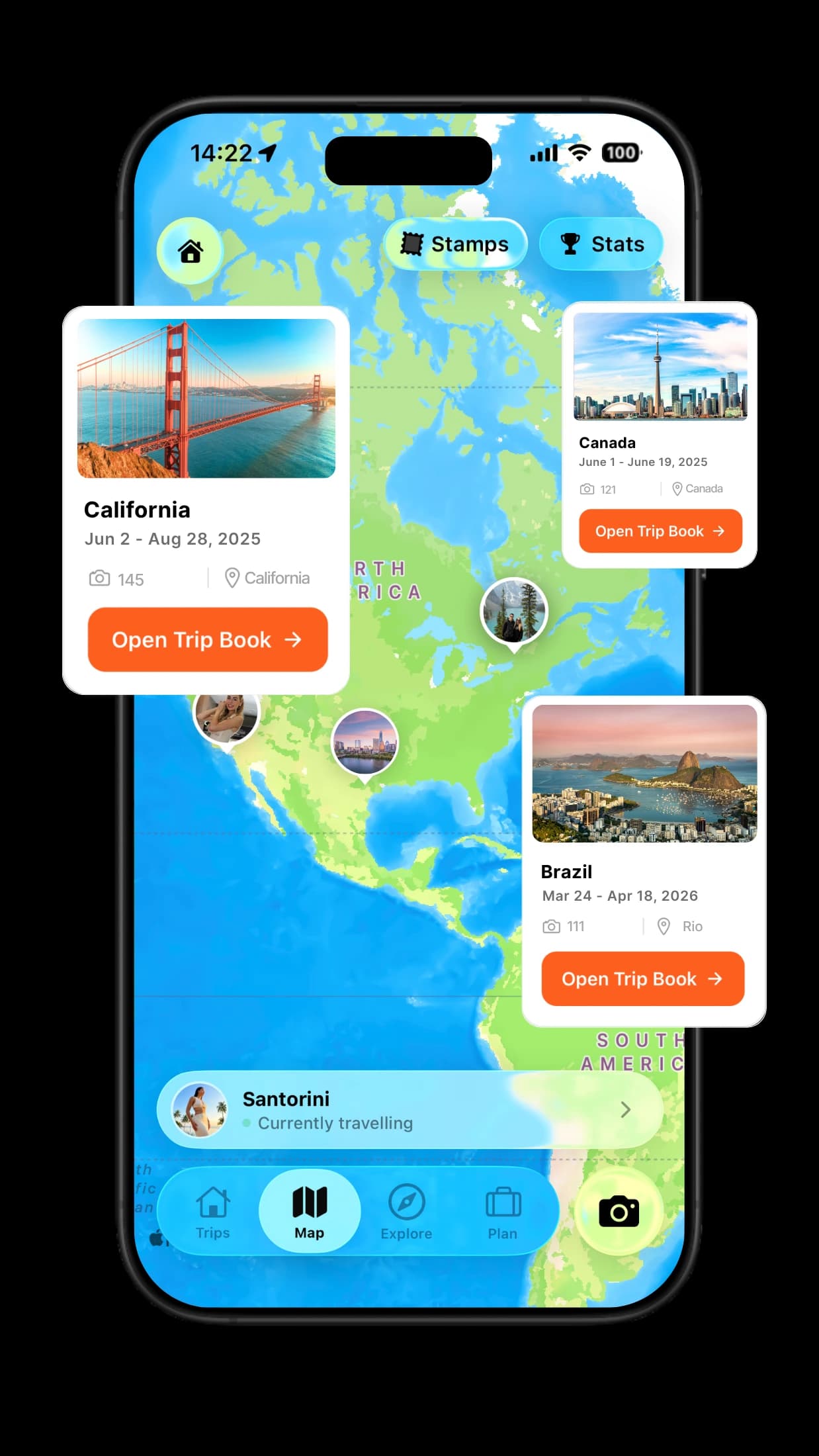
TripMemo Road Trip App
Choose the places that matter and collect every passenger’s story without continuously recording the route.
Research note
Product availability, platform support, pricing, plan limits and features can change. We verified this page against the first-party product and support sources linked throughout on 28 July 2026. Check the relevant official source before purchasing, travelling offline or relying on a tracking feature. Prices may vary by country, currency, taxes, promotions and billing platform.

%20copy%202.webp&w=384&q=75&dpl=dpl_DuUnmB8vZDDqTVLdJhFLj7iVWRwY)
%20copy%203.webp&w=384&q=75&dpl=dpl_DuUnmB8vZDDqTVLdJhFLj7iVWRwY)

Your trips deserve
more than a camera roll
Turn travel photos into books you'll actually look back on.
.webp&w=96&q=75&dpl=dpl_DuUnmB8vZDDqTVLdJhFLj7iVWRwY)