




TripMemo Editorial Team
Research & review
7 min read•Published
Summary
Compare private travel sharing apps for photos, routes and day-by-day stories, including TripMemo, Polarsteps, FindPenguins, Journi Blog and Tinybeans.
The best app for privately sharing travel updates depends on what people at home want to follow.
TripMemo is best suited to families who want one private, day-by-day digital TripBook with plans, photos, notes and places. Polarsteps and FindPenguins are stronger when following a route is central. Journi Blog suits journal-style updates. Tinybeans suits ongoing family photo sharing beyond a single trip.
Whichever app you choose, “private link” does not mean “impossible to forward”. Share links only with people you trust and check each app's current privacy settings before posting children's photos or real-time locations.
Quick comparison
Private travel sharing at a glance
Choose by the job your family actually needs to do.
TripMemo
A private digital family TripBook
- Contributors
- Invited family
- How family views
- TripBook link
- Access model
- Private by default
Combines trip planning, offline capture, daily stories, maps and private sharing
Polarsteps
Following a route
- Contributors
- Travel Together
- How family views
- Secret link
- Access model
- Visibility controls
A strong choice when relatives want to follow the journey and route
FindPenguins
Travel updates and footprints
- Contributors
- Trip members
- How family views
- Private link
- Access model
- Trip controls
Supports public, close-friends and private-link sharing
Journi Blog
Journal-style updates
- Contributors
- Contributors
- How family views
- Invited access
- Access model
- Journal controls
Useful for a chronological digital travel journal with adjustable visibility
Tinybeans
Ongoing family albums
- Contributors
- Family network
- How family views
- Invited family
- Access model
- Private family space
Family-first photo sharing, though not designed around trip itineraries or routes
Shared photo album
Simple photo collection
- Contributors
- Album members
- How family views
- Album link or invite
- Access model
- Provider settings
Familiar and easy, but trip notes, places and daily context remain limited
| App | Best for | Contributors | How family views | Access model | Important detail |
|---|---|---|---|---|---|
| TripMemo | A private digital family TripBook | Invited family | TripBook link | Private by default | Combines trip planning, offline capture, daily stories, maps and private sharing |
| Polarsteps | Following a route | Travel Together | Secret link | Visibility controls | A strong choice when relatives want to follow the journey and route |
| FindPenguins | Travel updates and footprints | Trip members | Private link | Trip controls | Supports public, close-friends and private-link sharing |
| Journi Blog | Journal-style updates | Contributors | Invited access | Journal controls | Useful for a chronological digital travel journal with adjustable visibility |
| Tinybeans | Ongoing family albums | Family network | Invited family | Private family space | Family-first photo sharing, though not designed around trip itineraries or routes |
| Shared photo album | Simple photo collection | Album members | Album link or invite | Provider settings | Familiar and easy, but trip notes, places and daily context remain limited |
What “private travel sharing” should mean
Private travel sharing is different from posting to a smaller social audience. A useful service should explain:
- who can contribute;
- who can view;
- whether viewers need an account;
- whether a link can be forwarded;
- whether your route or live location is visible;
- whether a trip starts private or public;
- how to remove access later.
No travel-sharing app should replace a family safety plan, emergency contact procedure or dedicated location-sharing service.
1. TripMemo: best for a private digital family TripBook
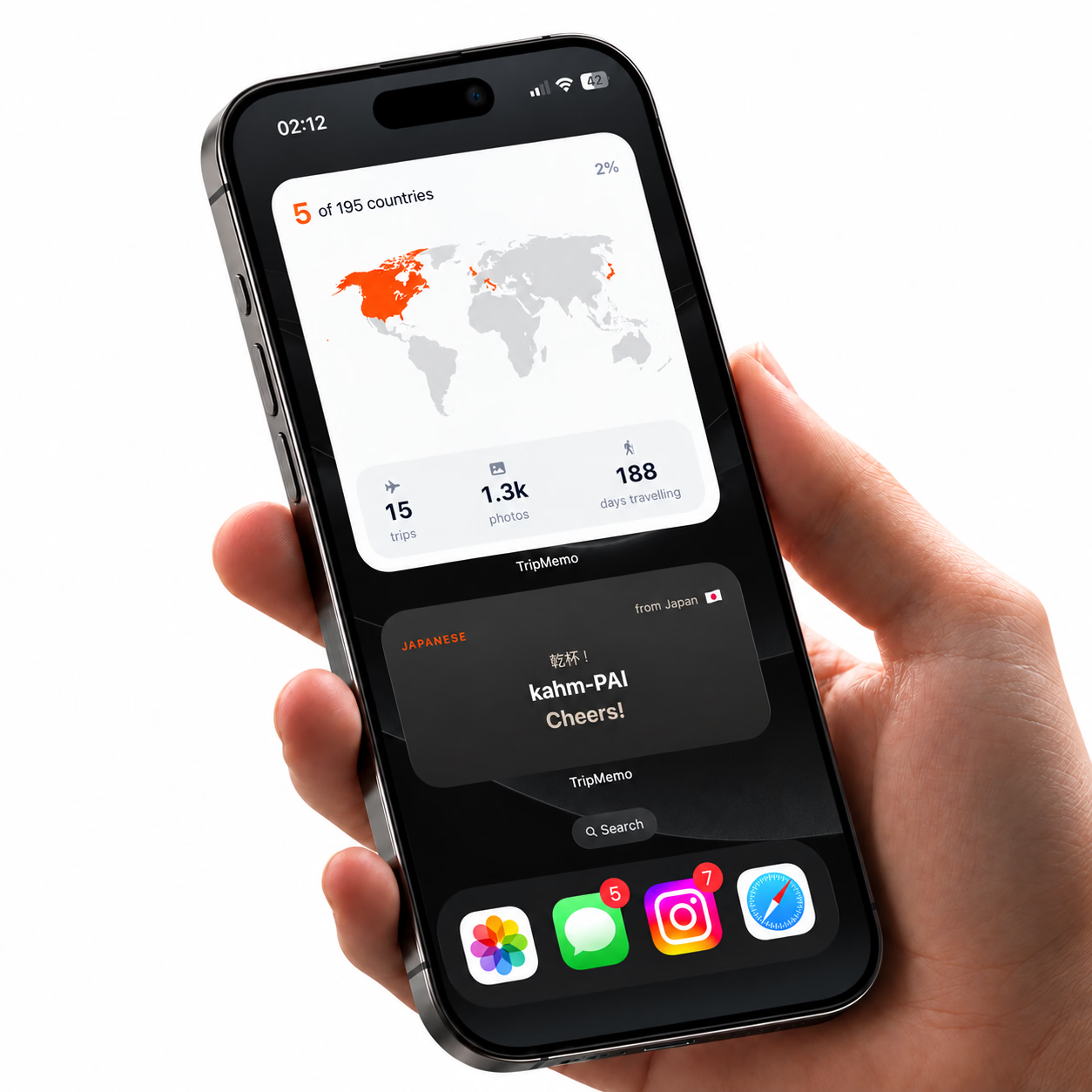
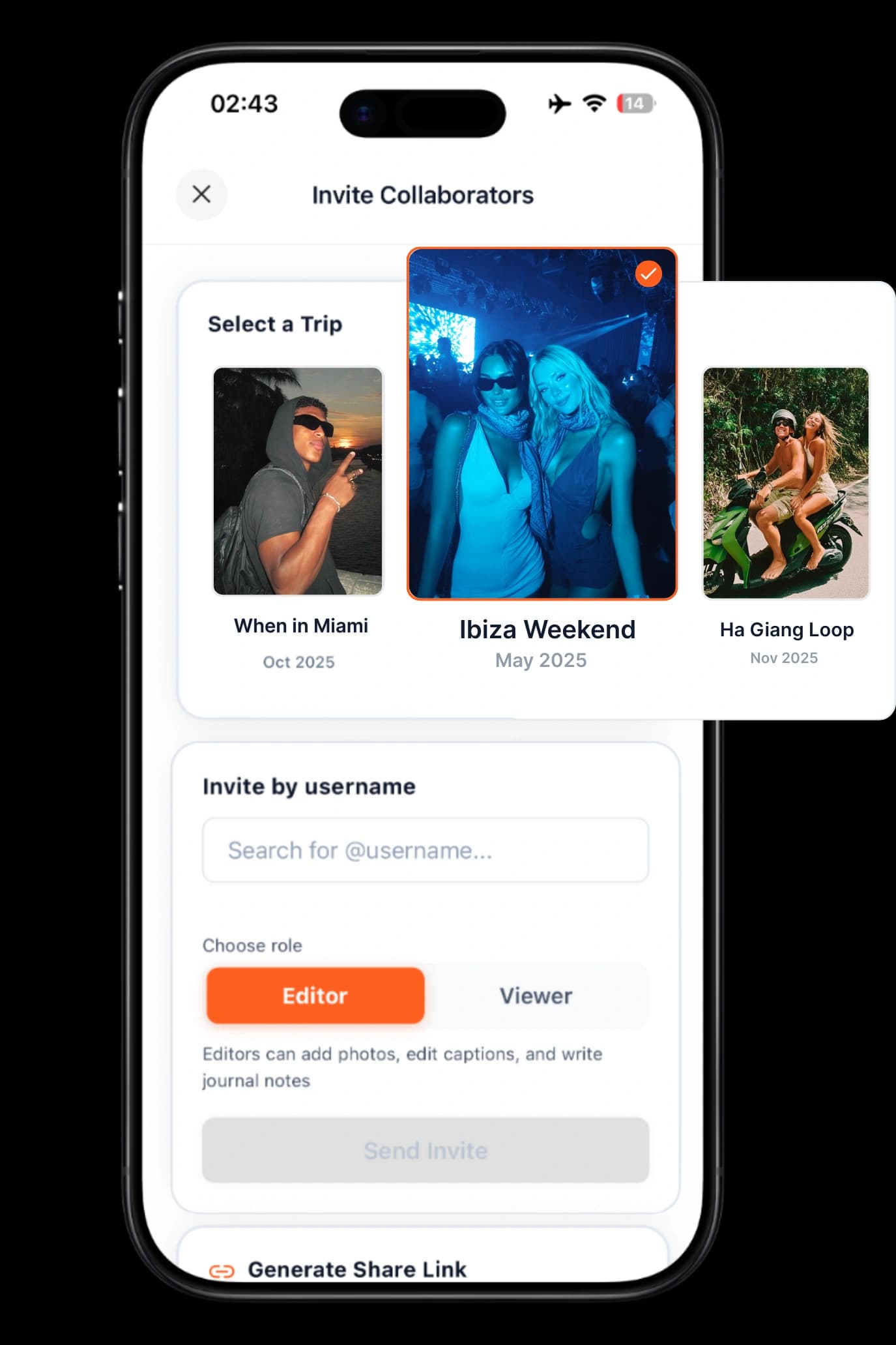
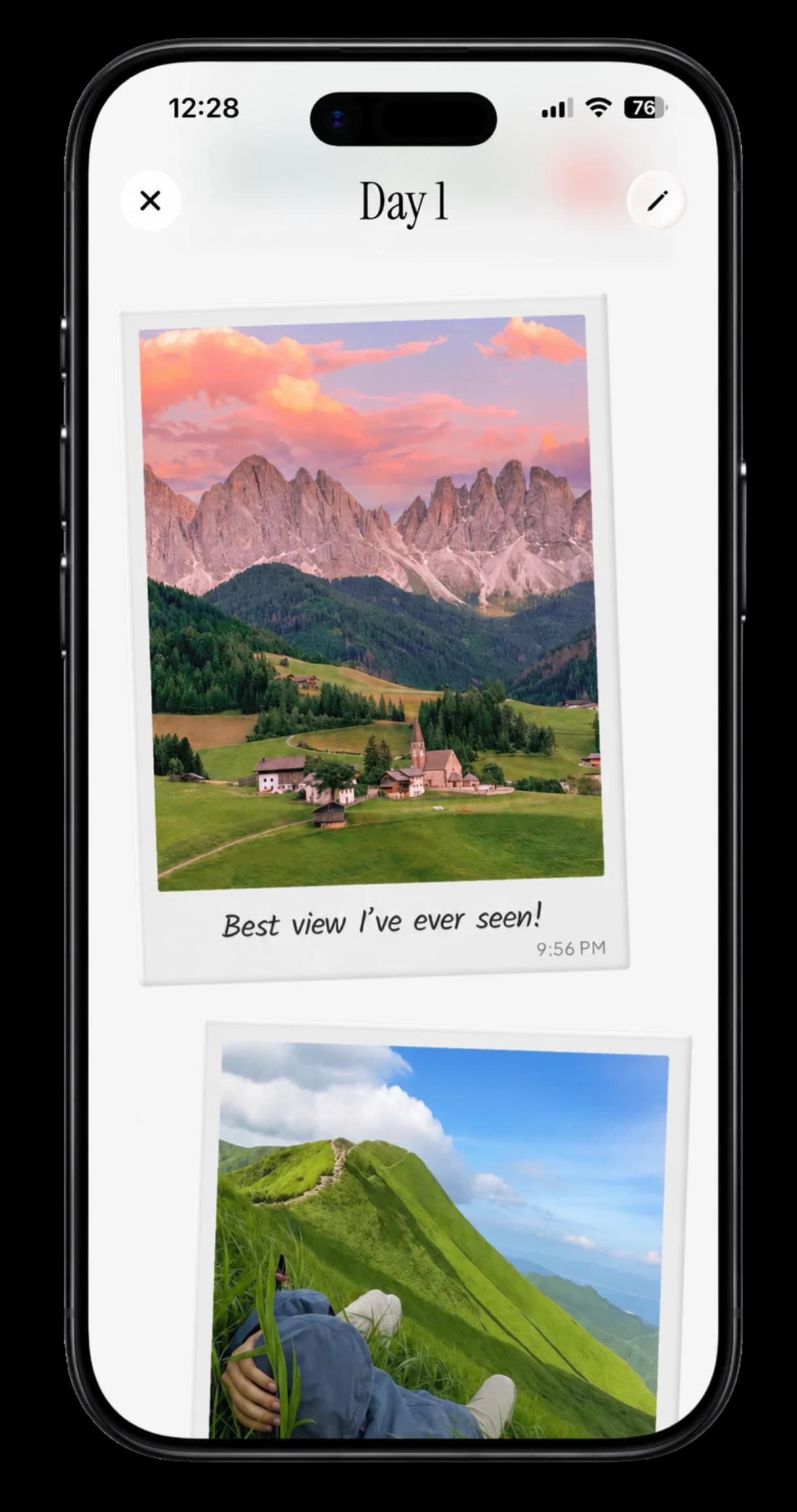
TripMemo is designed around a specific trip. A family can plan together, invite contributors, capture photos and notes offline, and keep everything in daily pages. A digital TripBook can then be shared with friends and relatives back home.
The advantage is context. Grandparents do not receive forty loose images in a busy chat. They see the place, the day and the story together.
Why it works for family updates
- Digital TripBooks are private by default.
- There is no public social feed.
- Invited family members can add their own perspective.
- Photos, notes, places and the itinerary stay together.
- Relatives can follow one TripBook link.
- TripMemo does not continuously track family members.
Important limitation
A TripBook link should still be treated as something a recipient could forward. TripMemo is a private sharing and digital travel-journal product, not an emergency tracker, secure messenger or guarantee of end-to-end encrypted communication.
Read the full family travel app guide or compare the broader best family travel apps. For browser viewing, shared contributions and route tracking, see our TripMemo vs Polarsteps comparison.
Share the trip.Keep it off the public feed.
Invite family to add their side of the story, then share one private digital TripBook with friends and relatives back home.
Private by default
No public discovery
Works offline
Sync after reconnecting
2. Polarsteps: best for relatives following the route
Polarsteps lets travellers share a trip using a secret link. Its help centre says recipients can view through a browser without creating an account or installing the app. It also provides account and trip visibility controls.
That can be convenient for relatives who want to follow where a journey is going. It also deserves care: Polarsteps explains that anyone who receives the secret link can access the trip, and route visibility may reveal more location information than a family wants to publish during an active trip.
Its Travel Together feature supports several travellers contributing to one journey, subject to the provider's current limits.
Best for: route-led updates where the journey map is part of the story.
Sources: sharing a Polarsteps trip, Polarsteps visibility and Travel Together
3. FindPenguins: best for travel footprints with flexible visibility
FindPenguins organises travel updates as footprints. Its privacy documentation describes public, close-friends and private-link options, which gives travellers several ways to decide who sees a trip.
It is a good fit when maps and travel updates are the main experience. As with any private-link system, access depends partly on recipients keeping the link private.
Best for: travellers who want map-based updates and adjustable trip visibility.
Source: FindPenguins trip and footprint privacy

Join the TripMemo
Newsletter
Unsubscribe anytime. Read our privacy policy.
4. Journi Blog: best for chronological journal updates
Journi Blog is built around stories, photos and a timeline. Its support material describes its digital journals as secret when created, with public, restricted and hidden options as well as access for collaborators and followers.
It suits people who want a recognisable travel-blog format without necessarily publishing every entry to the open web. Review the difference between contributors, followers and visibility options before inviting family.
Best for: a digital journal-style record with configurable audiences.
Sources: Journi privacy settings and Journi Blog
5. Tinybeans: best for an ongoing private family album
Tinybeans focuses on private family photo sharing rather than one journey. It can work well when parents already use one family space for everyday updates and want vacation photos to live in the same stream.
Its limitation for travel is structure. A family album is not necessarily an itinerary, route or day-by-day TripBook, so trip context can be harder to revisit later.
Best for: sharing family photos throughout the year, including vacations.
Source: About Tinybeans
6. Shared photo albums: best for the simplest familiar option
An album in the phone ecosystem your family already uses can be the lowest-friction option. It is familiar, quick and usually supports invited contributors.
The trade-off is that albums primarily preserve files. Captions are easy to skip, places may be inconsistent and the vacation story rarely has a clear beginning, middle and end.
Best for: a straightforward photo collection when nobody needs itinerary or journal features.
Private TripBook, route tracker or family album?
Choose based on what the viewer should experience.
Choose a private digital TripBook when:
- the family wants photos and written stories together;
- more than one traveller should contribute;
- the day-by-day order matters;
- plans and places should remain attached to the memories;
- relatives should follow one coherent vacation story.
Choose a route-led app when:
- the journey across places is the main story;
- viewers want to follow progress on a map;
- you are comfortable with the location detail shown;
- the app's current privacy controls fit your needs.
Choose a family album when:
- speed and familiarity matter most;
- relatives mainly want photos;
- you do not need itinerary, map or journal structure;
- your family already understands the album permissions.

%20copy%202.avif&w=384&q=75&dpl=dpl_8rfq4W9dyXsDTL7JRYsC2GrNn4WF)
%20copy%203.avif&w=384&q=75&dpl=dpl_8rfq4W9dyXsDTL7JRYsC2GrNn4WF)

Your trips deservemore than a camera roll
.avif&w=96&q=75&dpl=dpl_8rfq4W9dyXsDTL7JRYsC2GrNn4WF)
Seven privacy checks before sharing a family trip
- Check the default audience. Do not assume a new trip starts private.
- Open the link in a signed-out browser. See exactly what a recipient sees.
- Limit real-time location detail. Consider posting after leaving a place.
- Ask before sharing children's images. Older children should have a meaningful say.
- Review photo metadata and captions. School names, addresses and routine details can appear accidentally.
- Invite only the people who need access. Remove access when circumstances change.
- Decide what happens after the trip. Keep, export or delete content intentionally.
Every camera roll, one record
Bring home more than a folder of photos
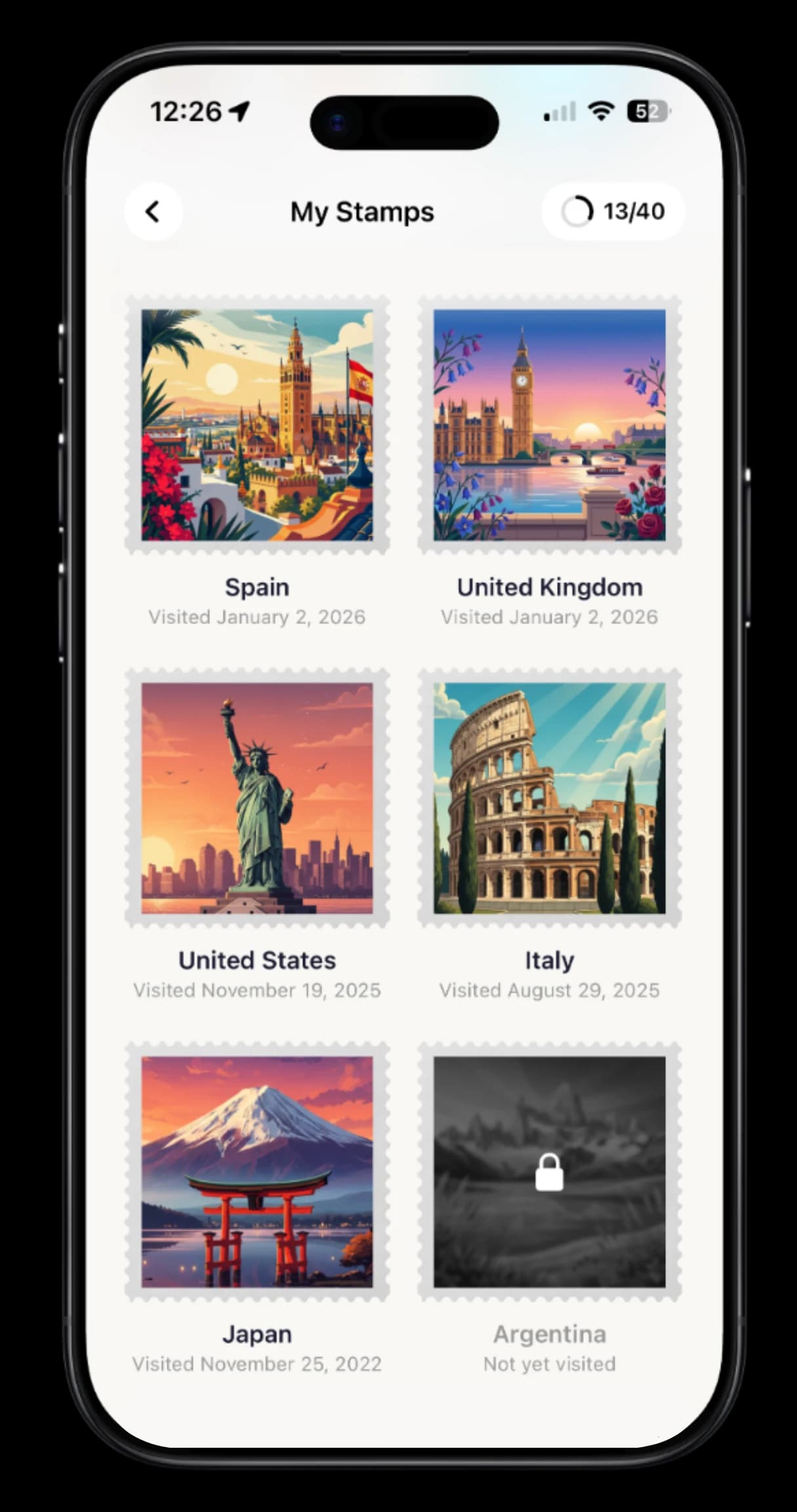
Combine everyone’s photos, notes, places and favourite moments into daily pages your family can return to long after the vacation.
Why group chats are poor travel archives
Group chats are useful for fast coordination, but poor at preserving a trip. Photos mix with reactions, logistics, unrelated conversation and duplicate uploads. Someone joining late may not understand the order, and important context becomes hard to find.
A dedicated digital travel journal keeps one trip separate. A good one groups photos, notes and places by day, allows the travellers to contribute and gives the people at home a calmer way to follow.
Read more about why group chats lose trip memories.
Frequently asked questions
What is the best app for privately sharing travel updates with friends and family?
TripMemo is a strong choice for a private, structured family story with daily pages, photos, notes and places. Polarsteps or FindPenguins may suit travellers who want route-led updates. Tinybeans suits ongoing family photo sharing beyond a single trip.
Can relatives view a trip without downloading an app?
This varies. Polarsteps states that a secret-link recipient can view in a browser without an account or app. TripMemo allows a shared digital TripBook to be opened from its link. Verify the current viewing flow before departure if older relatives need a particularly simple experience.
Is a secret travel link completely private?
It controls discovery, but a recipient may still forward it. Treat a secret or private link like an invitation rather than a cryptographic guarantee. Share it selectively and remove or change access when the provider allows.
Should I share my family's live route?
Only if the benefit outweighs the privacy cost. A route can reveal where a family is staying or that nobody is at home. Delayed updates, less precise locations and a smaller audience can reduce exposure.
Is TripMemo a family location tracker?
No. TripMemo saves places that users choose to add and presents them with travel memories. It does not continuously track family members and should not replace a dedicated safety tool.
The simple answer
For quick photos, use an album your family already understands. For a journey map, choose a route-led travel app and review its visibility settings carefully. For a private, collaborative story that keeps plans, places, photos and notes together, explore TripMemo's shared digital family TripBook.