




TripMemo Editorial Team
Research & review
9 min read•Published
Summary
Compare the best family travel apps by the job they do, from itineraries and packing to playgrounds, shared expenses and private family TripBooks.
The best family travel app depends on the job you need it to do.
TripMemo is best suited to families who want to plan together, collect everyone's photos and notes, and turn the vacation into one private digital TripBook. Wanderlog is stronger for detailed itinerary building. TripIt is useful for organising booking confirmations. PackPoint focuses on packing. Roadtrippers is built around driving routes. Google Maps and Google Translate remain valuable everyday companions.
Most families do not need one app that claims to do everything. They need a small, dependable set of tools with clear roles.
Our quick recommendations
- Best for a shared family vacation story: TripMemo
- Best for detailed itinerary planning: Wanderlog
- Best for organising booking confirmations: TripIt
- Best for family packing lists: PackPoint
- Best for a family road trip: Roadtrippers
- Best for navigation and saved places: Google Maps
- Best for language help: Google Translate
- Best for splitting expenses: Splitwise
- Best for finding playgrounds: Playground Buddy
Quick comparison
Which family travel app does what?
Choose by the job your family actually needs to do.
TripMemo
One shared family story
- Planning
- Yes
- Packing
- No
- Memory keeping
- Digital TripBook
Planning, invited contributors, offline capture and private sharing in one place
Wanderlog
Detailed itineraries
- Planning
- Strong
- Packing
- No
- Memory keeping
- Limited
Useful for collaborative routes and reservations; offline access is a premium feature
TripIt
Booking organisation
- Planning
- Bookings
- Packing
- No
- Memory keeping
- No
Turns confirmation emails into a shareable itinerary
PackPoint
Packing lists
- Planning
- No
- Packing
- Strong
- Memory keeping
- No
Builds packing lists around destination, weather and activities
Roadtrippers
Family road trips
- Planning
- Road trips
- Packing
- No
- Memory keeping
- Limited
Route planning and stops for driving holidays; offline maps depend on plan
Google Maps
Places and navigation
- Planning
- Saved lists
- Packing
- No
- Memory keeping
- Limited
Excellent companion for directions, shared place lists and downloaded maps
Google Translate
Language help
- Planning
- No
- Packing
- No
- Memory keeping
- No
Camera, conversation and downloaded language support
Splitwise
Shared expenses
- Planning
- No
- Packing
- No
- Memory keeping
- No
Keeps a running balance when adults are splitting family-trip costs
Playground Buddy
Finding playgrounds
- Planning
- Activity stops
- Packing
- No
- Memory keeping
- No
A focused map for finding and filtering playgrounds
| App | Best for | Planning | Packing | Memory keeping | Important detail |
|---|---|---|---|---|---|
| TripMemo | One shared family story | Yes | No | Digital TripBook | Planning, invited contributors, offline capture and private sharing in one place |
| Wanderlog | Detailed itineraries | Strong | No | Limited | Useful for collaborative routes and reservations; offline access is a premium feature |
| TripIt | Booking organisation | Bookings | No | No | Turns confirmation emails into a shareable itinerary |
| PackPoint | Packing lists | No | Strong | No | Builds packing lists around destination, weather and activities |
| Roadtrippers | Family road trips | Road trips | No | Limited | Route planning and stops for driving holidays; offline maps depend on plan |
| Google Maps | Places and navigation | Saved lists | No | Limited | Excellent companion for directions, shared place lists and downloaded maps |
| Google Translate | Language help | No | No | No | Camera, conversation and downloaded language support |
| Splitwise | Shared expenses | No | No | No | Keeps a running balance when adults are splitting family-trip costs |
| Playground Buddy | Finding playgrounds | Activity stops | No | No | A focused map for finding and filtering playgrounds |
How we compared these family travel apps
This guide compares each app by a specific family travel need: planning, packing, getting around, sharing costs or preserving memories. We reviewed current official product pages, help centres and app-store information on 27 July 2026.
TripMemo publishes this guide. We know TripMemo first-hand, but we have not independently stress-tested every paid feature in every competing app. Features and platform support can change, so check the provider's current listing before relying on an app for an important trip.
We did not rank apps merely because they contain the word “family”. We looked for a clear use during an actual family vacation, understandable collaboration, practical offline behaviour and a realistic limitation.
1. TripMemo: best for one shared family TripBook
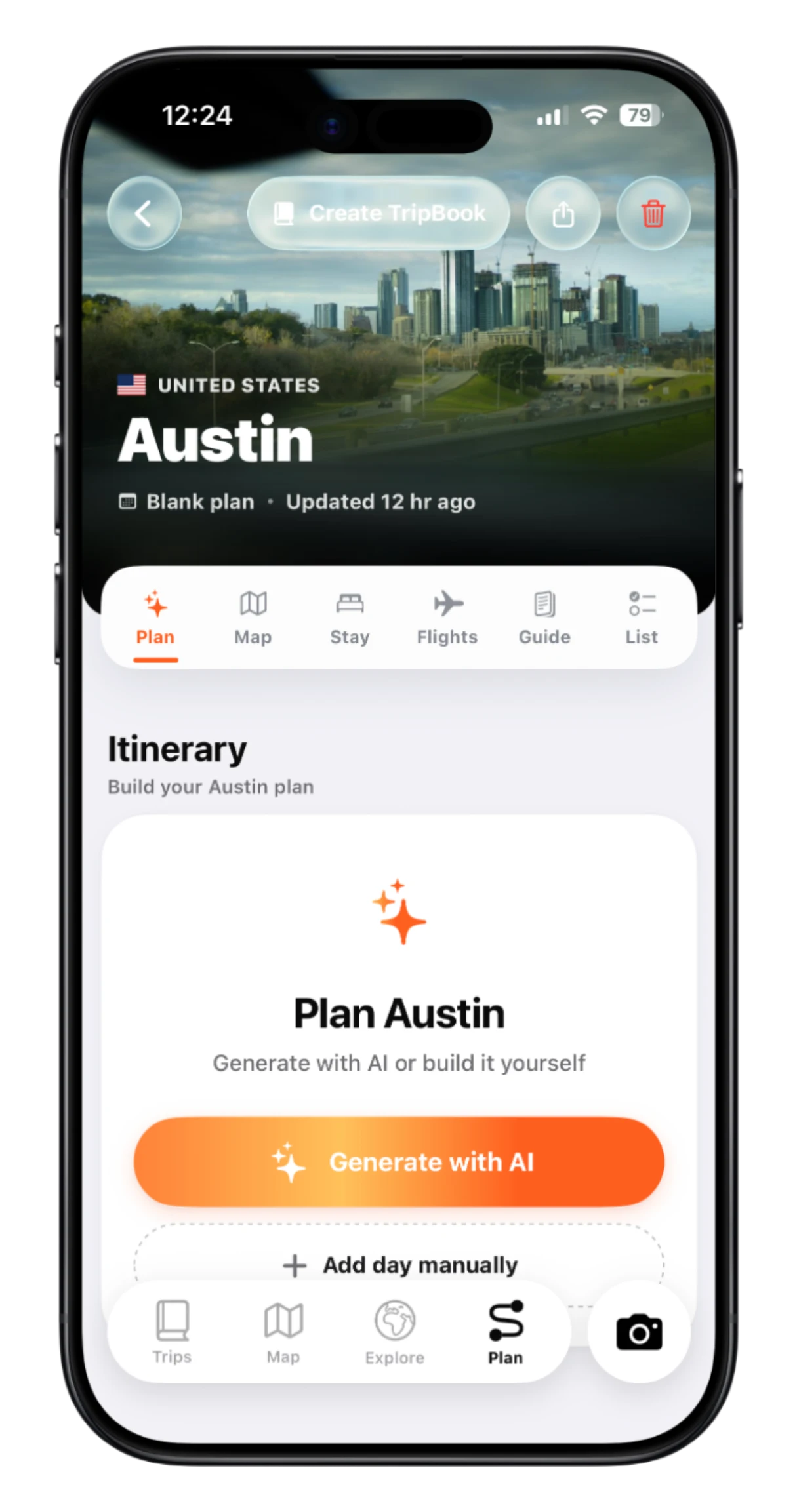
TripMemo connects the parts of a family vacation that are usually separated. Families can collect ideas and organise a day-by-day plan, invite the people travelling with them, add photos and notes during the trip, and preserve the result as a shared digital TripBook.
That makes it a good fit when the real goal is not simply “make an itinerary”. It is “keep the plan, everyone's perspective and the finished story together”.
Why families may prefer it
- Parents, older children and relatives can contribute to the same digital TripBook.
- Photos, notes, places and daily pages stay connected.
- Photos and notes can be captured offline and synced after reconnecting.
- Past vacations can be rebuilt from the camera roll.
- A specific TripBook can be shared privately with friends and relatives back home.
- There is no public social feed and no continuous family location tracking.
Important limitation
TripMemo is not a fare comparison service, booking engine, turn-by-turn navigator or child-location tracker. It works best alongside specialist tools for those jobs. It is currently an iPhone app and requires iOS 16.4 or later.
Explore the complete family travel app or start with the family vacation planning checklist.
Plan once, remember it properly
The itinerary can become the family story
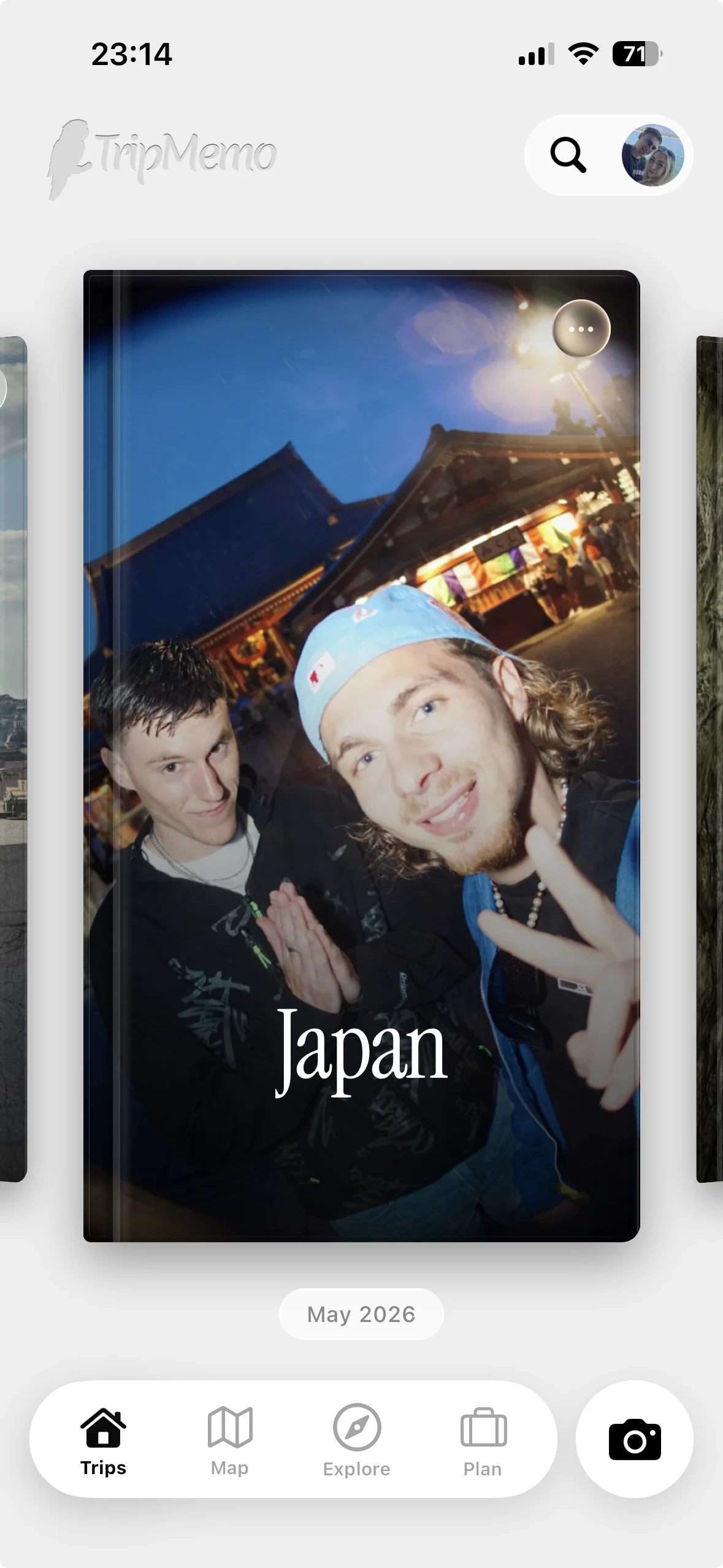
Keep ideas, day plans and places together before departure. During the trip, everyone can add photos and notes to the same digital TripBook.
2. Wanderlog: best for detailed itinerary planning
Wanderlog is useful when a family wants to build a detailed itinerary around places, reservations and routes. Its help centre describes collaborative editing and live syncing, which can be valuable when more than one adult is shaping the plan.
The main trade-off is focus. Wanderlog is primarily a planner. It is not designed to turn the trip into a rich, day-by-day family memory book. Its help centre also lists offline access under its Pro features, so confirm the current plan you need before travelling somewhere with unreliable signal.
Choose it when: logistics, routes and collaborative itinerary editing are the priority.
Source: Wanderlog Help Center
3. TripIt: best for organising booking confirmations
TripIt turns travel confirmation emails into an itinerary. This is useful for families juggling flights, hotels, car hire and activities across several inboxes. TripIt also supports sharing an individual trip or sharing all trips with another person.
Its strength is administrative clarity. Its limitation is that it is not a family digital travel journal, shared camera roll or child-friendly memory space.
Choose it when: the first problem is finding reservation details quickly.
Sources: TripIt trip sharing and TripIt product overview
4. PackPoint: best for family packing lists
PackPoint creates suggested packing lists based on destination, travel dates, weather and planned activities. That narrow purpose is helpful when one person is packing for several people and needs a repeatable starting point.
It does not replace an itinerary or family digital travel journal. It solves the “what have we forgotten?” stage of the vacation.
Choose it when: packing for different ages, weather and activities is the biggest source of stress.
Source: PackPoint

Join the TripMemo
Newsletter
Unsubscribe anytime. Read our privacy policy.
5. Roadtrippers: best for family road trips
Roadtrippers centres the experience on a driving route and the stops around it. That makes it useful for a family road trip where the journey matters as much as the destination.
Its official help pages note that some planning features differ between web and mobile, and offline maps depend on the relevant subscription. Check the current feature set before leaving areas with weak coverage.
Choose it when: you are planning a multi-stop driving holiday and want discoveries along the route.
Sources: planning a trip in the Roadtrippers mobile app and Roadtrippers mobile app overview
6. Google Maps: best for navigation and saved places
Google Maps is the practical companion most families already understand. You can save places in lists, share those lists and download map areas for offline use. It is especially useful for keeping restaurants, playgrounds, pharmacies and rainy-day options close at hand.
Saved lists are not a complete day-by-day family itinerary, and a map pin does not preserve why a place mattered. Pair it with a planning or memory app when you want more context.
Choose it when: reliable directions and a shared shortlist of places matter most.
Sources: Google Maps saved lists and offline maps
7. Google Translate: best for language help
Google Translate supports translated text, camera translation, conversation features and downloaded languages. It can make menus, signs and short conversations less intimidating for both adults and children.
It is a utility rather than a trip planner. Download the languages you expect to need before departure and remember that automated translations can miss context.
Choose it when: your family is travelling somewhere with an unfamiliar language.
Source: Google Translate features
8. Splitwise: best for shared family expenses
Splitwise is helpful when several adults are paying for accommodation, meals, fuel and tickets. A group keeps a running record of who paid and who owes what, reducing the need to settle every small cost immediately.
For one household using a single budget, it may add unnecessary administration. It is most useful for multigenerational trips, two families travelling together or holidays with adult relatives.
Choose it when: costs are shared across more than one household.
Source: Splitwise

%20copy%202.avif&w=384&q=75&dpl=dpl_8rfq4W9dyXsDTL7JRYsC2GrNn4WF)
%20copy%203.avif&w=384&q=75&dpl=dpl_8rfq4W9dyXsDTL7JRYsC2GrNn4WF)

Your trips deservemore than a camera roll
.avif&w=96&q=75&dpl=dpl_8rfq4W9dyXsDTL7JRYsC2GrNn4WF)
9. Playground Buddy: best for finding playgrounds
Playground Buddy is a focused option for families who need active breaks between museums, meals and long drives. Its official information describes a playground map, filters, directions and community-contributed details.
Coverage depends on the available data in the destination, so it is better treated as an extra discovery tool than the only source of child-friendly activity ideas.
Choose it when: playground stops can rescue a busy sightseeing day.
Sources: Playground Buddy help and Playground Buddy FAQ
The best family travel app stack
Instead of downloading ten apps, start with the type of trip.
For a city break with children
Use Google Maps for directions and saved places, Google Translate if needed, and TripMemo for the day plan and shared family story.
For a family road trip
Use Roadtrippers for the driving route, Google Maps for live navigation, and TripMemo for photos, notes, locations and the finished digital TripBook.
For a multigenerational vacation
Use TripIt for booking details, Splitwise if households are sharing costs, and TripMemo so grandparents, parents and older children can add their different perspectives.
For a trip with unreliable signal
Check offline access in every app before departure. Download map areas and languages while connected. Use TripMemo to capture family photos and notes offline, then sync them after reconnecting.
What should a family vacation app include?
A useful family vacation app should make a specific part of the trip easier without creating more work. Before choosing, ask:
- Can everyone who needs to contribute understand it?
- Does it work when the signal disappears?
- Can we control who sees children's photos and family updates?
- Does it preserve context, or only store files and pins?
- Can relatives follow without joining another public network?
- Does it duplicate an app we already use well?
- What happens to the content after the vacation?
The last question is often missed. Planning apps are valuable before departure, but the most meaningful family content is created during the trip.
Frequently asked questions
What is the best app for families travelling together?
TripMemo is a strong option when a family wants to combine planning, shared photos, notes and a private day-by-day digital TripBook. Wanderlog is better suited to detailed itinerary building, while TripIt focuses on booking confirmations. The best choice depends on the job you need to solve.
What is the best family trip planning app?
For detailed routes and collaborative itineraries, Wanderlog is a strong specialist planner. TripMemo is better suited to families who want the plan to continue into a shared digital travel journal and lasting digital TripBook.
Which family travel apps work offline?
Offline behaviour differs. Google Maps supports downloaded map areas, Google Translate supports downloaded languages, and TripMemo can capture photos and notes offline. Wanderlog and Roadtrippers tie some offline features to particular plans. Always prepare downloads before departure and verify the current provider details.
Can one app plan and document a family vacation?
Yes. TripMemo combines family vacation planning with collaborative memory keeping. It is not a booking engine or navigator, so families may still pair it with booking and mapping tools.
Is a family travel app the same as a family tracking app?
No. A travel app may organise itineraries, places, photos or memories. A tracking app is designed to monitor location. TripMemo does not continuously track family members and should not be used as a safety or emergency-location service.
The simple answer
Choose the smallest set of apps that covers your actual trip:
- one for bookings or detailed logistics;
- one for navigation and language when needed;
- one shared place for the family story you want to keep.
If that final job matters to you, see how TripMemo combines a family trip planner and private digital TripBook.