




TripMemo Editorial Team
Research & review
13 min read•Published •Updated
Summary
The best solo travel apps for documenting a trip, meeting people, planning routes, navigating offline, tracking a budget and sharing your location—without pretending one app does everything.
The best app for solo travel depends on the job you need it to do.
That sounds obvious, but most “best solo travel apps” lists mix completely different tools together. An app for meeting backpackers is not a safety app. A route planner is not a travel journal. A live-location tool is not where you will want to keep the story of the trip.
For most solo travellers, the useful setup is a small stack:
- TripMemo for documenting the journey in a private, visual TripBook
- Hostelworld or NomadHer when meeting other travellers is the priority
- Google Maps or Citymapper for everyday navigation
- Rome2Rio for comparing ways to travel between places
- TravelSpend for keeping a trip budget visible
- Apple Find My or Google Maps location sharing for live-location check-ins with someone you trust
- Google Translate for language support
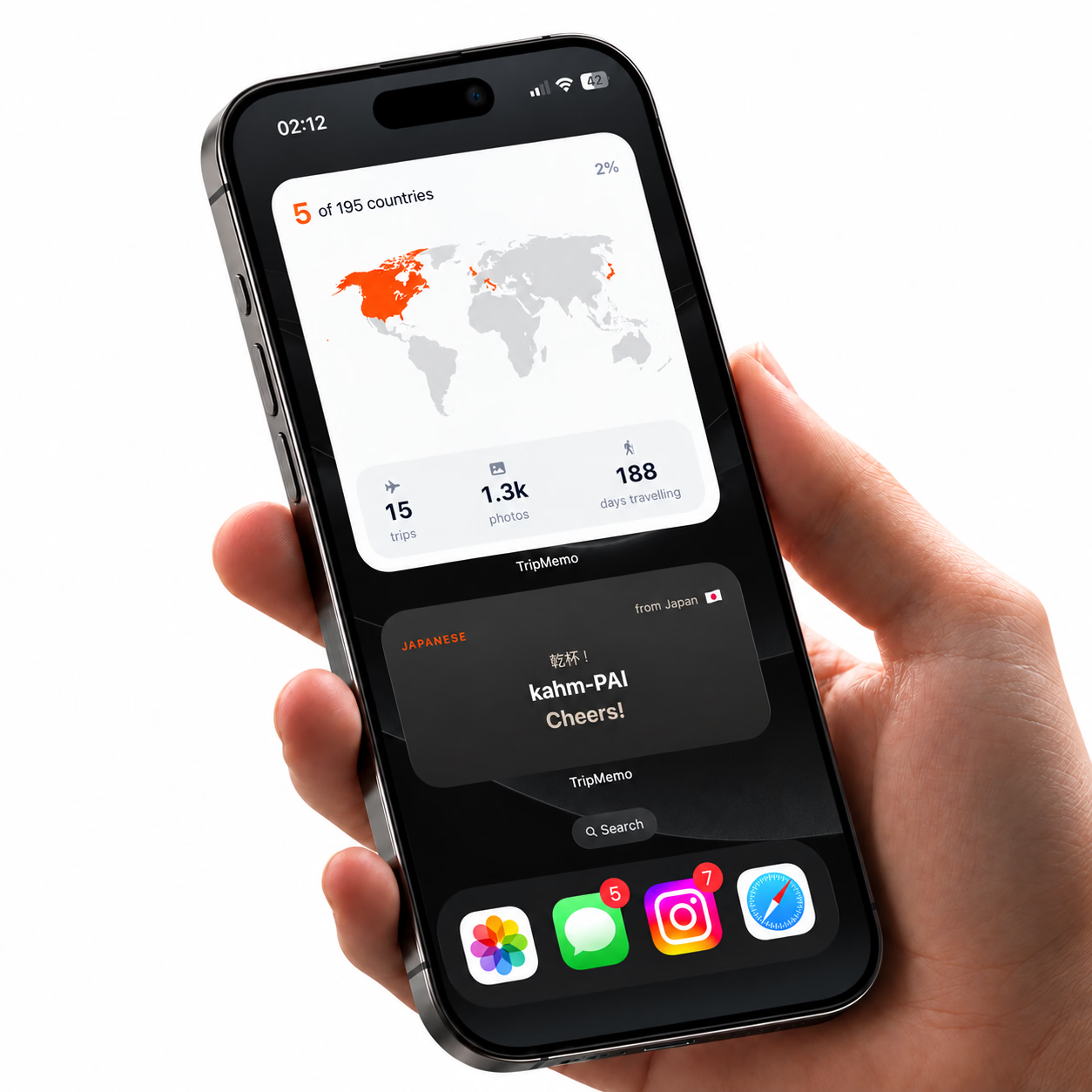
TripMemo belongs in the first category. It helps you remember a solo trip, share selected trips with friends or family, and collaborate with people you meet. It does not find travellers for you or continuously track your live location.
In this guide
- Solo travel apps by category
- The best solo travel apps at a glance
- How we chose these apps
- TripMemo: travel journal app for iPhone
- Apps for meeting people
- Navigation, transport, budget and safety tools
- TripMemo vs Polarsteps
- Five-minute pre-trip setup
- Frequently asked questions
Solo travel apps by category
“Solo travel app” describes several different jobs. This is the clearest way to choose:
| Category | What the app should help you do | Best fit in this guide |
|---|---|---|
| Documenting and journaling | Keep photos, notes, places and the day-by-day story | TripMemo’s solo travel journal app |
| Meeting people | Find travellers, chats, events or communities | Hostelworld or NomadHer |
| Navigation | Get around a city and save maps for limited connectivity | Google Maps or Citymapper |
| Intercity planning | Compare ways to move between destinations | Rome2Rio |
| Budgeting | Record spending across currencies and categories | TravelSpend |
| Live-location sharing | Let a trusted person see an active location | Apple Find My or Google Maps |
| Language support | Translate signs, menus, text and speech | Google Translate |
TripMemo occupies the documenting and journaling category. It can share a TripBook with home and let people you meet contribute, but it is not a traveller-matching, emergency-response or continuous live-location service.
The best solo travel apps at a glance
| What you need | App to consider | Why it fits |
|---|---|---|
| A private photo journal | TripMemo | Turns photos, places, captions and notes into day-by-day TripBooks |
| Meet backpackers nearby | Hostelworld | Hostel and city chats, traveller profiles and social activities |
| A women-only travel community | NomadHer | Community, travel-buddy discovery, tips and women-focused travel camps |
| Local public transport | Google Maps or Citymapper | Routes, arrivals and step-by-step urban navigation |
| Travel between cities | Rome2Rio | Compares trains, buses, ferries, flights and driving options |
| Track a travel budget | TravelSpend | Records spend by trip, category and currency |
| Share a live location | Apple Find My or Google Maps | Designed for active location sharing with trusted contacts |
| Translate text and speech | Google Translate | Camera, text, voice and downloaded language support |
Availability and features can vary by country, device and plan, so check the current app listing before relying on a feature during a trip.
How we chose the best solo travel apps
This is an editorial shortlist, not a list of whoever pays the highest affiliate commission. TripMemo makes a travel-journal app, so we state that conflict clearly and recommend other products when they do a different job better.
We looked for:
- A clear primary job. The app should solve one real solo-travel need without pretending to replace every other tool.
- Useful offline behaviour. We distinguish fully offline functions from features that still need data.
- Current first-party evidence. Product claims are based on official support or product pages and should still be checked before departure.
- Privacy and permission clarity. Location, contacts and public profiles should be considered before enabling them.
- Low effort while travelling. A useful app should reduce cognitive load rather than create another admin task.
- Honest limits. No journal, community or map app should be presented as a guarantee of personal safety.
We do not claim to have independently safety-tested every service in every country. Availability, pricing and features change, which is why this guide links to current first-party information where possible.
The best solo travel apps in detail
1. TripMemo — best solo travel journal app for iPhone
Solo travel creates a strange memory problem. You notice more because nobody else is setting the pace, but there is also nobody beside you to remember the moment differently. Weeks later, the camera roll knows where you were, but not what you were thinking.
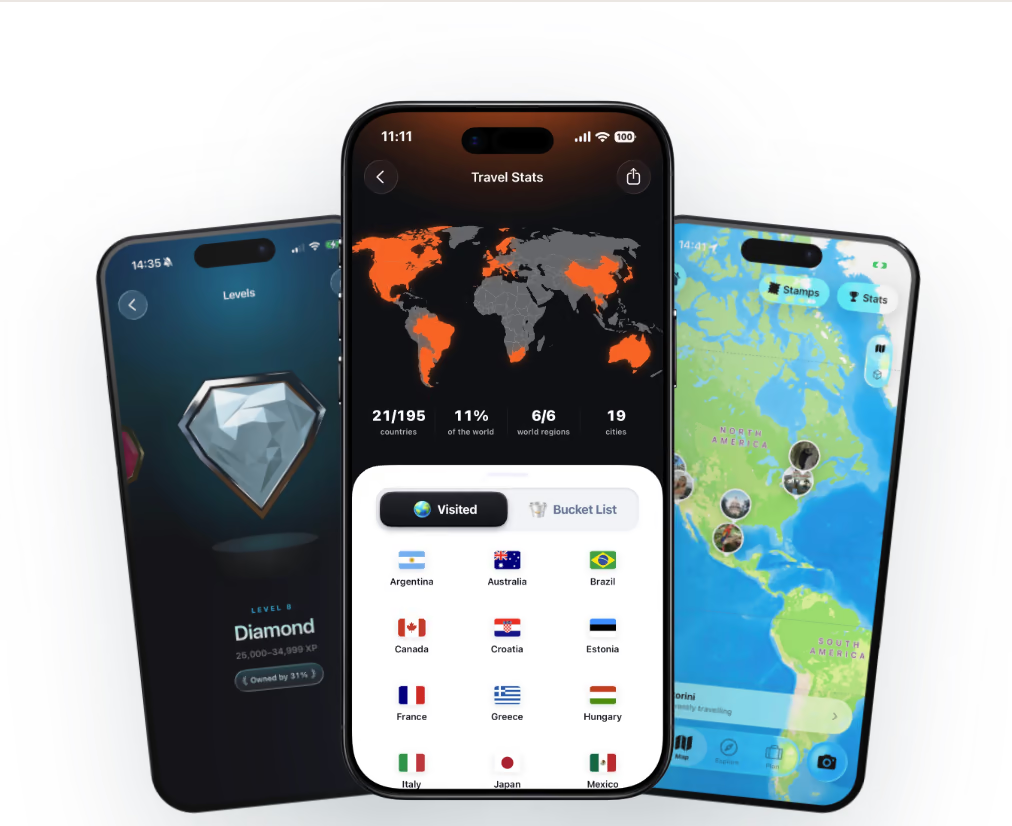
TripMemo’s solo travel app is built around that gap. Add photos, captions, longer notes and places while the detail is fresh. The trip becomes a day-by-day TripBook rather than another folder of disconnected images.
It is a particularly good fit if you want to:
- write and add photos without a connection, then sync later
- see the route and places connected to the memories
- bulk upload an older solo trip from the camera roll
- keep a TripBook private by default
- send one specific trip to friends or family
- invite travellers you meet to add their photos and notes
- download the shared photos afterwards
That final point matters. Travelling solo does not mean every day stays solo. You might meet two people at a hostel, explore together for a weekend, then go in different directions. With TripMemo, you can invite them into that TripBook and keep the shared chapter in one place.
The distinction is simple: TripMemo helps you document the people you meet; it does not help you find them. If you want a private, visual and offline-ready journal on iPhone, explore TripMemo’s solo travel journal app.
2. Hostelworld — best app for meeting backpackers
If your main concern is “How will I meet people?”, a social travel product is more relevant than a journal.
Hostelworld combines accommodation discovery with traveller profiles, hostel and city chats, and activities. Its social features are aimed at helping people in the same place start conversations and make plans. That makes it useful for backpackers who want the hostel to be part of their social life, not just somewhere to sleep.
Choose it when:
- you are staying in hostels
- you actively want to meet travellers nearby
- group activities and city chats sound useful
- you want social context while booking accommodation
It is not a replacement for a private travel journal. If you make friends through a hostel or chat, you can still invite them into a shared TripMemo TripBook after you meet.
3. NomadHer — best community app for solo female travellers
NomadHer is designed specifically for women travelling solo. Its official site describes a community for connecting, sharing travel advice, finding people with overlapping itineraries and joining organised travel camps.
Choose it when:
- a women-focused community is important to you
- you want advice from other solo female travellers
- you want to look for a travel buddy
- curated community events appeal to you
As with any online community, use your own judgement when moving a conversation into the real world. Meet in public, tell someone your plan and leave if the situation does not feel right.
For a more focused comparison, read our guide to the best solo female travel apps.
4. Google Maps and Citymapper — best navigation apps for solo travel
Navigation deserves a place in every solo travel setup because there is no travel companion checking the other platform or spotting the missed turn.
Google Maps has broad coverage and can save selected areas for offline use. Citymapper is especially useful in supported cities where its public-transport detail is strongest. The right choice depends on the destination, so check coverage before leaving.
Before a travel day:
- Save the accommodation address.
- Download an offline map where available.
- Screenshot the first and last part of the route.
- Save the local emergency number separately.
- Keep enough battery to navigate after arrival.
An offline map is useful, but it does not automatically mean every transit schedule or live disruption will work without data.
5. Rome2Rio — best for comparing intercity routes
When the question changes from “Which street?” to “How do I get from this island to that mountain town?”, Rome2Rio is a useful starting point.
Its app compares transport modes across countries, including trains, buses, ferries, flights and driving. This makes it good for understanding the shape of a journey before booking.
Treat the result as route research rather than the final word. Confirm the live timetable, fare rules and platform details with the transport operator—especially on routes with seasonal ferries or multiple connections.
6. TravelSpend — best app for a visible solo-trip budget
Solo travel can make spending harder to sense. There is nobody splitting a taxi, noticing the third expensive coffee or comparing today’s costs with yesterday’s.
A dedicated budget app such as TravelSpend gives every expense a trip, category and currency. That is more useful than discovering the total from a bank statement after you return.
A low-friction habit works best:
- enter the amount immediately
- use broad categories rather than perfect accounting
- review once every two or three days
- keep emergency money outside the daily target
The goal is not to turn the trip into a spreadsheet. It is to make sure your future self still has choices.
7. Apple Find My or Google Maps — best for live-location sharing
A travel journal and a location-sharing tool solve different problems.
TripMemo can show the places attached to a TripBook, but it is not a continuous safety tracker. When someone at home needs to see your active location, use a feature designed for that purpose, such as Apple Find My or Google Maps location sharing.
Agree on the plan before the trip:
- who can see the location
- when sharing should be active
- what a missed check-in means
- who should call you first
- when someone should contact local support
No app guarantees safety. Battery, signal, permissions and device settings can all interrupt location updates. A written itinerary and clear check-in routine still matter.
8. Google Translate — best for everyday language help
Google Translate can handle typed text, voice and camera-based translation, with downloadable languages available for many destinations. Download what you need on Wi-Fi and save a few essential phrases outside the app too.
It is useful for menus, signs and straightforward conversations. For medical, legal or high-stakes information, use a qualified human interpreter when possible.

Join the TripMemo
Newsletter
Unsubscribe anytime. Read our privacy policy.
TripMemo vs Polarsteps for a solo trip
TripMemo and Polarsteps overlap, but the centre of gravity is different.
| If you care most about… | Better starting point | Why |
|---|---|---|
| Private day-by-day journaling | TripMemo | TripBooks combine photos, captions, longer notes and places |
| Automatic route tracking | Polarsteps | Tracking and route visualisation are central to the product |
| Inviting people you meet into one shared record | TripMemo | Collaborators can add their side to the same TripBook |
| A public travel profile and following other trips | Polarsteps | Its experience includes a stronger social and discovery layer |
| Selectively sharing one trip with home | TripMemo | Share a specific TripBook rather than making the whole journal public |
| Android support | Polarsteps | TripMemo is currently available for iPhone |
Choose TripMemo if the journal and shared memories matter most. Choose Polarsteps if automatic tracking and a travel-social layer matter most. For a full feature-by-feature breakdown, see our TripMemo vs Polarsteps comparison.

%20copy%202.avif&w=384&q=75&dpl=dpl_8rfq4W9dyXsDTL7JRYsC2GrNn4WF)
%20copy%203.avif&w=384&q=75&dpl=dpl_8rfq4W9dyXsDTL7JRYsC2GrNn4WF)

Your trips deservemore than a camera roll
.avif&w=96&q=75&dpl=dpl_8rfq4W9dyXsDTL7JRYsC2GrNn4WF)
How to choose your solo travel app stack
You do not need eight apps open all day. Choose one tool for each real need.
If this is your first solo city break
Start with:
- a navigation app with the destination downloaded
- a live-location option for a trusted contact
- TripMemo for the day-by-day story
- a translation app if needed
Use our solo travel destination finder if you are still deciding where to go.
If you are backpacking and want to meet people
Add:
- Hostelworld for accommodation and social features
- a simple budget tracker
- TripMemo for the people, places and photos you want to keep after the chats disappear
If you are travelling alone for several weeks
Prioritise:
- offline navigation
- intercity route comparison
- expense tracking
- a clear check-in system
- a journal you will actually keep using
The best journal is the one that fits the rhythm of the trip. Our solo travel journaling guide includes practical prompts for the quiet, difficult and unexpectedly social parts of travelling alone.
A five-minute setup before departure
Do this while you still have familiar Wi-Fi:
- Download the maps and languages you need.
- Save your first accommodation and transport booking offline.
- Test live-location sharing with your trusted contact.
- Agree on check-in expectations.
- Create the first TripBook and add a short departure note.
- Turn on the permissions each app genuinely needs.
- Pack a small power bank and the correct cable.
Also review the privacy settings. “Free” apps may differ in how they use location, contacts, analytics and advertising data. Granting every permission is not a prerequisite for travelling well.
Frequently asked questions
What is the best free app for solo travel?
There is no single best free app for every solo traveller. Google Maps is a strong general navigation choice, while the right app for journaling, community, budgeting or location sharing depends on the job. Check current pricing in your country because free tiers change.
Is there an app for solo travellers to meet?
Yes. Hostelworld offers traveller chats and social features, while NomadHer is built around a women-focused solo travel community. TripMemo does not match travellers; it lets people who have already met collaborate on a shared TripBook.
What is a good solo travel journal app?
TripMemo is designed for visual, day-by-day travel journaling. It combines photos, notes, captions, places, maps, offline capture and selective sharing in one TripBook.
Can my family follow my solo trip?
You can share a specific TripMemo TripBook with friends or family. If they need continuous live-location updates, pair it with Apple Find My, Google Maps location sharing or another dedicated service.
Which solo travel apps work offline?
Offline support varies by feature. TripMemo supports offline capture with later sync, Google Maps offers downloadable areas, and Google Translate supports downloaded languages. Prepare and test downloads before departure.
The honest answer
The best solo travel setup is not the app with the longest feature list. It is a handful of clear tools that do their own jobs well.
Use a community app to meet people. Use a location tool for active sharing. Use navigation and transport apps to move confidently. And use TripMemo to keep the journey—the private thoughts, unexpected detours, new faces and photos that would otherwise dissolve into the camera roll.